CertLeaf
QR Code Certificates for Workshops and Training Programs: A Practical Guide
A practical guide for workshop and training teams that need to issue certificates in bulk, email them to participants, and give each certificate a QR verification path.
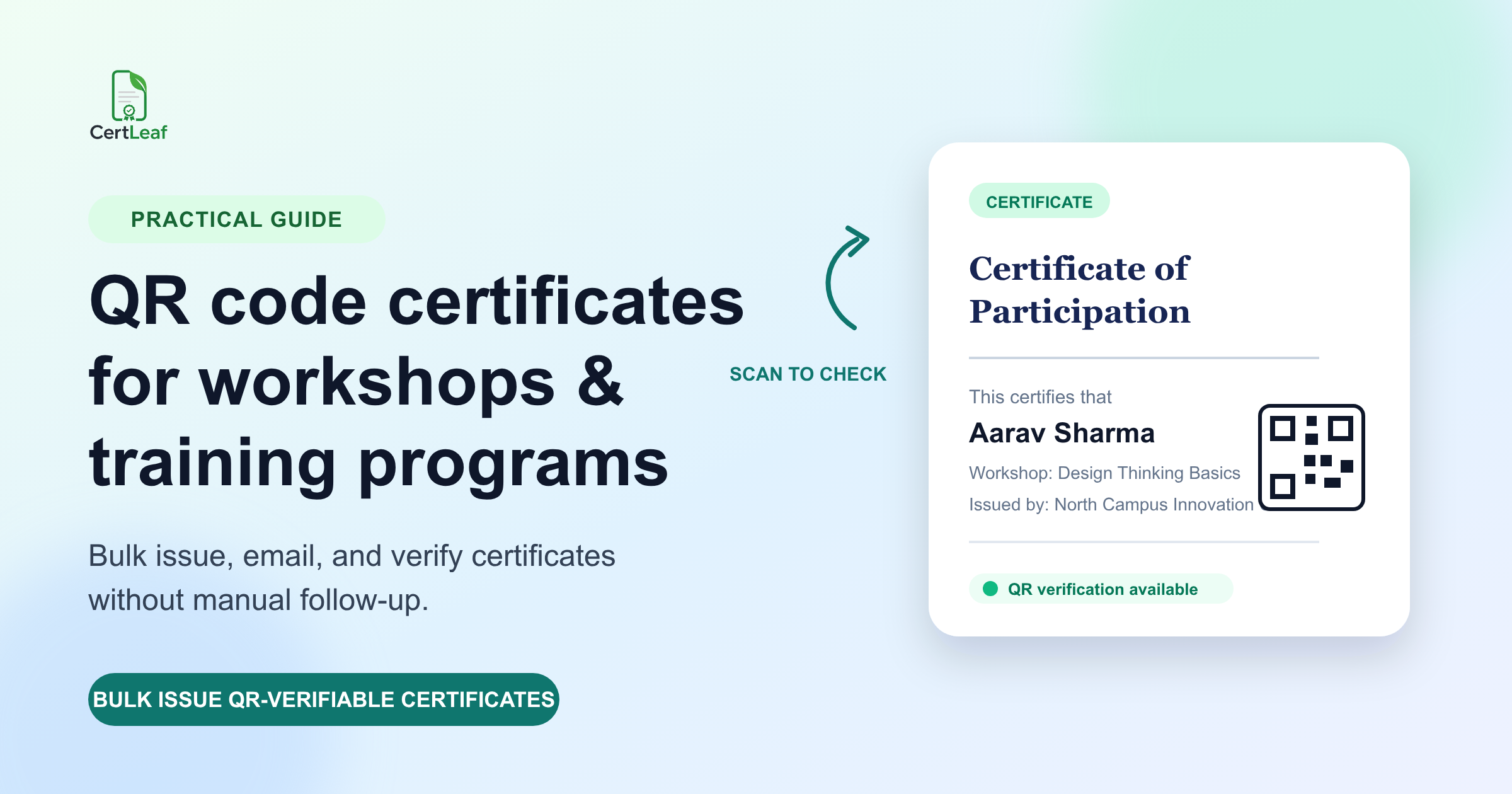
QR codes solve the awkward question that comes after certificate delivery
A workshop certificate is easy to admire and easy to forward. That is also the problem.
Once a PDF leaves your inbox, a recruiter, college coordinator, or future course provider has no quick way to know whether it really came from your programme. Asking the participant to forward old emails is clumsy. Asking your team to manually confirm every certificate is worse.
A QR-verifiable certificate gives the person checking it a direct route to a public verification page. For a one-day workshop, a three-month training batch, or a faculty development programme, that small detail turns a nice-looking PDF into a credential people can actually check.
The point is not to make certificates feel technical. It is to avoid turning your admin team into a certificate help desk six months later.
Where QR verification matters most
Not every certificate needs the same level of verification. If you are printing a few internal thank-you certificates, a normal PDF may be enough. QR verification earns its place when the certificate will be used outside the room where it was issued.
It is especially useful for:
workshop participation certificates shared on LinkedIn or with placement teams
course-completion certificates from training institutes and coaching centres
college department events where students add certificates to portfolios
competitions, bootcamps, and certification programmes with many recipients
any programme where someone may need to confirm the issuer and recipient details later
The practical test is simple: will someone other than your organising team need to trust this document? If yes, make verification easy from day one.
What a QR-verifiable certificate should confirm
A QR code is only useful if the page behind it answers the basic questions quickly. The verification view should make it clear that the certificate exists in the issuer's records and show the details that matter.
For most workshops and training programmes, that means checking:
the recipient's name
the certificate or programme title
the issuing organisation
the issue date
a certificate identifier or verification status
Keep the fields deliberate. A participation certificate should say participation. A completion certificate should say completion only when the learner completed the course requirements. Certificates often become confusing because the language was copied from an old template, not because the technology failed.
Build the certificate workflow before the last day
The common mistake is leaving certificates until after the event. By then, the attendance sheet has odd spellings, the design still has placeholder text, and someone is asking when the email will go out.
Do the setup before the programme begins instead.
1. Decide what the certificate is for
Start with the outcome you are certifying: attendance, participation, completion, merit, or speaker contribution. This determines the title, wording, and the data you need from recipients.
For example, a weekend workshop may use "Certificate of Participation." A six-week skills programme may use "Certificate of Completion." Do not use a stronger label just because it sounds better on a template.
2. Prepare one clean recipient sheet
For bulk issuing, use a CSV with one row per recipient. At a minimum, include the name and email address. Add fields such as programme name, date, registration number, score, or college only if they belong on the certificate or in your records.
Before uploading, check three things that create most post-event fixes:
names are capitalised the way participants expect
email addresses are current and free of accidental spaces
column headings match the fields in the certificate template
A five-minute review here is cheaper than reissuing fifty certificates later.
3. Create a reusable template and add the QR code
Upload your certificate design, place the recipient fields, and add the QR code in a spot that remains clear when the PDF is viewed on a phone. The bottom corner usually works well; do not hide it behind a signature, seal, or crowded footer.
With CertLeaf, you can save that layout as a reusable template. That matters when your institute runs the same workshop series every month or a college club repeats an annual event. You should not have to rebuild the certificate just to change a date and recipient list.
4. Issue the batch, then review a few real examples
Generate the batch from your CSV. Before telling everyone that certificates are ready, open a small sample across the list. Check a long name, a short name, and a row with optional fields.
Look for the boring but important things: text wrapping, the correct programme title, the QR code placement, and the email address assigned to the certificate. This is the moment to catch a template mistake while it is still one fix, not hundreds of support messages.
5. Email certificates with a clear subject line
Send certificates to participants by email after the batch is ready. Keep the email plain and useful: say what the certificate is for, mention that the attached or linked certificate can be verified using its QR code, and give a contact route for corrections.
For a paid workshop or formal training programme, a short correction window is sensible. It stops last-minute name changes from becoming an endless back-and-forth months later.
How a recipient verifies a certificate
Verification should not require a login, a phone call, or a spreadsheet search.
A recipient or reviewer scans the QR code on the certificate and opens the verification page. They can compare the displayed details with the PDF they received. If something does not match, they should contact the issuing organisation rather than treating the document as confirmed.
That is the real benefit: the issuer stays in control of the record, while the person checking the certificate gets an answer without waiting for an admin reply.
QR codes do not fix bad certificate operations
It is worth being blunt about this. A QR code cannot rescue a certificate that has the wrong recipient name, vague programme wording, or no clear issuer identity.
Verification works best alongside a disciplined issuing process:
use a named, recognisable issuer on the certificate
keep the programme title consistent across registration, email, and certificate
issue only after you have confirmed attendance or completion criteria
give participants a simple route to request a correction
retain the original recipient data and issuing record
The QR code is the check. The workflow behind it is what makes that check meaningful.
A workable setup for small teams
Small organising teams often choose between two bad options: design every certificate manually or buy a subscription that sits unused for most of the year.
CertLeaf is built for the middle ground. Create the template once, upload the recipient CSV, issue certificates in bulk, email them, and include a QR verification path for certificates that need it. Credits are pay-as-you-go, so a college club, workshop organiser, or training institute does not need to keep paying during quiet months.
New accounts receive 20 free credits to test the workflow. If you are issuing a real batch, check the current credit pack pricing before you start so the team approving the programme knows what to expect.
Related certificate workflows
For stronger record keeping, assign unique IDs to QR-verifiable training certificates.
When you are ready to issue, create and send workshop certificates in bulk.
FAQ
Can I add QR codes to certificates for a one-day workshop?
Yes. A one-day workshop can still produce certificates that participants use in portfolios, job applications, or college records. QR verification is useful whenever a third party may need to check the certificate later.
Is a QR code the same as a digital signature?
No. A QR code gives the certificate a route to a verification page. It should not be described as a signed PDF or digital signature. Use the wording that matches what you actually issue.
Should every training certificate be QR-verifiable?
Not necessarily. Use QR verification for certificates likely to be shared or checked outside your organisation. For internal, informal recognition, a standard certificate may be sufficient.
Can I issue QR-verifiable certificates in bulk?
Yes. With a prepared CSV and reusable certificate template, CertLeaf lets you issue a batch of certificates, email recipients, and provide QR verification without creating each PDF one by one.
Make verification part of the certificate, not an afterthought
The best time to decide how a certificate will be checked is before registrations open, not after participants begin asking for proof.
Set up the template, clean the recipient list, use accurate certificate language, and issue the batch with a verification path that is easy to understand. That gives participants a credential they can share and gives your team fewer manual verification requests to handle.
If you are preparing certificates for an upcoming workshop or training batch, start free with 20 CertLeaf credits and test the complete flow on a small list first.