CertLeaf
College Event Certificate Template: A Reusable System for Student Certificates
A practical college event certificate template guide for seminars, symposiums, guest lectures, competitions, and workshops, with wording, CSV fields, and QR verification advice.
At 6:15 pm, the student coordinator was still in the seminar hall, using the registration desk as a laptop table. The guest speaker had left. The event photos were already in the department group. But the certificate file still said "Technical Symposium 2025," the signatory line belonged to last semester's coordinator, and nobody knew whether the 147 students on the registration sheet had actually attended.
I have seen this version of college event follow-up more than once. The design is rarely the main problem. The problem is that the team starts with an old file, edits whatever looks obvious, and discovers the missing fields after the first certificates have been sent.
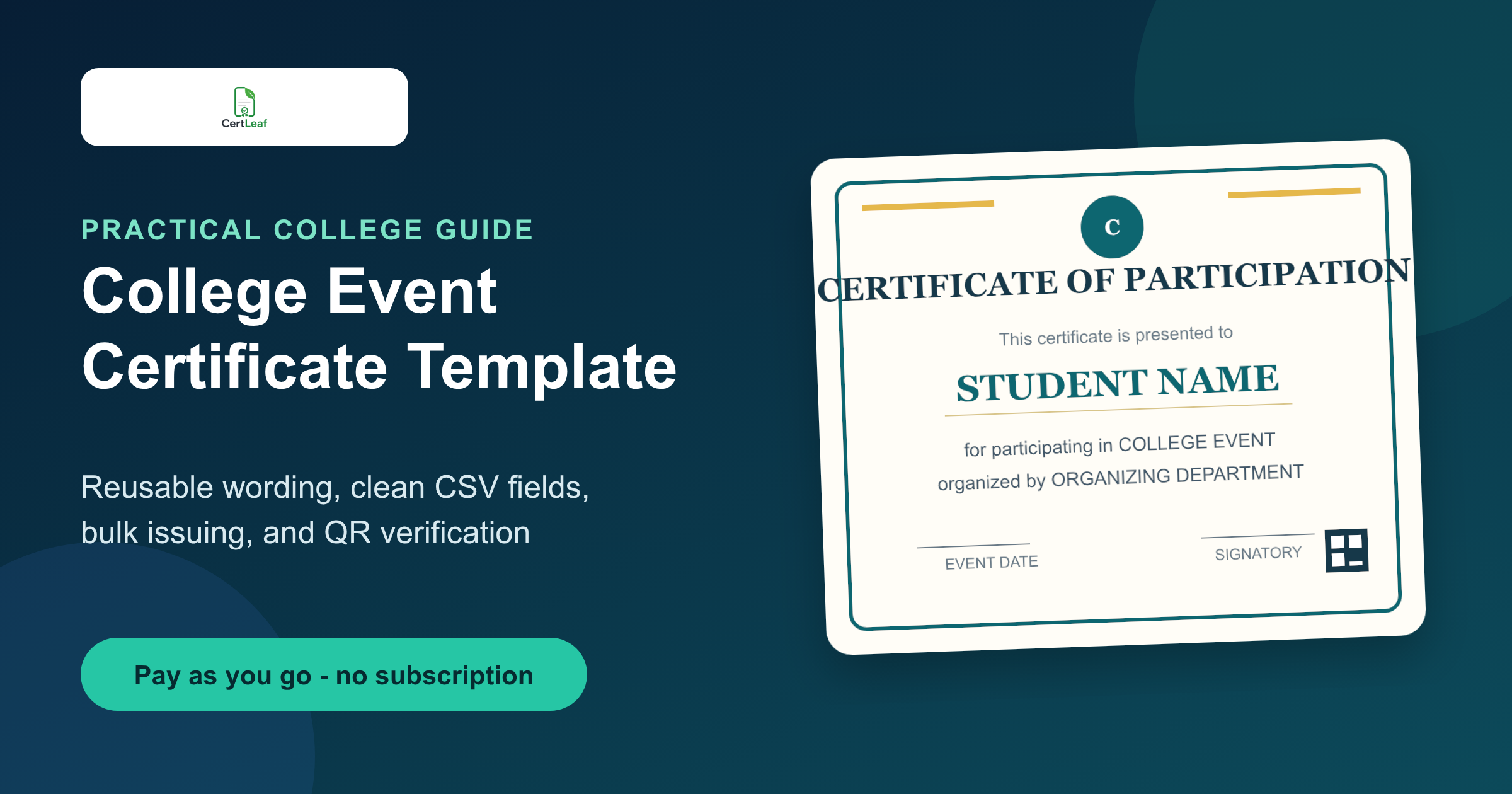
A useful college event certificate template should survive more than one event. The same base can work for a seminar, symposium, guest lecture, competition, or workshop if the fixed wording is careful and the changing details are treated as fields. It can also become a college certificate template for the department rather than a one-off design hidden on one volunteer's laptop. With a separate wording variant, the same system can support a student participation certificate template without rebuilding the design.
| Decide before designing | Keep fixed in the template | Change for each event or student |
|---|---|---|
| Who qualifies | Visual style and border | Student name |
| Certificate type | Signature positions | Event title and date |
| Whether QR verification is needed | Space for wording | Department and certificate type |
| Who approves corrections | QR and certificate ID area | Email address in the issuing CSV |
What belongs on a college event certificate?
The safest starting point is a small set of fields that say exactly who received the certificate, why, and from whom.
Put the student name in the clearest type on the page. Add the event title, event date, organizing department or club, certificate type, and authorized signatory. If the institution requires its name or logo, reserve that space in the base design. For multi-day workshops, include the duration only when it adds useful meaning. A certificate ID is worth adding when the department expects later record checks.
The certificate type needs care. "Participation" is appropriate for someone who attended. "Winner," "runner-up," "volunteer," "organizer," and "completion" describe different records. Do not take one student participation certificate template and quietly use it for winners by changing only the student's name. The body wording should match what the certificate proves.
I would also leave enough room for the awkward data. Test a long student name, a long event title, and a long department name before approving the template. A short placeholder can make almost any design look clean. Real rows reveal whether it is reusable.
App-ready certificate template guidelines
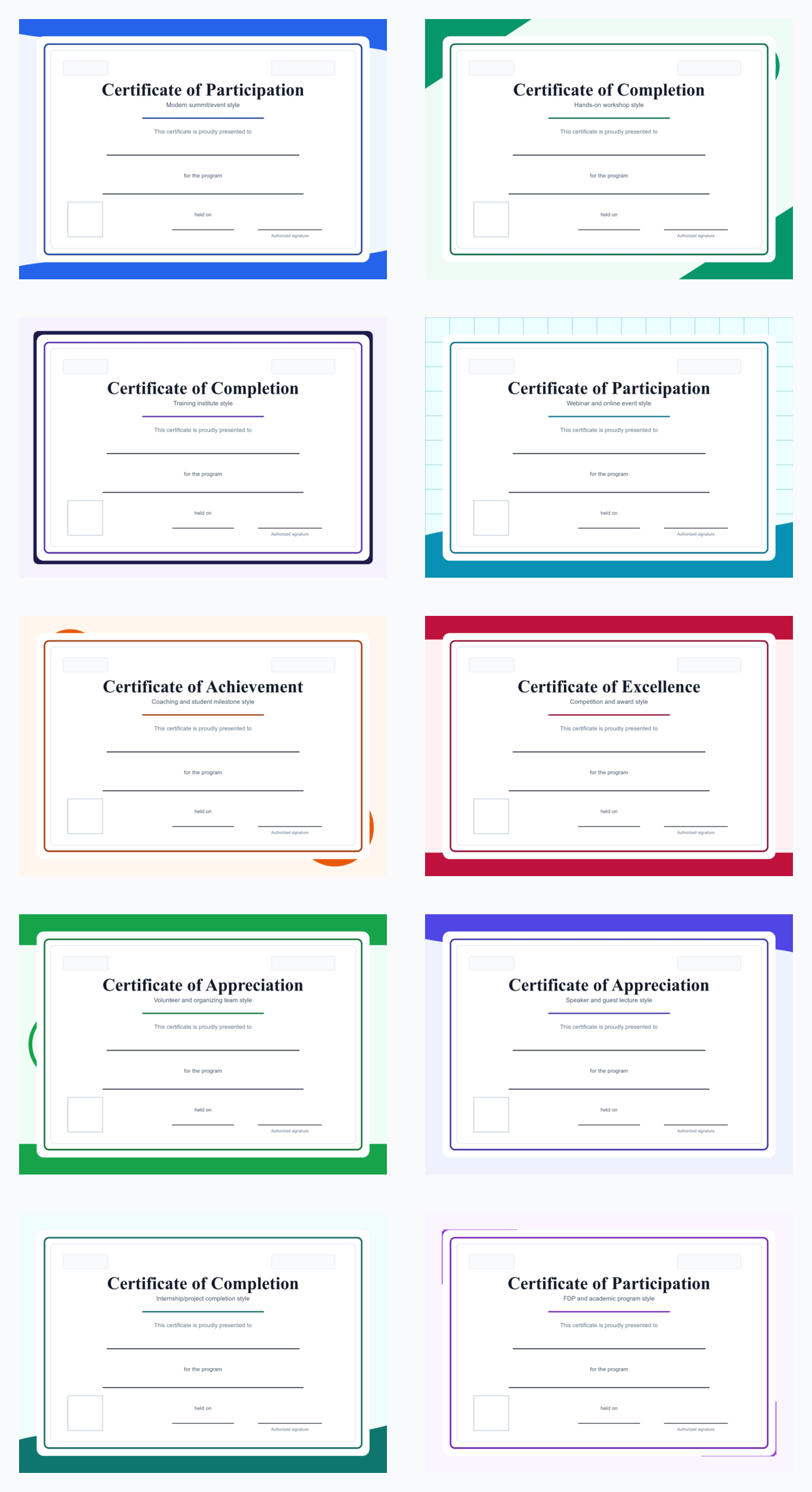
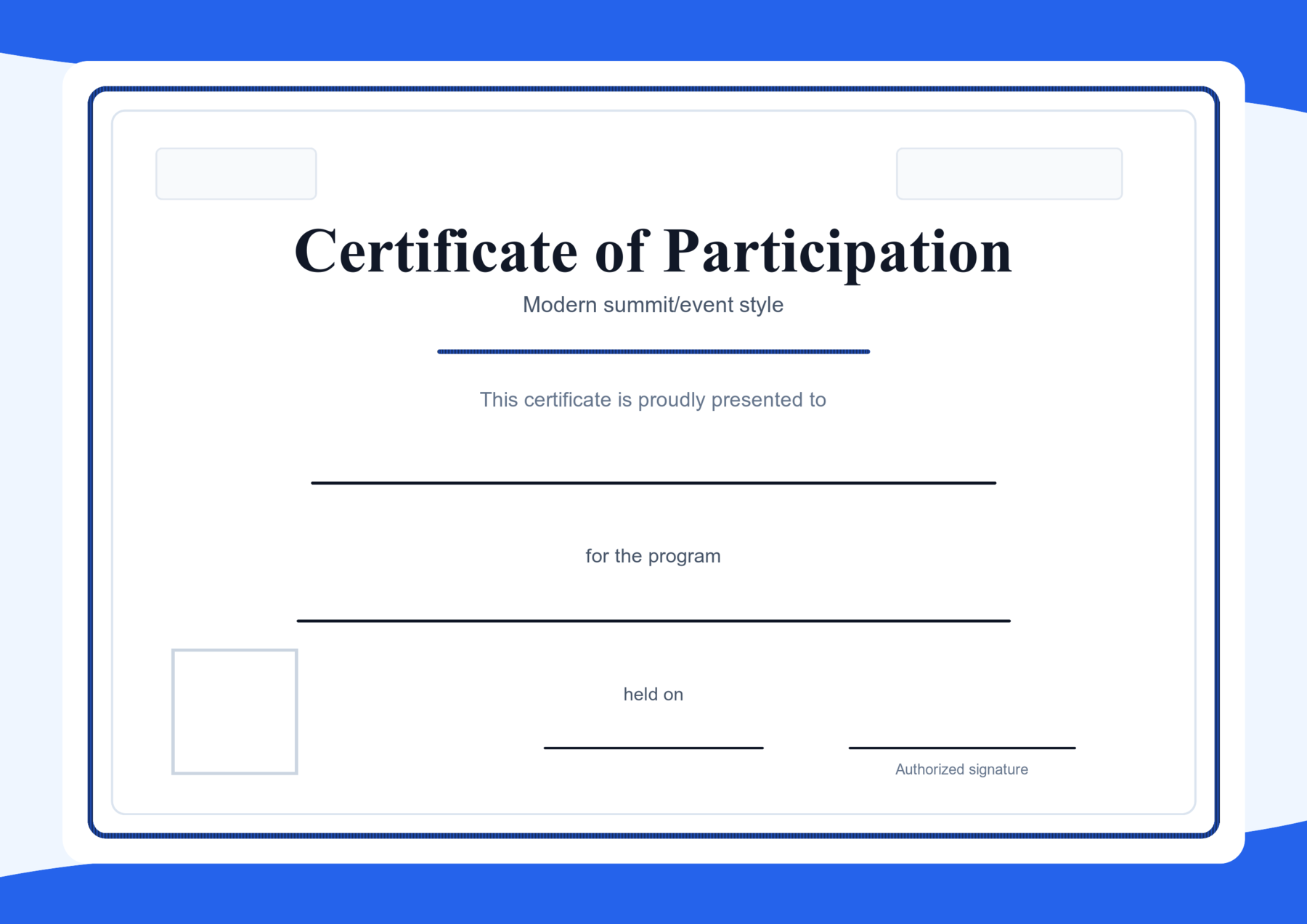
A college certificate template should work as a base design inside CertLeaf, not as a filled sample certificate or a form with many labeled blank rows. The design should already look like a professional certificate issued at a modern event. CertLeaf can then place the student name, event title, date, QR code, and other dynamic fields on top of that design.
Use these rules before approving the template:
Keep the certificate body simple: title, short presentation line, recipient name space, event or program space, date space, and signature area.
Leave a clean square empty area for the real QR code. Do not place a fake QR code in the design.
Leave enough open space for CertLeaf fields. The field names should be configured in CertLeaf, not printed as a multi-line form on the certificate.
Avoid filled sample names, real college names, real event names, or fake certificate IDs in reusable template visuals.
Keep the layout modern and event-ready: balanced borders, readable typography, enough whitespace, and no crowded decorative elements near the QR or signature areas.
Test the base design with long recipient names and long event titles before issuing the full batch.
Wording examples for a college certificate template
The wording should be plain enough that another coordinator can reuse it without rewriting the whole certificate.
For a seminar or guest lecture:
"This is to certify that STUDENT NAME participated in EVENT TITLE, organized by ORGANIZING DEPARTMENT on EVENT DATE."
For a hands-on workshop:
"This is to certify that STUDENT NAME completed the workshop EVENT TITLE, conducted by ORGANIZING DEPARTMENT on EVENT DATE."
For a symposium or paper presentation:
"This is to certify that STUDENT NAME presented a paper at EVENT TITLE, organized by ORGANIZING DEPARTMENT on EVENT DATE."
For a competition:
"This is to certify that STUDENT NAME received CERTIFICATE TYPE in EVENT TITLE, organized by ORGANIZING DEPARTMENT on EVENT DATE."
These examples use no real institution, event, or person names on purpose. They show where dynamic fields belong. The final wording should reflect the event record. If a student attended a guest lecture, "completed" is usually too strong. If a competition certificate says "winner," the result sheet should support it.
A reusable template also avoids honorific debates. I prefer a single participant_name field with the approved display name rather than separate title, first name, and surname fields. It is simpler for students with initials, multi-part names, or no title preference.
Template mistakes that create correction work
The most expensive mistake is not an ugly border. It is a certificate that carries the wrong claim or cannot fit the real data.
Old dates and signatories often remain because a club copies last year's file. Event titles get shortened differently across the poster, attendance form, and certificate. A QR code is added at the end and covers a signature line. The participant name is centered in a narrow box that works for "Student A" but not for an actual long name. Sometimes the certificate says "successfully completed" even though the event collected only a check-in form.
I would reject a template if its wording depends on manual editing after generation. Fields such as student name, event title, date, certificate type, and certificate ID should come from the approved recipient data. Fixed text should remain fixed.
Another common mistake is creating five unrelated designs for five event types. A department can keep one visual system while using separate wording variants for participation, completion, achievement, and organizing roles. That gives the college a consistent look without forcing every certificate to say the same thing.
How to prepare the CSV for bulk issuing
The issuing CSV should be the final certificate list, not the raw registration export.
For a college workshop, I would first reconcile attendance and any eligibility rule. Then I would make one row per recipient with only the fields needed by the certificate and email delivery. A practical header set is:
participant_name,email,event_title,event_date,organizing_department,certificate_type,certificate_id
The header names should match the dynamic fields in the template. Keep dates in one format. Remove duplicate email rows. Confirm name corrections before the upload. If winners and participants need different wording, separate them into clear batches or use a controlled certificate_type field that maps to the correct template.
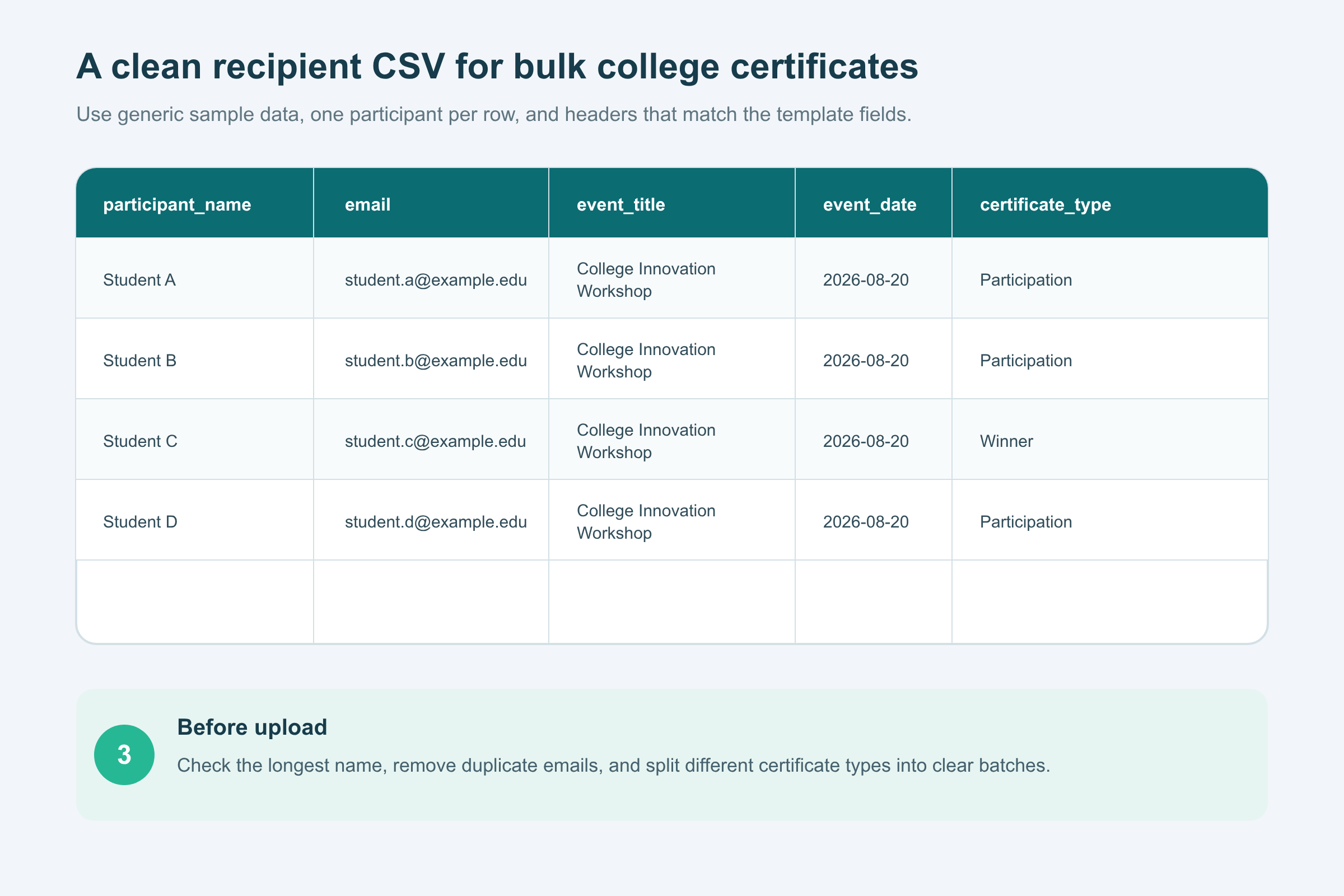
Before issuing the whole batch, generate a few tests. I use the longest name, the longest event title, one winner or special category, and one ordinary participant. Check spelling, line wrapping, date format, email mapping, signatures, and QR placement. Fix the data or template once, then run the batch.
This is also where a correction deadline helps. Tell students when the approved display-name list will close. Otherwise, the team may keep changing the CSV while somebody else is already generating certificates from an older copy.
When QR verification helps on student certificates
QR verification is most useful when the certificate will travel beyond the event team.
A student may add the PDF to a portfolio, share it on LinkedIn, submit it to another department, or show it during an internship application. A symposium winner may need a result record later. A volunteer certificate may be checked after the organizing committee has changed.
In those cases, a QR code that opens a verification page gives the viewer a way to check the issued record. It is more useful than placing a decorative QR code that only opens the college homepage.
Not every internal participation slip needs verification. A small classroom activity may not justify it. I would use QR-verifiable certificates when the event is external-facing, the achievement matters, the batch is large, or the department expects checks months later. The point is not to make the certificate look technical. The point is to make the record easier to confirm.
Where CertLeaf fits
CertLeaf handles the issuing part once the wording, template, and recipient list are ready.
A college club or department can create a reusable template, place dynamic fields, upload a final CSV, and issue the certificates in bulk. Certificates can be delivered by email, and QR-verifiable certificates can link to a public verification page. The template stays available for the next seminar, symposium, guest lecture, competition, or workshop, so the team does not have to rebuild the issuing setup each time.
CertLeaf uses pay-as-you-go credits rather than a subscription. That suits departments and clubs that issue certificates around events rather than every week. New accounts receive 20 free credits for testing. The useful boundary is simple: use your forms and attendance process to decide who qualifies, then use CertLeaf to generate, send, verify, and manage the certificates.
A reusable workflow for the next college event
Before registrations open, decide the certificate type and eligibility rule. Approve the wording and signatories while the event committee is still active. Build the base design with enough room for long names and titles.
After the event, turn the attendance record into one approved CSV. Apply corrections there, not inside individual PDFs. Generate the awkward test rows. Once they look right, issue the full batch, send it by email, and keep the final CSV with the event records.
That workflow is less exciting than choosing fonts. It is also the part that keeps a coordinator from reopening 147 certificate files after dinner.
Related certificate workflows
After preparing the reusable design, generate certificates for event participants.
Before the batch, prepare the college event recipient CSV.
For budgeting, plan certificate costs for the next college event.
FAQ about college event certificate templates
Can one college event certificate template work for seminars and workshops?
Yes, if the visual design is reusable and the wording is kept in clear variants. A seminar may say "participated," while a hands-on workshop may say "completed." Keep the layout consistent, but do not force different event records into identical wording.
What should a student participation certificate template include?
A student participation certificate template should include the student name, event title, organizing department or club, event date, participation wording, and authorized signatory. It can also include a certificate ID and QR verification when the record may be checked later.
How is a college certificate template used for bulk issuing?
Create dynamic fields in the college certificate template, then prepare a CSV with one approved recipient per row. The CSV headers should match the fields for the student name, event title, date, department, certificate type, email, and any certificate ID.
Should every college event certificate have a QR code?
No. QR verification is most helpful for external-facing events, achievements, large batches, and records that may be checked later. If used, the QR code should open a real verification record rather than a generic website page.
Can CertLeaf email college certificates to students?
Yes. CertLeaf supports bulk CSV issuing and email delivery. A department or club can use a reusable template, issue the approved batch, send each certificate to the matching email address, and choose QR-verifiable certificates when needed.
A good template does not merely look finished. It makes the next event easier to close. Keep the wording honest, keep the data clean, and make the fields reusable. The certificate design will then survive the handover from one coordinator to the next.