 CertLeaf
How to Prepare a Certificate Recipient CSV Without Name or Email Errors
A practical certificate recipient CSV guide for organizers who want to catch duplicate rows, spelling problems, and bad email addresses before issuing a bulk batch.
At 8:40 pm, the coordinator for a three-day data analytics workshop in Coimbatore still had four spreadsheets open. One came from registration. Another came from the attendance desk. A third contained feedback-form responses. The last one was called final_participants_v3_revised.xlsx, which was not as final as its name suggested.
The workshop had 186 attendees. The certificate list had 193 rows.
The extra rows were not mysterious. One participant had registered twice with two email addresses. A faculty member appeared once as Dr K Praveen and again as K. Praveen. Three people had completed the feedback form using a personal email after registering with a college address. One recipient had typed an email without .com.
This is the part of bulk certificate issuing that deserves more attention. A certificate recipient CSV is small and ordinary, but it decides whose name appears on the PDF, where the certificate is sent, and how many correction messages arrive the next morning.
| Source | What it is good for | What can go wrong |
|---|---|---|
| Registration export | Names, college, original email | Includes no-shows and duplicate registrations |
| Attendance sheet | Confirms who joined | Names may be shortened or entered manually |
| Feedback form | Useful completion check | Participants may use a different email |
| WhatsApp corrections | Catches late spelling requests | Easy to miss when updating the main sheet |
My rule now is simple: never upload the first spreadsheet someone calls final. Build one clean issuing sheet from the sources you trust, then test it with the rows most likely to break.
Start with one row per certificate
Before worrying about capitalization or column headers, decide what one row means.
For a one-day college seminar, one row may mean one eligible attendee. For a training institute, it may mean one learner who completed the required sessions and assessment. For a competition, the same person might legitimately need two certificates: one for participation and another for winning a category. That should be an intentional two-row decision, not an accidental duplicate.
At the Coimbatore workshop, the coordinator used attendance as the main list and then added the feedback status. That removed the no-shows immediately. She matched duplicates by email first, then checked similar names manually. The row count fell from 193 to 184. Two late attendance confirmations brought it to 186.
That sequence matters. If you start by polishing every registration row, you can spend time fixing people who were never eligible for a certificate.
Use a certificate recipient CSV format you can explain
A useful bulk certificate CSV template does not need twenty columns. It needs the fields that actually appear on the certificate or control delivery.
For a typical workshop batch, I would begin with:
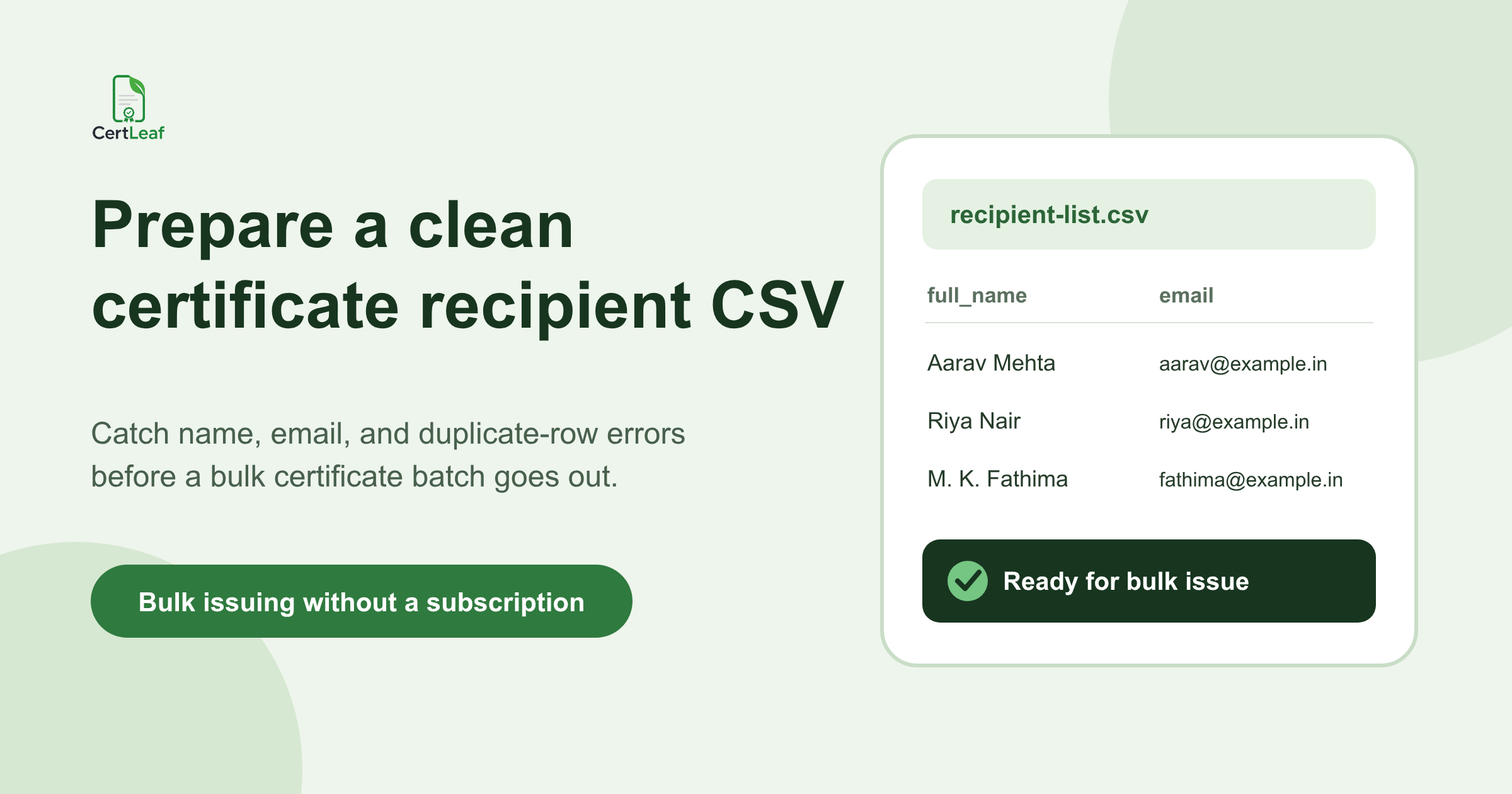
full_name,email,course_name,completion_date,certificate_type
Use stable, plain headers. full_name is easier to map and discuss than a column called Name of Participant as Required on E-Certificate. Keep internal notes such as attendance percentage or payment status in a working sheet if they are not needed for certificate generation. Export only the issuing columns when the list is ready.
The exact fields will vary. A college guest lecture may only need full_name, email, and event_name. A six-week training program may also need start_date, end_date, and grade. The right certificate recipient CSV format is the smallest format that can produce the correct certificate and deliver it to the correct person.
Clean names without rewriting people
Names cause more certificate corrections than most layout choices.
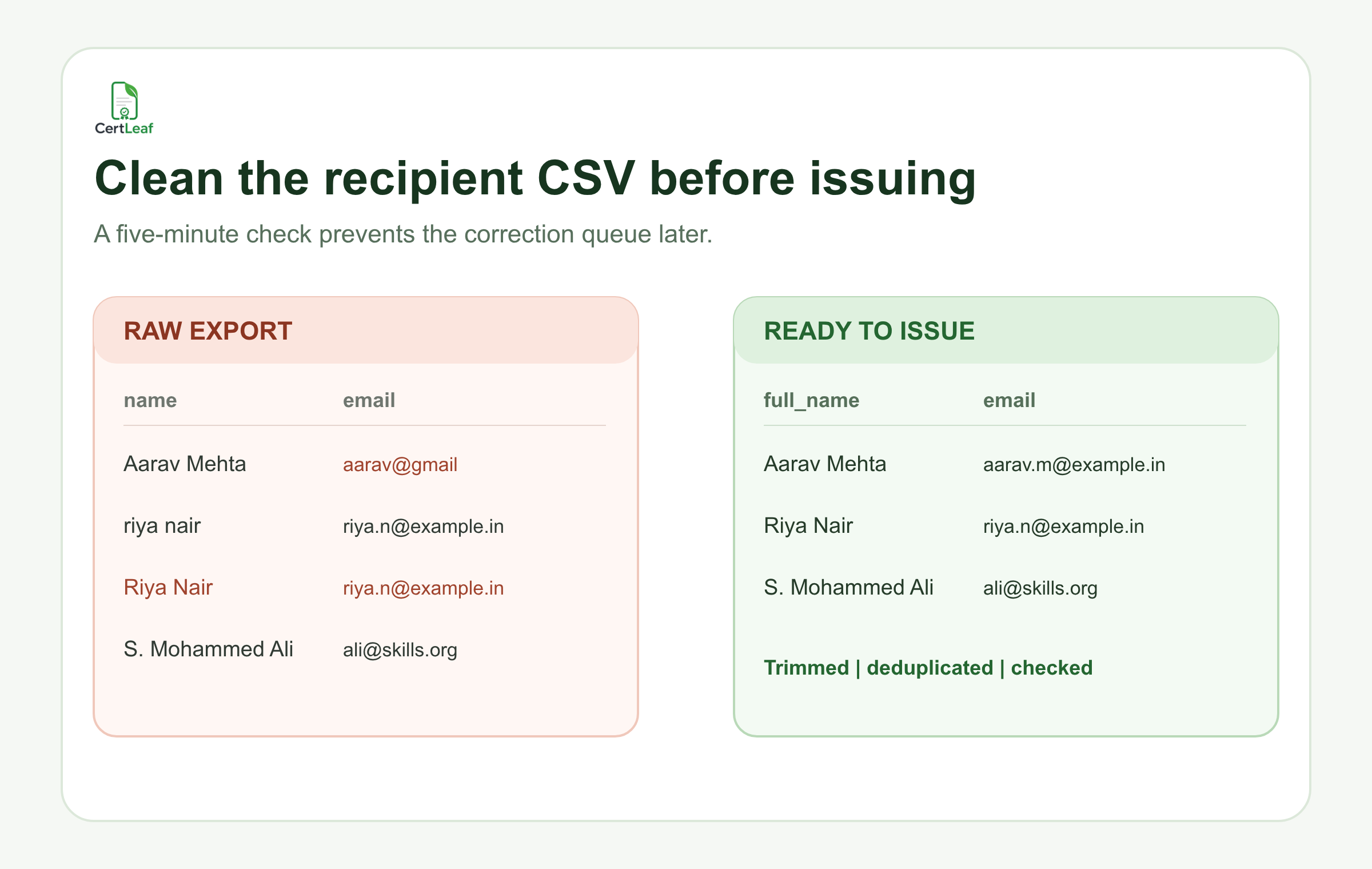
Trim spaces at the start and end. Remove accidental double spaces. Keep initials exactly as the recipient has confirmed them. Do not expand P. R. Nair into a guessed full name. Do not force every name into title case without looking at it; automated title case can mishandle initials, prefixes, and names with intentional capitalization.
I once saw a coordinator correct M. K. Fathima to M K Fathima because the periods looked inconsistent with the rest of the sheet. The participant asked for the periods back after the certificate arrived. The coordinator had made the sheet more consistent and the certificate less correct.
The best source is usually the participant's explicit certificate name, if you collected one. Otherwise, use the registration name and send a short correction window before issuing a large or formal batch. For smaller events, a coordinator can review suspicious rows directly.
Pay special attention to:
Names written entirely in lowercase or uppercase
Leading and trailing spaces
Repeated spaces between words
Initials with inconsistent punctuation
The same email attached to two slightly different names
That is enough for one focused pass. A long cleaning checklist often gives people confidence without making the data better.
Validate email addresses before certificate delivery
An email address can look plausible and still fail. A missing top-level domain is easy to spot. A valid but old college address is harder.
First, check basic structure: one @, no spaces, and a plausible domain. Then look for common typing errors in familiar domains. gmail.con and gamil.com are worth reviewing, but do not automatically change an unfamiliar institutional domain just because it looks unusual.
Next, find duplicate email addresses. Sometimes they are genuine duplicates. Sometimes a faculty coordinator registered several students using one department email. That creates a delivery decision: should every certificate go to the shared address, or should individual addresses be collected first?
At a Pune employability workshop, six learners used the placement officer's email during registration because the form was filled from one desk. Sending six separate certificates to that inbox was acceptable, but only because the placement officer expected it. Without that conversation, the delivery report would have looked successful while the learners waited.
Keep eligibility decisions outside the final issuing moment
Do not decide attendance eligibility while uploading the certificate recipient CSV. Write the rule earlier and apply it in the working sheet.
For example: present on both training days and submitted the final exercise by 6 pm. That rule produces a clear eligible list. A vague rule such as "active participation" forces the coordinator to make case-by-case decisions when everyone is already asking about certificates.
Keep an eligibility_status or notes column in the working file if it helps the team review exceptions. Remove it from the final CSV unless the certificate workflow needs it. The clean issuing file should not become a storage cupboard for every event detail.
Test the awkward rows before you generate certificates from CSV
A random first-row preview is a weak test. The first row is often a short, tidy name with a common email address.
I test the awkward rows instead: the longest recipient name, a name with initials, the longest event or course title, and one row with every optional field filled. Generate those certificates first and read them at normal size. Check whether a long name wraps into the signature area, whether the date format is correct, and whether a field has been mapped to the wrong placeholder.
If the certificate includes QR verification, scan the QR code from an ordinary phone screen. Confirm that the verification page matches the displayed recipient and event. Then send one certificate email to an address your team can open. Check the sender, subject, message, download link, and PDF attachment or access flow.
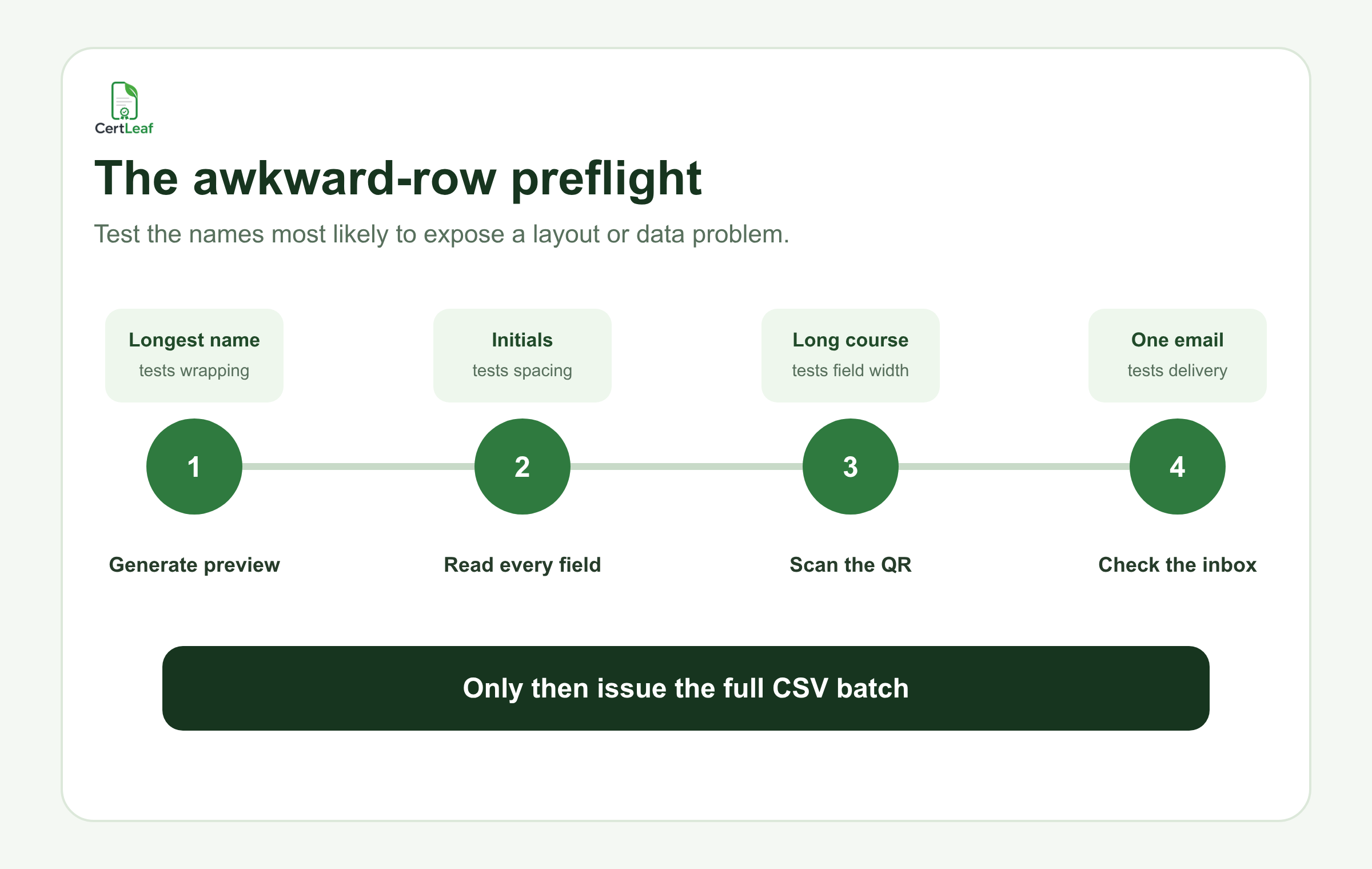
This takes a few minutes. Reissuing 186 PDFs takes longer, especially when the original and corrected versions are both circulating.
Save a locked copy of the issued list
Once the batch is approved, save the exact certificate recipient CSV that was used. Give it a useful name such as coimbatore-data-workshop-issued-2026-08-10.csv. Do not quietly replace it with a corrected file later.
If someone requests a correction, record the old value, new value, reason, and reissue date in a separate correction log. This makes it possible to answer a basic question later: which data produced this certificate?
It also prevents the familiar final_v4_use_this_one.csv problem. The issued file becomes a record, not another working draft.
Where CertLeaf fits
CertLeaf handles the issuing part after the recipient data is ready. You can create a reusable certificate template, upload a CSV for a bulk batch, generate certificates, and distribute them by email. QR-verifiable certificates can link recipients and reviewers to a public verification page.
The useful boundary is worth keeping clear: CertLeaf can turn a clean CSV into a batch of certificates, but it cannot decide whether Riya Nair and riya nair are the same attendee. That judgment belongs with the organizer who understands the registration and attendance records.
For event-sized batches, the pay-as-you-go credit model also means a college club, workshop team, or training institute can issue certificates without taking on a subscription. New accounts currently receive 20 credits, which is enough to test a small set of rows before buying credits for the full batch.
Related certificate workflows
Once the CSV is ready, continue with the event participant certificate workflow.
If an error is found after issuing, handle certificate name corrections after an event.
FAQ about certificate recipient CSV files
What columns should a certificate recipient CSV include?
Include the recipient name, delivery email, and every dynamic field that appears on the certificate, such as event name, course name, completion date, grade, or certificate type. Keep review notes and unrelated registration data out of the final issuing CSV.
How do I remove duplicate rows before bulk certificate generation?
Check exact duplicate emails first, then review repeated or similar names. Compare the rows against attendance or eligibility records before deleting anything. Two rows may be valid if one person needs two different certificate types.
Should names be in title case in a bulk certificate CSV template?
Not automatically. Title case can help with obvious all-lowercase entries, but it can also damage initials and intentional capitalization. Review changed names and preserve the recipient's confirmed spelling.
Can I generate certificates from CSV and email them in one workflow?
Yes. A certificate issuing platform such as CertLeaf can use recipient data from a CSV to generate a batch and support email distribution. Test one delivery before sending the full list.
How can I avoid name errors in certificates?
Collect a certificate-ready name during registration when possible, remove extra spaces, review initials and unusual capitalization, compare duplicates, and preview the longest or most complex names in the actual certificate template.
Should I include attendance percentage in the final CSV?
Only if it appears on the certificate or is needed by the issuing workflow. Otherwise, use attendance percentage to determine eligibility in the working sheet and leave it out of the final certificate recipient CSV.
The quiet ten minutes are worth it
The cleanest certificate batches I have seen were not produced by heroic late-night correction work. Someone paused before upload, reduced the sources to one issuing list, checked duplicate identities, and tested the difficult rows.
That pause is easy to skip when participants are already asking, "When will we get the certificate?" I would still take it. A slightly later correct batch creates less work than a fast batch followed by twenty apologies, corrected PDFs, and uncertain records.


