CertLeaf
World Diabetes Day Certificate Generator for Awareness Events
Use CertLeaf to issue World Diabetes Day participation, volunteer, speaker, and partner certificates in bulk for awareness events, webinars, walks, and community programs.
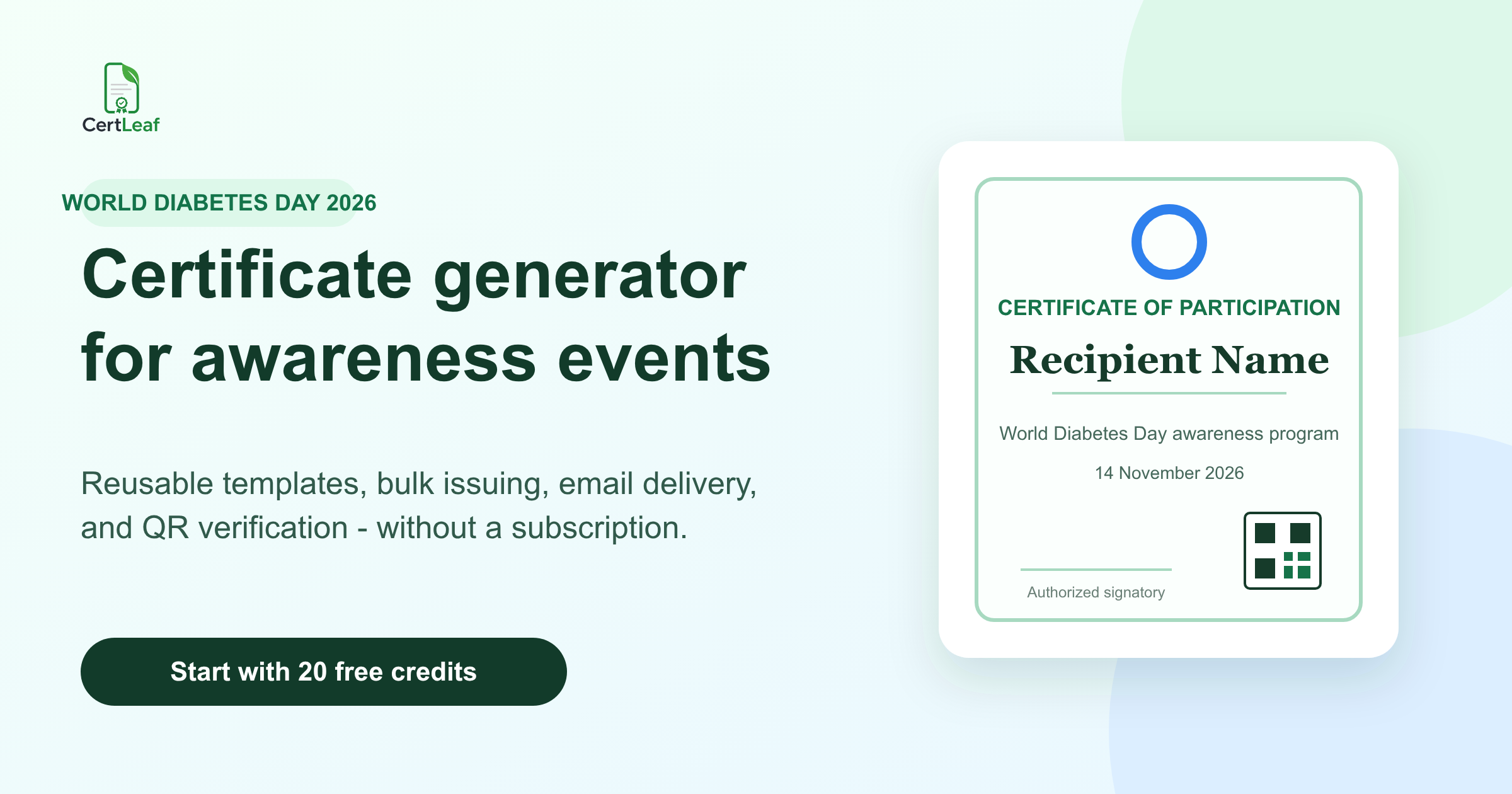
World Diabetes Day campaigns often bring together awareness-session participants, volunteers, health educators, speakers, coordinators, schools, workplaces, NGOs, hospitals, and community partners. A shared November 14 theme does not make their contributions identical, and one generic certificate can turn useful recognition into a vague record.
That is why the campaign benefits from a certificate platform rather than a folder of edited PDFs. CertLeaf gives the organizing team one focused place to issue the right certificate to each approved recipient. Create reusable templates, upload an approved CSV, generate certificates in bulk, deliver them by email, and add QR verification when recipients may share the record later.
The World Health Organization's 2026 World Diabetes Day campaign uses the theme "Early action on diabetes." Organizers may mark the day with talks, webinars, school or workplace activities, exhibitions, quizzes, organized walks, awareness drives, or professional knowledge-sharing sessions. Certificates are optional recognition for real participation or contribution. They are not required by WHO or the International Diabetes Federation, and they should never be presented as an official campaign endorsement.
CertLeaf handles certificate issuing. It does not run screening, diagnose diabetes, store clinical records, certify medical competence, award continuing education credit, or decide who qualifies for recognition.
Design the certificate set around contribution, not health status
A person who attends an awareness webinar should not receive the same wording as the volunteer who runs the registration desk. A health educator who delivers an approved session needs a different record from a partner organization that supports the venue or outreach.
A practical World Diabetes Day certificate set can include:
Participation certificates for approved awareness talks, webinars, quizzes, poster sessions, exhibitions, or organized walks.
Contribution certificates for volunteers, student teams, coordinators, outreach teams, registration desks, and logistics support.
Appreciation certificates for speakers, facilitators, health educators, judges, moderators, and resource persons.
Partner appreciation certificates for schools, colleges, workplaces, NGOs, hospitals, associations, and community groups.
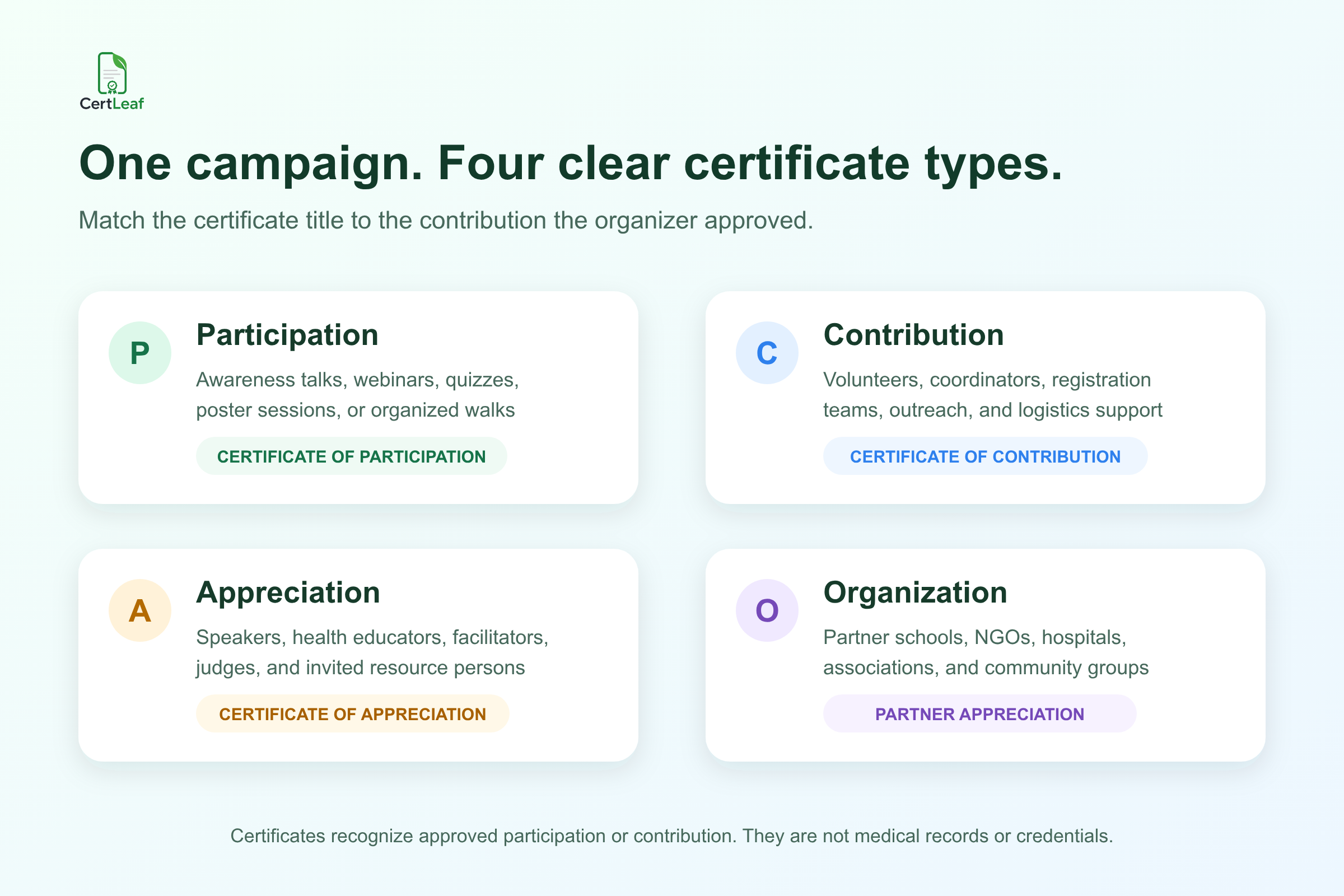
The visible title matters. "Certificate of Participation," "Certificate of Contribution," and "Certificate of Appreciation" are not interchangeable labels. The wording should describe the approved event record without implying that the recipient was screened, treated, trained as a clinician, or accredited by a health authority.
When the campaign includes a separate screening camp or clinical outreach activity, keep the certificate layer narrow. CertLeaf's guide to medical camp volunteer certificates for health outreach explains how to distinguish volunteers, professional teams, organizers, partners, and awareness participants without mixing certificate data with patient records.
**Planning a November 14 program? Sign up for CertLeaf and use the 20 free signup credits to test one participant, volunteer, speaker, and partner certificate before preparing the complete batch.**
Keep one campaign identity without flattening every role
World Diabetes Day programs often use one campaign identity across several formats. A college may host an expert talk and student quiz. A workplace may run an awareness session and employee walk. An NGO may coordinate public education across several community locations. A professional association may hold a webinar for members and a separate public session.
CertLeaf lets the issuing team upload an approved base design, place the fields that change, and save the setup as a reusable template. The participant, contribution, appreciation, and partner versions can share the same colors, issuer identity, event date, and signatories while preserving different certificate titles and statements.
Useful dynamic fields may include:
recipientNameemailactivityNamecertificateTyperoleorganizationNameeventDatecertificateId
Keep the template family small. Most campaigns do not need a separate design for every activity. They need a few clear certificate meanings, enough space for long names and organizations, and a reliable mapping between each approved row and the right template.
Test realistic values before approving the full issue. A long hospital name, association name, awareness-session title, or speaker designation can break a layout that looked fine with placeholder text. If QR verification is enabled, leave a clear area for the actual CertLeaf QR field rather than placing a fake QR pattern in the base design.
Build a certificate roster, not a health database
The file uploaded for World Diabetes Day certificate issuing should contain only the information needed to personalize, deliver, and appropriately verify each certificate.
A focused CSV can begin with:
recipientName,email,activityName,certificateType,role,organizationName,eventDate,certificateId
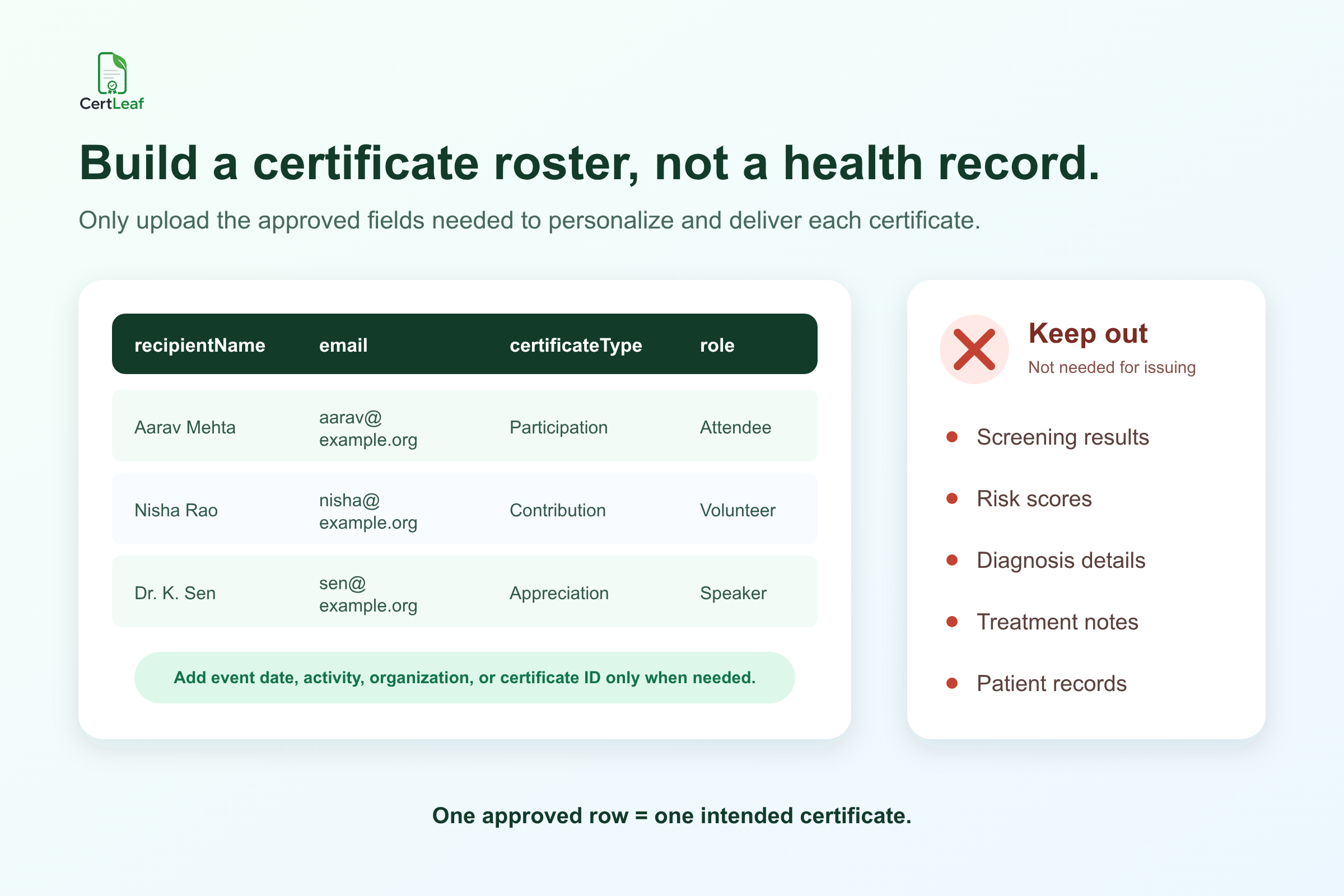
One approved row should represent one intended certificate. If a speaker is also being recognized as a campaign coordinator, decide whether that should produce one combined appreciation certificate or two distinct records. Do not let an accidental duplicate decide.
Screening results, risk scores, diagnoses, treatment details, patient records, counselling notes, health disclosures, government identifiers, and internal case notes do not belong in the certificate CSV. They are not needed to place an approved name, activity, and role on a certificate. Keep them in the authorized system used by the responsible healthcare or program organization.
The same limit should apply to the public verification record. Show only appropriate certificate details. A World Diabetes Day participation certificate may identify the recipient, issuer, activity, date, and certificate type. It should not disclose a person's health status or imply that attendance produced a medical conclusion.
**Have an approved campaign roster ready? Try the World Diabetes Day use case in CertLeaf with 20 free signup credits. Use the sample batch to check field mapping, long names, template wording, email delivery, and QR verification before buying credits for the full issue.**
CertLeaf starts after the campaign roster is approved
CertLeaf is software for issuing, distributing, verifying, and managing digital certificates. For a World Diabetes Day awareness program, it works after the organizer has approved the activity records and certificate claims.
The team uploads its certificate design, creates reusable templates for the required certificate types, maps the dynamic fields, and imports the approved CSV. CertLeaf can then generate the batch and send each certificate to the email address in the matching row.
That boundary keeps the product useful and honest. CertLeaf is not an event-registration system, health-record platform, screening tool, learning management system, accreditation body, or campaign partner. It does not validate attendance, medical roles, clinical competence, screening outcomes, or continuing education eligibility. The responsible organizer approves the recipients, wording, institutional marks, signatories, and delivery addresses.
Organizations running wider social-impact programs can also use the guide to volunteer certificates for NGO events and CSR drives for role-specific wording across field volunteers, coordinators, participants, and partner organizations.
Deliver each record without mixing the certificate types
A campaign with several certificate types is a poor fit for a shared download folder. Similar filenames make it easy to mix up participant, volunteer, speaker, and partner records. Manual attachments add another opportunity to send the wrong document.
CertLeaf keeps the delivery email connected to the same approved row used to personalize the certificate. The organizer can send the issued batch without downloading, renaming, and matching each PDF by hand.
The delivery message can identify the World Diabetes Day activity, name the certificate type, thank the recipient for the approved participation or contribution, and provide one contact route for genuine corrections. It should not mention screening results, risk status, diagnosis, treatment, or private registration notes.
For a detailed delivery setup, see how to send certificates in bulk by email after an event. Test at least one message from each template before sending the complete campaign batch.
Add QR verification when the certificate may be shared
World Diabetes Day certificates may appear in student activity files, volunteer portfolios, workplace records, speaker profiles, NGO reports, or professional applications. A QR-verifiable CertLeaf certificate gives the next viewer a public route to check the record created by the issuer.
The certificate and verification page should agree on the recipient, issuer, event, certificate type, role, and date. A participant record should verify as participation. A volunteer record should not imply medical training. A speaker appreciation certificate should not be described as accreditation or continuing education credit unless the authorized organizer genuinely provides and approves that claim outside CertLeaf.
The guide to how QR-verifiable certificates work explains what a public verification page can confirm and when a simple certificate may be enough.
QR verification confirms the certificate record. It does not confirm a diagnosis, screening result, health outcome, professional registration, clinical competence, program effectiveness, WHO endorsement, or IDF approval.
Pay-as-you-go credits fit a campaign date
World Diabetes Day certificate demand is concentrated around November 14 and related campaign activities. A school, NGO, workplace, hospital outreach team, or association may issue a substantial batch in November and have no similar need the next month.
CertLeaf uses pay-as-you-go credits with no subscription. A simple certificate uses 1 credit, while a QR-verifiable certificate uses 2 credits. New accounts receive 20 free signup credits, and India-first customers can purchase credits in INR through Razorpay.
Use the free credits for realistic proofs: one long recipient name, one partner organization, one contribution certificate, one email delivery, and one QR-verifiable record. Then calculate the complete credit requirement from the final approved row count and certificate types.
World Diabetes Day certificate generator FAQ
What is a World Diabetes Day certificate generator?
It is a tool for creating and issuing personalized certificates for approved World Diabetes Day awareness events and contributions. CertLeaf supports reusable templates, bulk CSV issuing, email delivery, and optional QR verification.
When is World Diabetes Day 2026?
World Diabetes Day is observed on November 14. In 2026, WHO's campaign theme is "Early action on diabetes."
What World Diabetes Day certificates can CertLeaf issue?
Organizers can issue approved participation, contribution, volunteer, speaker, facilitator, coordinator, and partner appreciation certificates. Use separate templates or controlled batches when the certificate title or wording changes.
Are World Diabetes Day certificates required by WHO or IDF?
No. Certificates are an optional organizer practice for recognizing genuine participation or contribution. Do not describe them as WHO-certified, IDF-approved, official campaign accreditation, or evidence of medical competence.
What fields belong in the certificate CSV?
Useful fields include recipientName, email, activityName, certificateType, role, organizationName, eventDate, and certificateId. Include only fields needed to create, deliver, or appropriately verify the certificate.
Should screening or patient data be uploaded?
No. Screening results, risk scores, diagnoses, treatment details, patient records, counselling notes, and health disclosures are not needed for certificate issuing and should remain in the authorized system used by the responsible organization.
Can a World Diabetes Day certificate include QR verification?
Yes. CertLeaf can add a QR verification route to the issued certificate record. Verification confirms that record; it does not prove a medical fact, health outcome, professional qualification, accreditation, or campaign endorsement.
Is CertLeaf subscription-based?
No. CertLeaf uses pay-as-you-go credits. New accounts receive 20 free signup credits, and India-first customers can purchase credits in INR through Razorpay.
Give every campaign contribution a clear record
World Diabetes Day programs can bring together participants, volunteers, educators, speakers, coordinators, institutions, and community partners. Their certificates are more useful when the title and wording describe the approved contribution without making medical or accreditation claims.
CertLeaf provides reusable templates, bulk CSV issuing, email delivery, QR verification, pay-as-you-go credits, INR/Razorpay support, and 20 free signup credits. The organizer owns the program and approvals. CertLeaf turns the approved certificate roster into a consistent, deliverable batch without requiring a subscription.
Start with 20 free CertLeaf credits and test the campaign with a small, approved roster before preparing the full issue.