CertLeaf
Caregiver Training Certificate Generator for Elder Care Programs
Use CertLeaf to issue caregiver training certificates in bulk for elder care courses, family caregiver programs, NGOs, hospitals, and training partners.
Caregiver training providers need certificates that match the program they actually delivered. A five-day geriatric care course, a family caregiver orientation, and an NGO-led community session may all serve the same broad audience, but they do not prove the same thing.
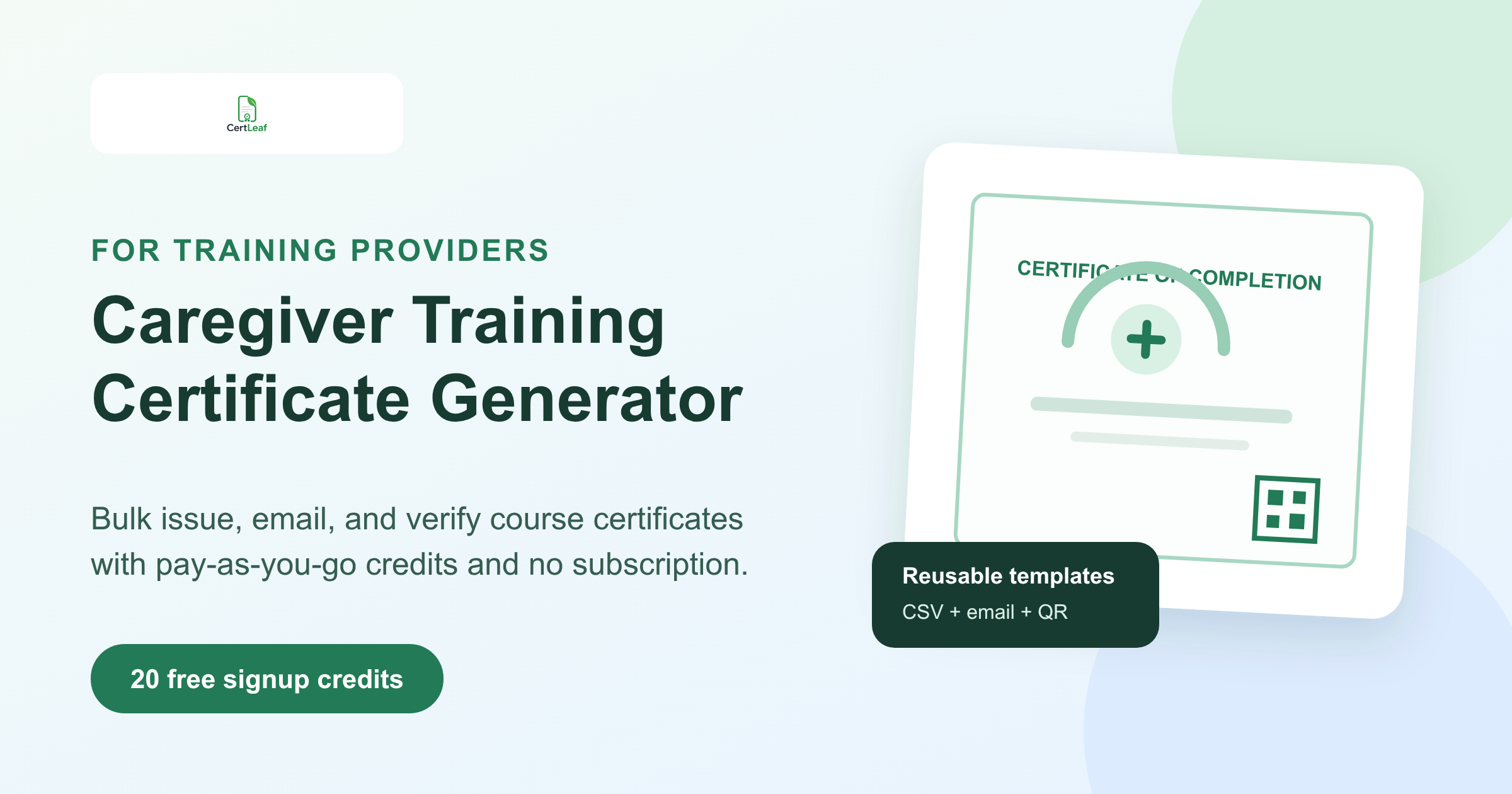
CertLeaf gives hospitals, NGOs, training institutes, community programs, and independent training providers a focused platform for issuing those records. Create reusable templates, personalize certificates from an approved CSV, send each certificate by email, and add QR verification when the document needs to be checked later. Credits are pay-as-you-go, with no subscription to maintain between cohorts.
CertLeaf handles certificate issuing. The training provider still decides who completed the program, what the certificate confirms, and whether any accreditation or professional-status wording is appropriate.
Who needs a caregiver training certificate generator?
Caregiver education is delivered in several settings. A hospital may train family members before discharge. An NGO may run elder care skills sessions for community workers. A vocational institute may offer a structured geriatric caregiver course. A home care provider may train new staff across several branches.
Each group has a similar issuing problem: the certificate design can remain consistent, but learner names, email addresses, course titles, dates, training hours, trainers, locations, and batch references change every time.
A caregiver training certificate generator is useful for:
Geriatric caregiver training programs
Family caregiver education courses
Elder care orientation sessions
Home care and patient support training
Community health worker programs with a caregiving module
NGO or CSR-funded caregiver skill cohorts
Hospital-led caregiver awareness sessions
Trainer, facilitator, or partner appreciation certificates
The audience may include paid care workers, family members, Anganwadi workers, community volunteers, frontline staff, or learners entering the care sector. The certificate wording should identify the specific program rather than place every participant under one broad professional label.
Use certificate wording that stays within the provider's role
A certificate should make one accurate promise. For an orientation, that may be participation. For a structured course with approved completion requirements, it may be completion. For a trainer or community partner, it may be appreciation.
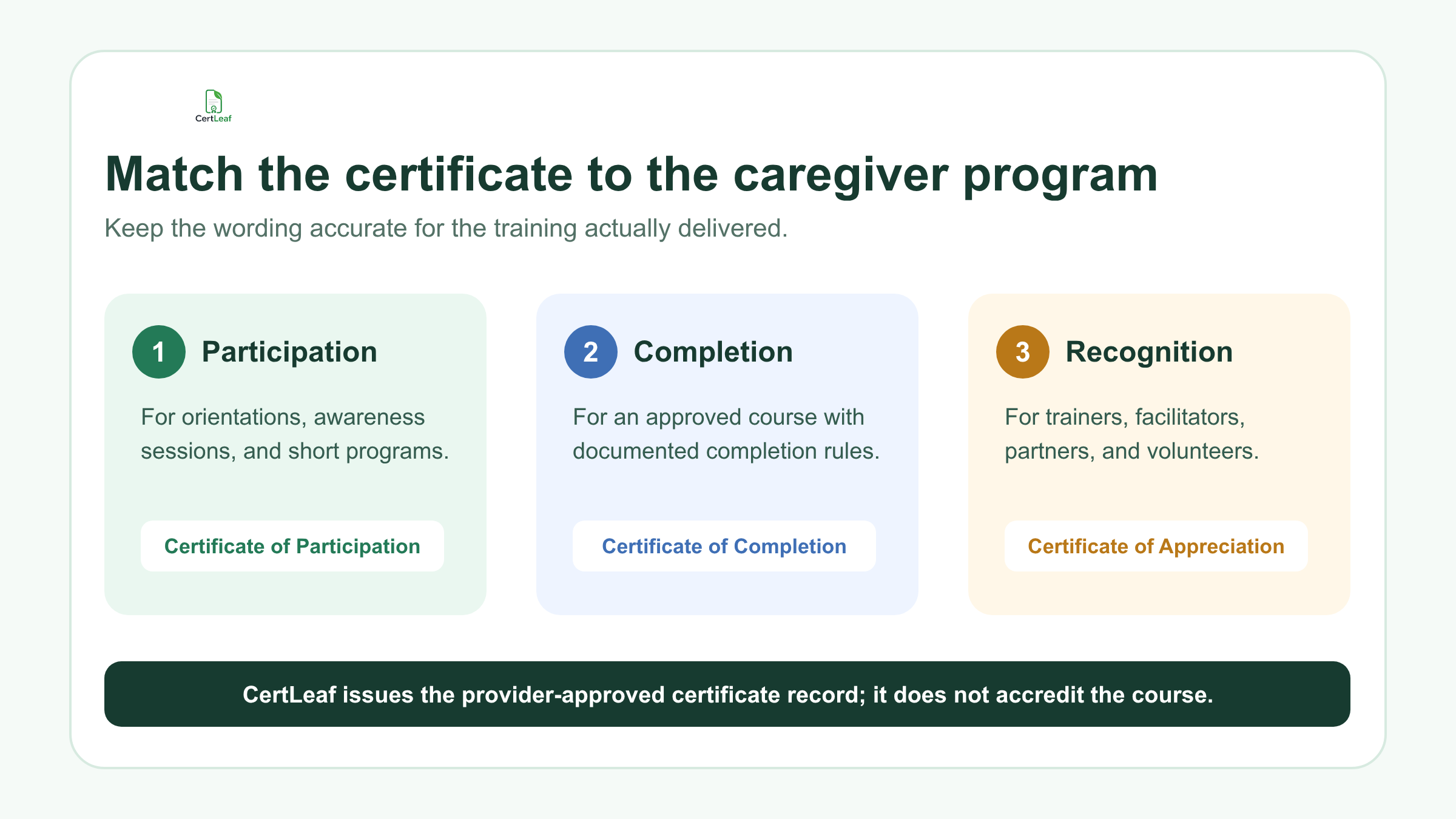
Useful titles include:
Certificate of Participation in Family Caregiver Orientation
Certificate of Completion in Geriatric Care Basics
Elder Care Awareness Program Certificate
Home Care Support Training Certificate
Certificate of Appreciation for Caregiver Training Facilitation
Avoid terms such as "licensed caregiver," "government certified," "accredited professional," or guaranteed job-readiness unless the issuing organization is entitled to make that claim and has approved the wording. CertLeaf does not accredit the program, assess care skills, or confer a statutory qualification. It records and verifies the certificate issued by the provider.
This distinction matters in a care-related field. A clean QR code and professional layout should make an honest certificate easier to use, not make the underlying claim sound larger than the training.
Running a caregiver course or community cohort? Sign up for CertLeaf and use the 20 free signup credits to test the certificate wording, email delivery, and QR layout before issuing the full group.
Reusable templates fit recurring caregiver cohorts
Caregiver programs often repeat with a stable curriculum and changing cohorts. A training institute may run one batch each month. An NGO may use the same program in several districts. A hospital may deliver the same family caregiver session on different dates.
In CertLeaf, the provider uploads an approved base design and places dynamic fields where learner and program details should appear. That template can then be reused for later batches instead of rebuilding the design for every learner.
A practical caregiver training certificate template may include:
learner or participant name
program or course title
training period or completion date
training hours, if the provider wants them shown
issuer name
trainer name or designation, when approved
location, center, or branch
batch reference or certificate ID
QR code for verification
Test the template with real edge cases. Long course names such as "Foundational Geriatric Care and Daily Living Support" need more room than "Care Basics." Names with initials and long surnames should not press against borders or signatures. A reusable template is valuable only when it survives ordinary learner data.
Providers that run several kinds of courses can use the same operating approach described in the guide to issuing course completion certificates in bulk for training institutes. The caregiver certificate remains segment-specific while the issuing process stays familiar to the admin team.
Prepare a certificate CSV, not a copy of the learner file
The working learner record may contain phone numbers, attendance details, practical assessment notes, health information, placement notes, or comments from trainers. Most of that does not belong in a certificate platform.
Create a narrower certificate CSV containing only the approved fields needed for personalization and delivery.
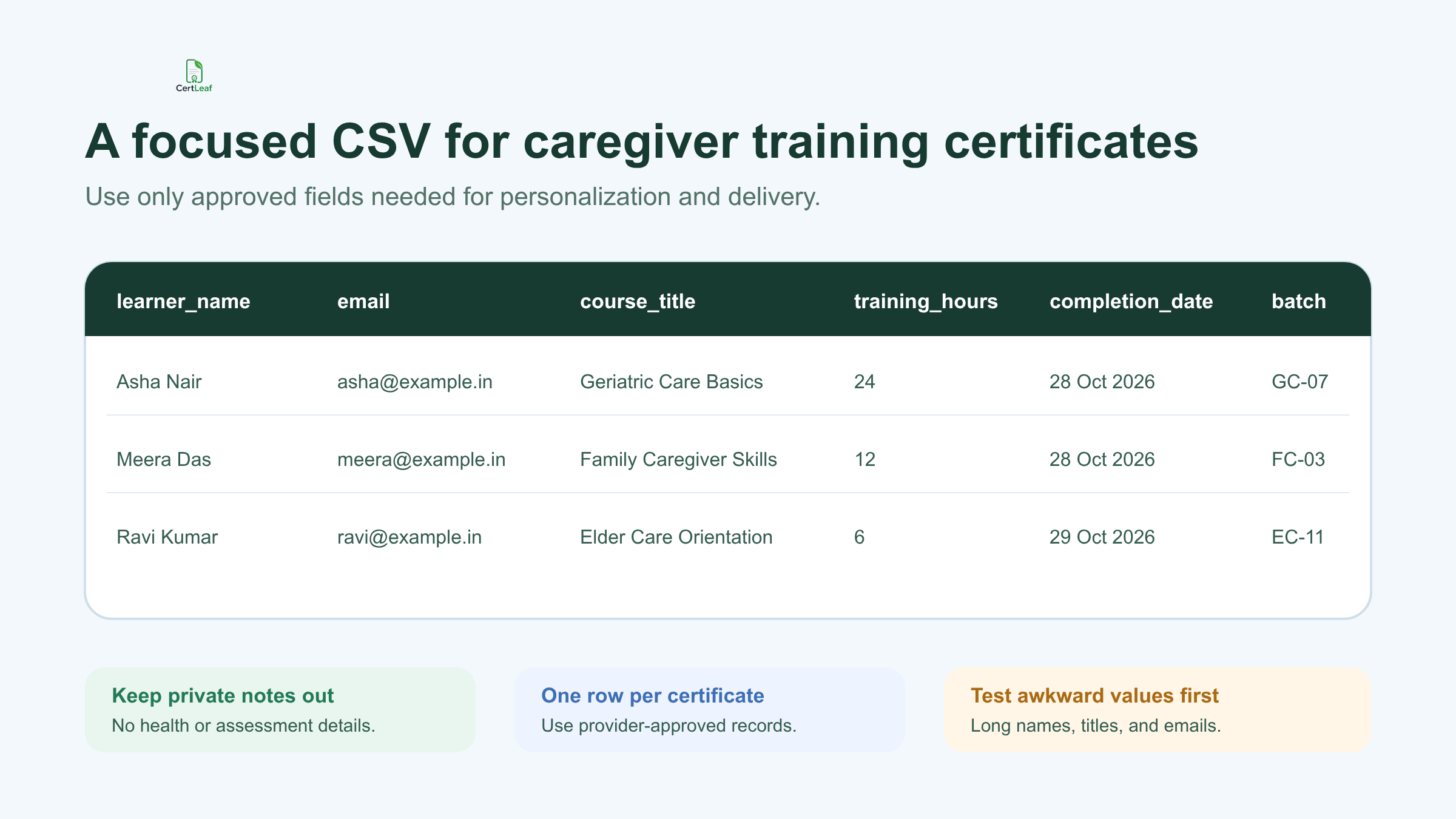
A useful export might include:
learner_name,email,course_title,training_hours,completion_date,batch_reference,certificate_type
One row should represent one approved certificate. Keep private care notes and detailed assessment evidence in the provider's own system. If completion depends on attendance, a practical demonstration, or a final assessment, the training team should approve the result before creating the certificate export.
For assessed courses, the guide to turning approved assessment results into course certificates explains how to separate the result decision from the issuing file. CertLeaf uses the approved certificate rows; it does not calculate a pass result or decide who qualifies.
Before uploading the CSV, check the longest learner name, longest course title, blank optional fields, duplicate email addresses, and any mixed certificate types. Then issue a small internal test batch. Five awkward rows usually reveal more layout problems than fifty ordinary ones.
Send each caregiver training certificate to the right learner
Manual delivery creates avoidable work for recurring programs. Someone downloads a folder of PDFs, finds the matching email address, writes the same message repeatedly, and hopes the right file is attached.
CertLeaf uses the email address in the approved CSV to support direct certificate delivery. The provider can generate the batch and email each recipient the matching certificate without attaching files one by one.
Keep the delivery message specific. Name the program, explain what the certificate confirms, and provide one route for genuine name or email corrections. Do not include assessment notes, care records, or unrelated personal information in the email.
For sponsored cohorts, decide whether the certificate should go directly to the learner, to a program coordinator, or through another approved route. CertLeaf provides the delivery capability; the organizer remains responsible for using appropriate recipient data.
Want to test this with a real caregiver cohort? Try CertLeaf with 20 free signup credits, send a small internal batch, and check the PDF, email, and QR verification page before the main issue.
Add QR verification when the certificate will travel
Caregiver training certificates may be shown to a home care provider, hospital, NGO, future training institute, or prospective employer. A PDF can be forwarded or edited after it leaves the issuer. A QR-verifiable certificate gives the reviewer a direct route to the certificate record created by the provider.
The verification page should reflect the approved record: learner name, course title, issuer, date, and certificate ID or batch details where used. It should not expose private attendance, health, assessment, or case notes.
The provider should scan sample QR codes from the final exported certificates, not only from the template preview. Each code should open the matching record. The detailed guide to QR-verifiable training certificates with unique certificate IDs covers useful ID patterns, correction handling, and verification testing.
QR verification confirms that the issuer created the certificate record. It does not independently validate course quality, professional competence, accreditation, or regulatory status. That boundary should remain clear in both the certificate and the verification page.
Why CertLeaf fits caregiver training providers
CertLeaf stays focused on issuing, distributing, verifying, and managing digital certificates. It is not a learning management system, caregiver registry, course-accreditation service, or assessment platform.
That focus is useful for caregiver programs that already know what they teach and who completed it. The issuing team can:
save reusable caregiver training certificate templates
upload an approved recipient CSV
generate personalized certificates in bulk
email certificates to recipients
add QR verification for records that may be checked later
buy credits as needed instead of paying a subscription
pay in INR through Razorpay for India-first purchasing
New accounts receive 20 free signup credits. A provider can use them to test a small cohort, compare simple and QR-verifiable certificates, and confirm the final layout before purchasing credits for a larger batch.
Caregiver training certificate generator FAQ
Can CertLeaf issue geriatric caregiver training certificates in bulk?
Yes. The provider can prepare an approved CSV, map learner and course fields to a reusable template, and generate the certificate batch with CertLeaf. The provider remains responsible for the course, completion decision, and certificate wording.
Can I create certificates for family caregiver orientation sessions?
Yes. Use wording such as participation or orientation when that accurately describes the session. Do not describe a short awareness program as a professional qualification.
Can caregiver certificates include training hours and batch details?
Yes. Training hours, dates, course titles, branch names, and batch references can be included as dynamic fields when they are part of the provider-approved record and fit the certificate design.
Does CertLeaf accredit caregiver courses?
No. CertLeaf is the certificate issuing and verification platform. It does not accredit training, assess caregiver competence, issue professional licenses, or approve government-recognized qualifications.
Can caregiver training certificates be sent by email?
Yes. Include the correct recipient email in the approved CSV so certificates can be delivered to the matching learners after the batch is issued.
What does QR verification prove?
It helps a reviewer confirm that the certificate record was issued through the provider's CertLeaf workflow and matches the visible details. It does not prove accreditation, course quality, or professional competence beyond the issuer's approved claim.
Is there a subscription?
No. CertLeaf uses pay-as-you-go credits. New accounts receive 20 free signup credits, and India-first teams can purchase credits in INR through Razorpay when a batch is ready.
Start with one approved caregiver training batch
Choose one program, settle the certificate wording, export only the approved recipient fields, and test the longest names and course titles. Then use CertLeaf to issue, email, and verify the batch without turning certificate delivery into another manual admin project.
Sign up for CertLeaf and use the 20 free credits to test caregiver training certificates for your next cohort.