CertLeaf
POSH Training Certificate Generator for Trainers and Workplaces
Use CertLeaf to issue approved POSH training certificates in bulk for participants, facilitators, coordinators, and program teams with email delivery and QR verification.
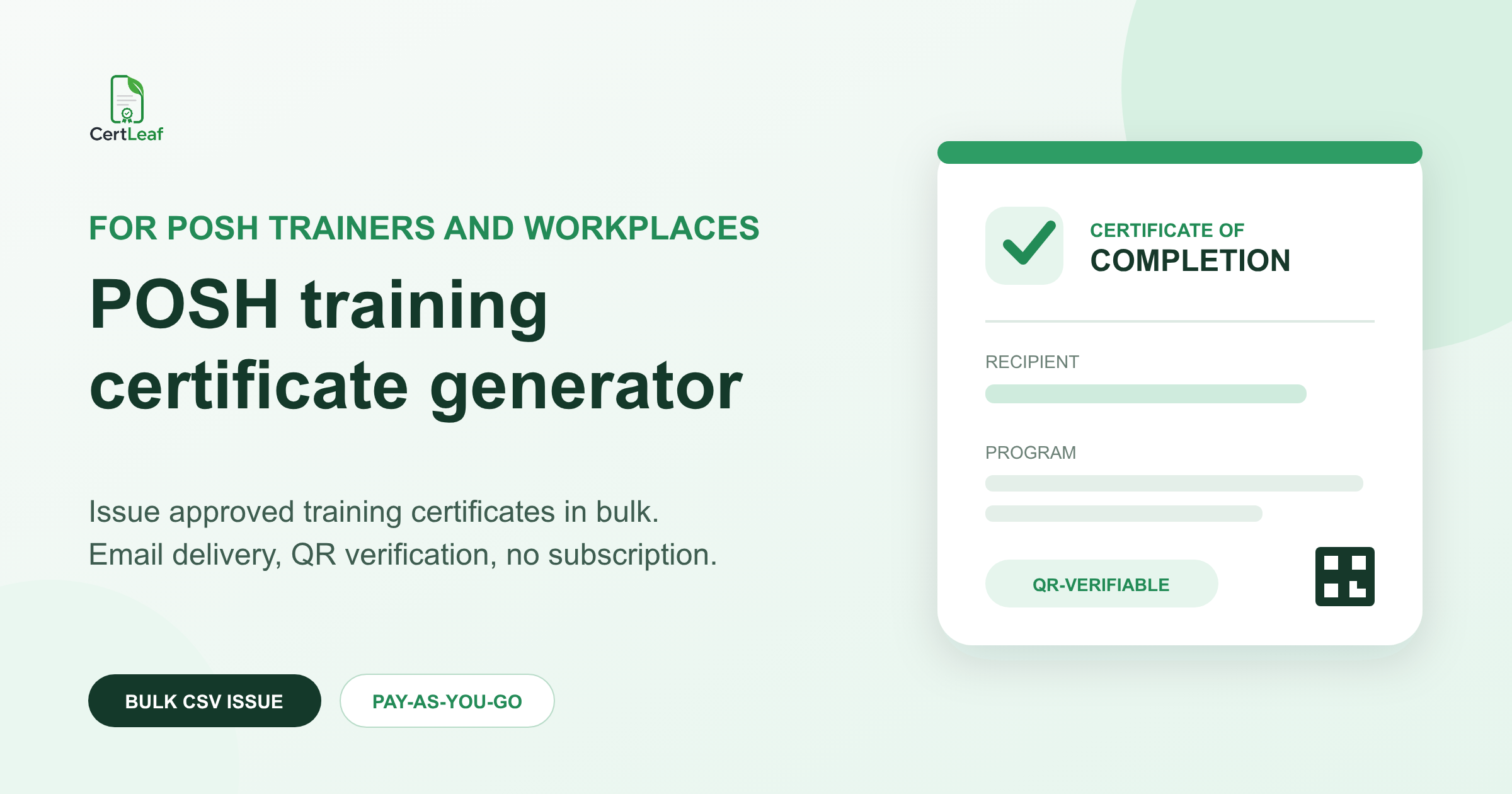
POSH trainers and workplace learning teams need more than a certificate design. A real program can include employees attending an awareness session, managers completing a focused module, Internal Committee members joining a workshop, facilitators delivering the session, and coordinators running the program. Issuing one generic document to every group makes the record vague. Editing and emailing each certificate manually makes the batch unnecessarily slow.
CertLeaf is a POSH training certificate generator for the issuing part of that job. Training providers, HR consultants, educational institutions, professional associations, and workplace program teams can create reusable certificate templates, import an approved CSV, generate a complete batch, email each certificate, and add QR verification where recipients may need to share the document later.
The platform uses pay-as-you-go credits and does not require a subscription. New accounts include 20 free signup credits, so a trainer can test the use case with a small internal batch before preparing the full program list.
CertLeaf does not provide POSH training, legal advice, complaint management, inquiry management, or a compliance assessment. The responsible organization or training provider decides who receives a certificate, what the certificate says, and what participation or completion criteria apply.
Create the right POSH training certificate for each role
A certificate should describe the approved program record, not make a broader claim than the organizer can support. That usually means separating certificate types instead of changing only the recipient name.
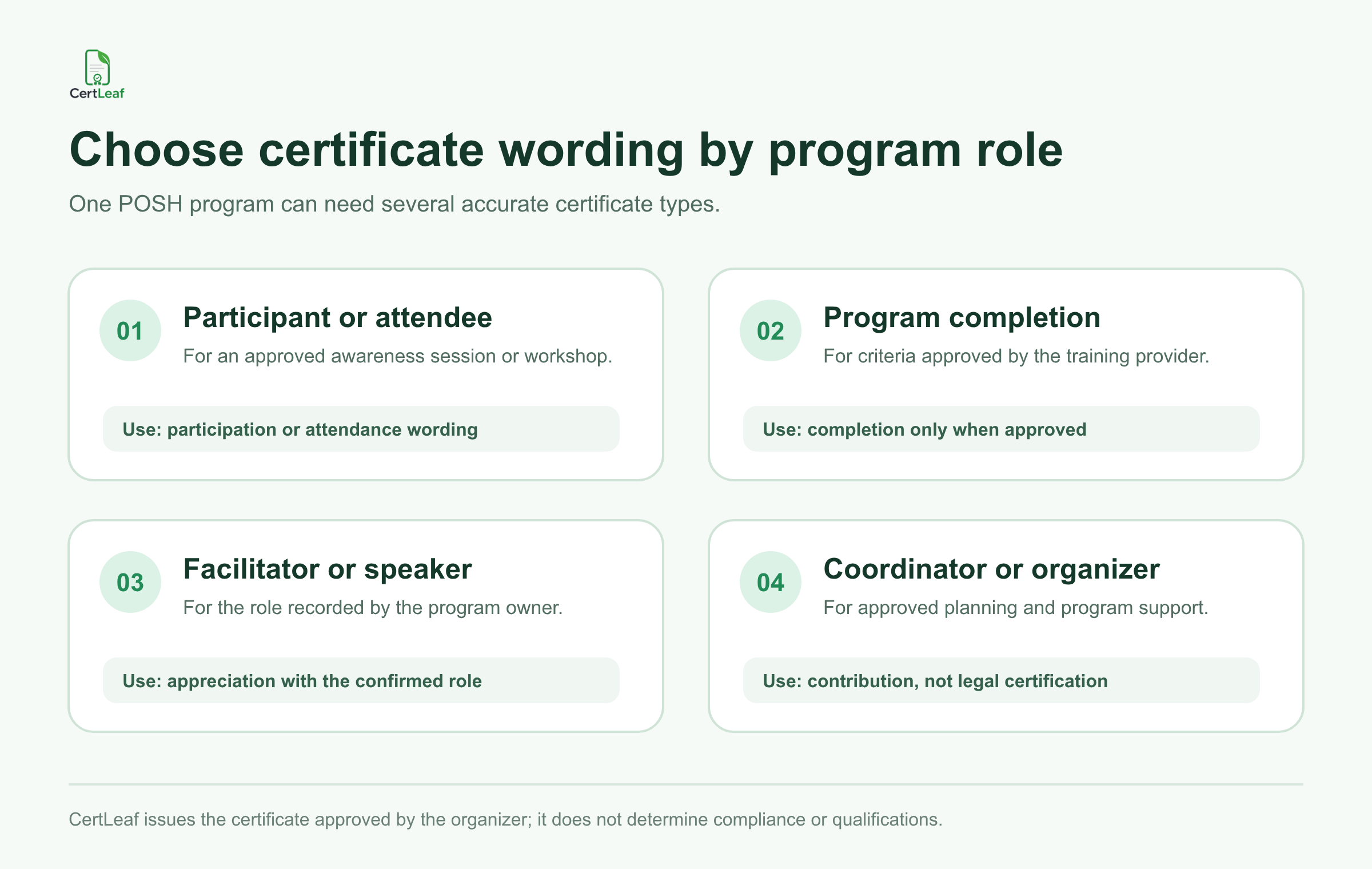
A participant or attendee certificate can recognize an approved awareness session or workshop. A completion certificate may be appropriate when the training provider has defined and confirmed its own completion criteria. Facilitator and speaker certificates can recognize the role recorded by the program owner. Coordinator or organizer certificates can acknowledge approved planning and program support.
Avoid wording that turns a participation record into a legal conclusion. A certificate issued through CertLeaf does not by itself prove that an organization is compliant, that a recipient is legally qualified, or that a workplace process meets every applicable requirement. It records the certificate that the issuer approved.
For providers that run several kinds of learning programs, the broader guide to issuing course completion certificates in bulk explains how reusable templates and batch issuing can fit a recurring training calendar.
Running an upcoming POSH workshop? Sign up for CertLeaf and use the 20 free signup credits to test one participant, completion, facilitator, and coordinator certificate before issuing the full batch.
Reuse approved templates across programs and clients
POSH trainers may deliver an employee awareness session for one client, a manager briefing for another, and a longer facilitator program later in the month. The visual identity, issuer, signatory, and wording can change between clients, while the fields that need personalization remain familiar.
CertLeaf lets the issuing team upload an approved base design and place dynamic fields such as recipient name, program name, certificate type, organization name, role, program date, and certificate ID. Save the setup as a reusable template, then use a separate approved template when the certificate title or issuer changes.
A useful template system might include:
POSH awareness session participation certificate
POSH training completion certificate
facilitator or resource person appreciation certificate
coordinator or organizing team certificate
The list should match the provider's actual programs. Do not create stronger titles simply because they look better on a certificate. If the issuing organization uses the phrase "certified trainer," it should have a documented basis for approving that wording. CertLeaf does not make that decision.
Before issuing, preview the longest participant name, the longest client or institution name, and the full program title. Sensitive subject matter deserves careful presentation, but the practical checks are ordinary: no clipped text, no incorrect role, no outdated signatory, and no mismatched certificate type.
Use a narrow CSV made for certificate issuing
The certificate file should contain only the information required to personalize and deliver the approved certificates. It should not be a copy of a wider HR, complaint, inquiry, or case-management workbook.
A practical CSV can use fields such as:
recipientName,email,programName,organizationName,certificateType,role,programDate,certificateId
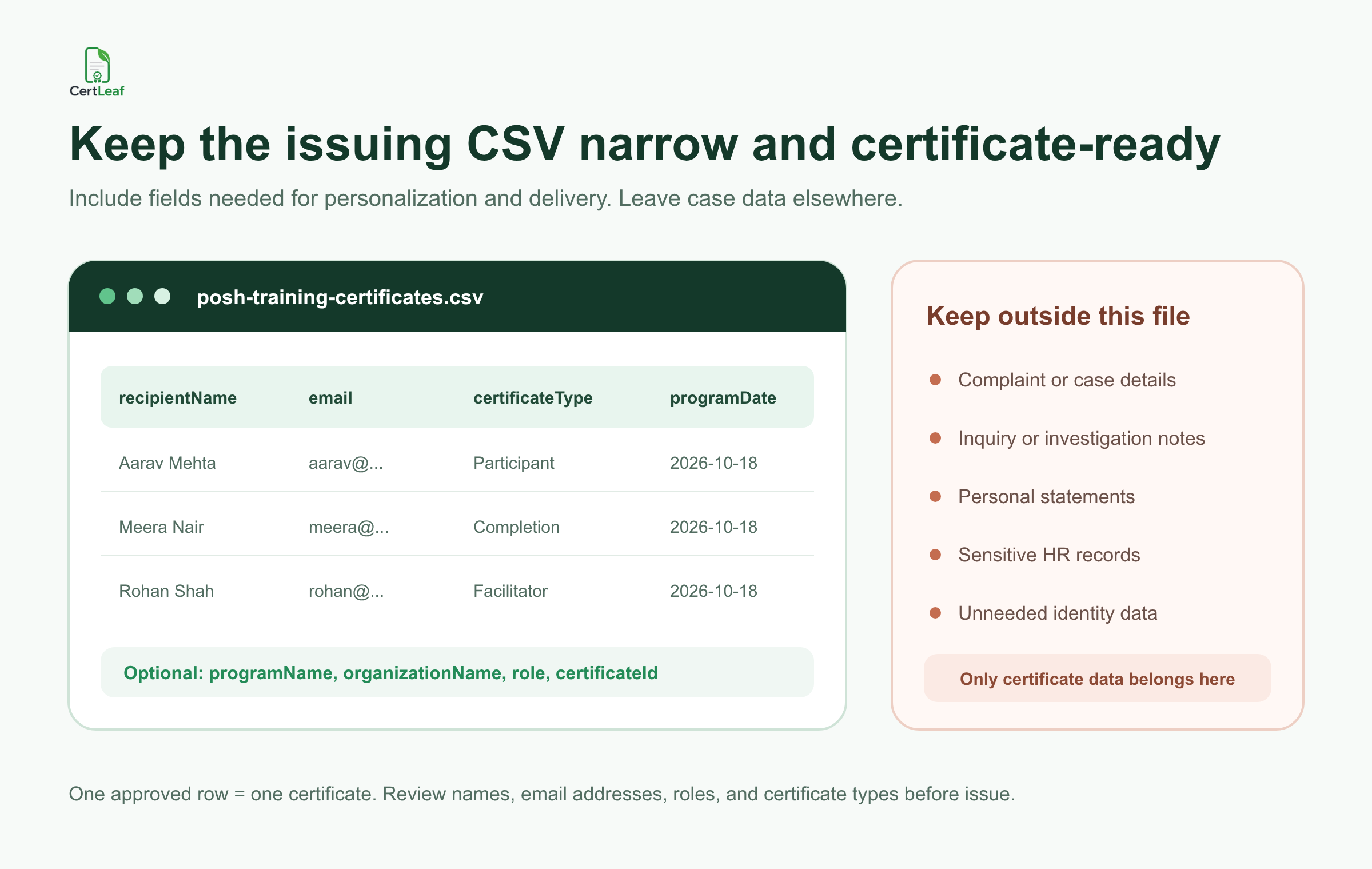
One approved row should represent one certificate. If a facilitator is also receiving a separate program-completion certificate, make that an intentional second record or batch. Do not let duplicate spreadsheet rows decide the claims that appear on the documents.
Keep complaint details, inquiry notes, personal statements, sensitive HR records, and unrelated identity data outside the certificate CSV. None of that is needed to place an approved name, role, program title, and date on a certificate. The issuing team should also review email addresses before delivery and remove working notes that do not belong in CertLeaf.
For a focused review of names, duplicate rows, and email addresses, use the certificate recipient CSV preparation guide before uploading the final file.
Have an approved participant list ready? Try the POSH training certificate use case in CertLeaf with 20 free signup credits. Check the template, CSV mapping, and delivery email on a small sample before buying credits for the complete batch.
Email each certificate to the approved recipient
Certificate delivery should not require a trainer to download a folder, rename files, and match attachments one by one. CertLeaf can use the email address in each approved CSV row to send the corresponding certificate to the recipient.
Keep the delivery message restrained. Name the program, identify the certificate type, and provide a route for genuine name or email corrections. Do not place complaint details, case references, personal statements, or sensitive workplace information in the certificate email.
If several programs use similar names, include the program date or client-approved identifier so the recipient understands which session the certificate covers. Send a sample to an address the issuing team can open before releasing the full batch.
Add QR verification when the certificate will be shared
A POSH training certificate may later appear in a participant's learning record, professional portfolio, trainer profile, or internal program documentation. A QR-verifiable certificate gives a reviewer a public route to check the certificate record issued through CertLeaf.
The verification record should stay narrow. It can confirm details such as recipient name, program title, certificate type, issuer, date, and certificate ID. It should not expose complaint information, inquiry material, assessment notes, private HR data, or anything that was not intended for the public certificate record.
A QR code verifies the CertLeaf certificate record. It does not certify legal compliance, professional standing, investigative authority, or the quality of the underlying training. If a stable public reference matters, the guide to QR-verifiable training certificates with unique certificate IDs explains how IDs and verification records can work together.
Pay-as-you-go credits fit project-based training
Independent trainers and small training providers often issue certificates in bursts. A client workshop may need 45 certificates this week, a facilitator program may need 18 next month, and there may be no certificate batch between them. A recurring software subscription is difficult to justify when issuing follows projects rather than a fixed monthly schedule.
CertLeaf uses pay-as-you-go credits. A simple certificate uses 1 credit, while a QR-verifiable certificate uses 2 credits. India-first customers can purchase credits in INR through Razorpay, and new accounts receive 20 free signup credits.
That model lets the provider connect certificate cost to an actual program batch. Reusable templates remain available for repeat programs, while credits are purchased when certificates need to be issued. The certificate generator without subscription guide gives a broader comparison for teams deciding between occasional credit purchases and recurring plans.
Check the live pricing page before approving a program budget because packs and offers can change.
Where CertLeaf fits different POSH program teams
Independent POSH trainers and HR consultants
Maintain approved template variants for awareness sessions, completion programs, facilitators, and coordinators. Keep each client's branding, issuer details, signatory, and wording separate. Use CertLeaf after the client or program owner approves the recipient list.
Training institutes and professional associations
Reuse templates across scheduled batches while changing program names, dates, recipient data, and certificate IDs. QR verification can help when recipients are likely to share the certificate outside the training provider.
Colleges and educational institutions
Issue approved certificates for faculty or staff awareness sessions, student-facing programs, guest speakers, coordinators, or workshop teams. The institution should decide the appropriate wording and whether a participation or completion certificate is justified.
Workplace learning and HR teams
Use CertLeaf as the certificate issuing layer after the responsible team approves the program record. Keep case handling, complaint records, inquiry documents, legal review, and wider HR data in the systems intended for those purposes.
POSH training certificate generator FAQ
What is a POSH training certificate generator?
A POSH training certificate generator helps an approved training provider or organization create and issue personalized certificates for POSH awareness sessions, workshops, completion programs, facilitators, and coordinators. CertLeaf supports reusable templates, bulk CSV issuing, email delivery, and QR-verifiable certificates.
Can CertLeaf issue POSH workshop certificates in bulk?
Yes. The issuing team can prepare an approved CSV with one row per certificate, map the fields into a reusable CertLeaf template, generate the batch, and send certificates by email.
Can one POSH program use different certificate types?
Yes. Separate participant, completion, facilitator, speaker, coordinator, or organizer templates can keep the wording accurate. The responsible organization or training provider must approve which certificate each recipient receives.
Does a CertLeaf POSH certificate prove legal compliance?
No. CertLeaf issues the certificate record approved by the issuer. It does not provide legal advice, assess compliance, manage complaints or inquiries, or confirm a person's legal qualification or authority.
Which CSV fields are useful for POSH training certificates?
Useful fields include recipientName, email, programName, organizationName, certificateType, role, programDate, and certificateId. Keep complaint details, inquiry notes, personal statements, sensitive HR records, and unrelated identity data outside the issuing CSV.
Can POSH training certificates include QR verification?
Yes. CertLeaf can issue QR-verifiable certificates linked to a public verification record. The record should contain only the approved certificate details and should not expose sensitive workplace or case information.
Is CertLeaf subscription-based?
No. CertLeaf uses pay-as-you-go credits with no subscription. India-first customers can pay in INR through Razorpay, and new accounts receive 20 free signup credits.
Issue the approved certificate batch without building a second admin system
POSH trainers and workplace program teams already have responsibility for program design, communication, delivery, and record approval. Certificate issuing should stay focused.
CertLeaf provides that focused layer: reusable templates, bulk CSV issuing, email delivery, QR-verifiable certificates, and pay-as-you-go credits. Keep the wording accurate, keep sensitive case and HR data outside the certificate file, test a small sample, and let the platform handle the repetitive batch work.
Start with 20 free CertLeaf credits and test the POSH training certificate setup with an approved internal list.