CertLeaf
Children's Day Certificate Generator for Schools and Community Events
Issue Children's Day participation, achievement, appreciation, and volunteer certificates in bulk with reusable templates, email delivery, and QR verification.
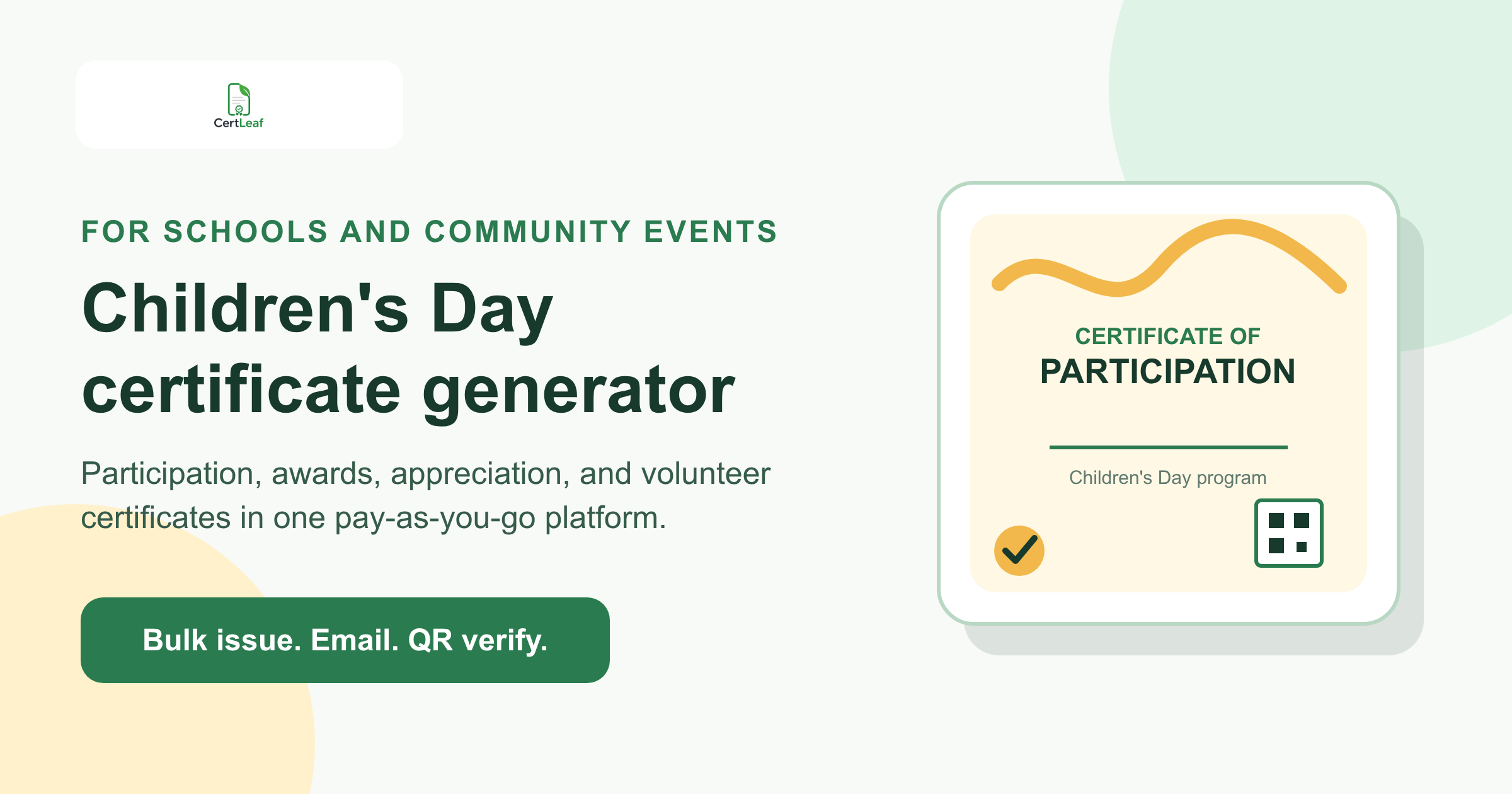
Children's Day programs need a dedicated certificate issuing platform because one school event can recognize many different contributions. Students may join art activities, quizzes, games, performances, storytelling sessions, or community projects. Teachers may facilitate activities. Guests may speak or judge. Student leaders and volunteers may run the stage, registration desk, or activity rooms.
CertLeaf gives schools, learning centres, libraries, NGOs, resident associations, and community groups one focused place to issue those certificates. Teams can save reusable templates, personalize records from an approved CSV, generate certificates in bulk, deliver them by email, and add QR verification when a recipient may share the certificate later.
That makes CertLeaf a practical Children's Day certificate generator for participation, achievement, appreciation, and contribution records. The organizer remains responsible for the event, student permissions, results, and approved recipient list. CertLeaf handles the certificate issuing layer after those details are ready.
In India, Children's Day, also known as Bal Diwas, is observed on November 14. The date often brings together several small activities under one program, so the certificate setup should reflect what each person actually did instead of putting every name on one generic participation design.
One Children's Day program can need four certificate types
A student who joins a drawing activity, a quiz winner, a teacher who leads a story session, and a volunteer who coordinates the stage should not receive identical wording. They belong to the same celebration, but their records mean different things.
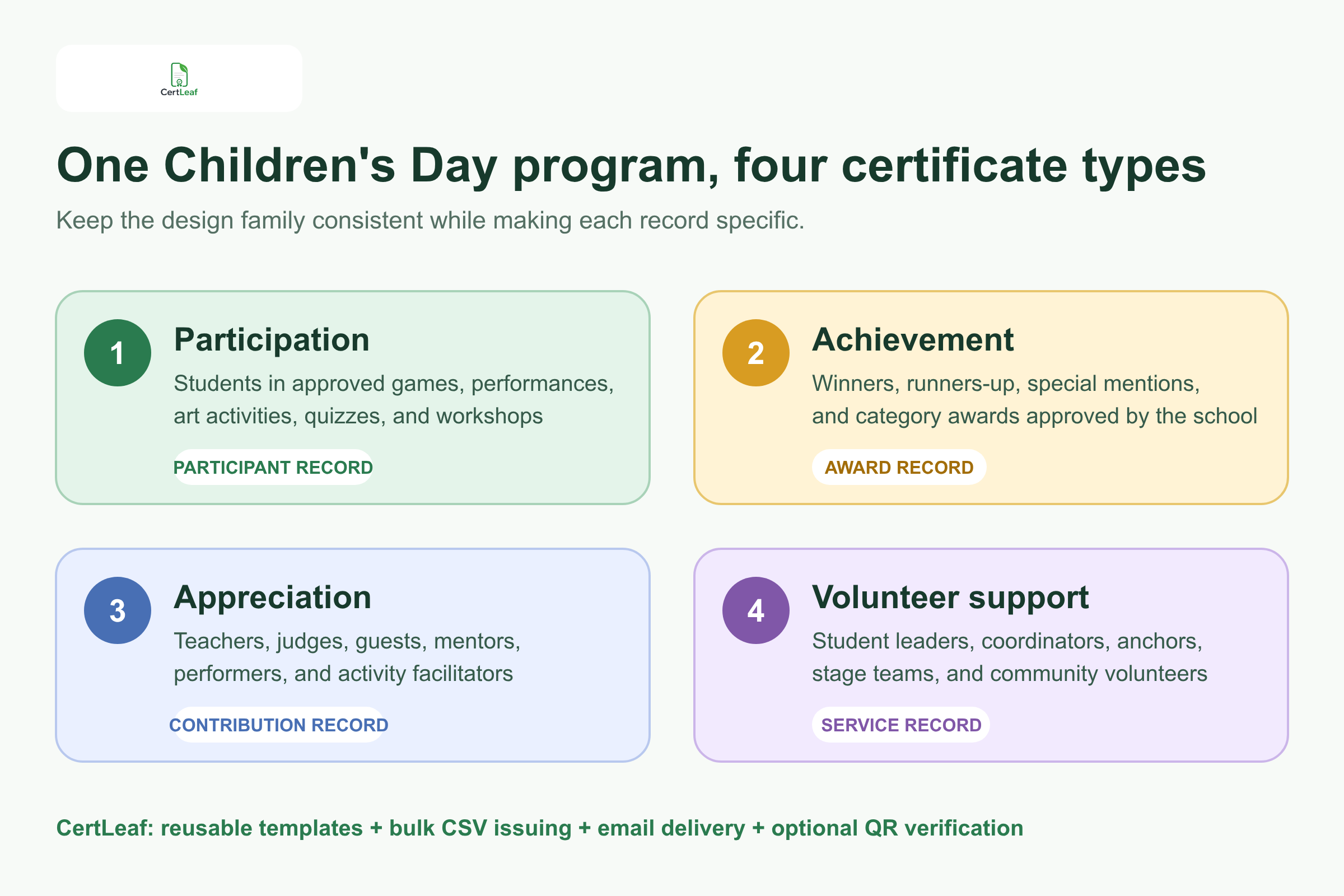
A useful certificate set can include:
Participation certificates for students in approved games, performances, art activities, quizzes, workshops, or community sessions.
Achievement certificates for winners, runners-up, category awards, and special mentions approved by the organizer.
Appreciation certificates for teachers, judges, guests, mentors, performers, and activity facilitators.
Contribution certificates for student leaders, anchors, coordinators, stage teams, and community volunteers.
CertLeaf lets the organizer keep one visual identity across the set while changing the title, activity, award, role, and wording. The school logo, Children's Day theme, event date, signatories, and colors can stay consistent. The actual certificate claim can remain specific.
A bright border or gold badge should never be the only difference between participation and achievement. The title and body copy need to say whether the student took part, won an approved award, facilitated an activity, or supported the event.
Planning a Children's Day program? Sign up for CertLeaf and use the 20 free signup credits to test the main certificate types before preparing the full school or community batch.
Built for school celebrations, activity days, and community programs
The Children's Day certificate keyword covers more than one assembly. Schools may run inter-house games, class performances, art and craft activities, quizzes, reading sessions, talent showcases, or student-led exhibitions. Libraries and learning centres may organize reading challenges or creative workshops. NGOs and community groups may host child-focused awareness sessions, activity camps, or volunteer-supported celebrations.
The certificate requirement is similar across these formats: an approved person, a clear activity or role, the correct certificate type, and a reliable way to deliver the record.
CertLeaf does not manage student registration, attendance, judging, parental consent, safeguarding, competition scores, or event scheduling. Those decisions stay with the responsible organization. This boundary matters, especially when children's information is involved. The issuing file should contain only the fields needed to create and deliver the certificate.
If the program includes a formal art or drawing contest, the guide to painting competition certificates for schools and art clubs is a useful next resource for participant, winner, judge, teacher, and coordinator records.
Reuse a small template family instead of redesigning every certificate
Most Children's Day programs do not need a new certificate design for every activity. They need a controlled template family that can be checked once and reused.
A practical set is:
A participation template for students.
An achievement template for approved awards.
An appreciation template for teachers, guests, judges, and facilitators.
A contribution template for volunteers and coordinators.
In CertLeaf, the organizer can upload an approved base design, place the changing fields, and save each layout as a reusable template. The same templates can support several classes or locations by changing fields such as recipient name, activity name, class group, award, role, and event date.
Keep the designs readable. Children's Day artwork can be colorful without pushing the recipient name into a narrow space. Test the longest likely student name, a multi-word activity title, the longest award label, and the full name of the school or organization. Leave a clear area for the QR code when verification is enabled rather than drawing a fake QR pattern into the background.
Reusable templates are particularly useful for schools that hold Children's Day every year or run other student activity programs during the term. The design work can remain familiar while each new batch uses current, approved data.
Try the Children's Day use case in CertLeaf with a small sample. The 20 free signup credits can cover realistic proofs for participation, achievement, appreciation, email delivery, and QR verification before the full issue.
Prepare a certificate-ready Children's Day CSV
The complete event workbook may contain class lists, phone numbers, attendance, consent notes, scores, teacher comments, house details, and internal decisions. That is not the file to upload for certificate issuing.
A focused CSV can begin with:
recipientName,deliveryEmail,activityName,certificateType,awardOrRole,eventDate
Add classGroup, organizationName, or certificateId only when the certificate or verification record needs it.
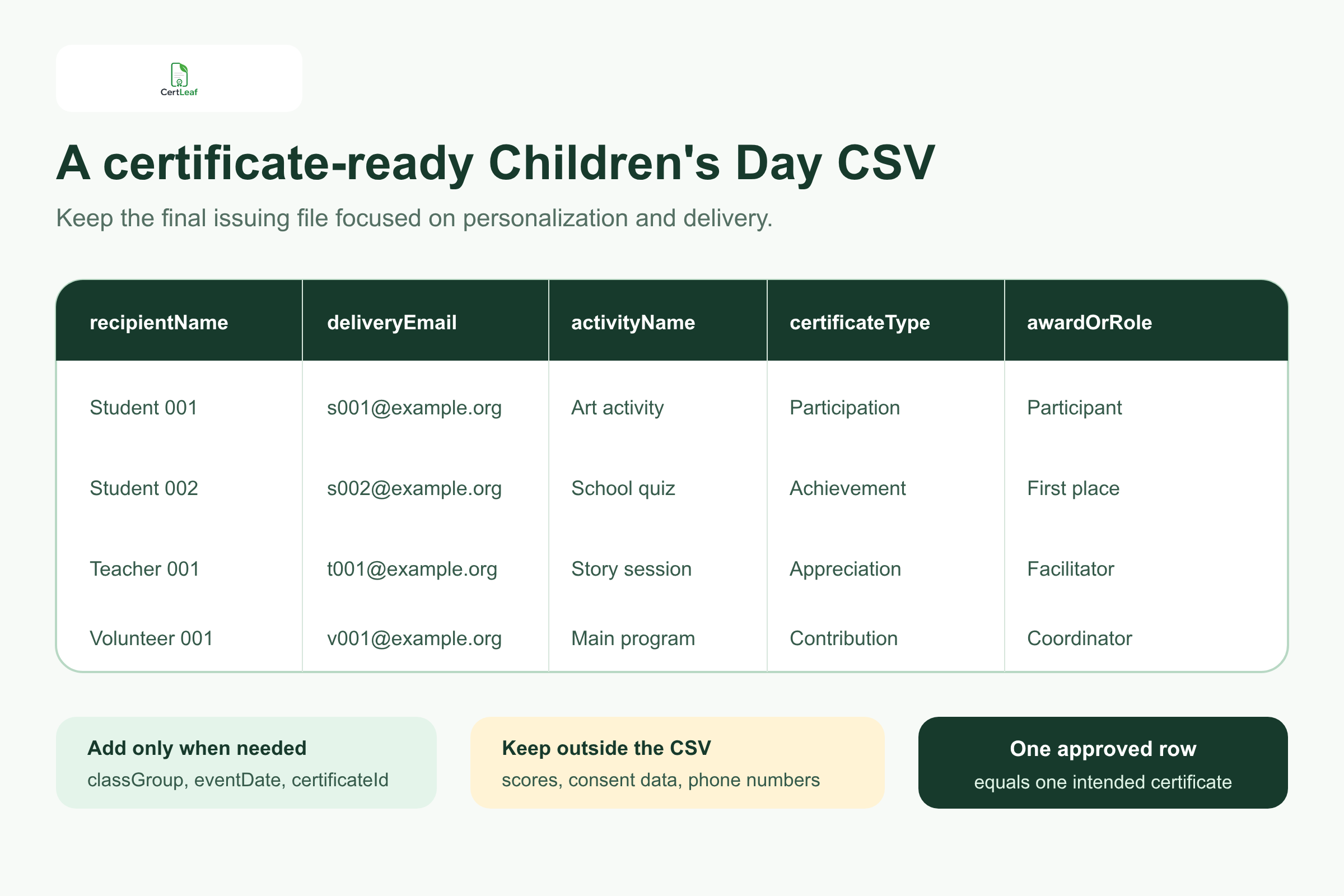
Use one approved row for one intended certificate. If a student receives both a participation certificate for the program and an achievement certificate for a quiz, two rows can be intentional. If the same student appears twice because two teachers submitted the class list, that duplicate should be resolved before upload.
For younger recipients, deliveryEmail may be a parent, guardian, teacher, class coordinator, or institution inbox approved by the school. Keep the student's display name separate from the delivery address. Do not put private contact details, consent records, health information, full birth dates, raw scores, or internal teacher notes on the certificate or public verification record.
When class lists and activity results come from several people, use the guide to preparing a certificate recipient CSV without name or email errors. It covers duplicate rows, name formatting, email checks, and testing the values most likely to stretch the template.
Keep certificate claims precise and child data limited
A Children's Day certificate can become part of a student's activity file, portfolio, school record, or family archive. It should still make sense when viewed months later without the event schedule beside it.
Useful fields can include the recipient name, event or activity name, certificate type, approved award or role, organizer, and event date. A certificate ID and QR verification may help when the record will be shared outside the issuing organization.
The certificate should not include every detail collected by the event team. Avoid phone numbers, home addresses, guardian details, private attendance notes, assessment comments, or sensitive student identifiers. Even the class or age group should appear only when it adds useful context and the school approves it.
Award wording deserves a separate check. Winner, First place, Best performer, and Special mention are different claims. Use the exact label approved by the responsible teacher or judging team. CertLeaf can place the value on the correct certificate, but it does not decide the result.
The same care applies to adults. A teacher who facilitated a craft activity should receive appreciation wording. A guest who judged a quiz should not receive a certificate that implies the guest won it. A student volunteer should be recognized for the approved service role rather than placed in the general participant batch by default.
Email each certificate to the approved inbox
Manual delivery becomes difficult when one folder contains student participation certificates, winner certificates, teacher appreciation records, and volunteer certificates. Similar file names make it easy to attach the wrong PDF or miss one category.
CertLeaf keeps the delivery address connected to the same CSV row used to personalize the certificate. The team can issue the approved batch and email each record without downloading, renaming, and matching every file by hand.
For students, the organizer should decide the delivery route before issuing. Some schools may use parent or guardian addresses. Others may send to class coordinators or institutional inboxes. The right choice depends on the school's communication and privacy practices, not on the certificate platform.
Send internal tests from every certificate type. Open the message on a phone and laptop. Check the recipient name, activity, award or role, event date, certificate title, and download experience. If several student certificates go to one class coordinator, make sure the file names and message context are clear.
The guide to sending certificates by email automatically after an event covers test delivery, recipient matching, and correction handling in more detail.
Add QR verification when the record may be shared
A QR-verifiable CertLeaf certificate gives a viewer a public route to check the issued record. This can be useful for achievement certificates, volunteer contributions, teacher appreciation records, or student certificates that may be included in a portfolio or activity submission.
The PDF and verification page should agree on the recipient, issuer, event, certificate type, activity, award or role, and date. The useful part is the issued record behind the QR code, not the appearance of a black-and-white square.
Keep the claim narrow. QR verification can confirm that the organizer issued a matching CertLeaf certificate record. It does not prove attendance independently, validate a competition result, confirm a child's identity, replace school records, or certify the quality of an activity.
A simple certificate may still be enough for informal internal recognition. Choose QR verification when the recipient or another viewer benefits from a public check.
Pay-as-you-go fits an annual school event
Children's Day certificate demand is concentrated around a date. A school may issue a few hundred certificates in November and have no similar batch the next month. A community organization may run one celebration across several locations and then pause certificate issuing until another campaign.
CertLeaf uses pay-as-you-go credits with no subscription. A simple certificate uses 1 credit, and a QR-verifiable certificate uses 2 credits. New accounts receive 20 free signup credits. India-first customers can purchase credits in INR through Razorpay.
Use the free credits for realistic tests rather than easy placeholder rows. Preview a long student name, a detailed activity title, an achievement certificate, an appreciation certificate, one approved delivery route, and one QR-verifiable record. Then calculate the full credit requirement from the final row count and chosen certificate types.
For teams comparing an event-sized credit purchase with a monthly plan, the guide to a certificate generator without a subscription explains when pay-as-you-go issuing is the better operational fit.
Where CertLeaf fits for each organizer
Schools and school groups
Issue approved participation, achievement, appreciation, and volunteer certificates across classes, houses, activity rooms, and stage programs. Reuse the same template family while keeping each record specific.
Libraries and learning centres
Create certificates for reading sessions, creative activities, quizzes, workshops, mentors, and volunteers without turning the certificate tool into a student database.
NGOs and community organizations
Use approved templates across locations or partner groups. Keep beneficiary records, safeguarding information, consent data, and program reporting outside the certificate CSV.
Resident associations and local clubs
Issue certificates for child-focused games, performances, art activities, coordinators, and community volunteers with one-time credits instead of a recurring subscription.
Event partners and agencies
An external team can help prepare the design and issuing file, but the responsible school or organization should approve names, roles, awards, logos, signatories, and delivery routes before the batch is generated.
Children's Day certificate generator FAQ
What is a Children's Day certificate generator?
It is a tool for creating and issuing personalized certificates for approved Children's Day activities. CertLeaf supports reusable templates, bulk CSV issuing, email delivery, and optional QR verification for participation, achievement, appreciation, and contribution records.
When is Children's Day celebrated in India?
Children's Day, also known as Bal Diwas, is observed in India on November 14. Schools and community organizations often mark it with student activities, performances, competitions, workshops, and recognition programs.
Can CertLeaf issue different certificates for students, winners, teachers, and volunteers?
Yes. Organizers can save separate templates or batches for participation, achievement, appreciation, and contribution while keeping one consistent event identity.
What fields belong in a Children's Day certificate CSV?
A useful starting set is recipientName, deliveryEmail, activityName, certificateType, awardOrRole, and eventDate. Add class group, organization, or certificate ID only when the certificate or verification record needs it.
Can a student receive both participation and winner certificates?
Yes, if the organizer intends to issue both. Record two approved certificate rows deliberately. CertLeaf does not decide whether a merit certificate replaces participation.
Can children's certificates be sent to a parent or teacher email?
Yes. Keep the student's approved certificate name in the recipient field and use the school-approved parent, guardian, teacher, coordinator, or institution address for delivery.
Should Children's Day certificates include QR verification?
QR verification is useful when a certificate may be shared outside the event or checked later. It confirms the matching CertLeaf record, not attendance, identity, judging, safeguarding, accreditation, or the quality of the activity.
Is CertLeaf a no-subscription Children's Day certificate platform?
Yes. CertLeaf uses pay-as-you-go credits with no subscription. New accounts receive 20 free signup credits, and India-first customers can buy credits in INR through Razorpay.
Give every contribution the right certificate record
A Children's Day celebration may be one event on the calendar, but its certificates can cover students, winners, teachers, guests, judges, facilitators, coordinators, and volunteers. Those differences are what make each record useful later.
CertLeaf provides reusable templates, bulk CSV issuing, email delivery, QR verification, pay-as-you-go credits, INR/Razorpay support, and 20 free signup credits. The responsible organizer approves the people, activities, awards, roles, and delivery routes. CertLeaf turns those approved rows into consistent certificates without requiring a subscription.
Start with a small sample, test every certificate type, and issue the approved Children's Day batch only after the school or organization is satisfied with the wording and data.