CertLeaf
Painting Competition Certificate Generator for Schools and Art Clubs
Issue painting competition certificates in bulk for young artists, winners, judges, teachers, coordinators, and volunteers with CertLeaf.
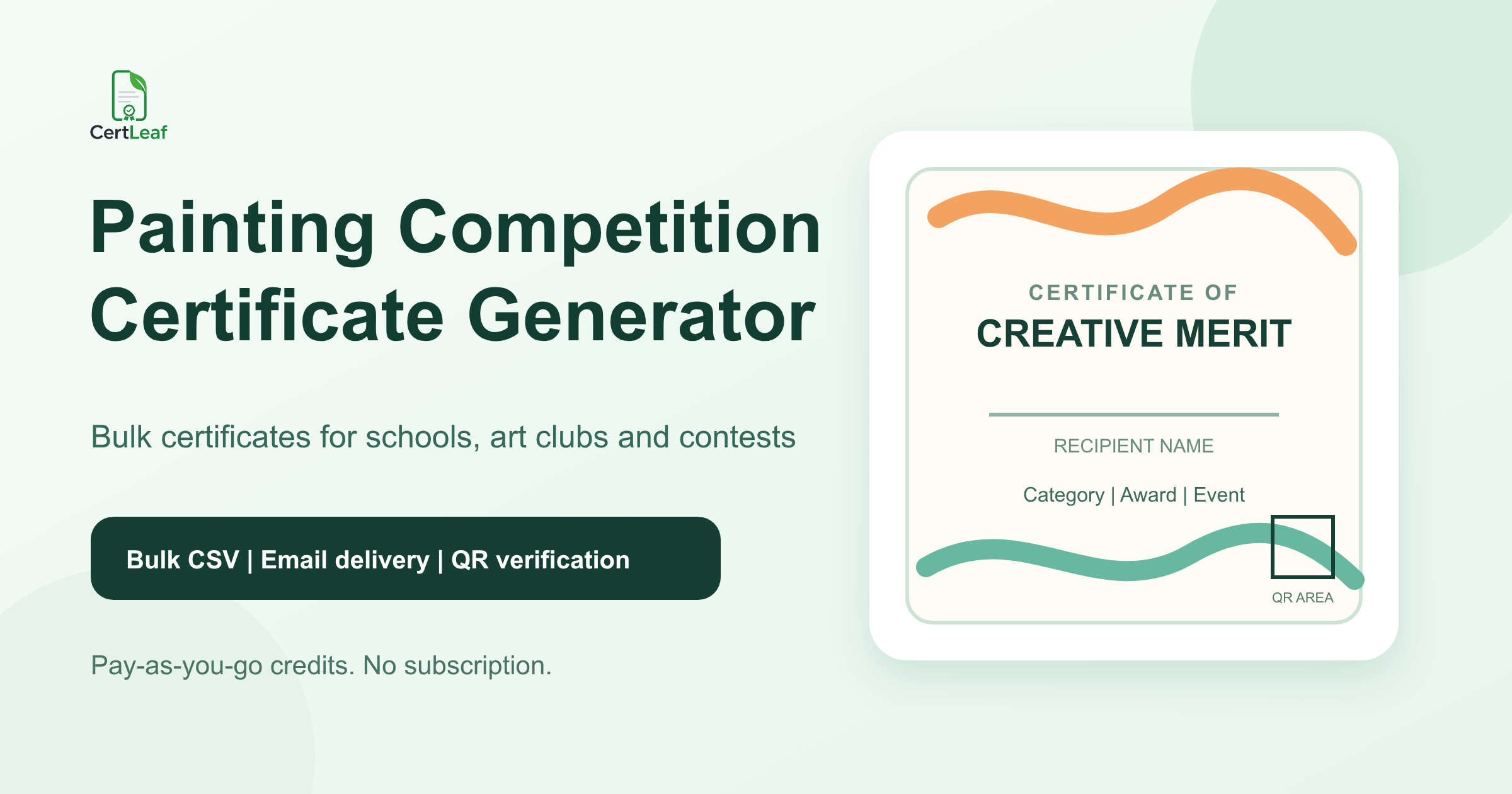
Painting competitions need a dedicated certificate issuing platform because one event can include hundreds of young artists, several age groups, different themes, multiple award levels, and adults who contributed as judges, teachers, coordinators, or volunteers. A generic certificate design does not keep those records separate.
CertLeaf gives schools, art clubs, drawing academies, community groups, cultural associations, and contest organizers one focused place to issue the final certificates. Teams can save reusable templates, upload an approved recipient CSV, generate certificates in bulk, send them by email, and add QR verification when the document may be shared outside the event.
That makes CertLeaf a practical painting competition certificate generator for school drawing contests, inter-school art events, on-the-spot painting competitions, online art contests, environmental awareness campaigns, children's festivals, and annual academy exhibitions. Registration, artwork collection, consent, judging, scoring, and result approval stay with the organizer. CertLeaf handles the certificate issuing layer after the final records are approved.
One contest can need four different certificate types
A painting contest rarely ends with one clean list called participants. It may have entrants from several classes, winners in each age group, special mentions for individual themes, a jury panel, art teachers, school coordinators, and volunteers who managed the venue or online submissions.
The certificate should say what each person actually did:
Participation certificates for approved entrants or young artists
Merit certificates for winners, runners-up, ranks, and special mentions
Appreciation certificates for judges, teachers, guest artists, and mentors
Contribution certificates for coordinators, volunteers, hosts, and partners
A participation certificate must not imply that the child won an award. A special mention should use the exact approved label rather than being shortened to winner. A judge or teacher should receive contribution wording, not a certificate that makes them look like an entrant.
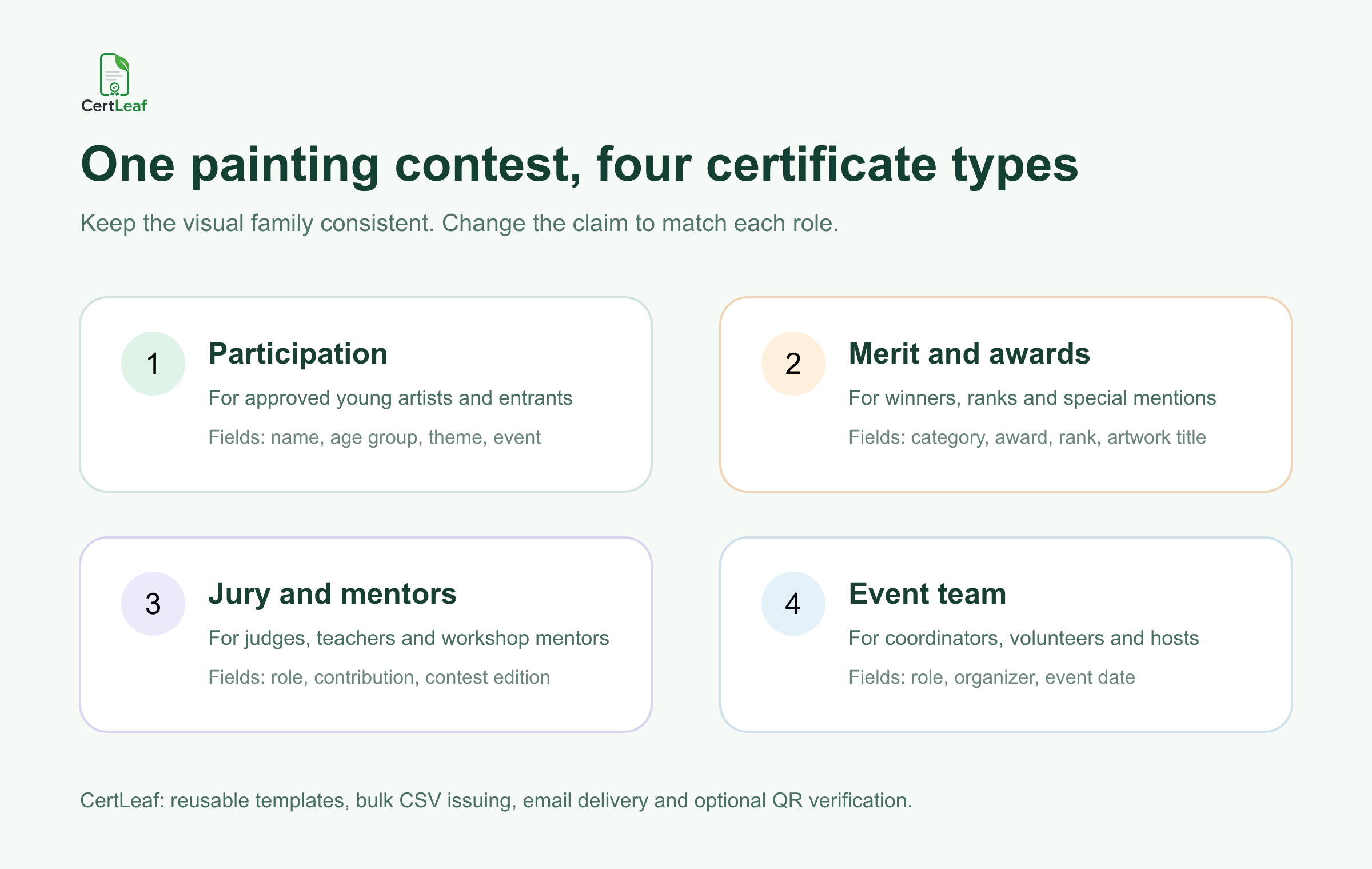
CertLeaf lets the organizer maintain one visual family while changing the certificate title, body wording, category, award, and role. The event colors, logo, border, issuer details, and signature positions can remain consistent across the set.
Sign up for CertLeaf and use the 20 free signup credits to test participation, winner, and jury certificates before preparing the full painting competition batch.
Who can use a painting competition certificate generator
The segment is broader than one school art day.
Schools can issue certificates for class-wise drawing competitions, house events, annual cultural programs, and inter-school contests. Art academies can recognize students across beginner, intermediate, and advanced groups. Community organizations can run painting activities around the environment, public health, local culture, or national observances. Libraries, museums, NGOs, resident associations, and corporate social responsibility teams may also organize children's art events.
The same platform can support small in-person contests and larger online competitions. What changes is the source data. An on-the-spot event may begin with a registration desk and class list. An online contest may use a form export with a registration ID, parent or guardian email, age group, artwork title, and submission status.
CertLeaf does not collect artwork, host a public gallery, score entries, check originality, manage parental consent, or decide winners. Those responsibilities remain with the organizer and its existing forms, judging sheets, and storage. CertLeaf begins when the team has an approved list of certificate records.
Keep participation, achievement, and contribution claims precise
Painting competition certificates often move beyond the event. Students may place them in school activity records, portfolios, scholarship files, admissions material, or social profiles. Teachers and judges may keep them as contribution records.
The wording must still make sense when someone sees the certificate without the event announcement beside it. Useful details can include:
Recipient name
Competition name and edition
Age group, class band, or category
Theme or artwork title when appropriate
Certificate type, rank, award, or contribution role
Organizer and event date
Certificate ID and QR verification when a public check is useful
Do not place raw jury scores, private comments, home addresses, phone numbers, consent data, artwork file links, or school records on the certificate. Keep those details in the organizer's source files.
Be careful with artwork titles and themes. A theme such as Save Our Planet may belong on every certificate in one category. An artwork title may be useful for winners but unnecessary for hundreds of participation certificates. Put a field on the certificate only when the organizer can verify it and the recipient benefits from seeing it.
Build a certificate-ready painting competition CSV
The final issuing CSV should be smaller than the registration or judging workbook. It only needs the approved fields used for personalization, email delivery, and the public certificate record.
A practical header set is:
recipientName,email,contestName,edition,ageGroup,theme,artworkTitle,awardOrRole,certificateType,eventDate
For younger participants, the delivery email may belong to a parent, guardian, class teacher, or school coordinator. Keep the recipient name and delivery email in separate columns. The certificate can name the young artist while the message reaches the approved adult inbox.
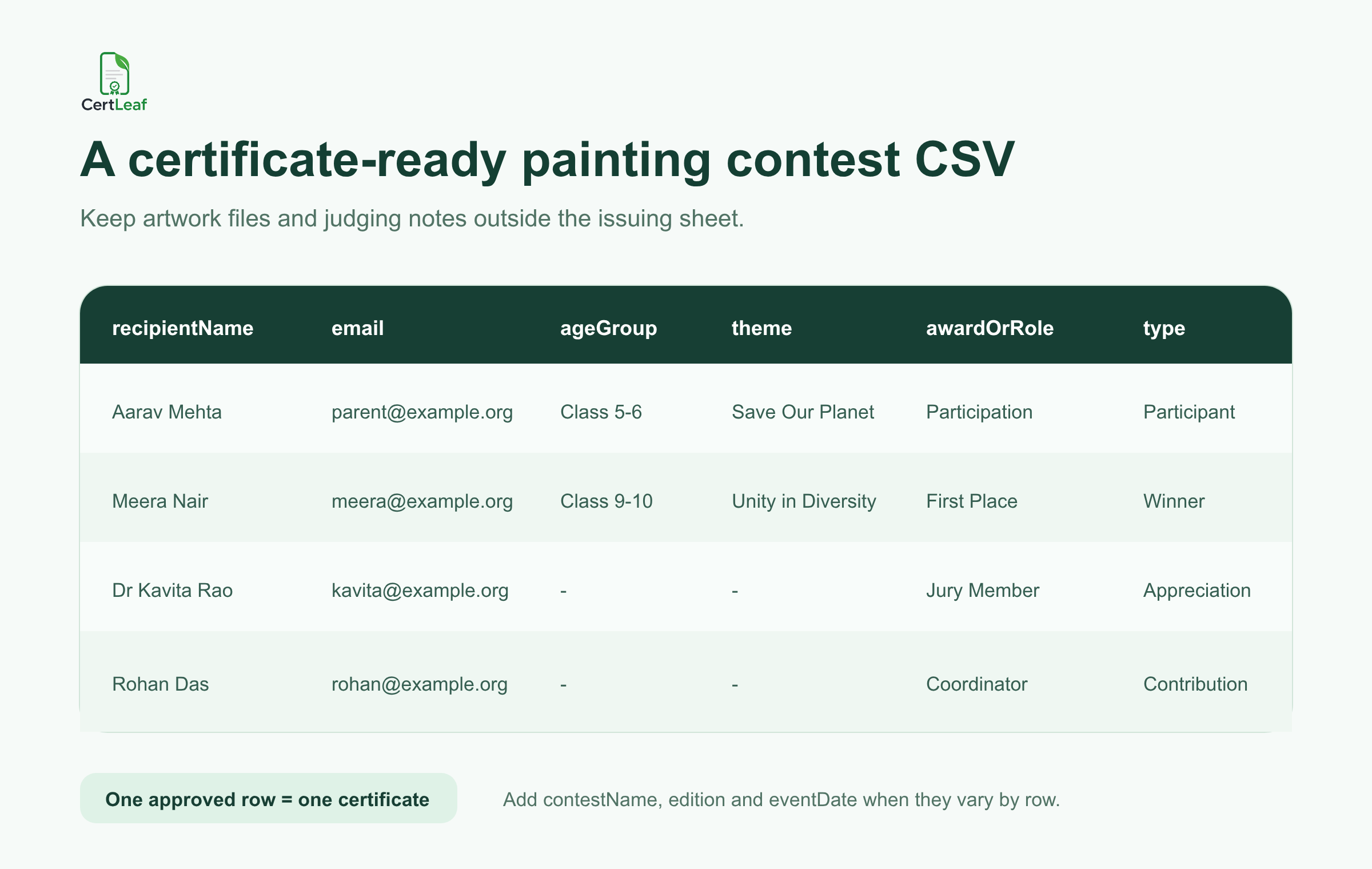
Use one approved row for one intended certificate. If a child should receive both a participation certificate and a category-winner certificate, two rows can be intentional. If the same participation record appears twice because a form was submitted again, resolve the duplicate before upload.
Keep artwork files outside the certificate CSV. The spreadsheet is not an image archive or judging system. The guide to preparing a certificate recipient CSV without name or email errors is useful when school lists, form responses, and result sheets use different spellings or contact addresses.
Try the painting competition use case in CertLeaf with a small sample CSV. The 20 free signup credits let the team check long student names, age-group labels, award wording, email delivery, and QR verification before issuing the real list.
Reuse a template family across age groups and awards
Most painting contests do not need a different design for every class or theme. They need a small, controlled family of templates:
Participation certificate
Winner, rank, or special-mention certificate
Judge, teacher, or mentor appreciation certificate
Coordinator and volunteer contribution certificate
The designs can share the same contest identity. The title and body copy should not be identical. A visual border in gold does not turn a participation record into an award, and a paintbrush illustration does not explain whether someone entered, won, judged, or organized the contest.
A reusable template should leave enough room for the longest likely recipient name, a multi-word age group, and a detailed award such as Special Mention - Junior Watercolour. Keep the QR area separate from borders, signatures, seals, and decorative artwork.
Schools and clubs that want one design system for recurring events can use the reusable college event certificate template principles. The same practical advice applies to school and community art contests: keep fixed branding in the base design and map only the details that change.
Before the full issue, preview the awkward records. Test a long student name, the longest theme, a detailed special award, a jury role, and a school or academy name that takes two lines. Read the exported PDF at normal size. A certificate is not ready if the name touches the border or the award competes with the signature block.
Email certificates without matching files by hand
Manual delivery becomes risky when one folder contains participant, winner, jury, teacher, and volunteer PDFs. File names can look nearly identical, especially when several students share a surname or one school uses a coordinator's email for a whole group.
CertLeaf keeps the delivery address connected to the same CSV row used to generate the certificate. Organizers can issue separate batches when that makes review easier, then send each approved record to the matching inbox without attaching PDFs one by one.
Run a test from every certificate type. Open the message on a phone and laptop. Check the recipient name, contest title, category, award or role, download experience, and correction contact. If several certificates go to one school coordinator, make that arrangement clear before sending.
For a larger contest, the guide to sending certificates by email automatically explains test delivery, recipient matching, and correction handling in more detail.
Add QR verification when the certificate will be shared
A QR-verifiable CertLeaf certificate gives a viewer a public route to check the issued record. The verification details should agree with the recipient, issuer, competition, certificate type, category, award or role, and date shown on the PDF.
Keep the claim narrow. QR verification confirms that an organizer issued a CertLeaf certificate record with those details. It does not prove who created an artwork, check whether a submission was copied, validate parental consent, certify copyright ownership, or confirm that the judges made the right decision.
Simple certificates can still be appropriate for informal internal recognition. QR verification is more useful for awards, external contests, academy records, and certificates students may share with another school or institution.
Pay-as-you-go fits seasonal art events
Painting competitions often follow the school or community calendar. A school may run one annual art week. An academy may hold a term-end exhibition. An association may organize a public competition around a specific campaign and issue nothing for several months afterward.
CertLeaf uses pay-as-you-go credits with no subscription. A simple certificate uses 1 credit, and a QR-verifiable certificate uses 2 credits. New accounts receive 20 free signup credits. India-first customers can purchase credits in INR through Razorpay.
That model lets the certificate cost stay with the contest that created it. Use the free credits on realistic proofs rather than easy placeholder rows: a long name, a detailed category, a winner certificate, a jury certificate, an email delivery, and a QR scan.
Painting competition certificate generator FAQ
What is a painting competition certificate generator?
A painting competition certificate generator helps organizers create and issue personalized certificates for entrants, winners, judges, teachers, coordinators, and volunteers. A useful platform supports reusable templates, bulk CSV issuing, email delivery, and optional QR verification.
Can CertLeaf issue school painting competition certificates in bulk?
Yes. Prepare an organizer-approved CSV with one intended certificate per row, map the fields to the appropriate template, and issue participation, merit, appreciation, or contribution batches in bulk.
What fields should a painting competition certificate include?
Common fields are the recipient name, competition name, age group or category, theme, certificate type, organizer, and event date. Winner certificates can include the exact approved award or rank. Add an artwork title only when it is verified and useful.
Can younger participants receive certificates through a parent or teacher email?
Yes. Keep the young artist's name in the recipient field and use the organizer-approved parent, guardian, teacher, or coordinator address in the email field.
Can participants and winners use the same certificate design?
They can share the same visual identity, but the title and wording should distinguish participation from achievement. Separate templates or batches make the claims easier to review.
Can judges, art teachers, and volunteers receive certificates?
Yes. Use an appreciation or contribution template with the exact approved role. Do not use entrant or winner wording for someone who judged, mentored, taught, coordinated, hosted, or volunteered.
Does CertLeaf host artwork or manage judging?
No. CertLeaf is the certificate issuing, email delivery, verification, and management layer. Artwork submission, storage, consent, scoring, judging, and result approval remain with the organizer.
Should painting competition certificates include QR verification?
QR verification is useful when students, winners, judges, or teachers may share the certificate outside the event. It provides a route to check the issued certificate record, but it does not verify the artwork or judging result.
Is CertLeaf a no-subscription art competition certificate generator?
Yes. CertLeaf uses pay-as-you-go credits with no subscription. New accounts receive 20 free signup credits, and India-first customers can purchase credits in INR through Razorpay.
Give every creative contribution the right record
A painting competition may be presented as one event, but its certificate records cover young artists, categories, awards, jury work, teaching, coordination, and volunteer support. Those distinctions are what make each certificate useful later.
CertLeaf gives schools, art clubs, academies, community groups, and contest organizers reusable templates, bulk CSV issuing, email delivery, QR verification, pay-as-you-go credits, INR/Razorpay support, and 20 free signup credits. The organizer approves the contest facts. CertLeaf handles the repetitive issuing work.
Start with a small sample, check every certificate type, and then issue the approved painting competition batch without committing to a subscription.