CertLeaf
Food Safety Training Certificate Generator for Hospitality and Training Teams
Issue food safety and hygiene training certificates in bulk with reusable templates, approved CSV records, email delivery, optional QR verification, and no subscription.
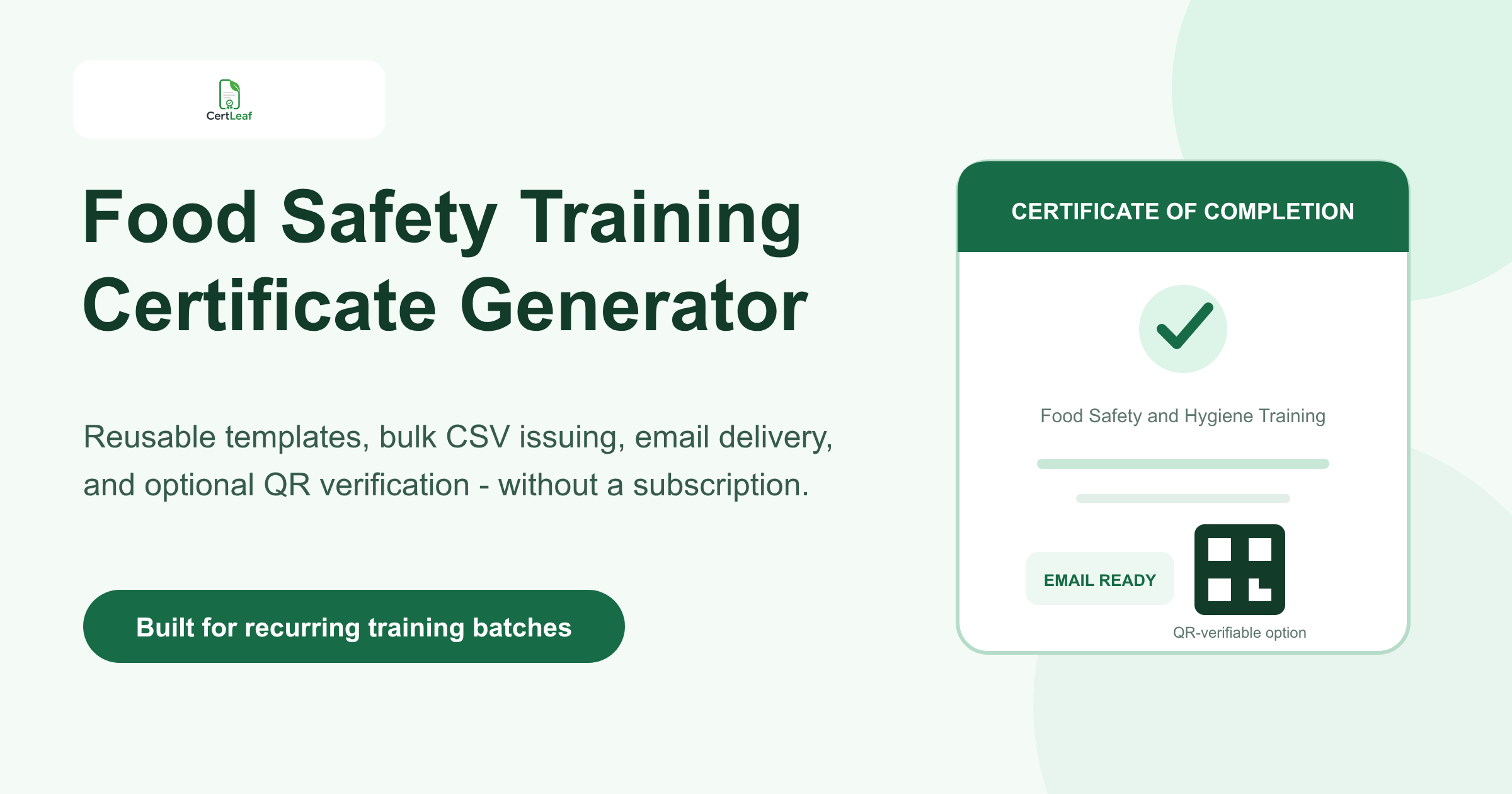
Food safety trainers need certificate software that fits recurring, mixed-size batches. A culinary institute may run the same hygiene module every month. A restaurant group may train staff across several branches. An NGO may conduct a community food-handling session with volunteers and local vendors. Each program can have different dates, trainers, certificate wording, and recipient counts.
CertLeaf gives these teams a focused food safety training certificate generator. Build reusable templates, issue personalized certificates from an approved CSV, email each record to the right recipient, and add QR verification when the certificate may be checked later. Credits are pay-as-you-go, so there is no subscription to keep active between training dates.
The boundary matters in this segment. CertLeaf does not provide food safety training, test learners, accredit trainers, issue government certificates, or confirm regulatory compliance. The responsible training provider decides what was taught, who met its requirements, and what the certificate can accurately claim. CertLeaf handles the issuing, distribution, verification, and record layer after those decisions are approved.
Who needs a food safety training certificate generator?
The obvious users are food safety and hygiene training providers, but the practical market is wider:
Hospitality and culinary training institutes running recurring learner batches
Restaurant, cafe, catering, cloud kitchen, and hotel groups conducting internal programs
Colleges offering hospitality, nutrition, food technology, or catering courses
NGOs and community organizations running safe food-handling awareness sessions
Institutional kitchens, hostels, canteens, and facility teams organizing staff training
Independent trainers delivering client-specific hygiene and kitchen safety programs
These organizations do not all issue the same kind of certificate. Some deliver assessed courses under their own approved framework. Others run an orientation or awareness session. A two-hour internal briefing should not automatically produce the same wording as a defined course with an assessment.
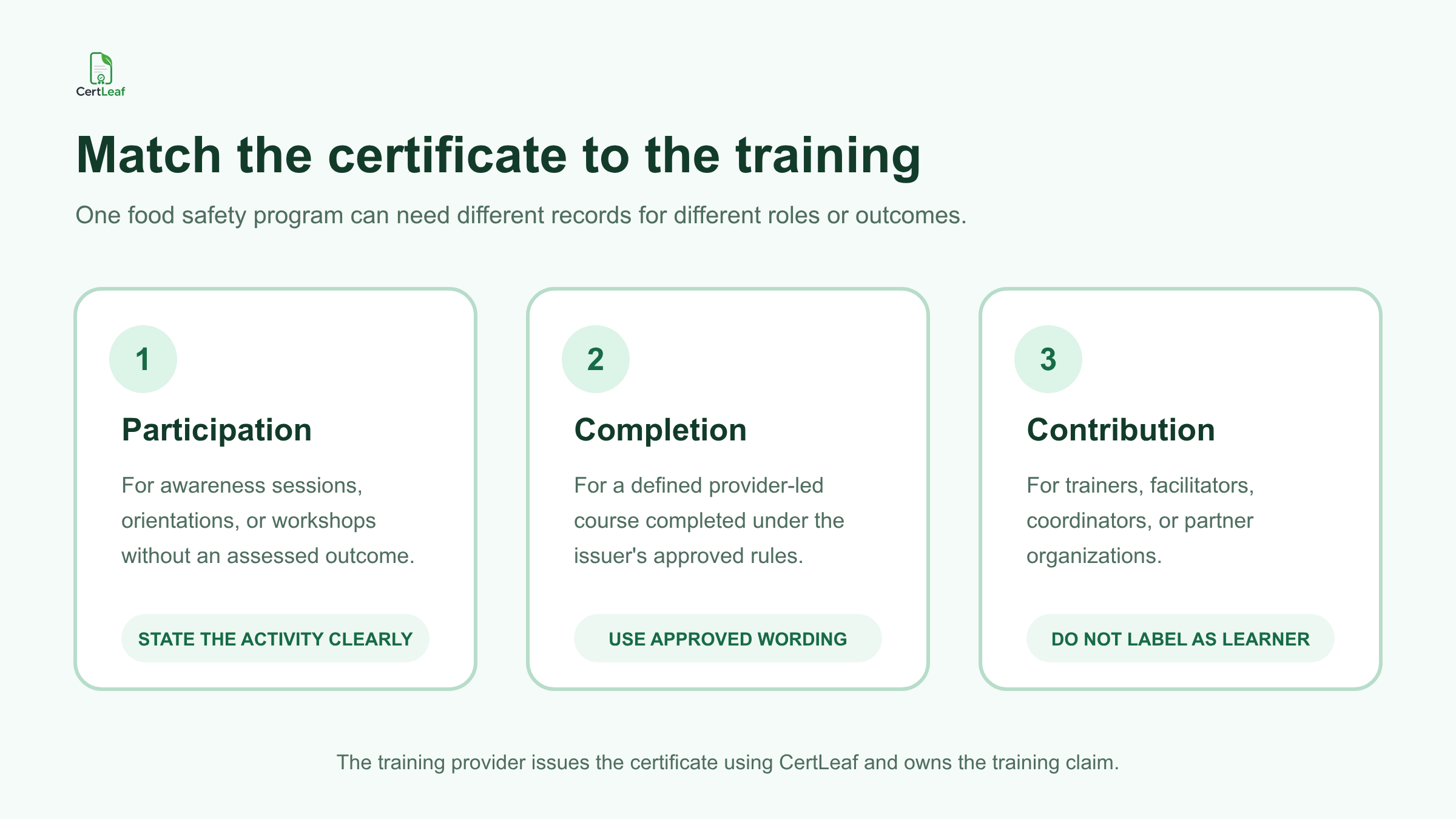
Match the certificate to the program delivered
A useful food safety training certificate says exactly what happened. It should not borrow authority from a regulator, accreditation body, or official scheme that did not issue or approve it.
A provider may need several reusable certificate types:
Participation certificate: for a food hygiene awareness session, kitchen safety orientation, or community workshop.
Completion certificate: for a defined provider-led course completed under the provider's approved requirements.
Trainer or facilitator appreciation certificate: for the person who delivered or supported the session.
Coordinator or partner recognition certificate: for an institution, NGO, or program team that contributed to delivery.
The words "certified," "licensed," "government approved," "FoSTaC certified," or similar claims should appear only when the responsible issuer is entitled to use them and has approved the exact wording. A private training certificate should not look like an official FSSAI or FoSTaC certificate. CertLeaf is certificate issuing software, not a food safety authority or accreditation service.
This distinction protects both the learner and the provider. A hotel manager, recruiter, client, or auditor can understand what the document records without being asked to infer a qualification that the training did not provide.
**Running a food hygiene or kitchen safety batch soon? Sign up for CertLeaf and use the 20 free signup credits to test each certificate type with realistic names and program titles before issuing the full group.**
Reusable templates make recurring batches easier to manage
Food safety programs often repeat across locations and clients. The trainer's identity and core design may stay fixed while the branch, venue, program title, trainer, date, and certificate type change.
In CertLeaf, the issuer uploads an approved base design and places dynamic fields over it. A practical template can include:
learner or participant name
program or course title
certificate type
training date or date range
client, branch, or institution name
trainer name, where approved
batch reference or certificate ID
QR code for a verifiable certificate
Test the template with difficult values. "Food Hygiene and Safe Handling for Central Kitchen Support Staff" needs far more room than "Food Safety Basics." Branch names, institutional names, and learner names can also be long. A five-record proof batch should include the longest values, not five neat placeholders.
Training providers that run several subjects can use the same operating model described in the guide to bulk course completion certificates for training institutes. The food safety wording stays specific while the template and issuing process remain familiar to the administration team.
Prepare a narrow, approved CSV
The final CSV should contain only the fields needed to personalize, deliver, and manage the certificates. It should not be a copy of the trainer's full workbook.
A useful header might be:
learnerName,email,programTitle,trainingDate,clientOrBranch,trainerName,certificateType,batchReference
One row should represent one approved certificate. If a person attended an awareness session, do not let a copied value turn that row into course completion. If a trainer needs an appreciation certificate, keep that record separate from the learner batch or use a carefully reviewed certificate type field.
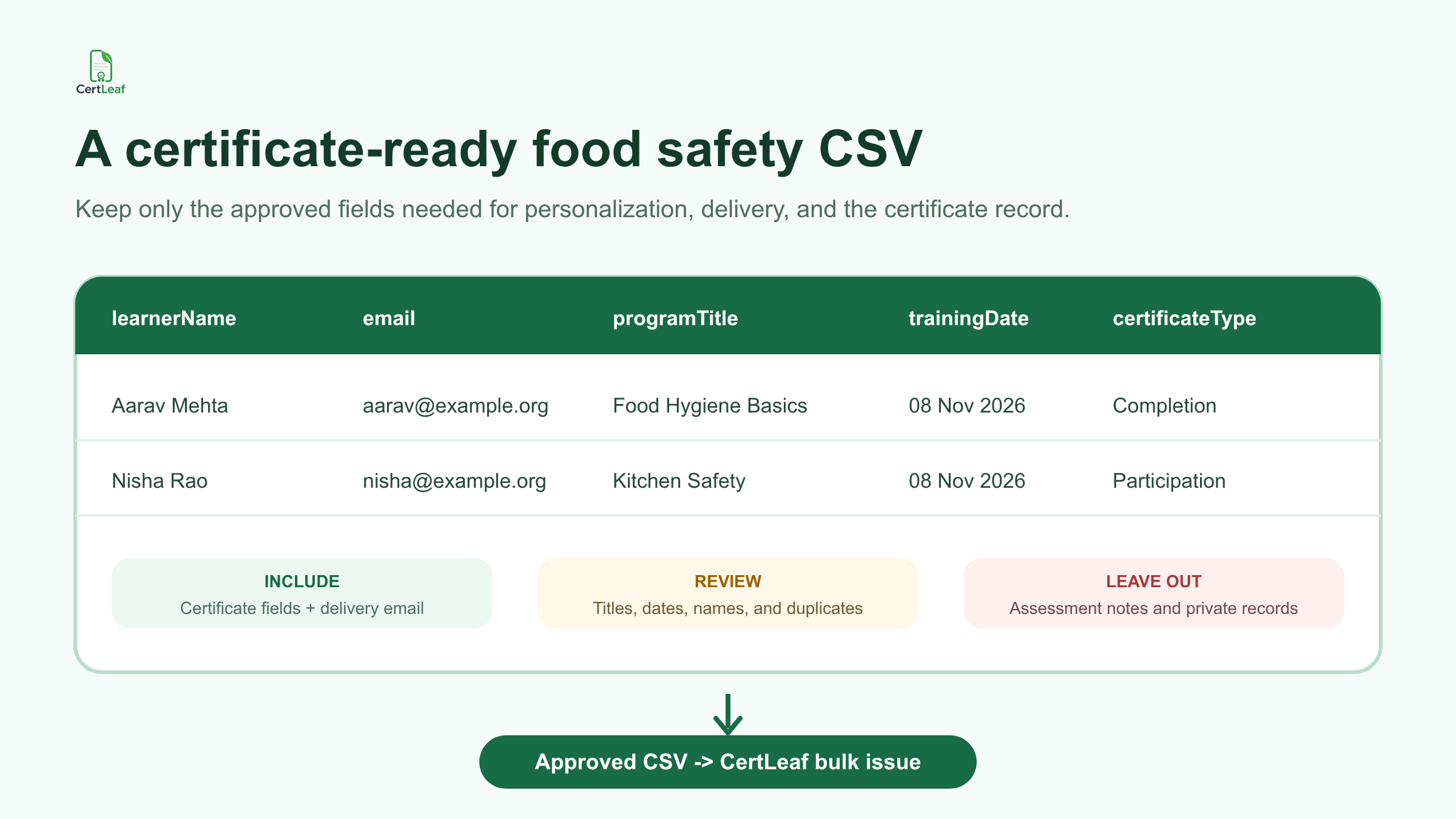
Keep assessment notes, health information, internal audit findings, incident records, identity documents, phone numbers, and unrelated employee data out of the issuing CSV. CertLeaf only needs the approved certificate fields and the delivery email required for the batch.
Before upload, check name spelling, duplicate rows, email addresses, program titles, date formats, certificate types, and branch labels. The practical guide to preparing a certificate recipient CSV is the useful next step when registration, attendance, and trainer records use different names or addresses.
CertLeaf then maps the approved rows into the reusable template. It does not calculate assessment results, decide who completed a course, or infer whether a participant qualifies for a particular claim.
Email each approved certificate without matching PDFs by hand
A training batch is not complete when the PDFs exist. Every recipient still needs the correct file.
Manual delivery creates another matching task: download the folder, rename files, find each email address, attach the correct PDF, and remember which messages were sent. That can be manageable for eight learners. It is a poor operating method for 80 staff members across five branches.
CertLeaf uses the delivery email in the approved CSV to send each certificate to the corresponding recipient. The provider can keep the message plain: identify the program, explain what the certificate records, and give recipients one route for genuine name or email corrections.
For employer-sponsored training, decide in advance whether certificates go directly to learners, to a branch coordinator, or through another approved internal route. The software supports email distribution; the organization remains responsible for choosing the right delivery policy and recipient data.
**Want to test the complete recipient experience? Try CertLeaf with 20 free signup credits, send a small internal batch, open the email on a phone, and inspect the downloaded certificate before using paid credits.**
Use QR verification when the record will be checked later
Food safety and hospitality training certificates may be shared with employers, clients, educational institutions, or program partners. A QR-verifiable certificate gives the reviewer a public route to check the certificate record created by the issuing organization.
The visible certificate and verification page should agree on the learner name, issuer, program title, date, and certificate reference. A stable certificate ID can help a provider find the record after several similar batches. The guide to QR-verifiable training certificates with unique certificate IDs explains how to keep the ID, PDF, and verification record aligned.
QR verification has a narrow purpose. It confirms that the issuer created the corresponding certificate record through CertLeaf. It does not prove that a kitchen is compliant, that a learner has a government qualification, that an inspection was passed, or that CertLeaf evaluated the training.
Before sending the full batch, scan QR codes from exported sample certificates. Use a separate phone, open each result, and confirm that different certificates lead to different matching records. Keep private assessment and employment data off the public verification page.
Pay-as-you-go credits suit uneven training calendars
Food safety training volume can move with hiring, seasonal operations, new branches, client projects, college terms, and community campaigns. One month may contain three batches. The next may contain none.
CertLeaf uses pay-as-you-go credits instead of a monthly subscription. New accounts receive 20 free signup credits. Simple certificates use 1 credit, while QR-verifiable certificates use 2 credits. India-first customers can purchase credits in INR through Razorpay when a real batch is ready.
This keeps certificate software separate from the training fee, assessment process, client contract, and compliance responsibilities. Providers comparing occasional credit purchases with recurring plans can read the guide to choosing a certificate generator without a subscription.
Check the live pricing page before committing a client or institutional budget because packs and offers can change.
Practical setups for different food safety training teams
Independent food safety trainers
Save provider-approved templates for participation, completion, and facilitator recognition. Reuse the design while changing the client, branch, date, trainer, and learner data for each batch.
Hospitality and culinary institutes
Keep course completion records separate from short guest sessions or internal orientations. Use the exact course title approved by the institute and test long program names before the batch is issued.
Restaurant and hotel groups
Use branch or property fields when the location matters. Do not place internal audit findings, employee records, or incident notes in the certificate CSV or public verification page.
Colleges and institutional kitchens
Match the document to the program: a student workshop, canteen staff orientation, laboratory hygiene session, or defined course may each need different wording. The institution and trainer should approve the issuer and signatory details.
NGOs and community programs
Use participation or awareness language when that is what the session delivered. If an external specialist owns the training standard, agree on how the provider, partner organization, and facilitator should appear before building the template.
FAQ about food safety training certificate generators
What is a food safety training certificate generator?
It is software for creating personalized food safety or food hygiene training certificates from approved recipient records. CertLeaf supports reusable templates, bulk CSV issuing, email delivery, and optional QR-verifiable certificate records.
Can CertLeaf issue food hygiene certificates in bulk?
Yes. A provider can upload an approved recipient CSV, map its fields to a reusable template, generate the batch, and send each certificate by email. The provider remains responsible for the training, assessment, recipient approval, and certificate wording.
Does CertLeaf issue official FSSAI or FoSTaC certificates?
No. CertLeaf is an independent certificate issuing platform. It does not deliver FoSTaC training, authorize training partners, issue official FSSAI or FoSTaC certificates, accredit courses, or determine regulatory compliance.
Which CSV fields are useful for a food safety training certificate?
Common fields include learner name, email, program title, training date, client or branch, trainer name, certificate type, and batch reference. Include only what is needed for the certificate, delivery, or approved verification record.
Can a food safety training certificate include a QR code?
Yes. CertLeaf can issue QR-verifiable certificates linked to public verification pages. The page confirms the issuer-created certificate record; it does not independently verify food safety competence, legal compliance, accreditation, or inspection results.
Is CertLeaf suitable for restaurant groups and hospitality institutes?
Yes. CertLeaf can support approved certificate batches for internal programs, institute courses, client training, and awareness sessions. Each organization should use wording that accurately reflects its program and authority.
Can Indian training providers use CertLeaf without a subscription?
Yes. CertLeaf uses pay-as-you-go credits, supports INR payments through Razorpay, and provides 20 free signup credits for testing.
Keep the training claim with the provider
Food safety trainers should not have to rebuild a certificate or send PDFs one by one after every batch. CertLeaf handles the repeated issuing work: reusable templates, approved CSV batches, email delivery, optional QR verification, and pay-as-you-go credits.
The training provider still owns the important part. It decides what the program covered, who completed it, and what the certificate can honestly say. Start with that approved record, test a small batch, and let CertLeaf handle the certificate operation around it.