CertLeaf
Welding Training Certificate Generator for Skill Centres and ITIs
Issue provider-approved welding workshop, module, and course certificates in bulk with reusable templates, CSV upload, email delivery, optional QR verification, and no subscription.
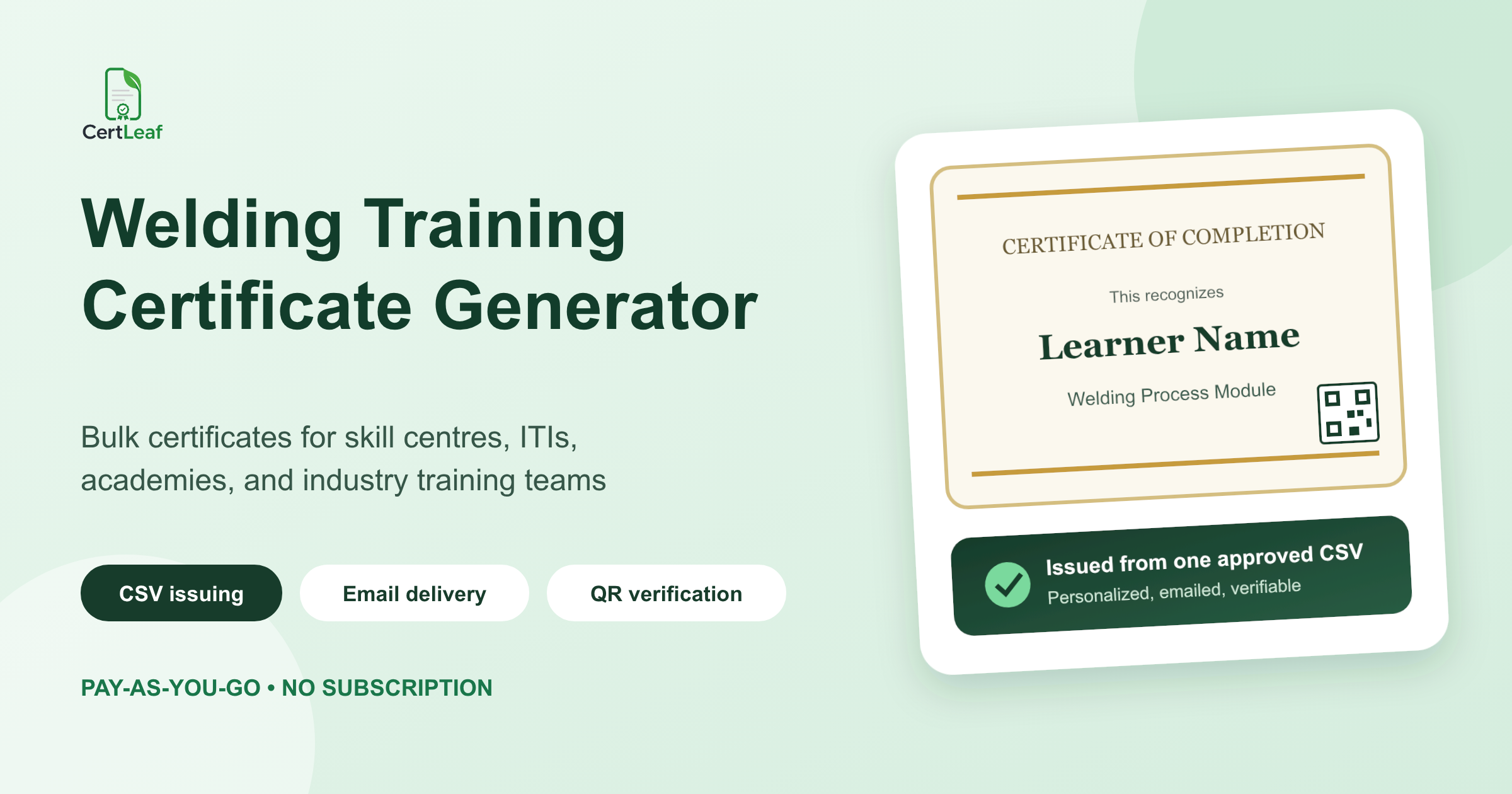
Welding institutes, skill centres, ITIs, fabrication academies, and industry trainers need a certificate platform that respects the technical weight of their programs. A two-hour welding safety seminar, a gas metal arc welding module, a supervisor course, and a formal trade qualification are not interchangeable records. Each needs accurate wording, a consistent design, and a reliable issuing process.
CertLeaf is a welding training certificate generator for providers that have already decided what they are authorized to issue. The training team can save reusable certificate templates, upload an approved learner CSV, generate a complete batch, send each certificate to the matching email address, and add QR verification when the record may be checked later.
The provider remains responsible for the teaching, practical assessment, completion decision, safety requirements, and credential wording. CertLeaf handles the certificate issuing, delivery, verification, and record layer. It does not assess welding competence, certify a welder to a code, grant a trade qualification, or replace an authorized awarding body.
Why welding training is a useful certificate segment
Welding education is an active and varied training market. The Indian Welding Society lists classroom and hybrid courses for fresh engineers, welding engineers, supervisors, and professional welding inspectors in its 2026-2027 calendar. It also runs seminars, workshops, training programs, student chapters, and skills competitions across regional centres.
The broader training landscape includes ITI welder programs, apprenticeships, private welding schools, fabrication training, employer upskilling, equipment demonstrations, safety modules, and college technical workshops. Those programs reach different learners and make different claims, but many of them issue participation, module, or provider-approved completion records.
That makes the segment practical for CertLeaf. Welding training often runs in cohorts, course titles can be long, several certificate types may be needed, and learners may later share the record with employers or further-training providers. A purpose-built issuing platform is more useful here than editing names in a design file and sending PDFs one by one.
For training providers that run several technical courses, the published guide to a skill development certificate generator for training institutes gives a broader view of reusable templates, learner records, and batch issuing.
Match the certificate to the welding program
A welding certificate should state what the provider can honestly confirm. Participation in an open demonstration is different from completing an assessed module. Completing an institute course is different from holding an external welder qualification or approval under a particular code.
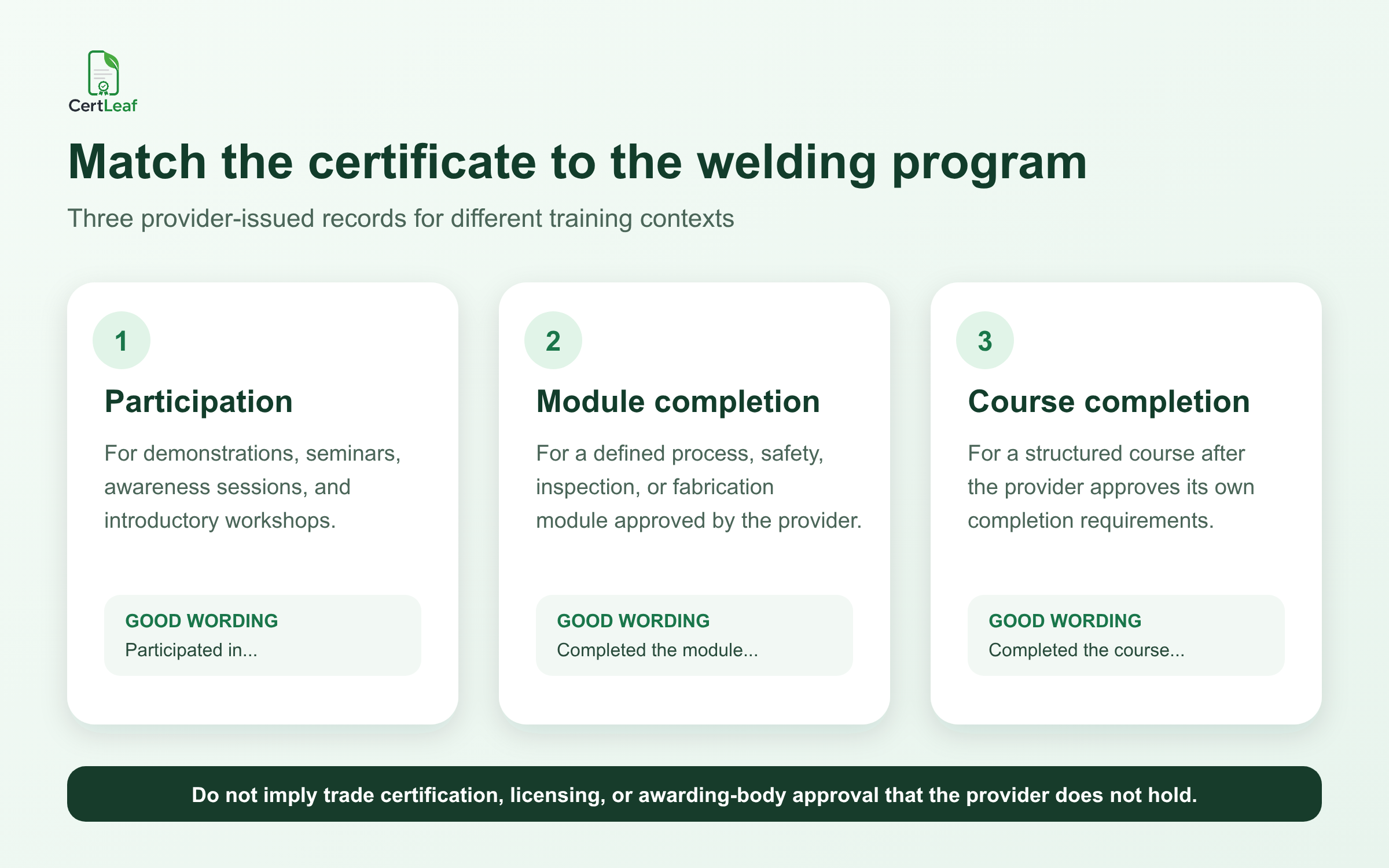
Three certificate groups cover many provider-run welding programs:
Participation certificate: For a seminar, equipment demonstration, awareness session, introductory workshop, guest lecture, or technical event.
Module completion certificate: For a defined subject such as arc safety, joint preparation, GMAW basics, GTAW fundamentals, weld inspection concepts, fabrication drawing, or a supervised practical module.
Provider-approved course completion certificate: For a structured course after the provider confirms its own documented completion requirements.
Use precise wording. "Completed the GMAW Basics module" is clearer than "Certified Welding Professional" when the program did not award that professional status. If an external body controls the credential, follow its authorization, assessment, branding, and issuing rules. Do not recreate that credential independently in CertLeaf.
This distinction matters because welding credentials can carry specific technical and industry meanings. QR verification can confirm that a provider issued a record. It cannot add accreditation, code approval, trade status, or practical competence that the underlying program did not grant.
**Running a welding workshop or course now? Sign up for CertLeaf and use the 20 free signup credits to test participation, module, and completion templates with an internal sample.**
Build a reusable template family
Welding training providers rarely issue only one kind of document. A centre may run weekend foundation batches, employer-sponsored refresher modules, supervisor programs, safety orientations, and guest seminars. The visual identity can remain consistent even when the certificate claim changes.
CertLeaf lets the provider upload an approved base design and place dynamic fields over it. That setup becomes a reusable template for future batches. A practical template family might include:
workshop or seminar participation
technical module completion
provider-approved course completion
instructor or guest expert appreciation
assessor, mentor, or competition judge recognition
Useful dynamic fields can include learner name, course or module title, certificate type, batch name, training period, completion date, approved training hours, centre or branch, certificate ID, and QR code.
Test the layout with difficult values. "Gas Tungsten Arc Welding and Stainless Steel Fabrication" needs more room than "GTAW Basics." Long learner names, company names, date ranges, and multi-line centre names can expose crowded text before the real batch is generated.
Keep controlled logos and signatories under the right approval. If a partner company, council, institute, or awarding body appears on the certificate, confirm that the program is allowed to use that identity. Certificate software should make an approved design repeatable, not bypass the approval behind it.
Use a focused learner CSV
A welding training provider may hold far more data than a certificate platform needs. The working file can include identity documents, practical scores, test-piece results, welding process observations, safety records, medical fitness information, attendance, payment status, placement notes, and employer details.
Do not upload the whole training database. Export a focused issuing CSV with only the fields needed to personalize, deliver, and verify the certificate.
A useful starting point is:
learner_name,email,course_name,module_name,batch_name,completion_date,training_hours,certificate_type,certificate_id
One row should represent one approved certificate. If one learner receives a module certificate and a separate course completion certificate, use two deliberate records because the claims are different. Duplicate registration rows are not separate certificate decisions.
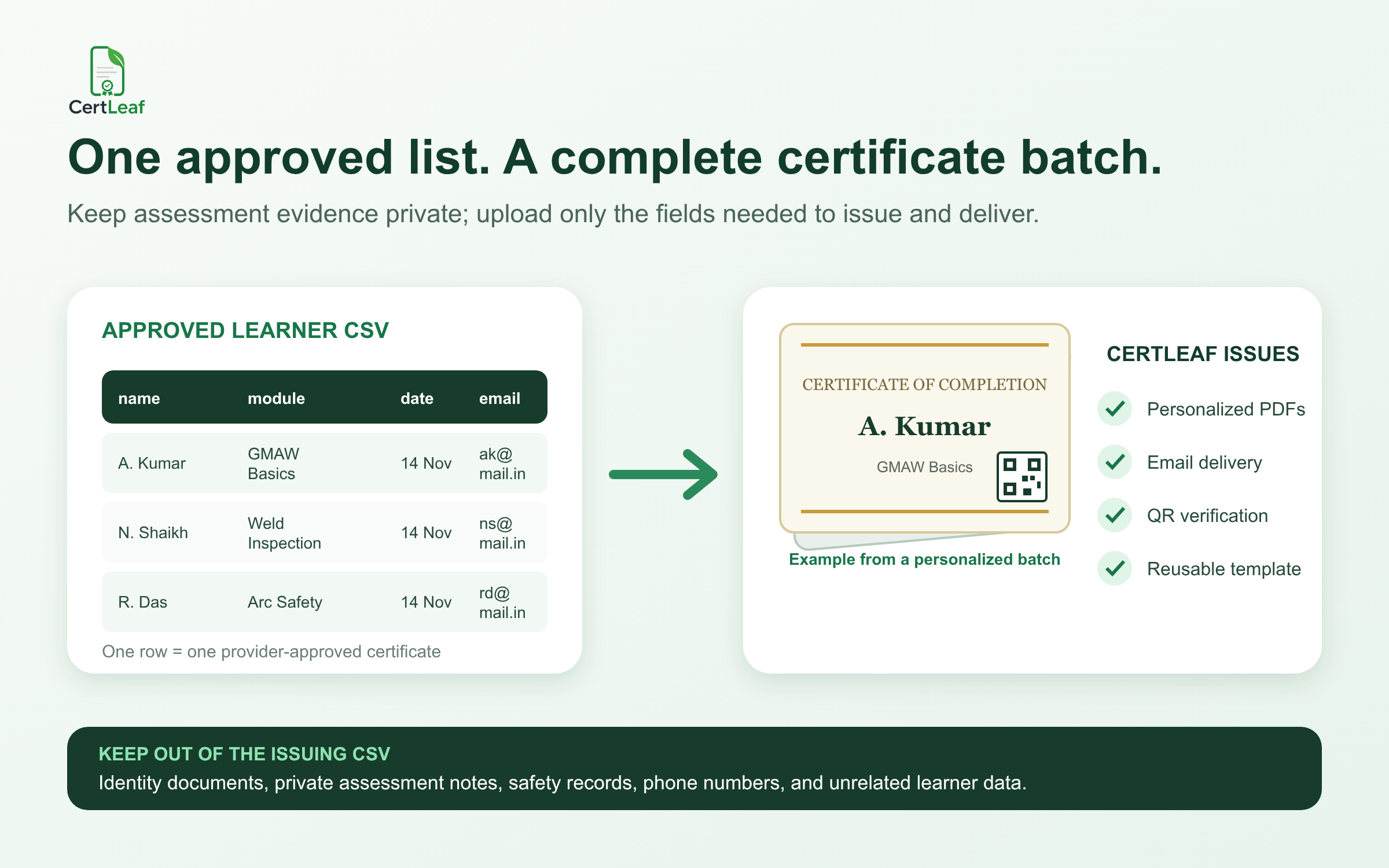
Review the source list before upload. Confirm the learner name, email, exact program title, certificate type, date, hours when used, and certificate ID. Keep practical test evidence, private assessment notes, identity numbers, phone numbers, and safety records in the provider's own system.
CertLeaf uses the approved rows to issue certificates. It does not decide whether a learner produced an acceptable weld, passed a test, completed enough practical hours, or qualifies for a regulated or external credential.
For teams building a repeatable batch process, the guide to bulk course completion certificates for training institutes covers template proofs, cohort delivery, and corrections across recurring programs.
Email every learner the matching certificate
Generating the PDFs is only part of the issuing job. Someone still has to match each file to the right learner and send it.
Manual delivery can work for a class of eight. It becomes fragile when a centre finishes several batches in the same week or needs separate records for learners, instructors, and guest experts. A wrong attachment exposes another learner's certificate. A missed row creates support work. A corrected PDF can circulate beside the original with no clear indication of which record is current.
CertLeaf uses the email field in the approved CSV to connect each recipient with the matching certificate. The provider can issue and distribute the batch without downloading, renaming, attaching, and sending every file separately.
A small internal proof batch is still worth doing. Use the longest learner name, the longest course title, a name with initials, one date range, and one ordinary row. Open the delivered emails on a phone and a desktop. Inspect the exported certificate, not only the editor preview.
**Ready to test the learner experience? Try CertLeaf with 20 free signup credits, send a small internal welding certificate batch, and review the PDF, email, and QR path before issuing to the full cohort.**
Add QR verification when the record will travel
Welding course certificates may be shown to employers, contractors, fabrication units, colleges, apprenticeship teams, or another training provider. Once the PDF leaves the original email, the recipient needs a simple way to show which organization issued it.
A QR-verifiable CertLeaf certificate can open a public record connected to that issued certificate. The reviewer can compare the learner name, program or module, issuing provider, date, and certificate ID with the PDF.
Keep the public record narrow. It should not expose identity documents, phone numbers, practical scores, test-piece details, safety observations, or private assessment evidence. Those records belong with the training provider.
The QR path confirms the issuer-created certificate record. It does not independently prove welding skill, approve a welding procedure, qualify a person to a code, certify workplace safety, or replace an external qualification. Providers planning portable records can use the guide to QR-verifiable training certificates with unique certificate IDs for ID patterns, correction handling, and public record fields.
Pay-as-you-go credits fit welding training calendars
Welding training volume is rarely flat. A private institute may finish two batches in one month and issue nothing in the next. An employer may run a large refresher program before a project. A college may need certificates for one technical workshop each semester.
CertLeaf uses pay-as-you-go credits rather than a monthly subscription. A simple certificate uses 1 credit, and a QR-verifiable certificate uses 2 credits. New accounts receive 20 free signup credits. India-first customers can purchase credits in INR through Razorpay when a real batch is ready.
This model lets the provider pay when certificates are issued instead of keeping software active between cohorts. The article on a certificate generator without a subscription explains where one-time credits fit occasional workshops, uneven batch schedules, and small training teams.
Check the live pricing page before setting a course budget because packs and offers can change.
Where CertLeaf fits for welding providers
CertLeaf is certificate issuing software. It can help a welding training provider:
save separate templates for participation, module completion, course completion, and contributor recognition
personalize certificates from an approved learner CSV
issue a complete batch without editing individual PDFs
send every certificate to the matching email address
add QR verification for records that may be shared
reuse approved designs for future cohorts
pay for credits without maintaining a subscription
CertLeaf does not deliver welding instruction, inspect test pieces, approve welding procedures, assess practical competence, grant a trade licence, issue an external body's qualification, or authorize work on a job site. The provider owns those decisions and claims.
That boundary is a strength. A certificate platform should make a valid provider record easier to issue and check. It should not make the record sound more official than the program behind it.
Welding training certificate generator FAQ
What is a welding training certificate generator?
It is software for creating and issuing personalized certificates for welding workshops, technical modules, provider-run courses, seminars, and contributor roles. CertLeaf supports reusable templates, bulk CSV issuing, email delivery, and optional QR verification.
Can an ITI or welding academy issue certificates in bulk?
Yes. The provider can prepare an approved learner CSV, map its fields to a reusable template, generate the batch, and send each learner the matching certificate. The provider remains responsible for assessment, learner approval, credential authority, and wording.
What fields belong in a welding course certificate CSV?
Common fields include learner name, email, course or module name, batch, completion date, approved training hours, certificate type, centre name, and certificate ID. Include only what is needed for the certificate, delivery, or public verification record.
Can welding certificates include a QR code?
Yes. CertLeaf can issue QR-verifiable certificates linked to public certificate records. The QR page confirms the record created by the issuer; it does not independently prove practical skill, code qualification, safety clearance, or accreditation.
Can CertLeaf issue an official welder qualification?
CertLeaf issues the certificate record approved by the organization using the platform. It does not become an awarding body, conduct trade tests, grant government recognition, or replace the authorized process for an external welding qualification.
Is CertLeaf useful for short welding workshops?
Yes. A provider can use a participation template for an introductory workshop, equipment demonstration, technical seminar, or awareness session. The wording should describe the actual activity rather than imply a full trade qualification.
Does CertLeaf require a subscription?
No. CertLeaf uses pay-as-you-go credits. New accounts receive 20 free signup credits, and India-first customers can purchase credits in INR through Razorpay.
Give each welding program the record it can support
Welding training covers a wide range of activity, from a short technical seminar to a structured practical course. The certificate should preserve that difference.
Start with the provider's authority and approved wording. Build reusable templates for the records the program actually issues. Export a narrow learner CSV, test difficult rows, and choose whether the certificate needs QR verification. CertLeaf handles the repeated issuing and delivery work after those decisions are approved.