CertLeaf
How to Generate and Issue Certificates in Bulk with CertLeaf
A practical guide to creating reusable certificate templates, preparing recipient CSV files, issuing personalized certificates in bulk, emailing them, and adding QR verification.
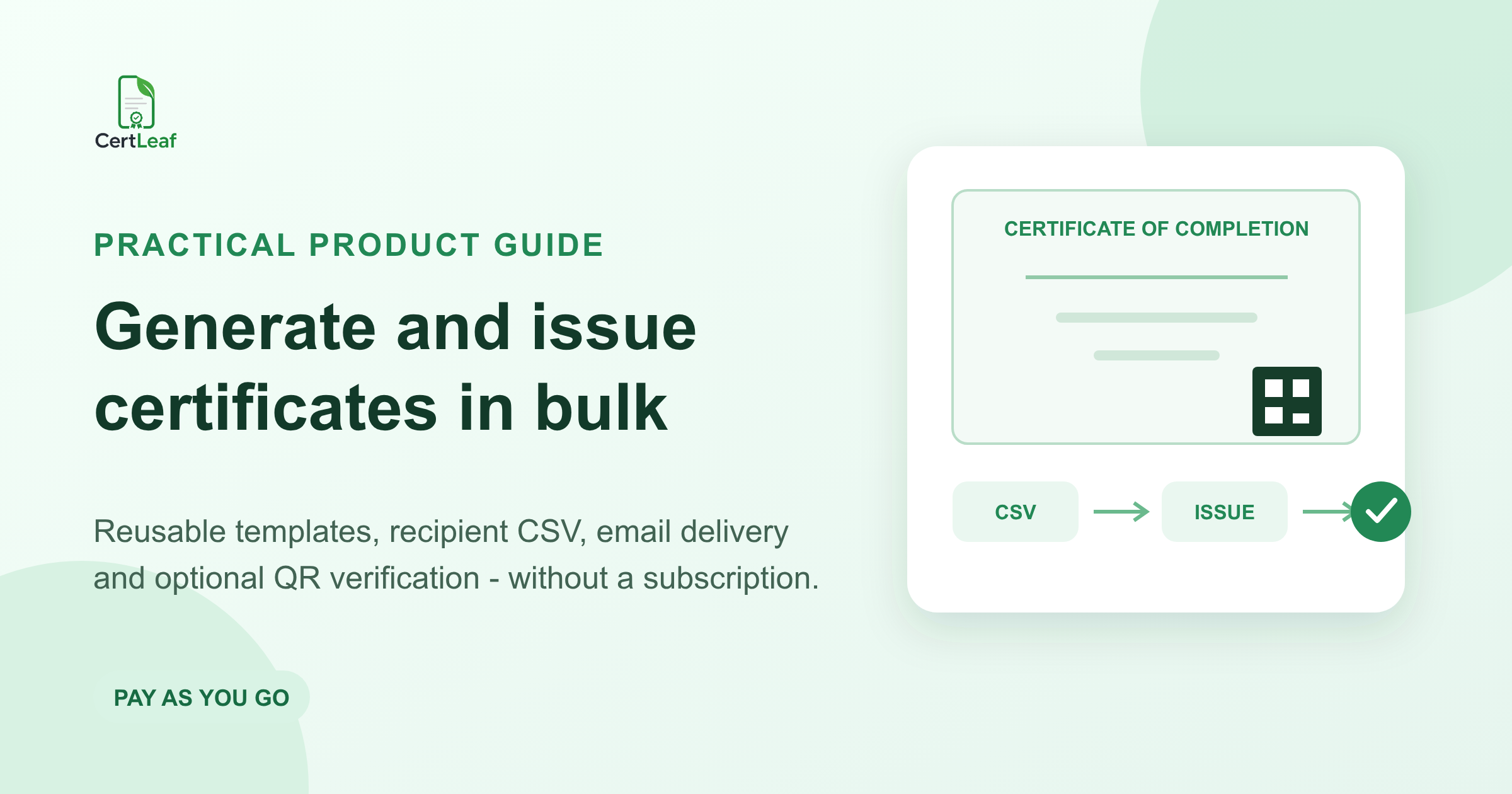
A certificate design is only the starting point. The real work begins when an organizer has 50, 250, or 1,000 approved recipients and needs to put the right details on every certificate, send each file to the correct email address, and retain a record that can be checked later.
CertLeaf handles that issuing work. You create a reusable template, add the fields that change, upload an approved recipient CSV, and generate personalized certificates as a batch. Certificates can be delivered by email, and verifiable certificates can include a QR code linked to a public verification record.
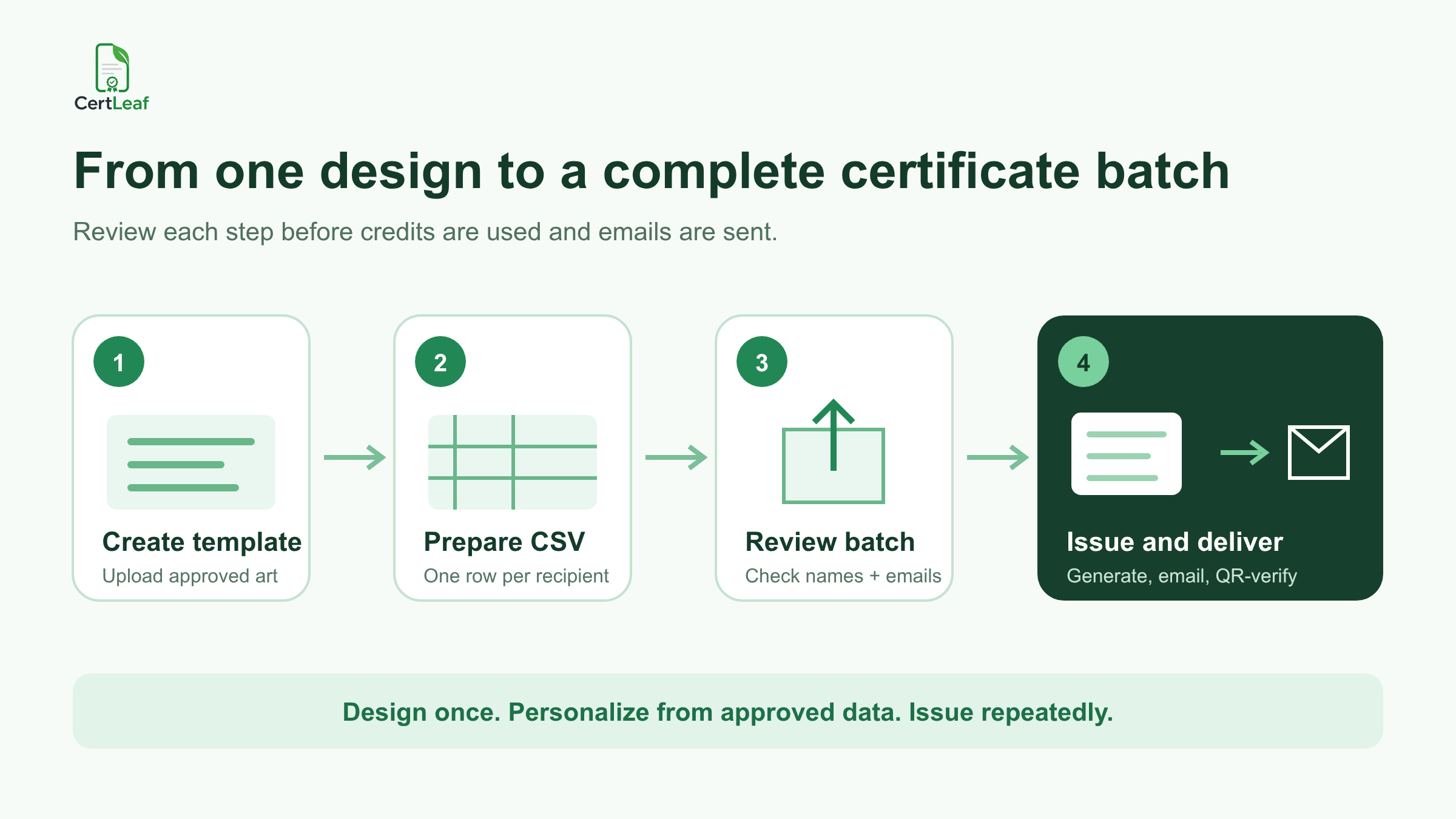
The working principle is simple: design once, personalize from approved data, and issue repeatedly.
What CertLeaf does
CertLeaf is software for creating, issuing, distributing, verifying, and managing digital certificates. It is useful for events, courses, workshops, competitions, training programs, internships, college activities, and other situations where an issuer already knows who should receive a certificate.
A typical workflow has six parts:
Prepare the base certificate artwork.
Turn that artwork into a reusable template.
Add dynamic text fields and, where needed, a verification QR code.
Prepare approved recipient data in CSV format.
Review and submit an individual or bulk issue.
Deliver the generated certificates and use the public record when verification is required.
CertLeaf is the certificate issuing layer. It does not decide who attended, passed, volunteered, ranked, or completed a program. The organizer remains responsible for eligibility and for the accuracy of the data supplied.
Start with a reusable certificate template
A template is not an issued certificate. It is the reusable layout CertLeaf uses to generate certificates for different recipients.
Prepare the base artwork in a design tool such as Canva, Figma, Photoshop, or Illustrator. Fixed elements can be built into the artwork, including the issuer's name, logo, borders, certificate title, standard wording, and approved signatures.
Leave enough open space for details that change. Common dynamic fields include:
recipient name
course, workshop, event, or competition name
completion or event date
program duration
role, rank, grade, or achievement
certificate reference
The exact fields depend on the certificate. A workshop participation certificate may need a participant name, workshop title, and duration. An internship certificate may need a designation and start and end dates. A competition certificate may need a category and rank.
Upload the approved artwork to CertLeaf, create the template, and place the dynamic fields over the open areas. Configure the font, size, alignment, and position for each field. Test awkward values before saving: a long participant name and a long program title reveal layout problems that short placeholders can hide.
For a verifiable certificate, add CertLeaf's verification QR element inside the template. Do not create that QR code with a separate QR generator. CertLeaf connects the QR code on the issued certificate to the corresponding verification record.
Choose between simple and verifiable certificates
CertLeaf supports simple and verifiable certificate issuance. Both can be personalized, generated as PDF or PNG, and distributed through email. The main difference is public verification.
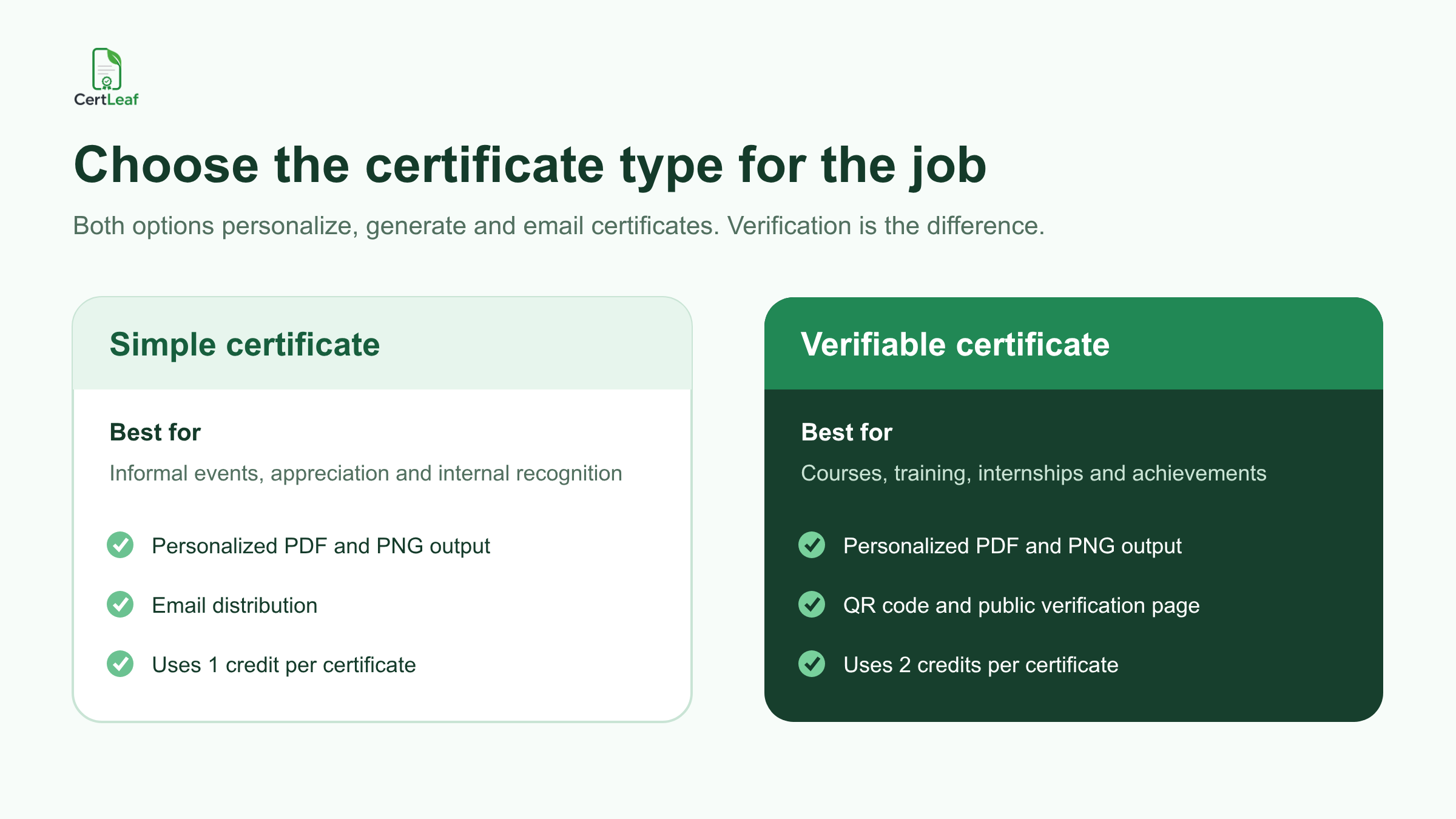
A simple certificate is often enough for informal participation, appreciation, or internal recognition. It uses one credit per certificate.
A verifiable certificate is more suitable when a third party may need to check the record later, such as for course completion, professional training, internships, academic achievements, or formal awards. It uses two credits per certificate and includes a public verification record.
QR verification does not make a PDF impossible to edit. It gives the viewer an independent record against which the document can be checked.
Generate one certificate when you need an individual issue
Individual issuing is useful for testing a template, issuing a certificate outside the main batch, or handling a legitimate correction after the original issue.
Select the saved template, enter the recipient's name and email address, provide the values required by the dynamic fields, choose the certificate type, and select the required output format. Review the information before submitting it.
For a verifiable issue, CertLeaf creates the certificate and its associated verification record. This is useful for testing the complete recipient and verifier experience before processing a large batch.
Prepare recipient data for bulk issuing
Bulk issuing starts with a reviewed spreadsheet. You can prepare recipient details in Excel, Google Sheets, LibreOffice, or another spreadsheet application, then export the final data as CSV.
A basic file might look like this:
name,email,course_name,completion_date
Ananya Sharma,ananya@example.com,Python Training,19 Nov 2026
Rahul Kumar,rahul@example.com,Python Training,19 Nov 2026
Priya Rao,priya@example.com,Python Training,19 Nov 2026
Each row represents one certificate. Each column supplies either delivery information or a value that will appear in a dynamic field.
When people search for an Excel certificate generator or a Google Sheets certificate generator, this export step matters. CertLeaf accepts a CSV file; it does not require or imply direct synchronization with the spreadsheet.
Keep the issuing file narrow. Include only the fields needed to personalize and deliver the certificate. Internal notes, payment information, attendance logs, assessment comments, and unrelated personal data should remain in the organizer's own system.
For a more detailed cleanup process, use the certificate recipient CSV preparation guide.
Upload and review the bulk certificate batch
Open the bulk issue workflow and select the saved template, certificate type, and required output format. Then upload the CSV.
The imported columns should correspond to the recipient details and dynamic fields used by the template. Field names vary by template, but the mapping may look like this:
nameto recipient nameemailto recipient email addresscourse_nameto course or program namecompletion_dateto completion date
Review the imported rows before issuing. Check for misspelled names, missing email addresses, duplicate rows, incorrect dates, inconsistent capitalization, and values that may overflow the template.
This review is worth doing carefully because reissuing avoidable mistakes can consume additional credits and create confusing duplicate emails for recipients.
Once the data is approved, submit the batch. CertLeaf processes the job in the background and uses the selected template to generate an individualized certificate for every accepted row.
Email certificates without matching files manually
Generating a folder of PDFs is only half the job. Each certificate still has to reach the right recipient.
CertLeaf uses the email address supplied during individual issuing or in the bulk CSV to distribute the matching certificate. The organizer does not need to rename files, create a separate email for every person, and manually match each attachment to an address.
Email delivery is part of the same certificate workflow, but no platform should promise guaranteed inbox placement. Incorrect addresses, recipient mailbox rules, bounces, and provider filtering can still affect delivery. Give recipients a clear correction route and keep the approved source data available when investigating a problem.
The guide to sending certificates by email automatically covers the delivery workflow in more detail.
How QR certificate verification works
For certificates that may be shared with employers, universities, institutions, clients, or other third parties, public verification provides a useful second source of truth.
The process is straightforward:
The issuer adds a verification QR element to the template.
The certificate is issued as a verifiable certificate.
CertLeaf creates the associated public verification record.
A third party scans the QR code on the certificate.
The public verification page opens.
The viewer compares the document with the issued record.
Verification confirms that a corresponding record was issued through CertLeaf. It does not independently prove attendance, competence, accreditation, identity, or the truth of information supplied by the issuer.
Read the QR certificate guide for workshops and training programs when verification is an important part of the use case.
Understand CertLeaf credits before issuing
CertLeaf uses pay-as-you-go credits instead of requiring a monthly subscription.
New accounts receive 20 signup credits.
A simple certificate uses one credit.
A verifiable certificate uses two credits.
Additional credits can be purchased in packs.
Pricing can vary by region.
For example, a batch of 250 simple certificates requires 250 credits. A batch of 250 verifiable certificates requires 500 credits.
Check the current CertLeaf pricing page before planning a purchase rather than relying on an old monetary figure or expired promotion.
Adapt the same workflow to different certificate programs
The issuing process stays consistent across use cases. The certificate wording, eligibility decision, and recipient fields change.
A college club might issue participation, volunteer, winner, and organizer certificates after a fest. A training institute may use separate templates for course completion and module completion. An event team may issue attendee, speaker, sponsor, and volunteer certificates from different approved recipient lists.
Useful field patterns include:
workshops: participant name, workshop title, duration, and date
internships: intern name, designation, and start and end dates
hackathons: participant name, team, category, and award
courses: learner name, course title, grade, and completion date
sports events: participant name, category, position, and finish time
conferences: attendee name, conference title, and role
volunteering: volunteer name, activity, and approved service hours
employee training: employee name, module, and completion date
Use only fields that the issuer has approved and can support. CertLeaf generates certificates from supplied data; it does not automatically determine attendance, eligibility, scores, or completion.
A practical pre-issue checklist
Before submitting a real batch, confirm that:
the certificate artwork and wording are approved
dynamic fields fit both short and long values
the CSV contains one intended certificate per row
recipient names and email addresses have been reviewed
duplicate and blank rows have been resolved
the certificate type is correct
the credit requirement is understood
a small test issue has been checked on desktop and mobile
the correction and reissue process is clear
The best time to find a spelling error or layout problem is before a large batch is generated and emailed.
Frequently asked questions
Can CertLeaf generate certificates from Excel or Google Sheets?
Yes, after the approved spreadsheet is exported as a CSV file. Do not treat this as a direct spreadsheet synchronization. The CSV is uploaded to the bulk issue workflow.
Can CertLeaf email each certificate to the correct recipient?
Yes. Include the recipient's email address in the individual issue or bulk CSV. CertLeaf uses that address for certificate distribution, subject to normal email-delivery limitations.
Does every certificate need a QR code?
No. Use a simple certificate when a public verification record is unnecessary. Use a verifiable certificate when recipients or third parties may need to check the issued record later.
Are QR certificates tamper-proof?
No. A QR verification record does not make the PDF impossible to modify. It gives a viewer an independent public record for comparison.
Does CertLeaf decide who qualifies for a certificate?
No. The issuer determines eligibility and supplies the approved recipient data. CertLeaf generates, distributes, verifies, and manages the resulting certificate records.
Is a subscription required?
No. CertLeaf uses pay-as-you-go credits. Refer to the current pricing page for available packs and regional pricing.
The useful distinction: design versus issuing
Canva, Figma, Photoshop, and similar tools are useful for creating the certificate artwork. CertLeaf handles what happens after the design is approved: reusable fields, recipient data, batch generation, email distribution, and optional QR verification.
That distinction becomes important as soon as the recipient list is too large to handle comfortably by hand. Create the design once, review the data carefully, test the full flow, and let the issuing platform handle the repetitive work.