CertLeaf
Sustainability Competition Certificate Generator for Schools and Colleges
Issue participation, winner, judge, mentor, volunteer, and team certificates in bulk for sustainability competitions, green challenges, poster contests, and environmental debates.
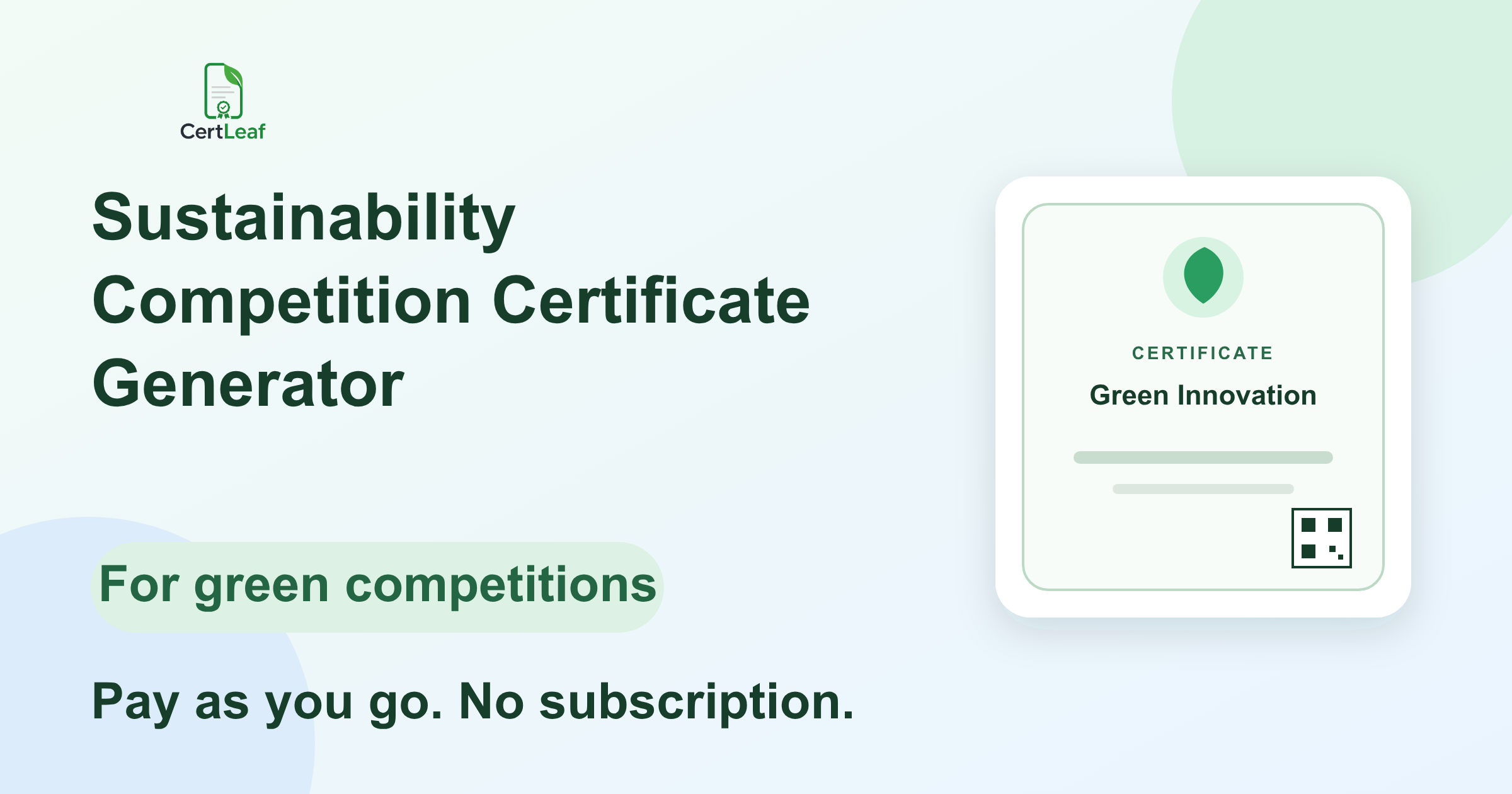
Schools, colleges, environment clubs, innovation cells, and community programs need a dedicated certificate issuing platform when a sustainability event includes several formats and several kinds of recognition. A green poster contest may sit beside an environmental debate. A climate innovation challenge may recognize individuals, project teams, mentors, judges, volunteers, and partner institutions.
CertLeaf gives these organizers one focused place to create reusable certificate templates, issue personalized certificates in bulk, deliver them by email, and add QR verification. It uses pay-as-you-go credits with no subscription, so a team can issue for one green competition or reuse the same setup across an annual program.
That makes CertLeaf a practical sustainability competition certificate generator for school eco-clubs, college sustainability cells, environmental NGOs, CSR education programs, student associations, and institutions running green challenges. The organizer still owns registration, judging, scoring, result approval, and event policy. CertLeaf handles the certificate layer after those records are approved.
One sustainability event can create five different certificate records
A single generic certificate rarely describes everyone correctly. Participation, achievement, evaluation, mentoring, volunteering, and institutional support are different claims.
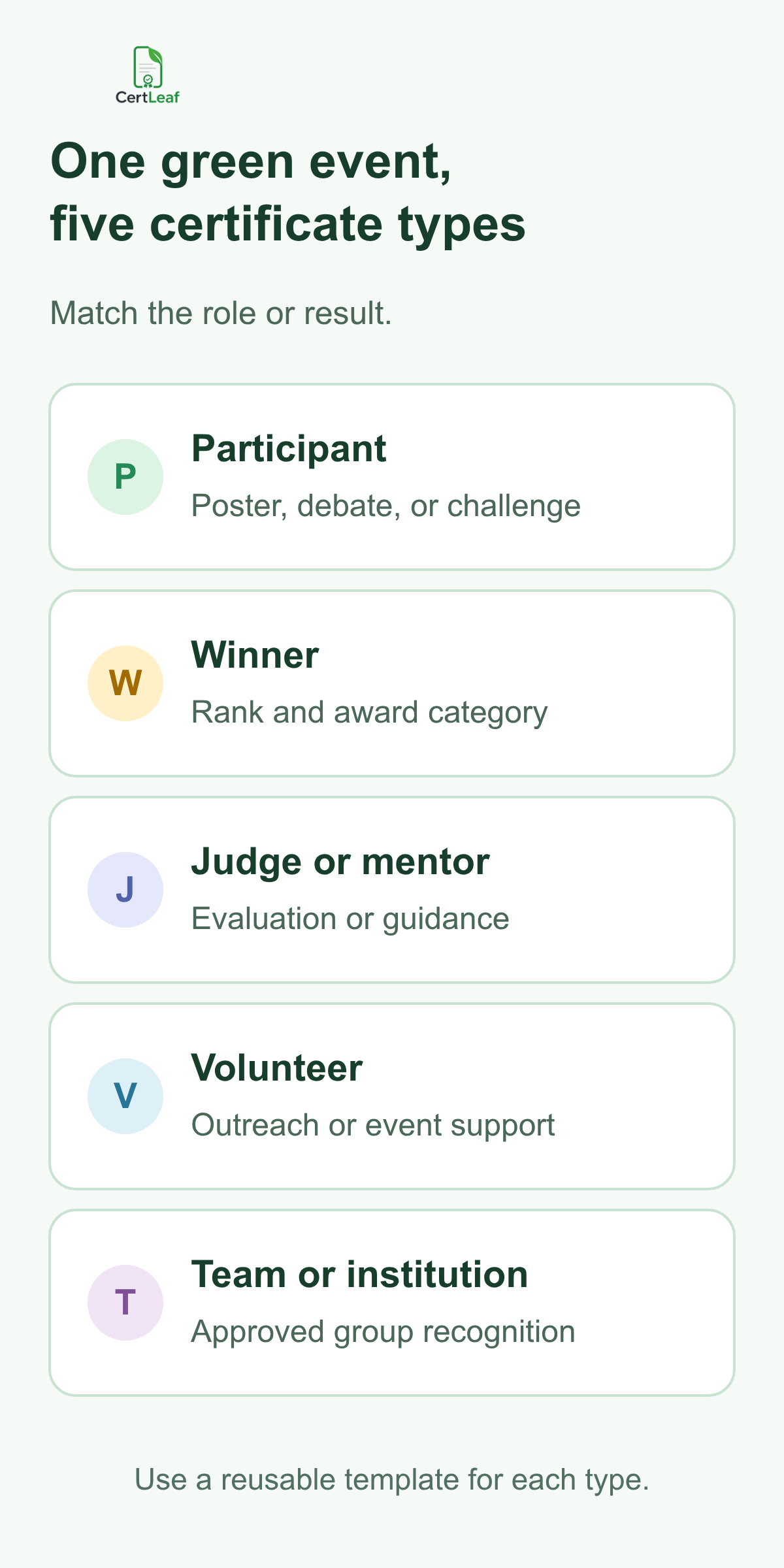
A useful certificate set may include:
Participation certificates for poster presenters, debaters, quiz participants, project teams, and green challenge entrants.
Winner, runner-up, finalist, or category award certificates based on the approved results.
Judge, adjudicator, resource person, and mentor appreciation certificates.
Volunteer and organizing-team certificates for approved event support.
Team, school, college, club, or partner institution certificates when the organizer has approved group recognition.
The wording should match the public event record. A participant certificate should not imply a prize. A volunteer certificate should not describe the recipient as a competitor. A team certificate should not replace individual certificates if the event promised one record per student.
CertLeaf lets the organizer save a reusable template for each main category while keeping the same colors, logos, signatures, and event identity. The result is a consistent set without forcing every role into the same sentence.
Planning a green competition? Sign up for CertLeaf and use the 20 free signup credits to test participant, winner, and contributor certificates before issuing the full event batch.
Built for green challenges, poster contests, and environmental debates
The keyword sustainability competition certificate generator covers several event formats that often appear together:
Environmental poster and presentation competitions.
Climate, energy, waste, water, and biodiversity innovation challenges.
Sustainability debates, elocution contests, and youth forums.
Eco-club competitions and green campus campaigns.
Model, prototype, idea, and project showcases.
Community or CSR programs that recognize student participation.
Each format needs slightly different fields. A poster certificate may include the poster category and student group. A debate certificate may need the debate format, team, rank, or best speaker award. A green innovation challenge may need a project title, theme, team name, and award category.
Do not squeeze all of these into one crowded design. Keep the event identity consistent, then use a small template family with only the fields each certificate needs. College teams setting up that design system can use the guide to a reusable college event certificate template as the next practical reference.
If the sustainability event includes a formal debate round, the debate competition certificate generator guide gives a more detailed breakdown for speakers, teams, adjudicators, moderators, and best speaker awards.
Reusable templates keep annual green programs consistent
Many sustainability programs repeat. An eco-club may run a poster contest this term and a campus audit challenge next term. A college may hold an annual environment week. An NGO may take the same student challenge to several schools.
In CertLeaf, the organizer uploads a base certificate design, places the changing fields, and saves the setup as a reusable template. The fixed visual identity can remain in place while recipient names, competition names, categories, awards, dates, team names, and certificate types change by batch.
A sensible template family might contain:
Participant or presenter certificate.
Winner, finalist, or special award certificate.
Judge, mentor, or resource person appreciation certificate.
Volunteer or organizing-team certificate.
Team or institution recognition certificate.
Test the longest realistic values before approval. Long project titles, institution names, award categories, and team names reveal layout problems that short placeholders hide. Keep a clear space for the actual CertLeaf QR code when verification is enabled rather than drawing a fake QR pattern into the base design.
Try the template family in CertLeaf now. The 20 free signup credits are useful for testing difficult names, multiple certificate types, email delivery, and a QR-verifiable sample without starting a subscription.
Use a small, certificate-ready CSV
A sustainability event may collect registrations, project abstracts, school details, judging scores, consent fields, and internal comments. The certificate CSV should not contain all of that. It needs only the approved fields used for personalization, delivery, and the public certificate record.
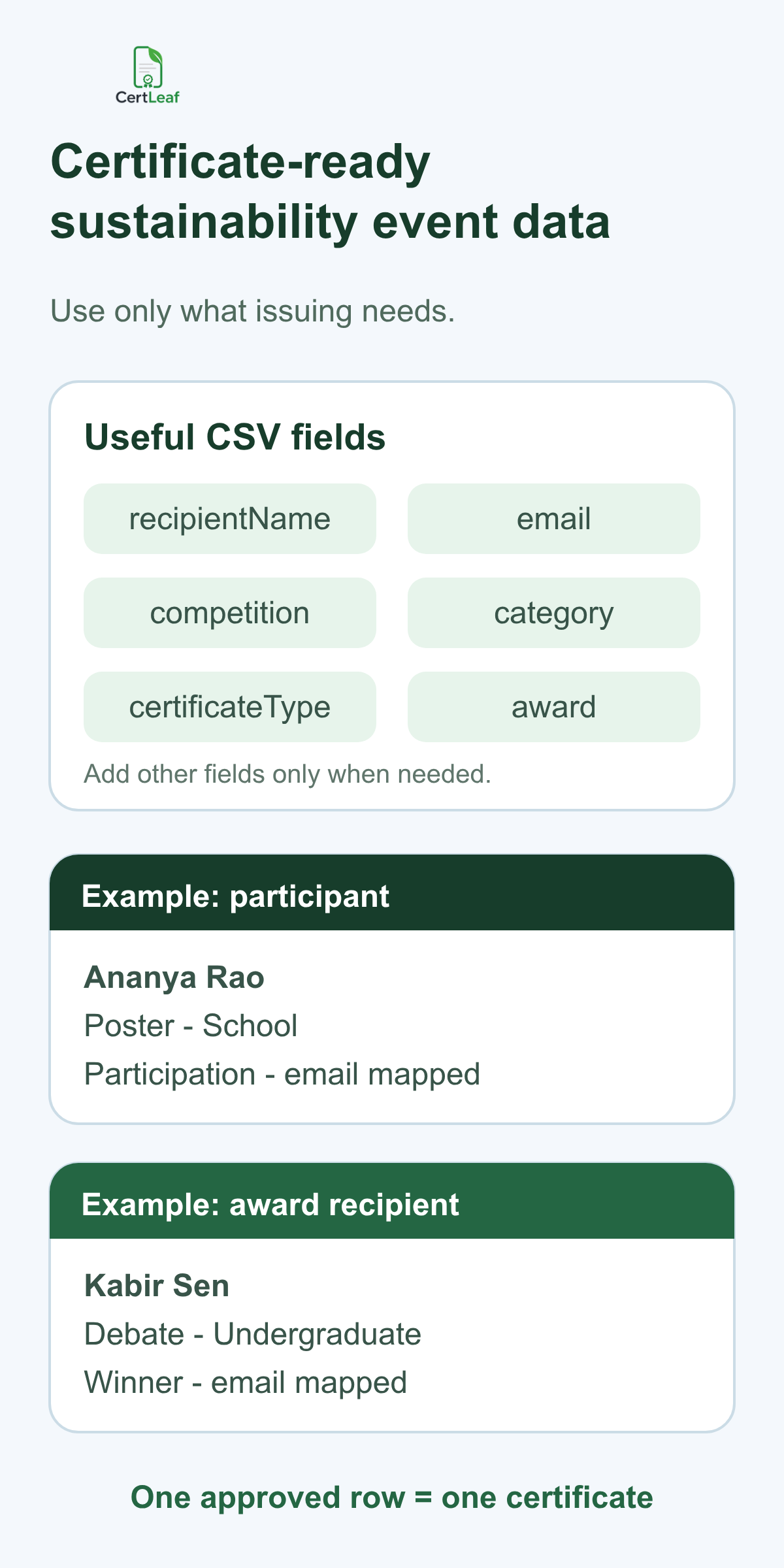
A practical header set can start with:
recipientName,email,competitionName,category,certificateType,awardOrRole,eventDate,institutionName
Add projectTitle, teamName, or theme only when the certificate needs those fields. Leave raw scores, judge notes, phone numbers, identity documents, and internal eligibility comments in the organizer's working system.
Use one approved row for one intended certificate. If a student should receive both a participation certificate and a winner certificate, make that an explicit decision. Do not let an accidental duplicate row decide it. If the event recognizes a team and every team member, decide whether that means one team record, individual records, or both.
CertLeaf is the issuing layer after the organizer approves this data. It is not a sustainability assessment tool, judging platform, project submission portal, plagiarism checker, event registration system, or carbon accounting product.
Separate results by certificate type before bulk issue
Once the results and contributor lists are final, split the records by the template they need. A participant batch should not contain judge rows. A winner batch should use the exact approved award titles. A volunteer batch should describe the actual support role without inventing service hours or duties.
This separation makes review easier. The competition lead can approve award records. The volunteer coordinator can confirm contributor names. The institution can review signatories and branding once across the template family.
For a sustainability event built around models, prototypes, or project displays, the science exhibition certificate generator guide is a useful adjacent resource for project teams, innovation awards, judges, mentors, and school recognition.
After approval, upload the relevant CSV to CertLeaf, map its columns to the saved template, and preview the awkward rows first. Check one ordinary participant, one long name, one winner, one contributor, and one team or institution record before issuing the full set.
Email each certificate to the approved recipient
Manual distribution creates another matching task. An organizer downloads many similar PDFs, renames them, finds the corresponding email address, attaches the right file, and repeats the process for participants, winners, judges, mentors, and volunteers.
CertLeaf ties the delivery email to the same approved row used to personalize the certificate. That reduces manual file matching and gives each recipient a direct copy.
Send internal tests from every certificate category. Open the message on a phone and laptop. Check the recipient name, competition title, category, award or role, event date, and download experience. Provide one correction contact in the message so genuine changes do not arrive through several club members.
For school-age participants, the organizer should decide whether delivery goes to the student, parent, teacher, school coordinator, or institution inbox. Put the approved address in the issuing row rather than making that decision during distribution.
Add QR verification when the certificate will travel
Sustainability competition certificates often move beyond the event. A student may add one to a portfolio, scholarship application, internship file, activity record, or professional profile. A mentor or judge may keep an appreciation certificate as evidence of contribution.
A QR-verifiable CertLeaf certificate gives a viewer a public route to check the issued record. The certificate and verification page should agree on the recipient, issuer, event, certificate type, category, award or role, and date where relevant.
QR verification confirms the issued certificate record. It does not validate a project's environmental impact, verify a carbon-saving claim, prove that judging was correct, or provide accreditation. Those claims remain with the organizer and its approved process. The guide to QR code certificates and public verification explains this boundary in more detail.
Why pay-as-you-go fits sustainability events
Green competitions are usually event-based. A school may issue after environment week. A college may run one annual sustainability challenge. An NGO or CSR program may work in campaign cycles rather than every month.
CertLeaf uses pay-as-you-go credits with no subscription. A simple certificate uses 1 credit, and a QR-verifiable certificate uses 2 credits. New accounts receive 20 free signup credits. India-first customers can purchase credits in INR through Razorpay.
Use the free credits for proofs, not as an assumption that every full batch will be free. Test each template, a few recipient rows, email delivery, and QR verification. Then estimate the required credits from the approved certificate count and type.
That model keeps software cost connected to the actual event. The organizer buys credits when certificates are ready instead of paying through months with no issuing work.
Sustainability competition certificate generator FAQ
What is a sustainability competition certificate generator?
A sustainability competition certificate generator helps schools, colleges, NGOs, clubs, and program teams create personalized certificates for green challenges, environmental poster contests, debates, projects, judges, mentors, volunteers, and winners. CertLeaf supports reusable templates, bulk CSV issuing, email delivery, and optional QR verification.
Can CertLeaf issue certificates for both poster contests and debates?
Yes. Use separate reusable templates or batches so poster presenters, debaters, winners, adjudicators, and volunteers receive wording that matches their role. The event team approves results and roles before upload.
What fields belong in a green competition certificate CSV?
Useful fields include recipientName, email, competitionName, category, certificateType, awardOrRole, eventDate, and institutionName. Add project or team fields only when they appear on the certificate or verification record.
Can teams and institutions receive certificates?
Yes, when the organizer has approved that recognition. A team or institution certificate should use wording designed for the group rather than reusing an individual participant template.
Should sustainability competition certificates include QR verification?
QR verification is useful when recipients may share the certificate outside the event. It confirms the issued CertLeaf record, not the environmental claim, judging decision, accreditation, or measured impact of a project.
Can CertLeaf email all certificates in bulk?
Yes. CertLeaf can use the approved email in each CSV row to issue and distribute certificates. Test one message from every certificate category before sending the full batch.
Is CertLeaf a subscription certificate platform?
No. CertLeaf uses pay-as-you-go credits with no subscription. New accounts receive 20 free signup credits, and India-first customers can purchase credits in INR through Razorpay.
Give a green competition a proper certificate layer
A sustainability competition may bring together posters, debates, projects, student teams, judges, mentors, volunteers, schools, and partner organizations. The certificate set should preserve those differences rather than flatten them into one generic document.
CertLeaf gives organizers reusable templates, bulk CSV issuing, email delivery, QR verification, pay-as-you-go credits, INR/Razorpay support, and 20 free signup credits. The event team approves the participants, results, roles, and claims. CertLeaf turns those approved records into consistent certificates without a monthly subscription.