CertLeaf
School Olympiad Certificate Generator for Participation and Merit Awards
Issue school olympiad participation, merit, distinction, coordinator, and school recognition certificates in bulk with reusable templates, email delivery, and QR verification.
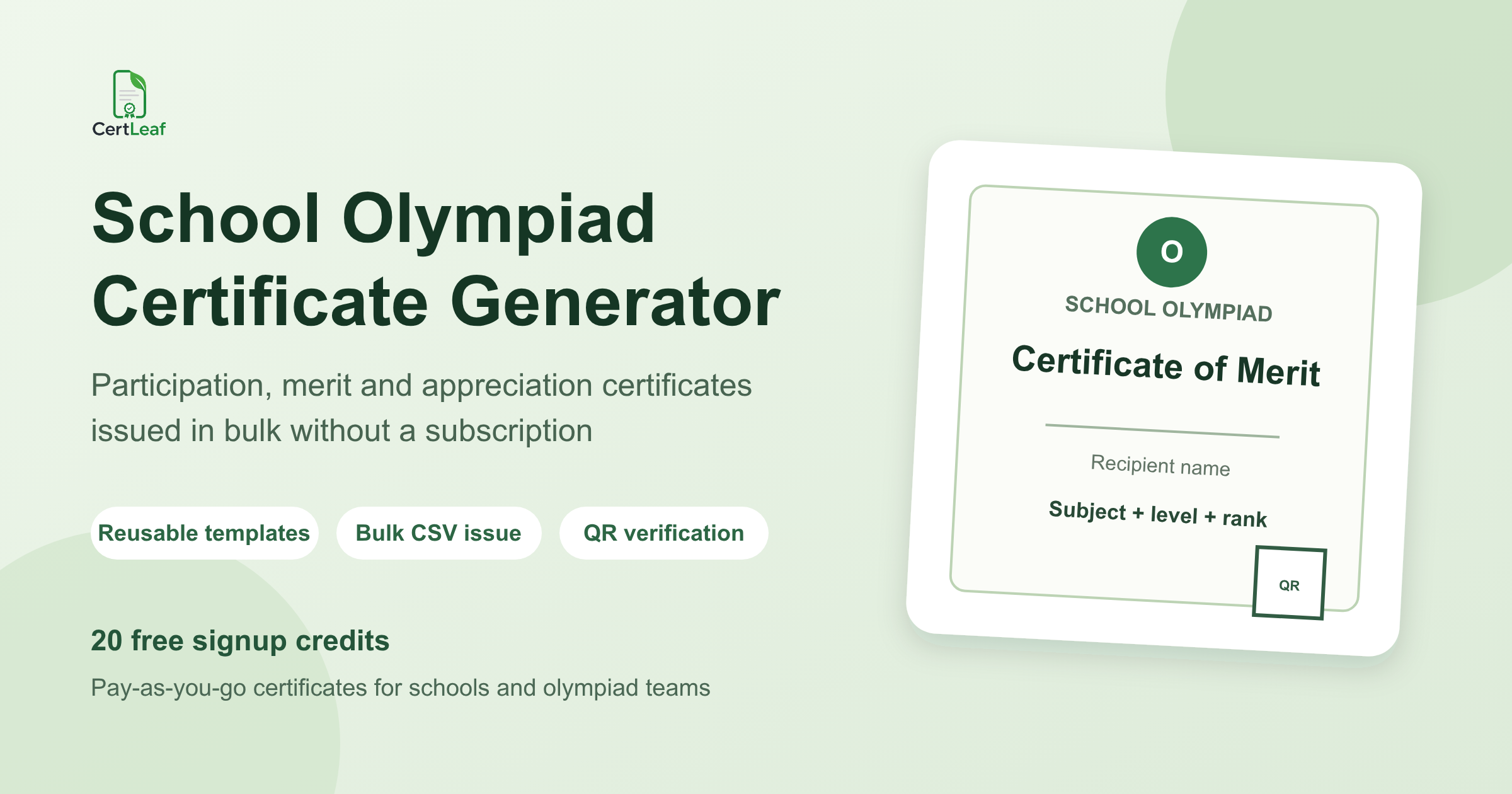
School olympiads need a dedicated certificate issuing platform because one exam season can produce several different records. Every approved participant may receive a participation certificate. Class, school, zonal, or higher-level achievers may need merit or distinction certificates. Teachers and coordinators may receive appreciation certificates. Some programs also recognize the school.
CertLeaf gives schools, olympiad organizers, coaching centres, and education teams one focused place to issue those certificates. Teams can save reusable templates, import an approved recipient CSV, generate certificates in bulk, deliver each one by email, and add QR verification when a student may need to share the record later.
That makes CertLeaf a practical school olympiad certificate generator for recurring mathematics, science, English, computer science, general knowledge, commerce, and subject-specific competitions. The exam platform or organizing committee still manages registration, question papers, scores, ranks, and result approval. CertLeaf handles certificate issuing after those facts are final.
Give each olympiad result the right certificate
An olympiad participation record and an olympiad merit record do not say the same thing. Participation confirms that the student took part in an approved exam. Merit, distinction, or excellence wording records an achievement at a stated level. A teacher appreciation certificate recognizes coordination or mentoring rather than student performance.
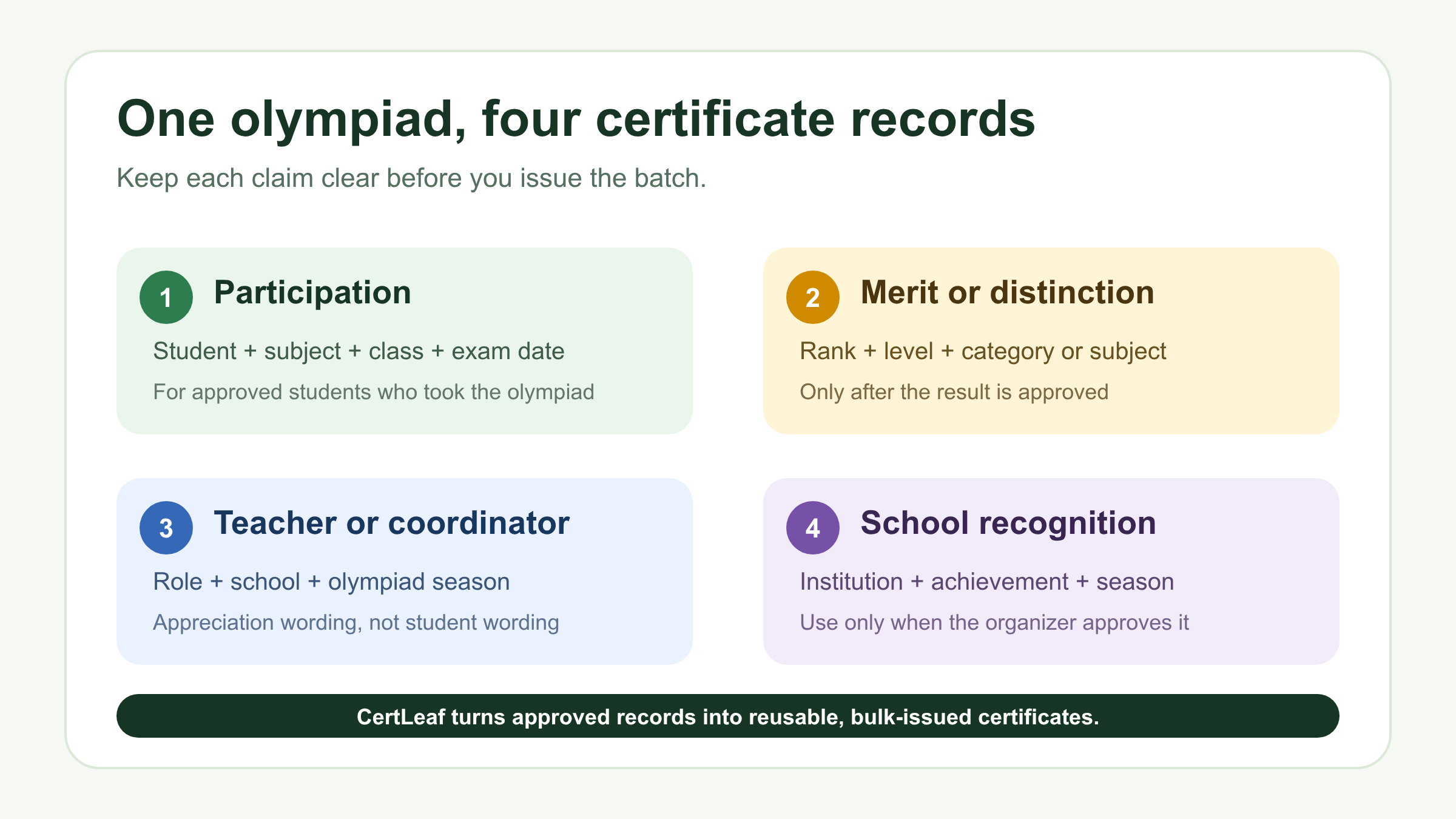
A useful certificate set can include:
Participation certificates for approved student participants.
Merit or distinction certificates for approved ranks or award bands.
Appreciation certificates for teachers, coordinators, invigilators, or mentors.
School recognition certificates when the olympiad organizer has approved that recognition.
The exact names should come from the organizer's published award structure. CertLeaf does not decide whether a student earned a rank or whether a school qualifies for recognition. It turns the approved records into consistent issued certificates.
This distinction is especially important when one student appears in more than one output. A merit certificate may replace a participation certificate in one program and accompany it in another. Record the intended output deliberately rather than letting a spreadsheet duplicate decide.
Running an upcoming olympiad batch? Sign up for CertLeaf and use the 20 free signup credits to test participation, merit, and appreciation templates before issuing the full set.
Reusable templates fit a recurring olympiad calendar
Most school olympiad programs repeat by subject, grade, exam level, or academic year. The visual identity can remain stable while the student, subject, class, exam date, level, rank, and certificate type change.
In CertLeaf, the school or organizer can upload a base design and save separate reusable templates for the main certificate categories. A participation template may need studentName, schoolName, subject, class, and examDate. A merit template may add rank, awardBand, or olympiadLevel. An appreciation template should use role-specific wording for a teacher or coordinator.
Keep the template set small, but do not force every claim into one layout. A participation certificate with an empty rank field looks unfinished. A coordinator certificate with student-achievement wording is simply wrong. Three clear templates are easier to test than one overloaded design.
Test the difficult values before the full issue: the longest student name, a long school name, a two-line olympiad title, the highest level label, a rank, and a row with no optional field. Check the exported certificate at normal reading size, not only inside the editor.
If your olympiad also uses team rounds or winner categories, the article on issuing quiz participation and winner certificates in bulk is a useful adjacent example. It explains how to keep participation, team, rank, and contribution records separate without reducing every recipient to one generic certificate.
Build a certificate-ready olympiad CSV
The certificate file should be smaller than the result workbook. Schools may hold raw marks, answer analysis, registration details, class sections, parent contacts, and internal review notes. Most of that does not belong in the issuing CSV or on a public verification page.
A practical olympiad certificate CSV can start with:
studentName,email,schoolName,subject,class,examDate,olympiadLevel,rank,awardBand,certificateType
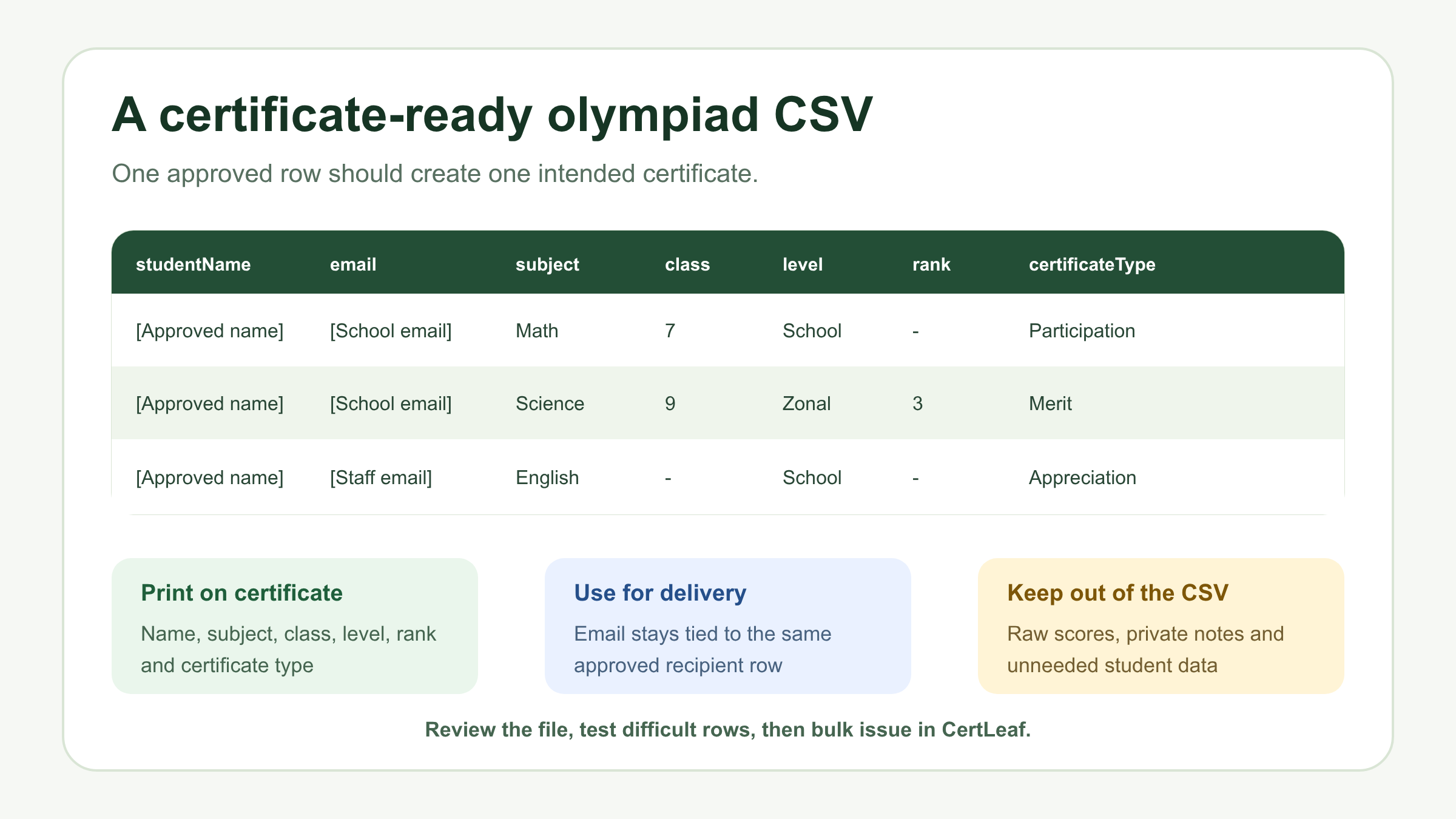
Use one approved row for one intended certificate. If a student should receive both participation and merit certificates, create two intentional outputs or separate batches. If the merit certificate replaces participation, do not leave the student in both files by accident.
The email field also needs a clear owner. Depending on the age group and school policy, delivery may go to a student, parent, teacher, school coordinator, or institution inbox. Do not guess a missing address during the issue. Put the approved delivery route in the same row as the certificate record.
Before upload, review names, repeated email addresses, class labels, subject names, result levels, and certificate types. The guide to preparing a certificate recipient CSV without name or email errors is the useful next step when several schools submit different file formats or students appear under shortened names.
Try the olympiad use case in CertLeaf with a small sample first. The 20 free signup credits can cover difficult names, more than one certificate type, an email test, and a QR-verifiable sample without starting a subscription.
Issue participation and merit certificates in separate batches
Once the records are approved, split the CSV by the template and wording each row needs. A typical setup might use one participation batch, one merit or distinction batch, and one appreciation batch. School recognition can be a separate batch when the organizer uses it.
This makes review much easier. The participation team can confirm the student count. The result owner can review ranked certificates without scanning every participant row. The teacher or coordinator list can be checked against staff records rather than student registrations.
CertLeaf maps the approved fields into the matching reusable template and generates the batch. The process stays the same across subjects and exam dates, so the next olympiad does not require the certificate setup to be rebuilt from the beginning.
Keep the exact CSV used for each issued batch. A clear filename such as science-olympiad-zonal-merit-approved-2026.csv is more useful than final-results-v6.csv. If a correction is approved later, record the change and issue a small correction batch rather than silently replacing the original file.
Email olympiad certificates without matching PDFs by hand
Manual delivery becomes risky when a folder contains hundreds of similar participation and merit PDFs. A coordinator has to identify the student, copy the address, attach the correct file, and repeat the process while keeping different subjects and award levels apart.
With CertLeaf, the issued certificate stays tied to the delivery email in the approved row. Send an internal test from every certificate category. Open the email on a phone, check the student name, subject, class, level, rank, and certificate type, and confirm that the download works.
The guide to sending certificates by email automatically covers the delivery test, email-column review, and correction path in more detail. For younger students, the school should decide whether the message goes to a parent or coordinator before the CSV reaches CertLeaf.
Keep the message short. Name the olympiad and certificate type, provide the certificate, explain the QR verification route if included, and give recipients one place to request a correction.
Add QR verification when students will share the certificate
Olympiad certificates often travel beyond the exam. Students may include them in portfolios, school records, scholarship files, admissions material, or activity profiles. A QR-verifiable certificate gives the next viewer a public route to check the issued record.
The certificate and verification page should agree on the recipient, issuer, olympiad or subject, certificate type, level, rank or award band, and issue date where relevant. The useful part is the issued record behind the QR code, not a decorative square placed on the design.
QR verification has a clear boundary. It can confirm that a matching certificate record was issued through CertLeaf. It does not recalculate the student's score, prove that the olympiad's ranking method was correct, or replace the organizer's result approval. For a fuller explanation, read how QR code certificates connect to a public verification record.
A simple certificate may be enough for an informal internal activity. QR verification is more useful for merit, distinction, zonal, national, or other certificates likely to be checked outside the school.
Why pay-as-you-go fits school olympiad seasons
Olympiad certificate demand arrives in batches. A school may run mathematics and science exams in one term, an English olympiad later, and nothing during examinations or holidays. An organizer may issue large participant batches after each scheduled test window, followed by smaller merit batches after results are approved.
CertLeaf uses pay-as-you-go credits with no subscription. A simple certificate uses 1 credit, while a QR-verifiable certificate uses 2 credits. New accounts receive 20 free signup credits. India-first customers can purchase credits in INR through Razorpay.
Use the free credits for proofs rather than assuming every real batch will be free. Test each template, the longest names, one email delivery, and each QR path. Then calculate the full requirement from the approved row count and certificate type.
This model keeps certificate cost tied to the actual olympiad season. The school or organizer buys credits when certificates are ready to issue rather than paying every month between exam dates.
Where CertLeaf fits in the olympiad system
CertLeaf is not an olympiad registration portal, assessment platform, answer-sheet evaluator, score calculator, ranking engine, or exam-proctoring tool. Those jobs remain with the school, exam provider, or organizing committee.
CertLeaf fits after the certificate facts are approved:
Finalize participants, result levels, ranks, award bands, and staff recognition.
Export a certificate-ready CSV for each reusable template.
Upload the approved file to CertLeaf and review sample outputs.
Issue participation, merit, and appreciation certificates in bulk.
Deliver certificates by email.
Use QR verification for records that may need a public check.
That product boundary gives schools a proper issuing layer without asking them to replace the systems already used for exams and results.
School olympiad certificate generator FAQ
What is a school olympiad certificate generator?
A school olympiad certificate generator creates personalized participation, merit, distinction, appreciation, and school recognition certificates from approved olympiad records. A useful platform should support reusable templates, bulk CSV issuing, email delivery, and optional QR verification.
Can CertLeaf issue olympiad participation certificates in bulk?
Yes. Prepare an approved CSV with one row for every intended certificate, including the student name, delivery email, school, subject, class, exam date, and certificate type. CertLeaf can map those rows into a reusable template and generate the batch.
Can participation and merit certificates use the same template?
They can share a visual identity, but separate templates or batches are usually clearer. Merit certificates may need rank, level, or award fields that do not belong on a participation certificate.
What fields belong in an olympiad certificate CSV?
Useful fields include studentName, email, schoolName, subject, class, examDate, olympiadLevel, rank, awardBand, and certificateType. Include only the data needed for the certificate, delivery, or verification record.
Can teachers and school coordinators receive certificates too?
Yes, when the olympiad organizer has approved those records. Use appreciation wording and a staff-specific template rather than student participation or merit language.
Should olympiad merit certificates include QR verification?
QR verification is useful when a student may share the certificate with another school, scholarship committee, admissions team, or other reviewer. It confirms the issued certificate record, not the score calculation or ranking decision.
Can CertLeaf email olympiad certificates to students or parents?
CertLeaf can send certificates to the email address in each approved recipient row. The school should decide whether that address belongs to the student, parent, coordinator, or institution and follow its own data and communication policies.
Is CertLeaf a subscription olympiad certificate generator?
No. CertLeaf uses pay-as-you-go credits with no subscription. New accounts receive 20 free signup credits, and India-first customers can purchase credits in INR through Razorpay.
Give the olympiad season a proper issuing layer
A school olympiad can produce participation, merit, distinction, appreciation, and institution records across several subjects and exam dates. Those records should remain specific enough to be useful after the result announcement.
CertLeaf gives schools and olympiad teams reusable templates, bulk CSV issuing, email delivery, QR verification, pay-as-you-go credits, INR/Razorpay support, and 20 free signup credits. The organizer approves the exam and award facts. CertLeaf turns those facts into consistent issued certificates without a monthly subscription.