CertLeaf
Canva vs CertLeaf for Bulk Certificates: Design Tool or Certificate Issuing Workflow?
A practical Canva vs CertLeaf comparison for teams deciding whether they need a certificate design tool or a bulk workflow for recipient data, email delivery, and QR verification.
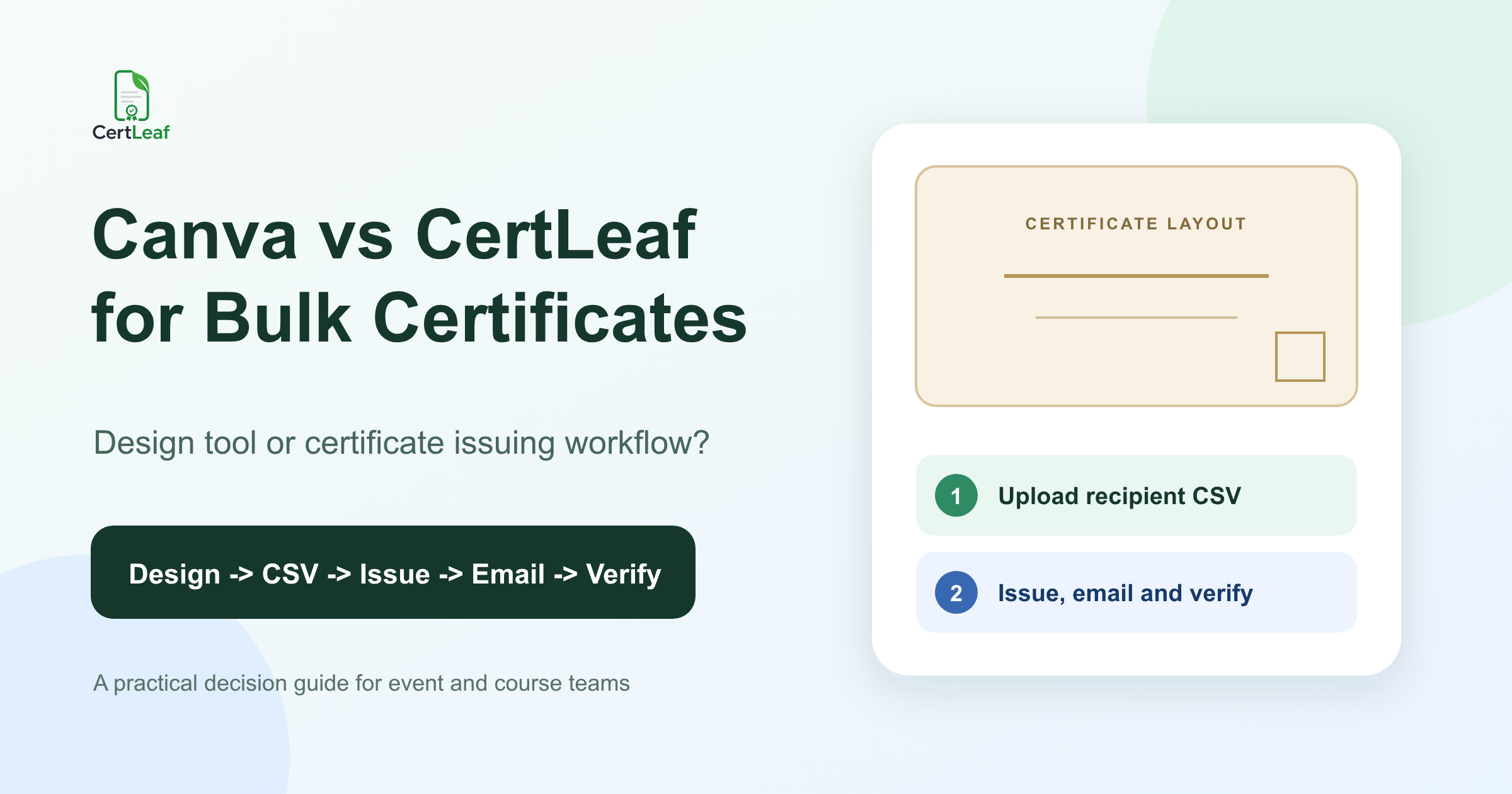
At 7:20 pm, a student club team in Bengaluru had a certificate design everyone liked. The faculty coordinator had approved the colours. Both signatures were in place. The event title fit neatly above the recipient name.
The design work was finished.
The team still had 238 attendee rows, three versions of the registration sheet, and a WhatsApp message from someone asking whether initials should include periods. They also had to create the individual certificates, send each one to the right email address, and decide how a placement coordinator could verify a certificate later.
That is the useful way to frame Canva vs CertLeaf for bulk certificates. Canva is a familiar visual design tool and a sensible place to create a certificate layout. CertLeaf is built around the operational work of issuing certificates from recipient data, distributing them, and providing QR verification.
The question is not which product is better in every situation. It is what job remains after the layout has been approved.
Canva vs CertLeaf: the quick decision
| Your situation | Better starting point | Why |
|---|---|---|
| You need one polished certificate layout | Canva | The main task is visual design. |
| You have a small set that your team is comfortable handling manually | Canva may be enough | A separate issuing system may add more setup than value. |
| You have a recipient CSV and many certificates to produce | CertLeaf | The work is now data mapping and batch issuing. |
| Each recipient should receive the correct certificate by email | CertLeaf | Email delivery belongs inside the issuing workflow. |
| A reviewer should be able to scan a QR code and check the certificate record | CertLeaf | QR verification needs a record behind the design. |
| You want a strong layout and a repeatable batch workflow | Use both | Design the base layout, then hand it to the issuing system. |
This is a role-based comparison, not an exhaustive audit of every Canva feature, plan, app, or integration. Canva's certificate maker currently emphasizes templates, visual editing, downloads, sharing, and sending a design by email. Canva features and plan availability can change, so check the current Canva product if your process depends on a specific bulk-creation or automation feature.
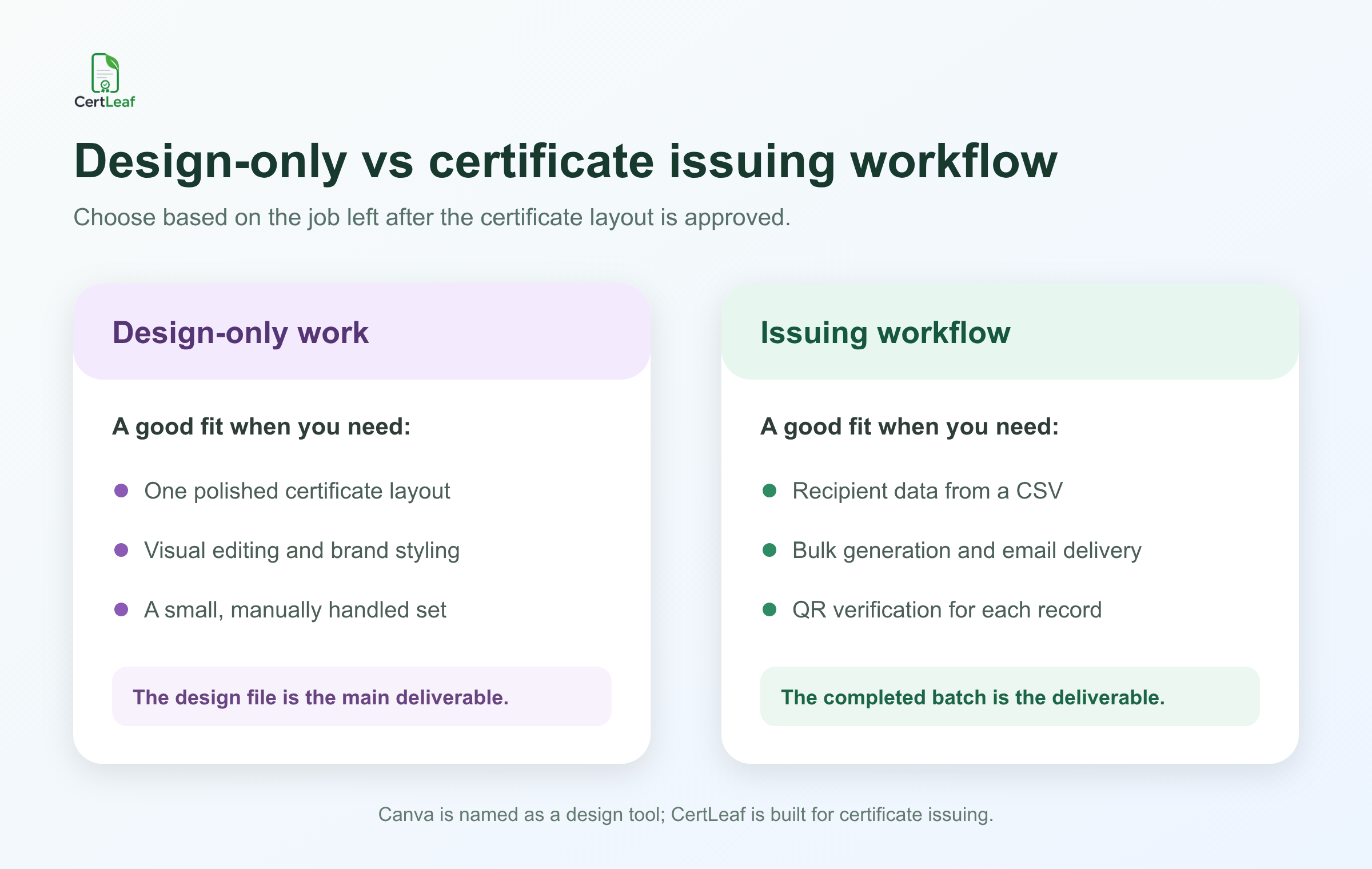
Canva is useful when the certificate is still a design problem
Canva is often where a college club, coaching centre, or event team begins. That makes sense. Someone can choose a certificate template, adjust the typography, add the institution logo, place signatures, and export a design without learning professional design software.
If the job is to make one certificate for a guest speaker, Canva may be all you need. The same applies to a very small set of certificates when the organizer is happy to personalize, export, and send them manually.
I would also use a design tool when the layout is still unsettled. A training institute might need to compare two visual directions with its director. A course creator might want a landscape version for PDF delivery and a square promotional graphic for social media. Those are design decisions.
Canva's official certificate maker page also describes sharing designs and sending them by email. That is useful, but it should not be confused automatically with a recipient-specific certificate issuing operation. Sending a design is one action. Managing a batch of named records, matching each record to an email address, and preserving a verification route is a different operational job.
That distinction matters more than the logo on the tool.
The bulk certificate work starts with recipient data
At the Bengaluru event, the approved layout contained five changing fields: recipient name, event title, event date, certificate type, and certificate ID. The email address did not appear on the certificate, but it controlled delivery.
The club did not need 238 design decisions. It needed one approved layout and 238 clean records.
A basic issuing CSV might look like this:
| full_name | event_name | certificate_type | |
|---|---|---|---|
| Asha Menon | asha@example.com | Campus Product Workshop | Participation |
| K. R. Nikhil | nikhil@example.com | Campus Product Workshop | Volunteer |
| Farah Ali | farah@example.com | Campus Product Workshop | Participation |
The difficult rows are rarely the first three. They are the duplicate registration, the long name that reaches the signature line, the student who used two email addresses, and the volunteer who needs a different certificate type.
Before uploading anything, I would reduce all registration, attendance, feedback, and correction sources to one approved list. This certificate recipient CSV preparation guide explains how to check duplicate rows, names, email addresses, and awkward test cases without turning the issuing sheet into another archive of event data.
CertLeaf's bulk CSV workflow begins at that point. The organizer creates a reusable template, maps the changing fields, uploads the recipient file, and generates the batch from those rows.
The important boundary is honest: CertLeaf can issue from the CSV, but the organizer still decides who is eligible and which spelling is correct.
A Canva-to-CertLeaf handoff can be the practical answer
This comparison does not require an either-or decision.
A college department can create its certificate background in Canva, get the layout approved, and export the base design. That design can then be uploaded to CertLeaf. The organizer places dynamic fields for the recipient name, event or course details, date, certificate ID, and QR code, then saves the setup as a reusable template.
The next event should not begin with someone searching a drive for certificate_final_revised_2. The template is already there. The team changes the event details where needed and uploads the new recipient CSV.
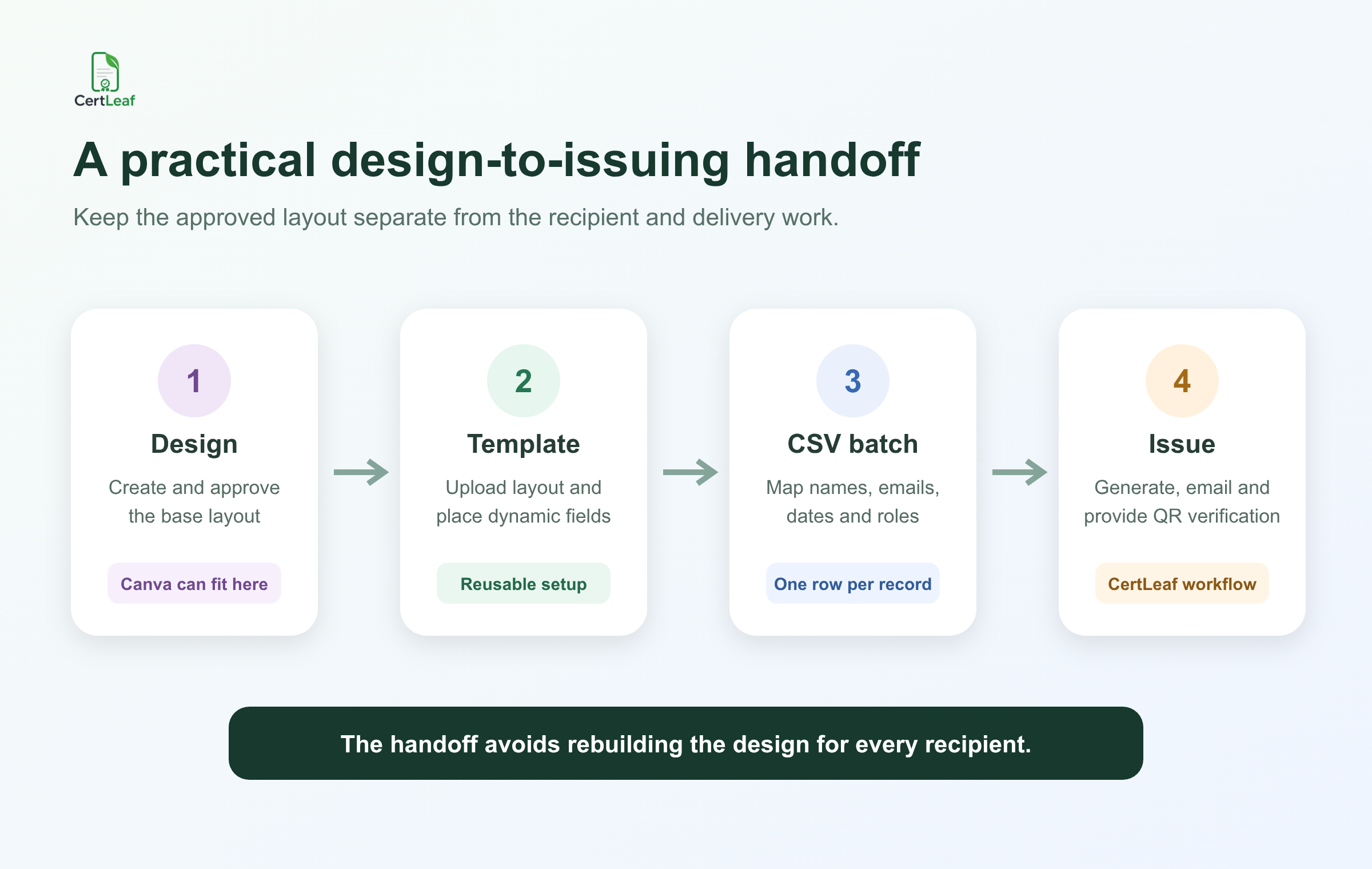
A clean handoff looks like this:
Create and approve the base certificate layout.
Upload the layout and place the dynamic fields once.
Prepare one approved recipient row per certificate.
Generate the batch, email recipients, and provide QR verification when required.
This split lets the design tool do what it is good at while the issuing tool handles the repetitive record work.
Bulk generation is only one part of issuing
People often focus on generating many PDFs because that is the most visible task. It is not the whole job.
After generation, the team must still make sure Asha receives Asha's certificate, not Nikhil's. It needs an email process that does not depend on a volunteer attaching files one by one after dinner. It should also keep enough issuing history to handle a correction without guessing which version was sent.
CertLeaf includes email delivery in the certificate workflow. That turns the recipient email column into an operational field rather than a separate mail-merge project. Before a full send, I would still test one address the team can open, confirm the subject and message, and inspect the certificate at normal size.
For the delivery details, use this practical guide to sending certificates by email automatically. It covers the checks between a generated batch and a completed send, which is where many manual processes fail.
A design file can be perfect while the delivery process is fragile. The recipient experiences the delivery, not the editor used to create the background.
QR verification needs more than a square graphic
A QR code can be placed on almost any design. That alone does not make the certificate verifiable.
For useful verification, the code should lead to a certificate record that lets a reviewer compare the recipient and certificate details with the document in front of them. Each issued certificate needs its own verification route.
This matters for a learner who adds a completion certificate to a portfolio, a student who shares a workshop certificate with a placement cell, or a coaching centre participant who submits proof elsewhere. The reviewer should not have to email the organizer and wait for someone to search an old spreadsheet.
CertLeaf supports QR-verifiable certificates with a public verification page. The organizer can also choose simple certificates when a verification layer is unnecessary. A small internal appreciation certificate and a formal course-completion record do not always need the same treatment.
The QR code certificate guide for workshops and training programs explains what the verification page should confirm and when a standard certificate may be enough.
Where CertLeaf's pricing model fits
College clubs and event teams often issue certificates in bursts. They may need 300 after a fest, none during exams, and another 120 after a workshop two months later. Training institutes and course creators may have steadier batches, but the volume can still change from cohort to cohort.
CertLeaf uses pay-as-you-go credits with no subscription. A simple certificate uses 1 credit, while a QR-verifiable certificate uses 2 credits. New accounts receive 20 free signup credits, which are useful for testing the template, the awkward rows, email delivery, and the QR flow before a larger batch.
For India-first customers, credit purchases support INR payments through Razorpay. That can make an event-sized purchase easier to place inside a college, coaching, or training budget than an ongoing foreign-currency software subscription.
Pricing should not decide the tool by itself. If a team issues credentials continuously and needs a broader platform, a recurring product may fit. If certificates arrive in occasional batches, buying credits when the work appears is easier to connect to the actual recipient count.
What I would choose in five common cases
For a single speaker certificate, I would use Canva or another design tool and finish the job manually.
For a college club with 180 participation certificates, I would approve one layout, clean the attendee CSV, and use CertLeaf for batch generation and email delivery.
For a training institute running the same six-week course every month, I would keep one reusable CertLeaf template and update the recipient list for each cohort. If verification matters outside the institute, I would use QR-verifiable certificates.
For a coaching centre issuing five internal appreciation certificates, I would not force a bulk workflow. Manual handling may be perfectly reasonable.
For a course creator who cares about a distinctive certificate design and also has 400 learners, I would use both: Canva for the base visual, CertLeaf for the issuing operation.
The row count is only one signal. The need for correct delivery, reusable templates, records, and verification can justify an issuing workflow even for a smaller batch.
FAQ about Canva vs CertLeaf for bulk certificates
Is Canva or CertLeaf better for bulk certificates?
Use Canva when the main job is designing the certificate layout. Use CertLeaf when the main job is issuing many recipient-specific certificates from CSV data, emailing them, and providing QR verification. Some teams will get the best result by designing the base layout in Canva and issuing through CertLeaf.
Can I design a certificate in Canva and issue it with CertLeaf?
Yes. Export the approved base certificate design, upload it to CertLeaf, place the dynamic fields, save the reusable template, and use a recipient CSV for the batch.
Does sharing a certificate design by email equal bulk certificate delivery?
Not necessarily. A recipient-specific delivery workflow must match each person's data and certificate to the correct email address. Evaluate the exact sending, data-mapping, and record-keeping process rather than assuming any email-sharing feature completes the whole issuing job.
What should be in the CSV for bulk certificates?
Include the recipient name, email address, and every field that changes on the certificate, such as course name, event name, date, role, certificate type, or ID. Keep attendance review notes outside the final issuing CSV unless they are needed by the template.
Do all bulk certificates need QR verification?
No. Use QR verification when the certificate may be shared with a third party that needs to check the record. A simple certificate may be enough for informal or internal recognition.
Does CertLeaf require a subscription?
No. CertLeaf uses pay-as-you-go credits. It also supports INR payments through Razorpay for India-first customers, and new accounts receive 20 free signup credits.
The decision becomes clearer after the layout is approved
The cleanest way to choose between Canva and CertLeaf is to look at the unfinished work.
If the unfinished work is typography, colour, spacing, and signatures, stay in the design tool.
If the unfinished work is 238 recipient rows, individual generation, email delivery, corrections, and verification, move the approved layout into a certificate issuing workflow.
For many teams, the practical answer is a handoff rather than a replacement: design once, save the reusable template, upload the clean CSV, issue the batch, and give each recipient a certificate that can reach the right inbox and be checked later.