CertLeaf
How to Issue Certificates for Late-Approved Participants Without Resending the Full Batch
A practical supplementary certificate batch workflow for event and training teams handling participants who are approved after the main batch was issued.
At 8:16 on the morning after a one-day analytics workshop in Coimbatore, the coordinator received a message from a participant named Devika: "I attended the whole session, but my certificate has not come."
The main batch had gone out the previous evening. It contained 186 certificates. The issued CSV was saved, the volunteers had closed their laptops, and the WhatsApp group had finally become quiet.
Devika's name was in the registration export but not in the final attendance list. Twenty minutes later, another participant said he had joined using his college department's Zoom account. A third had submitted the feedback form after the deadline because the form stopped loading on her phone.
These were not ordinary email resends. The team first had to decide whether each person should have been in the certificate batch at all.
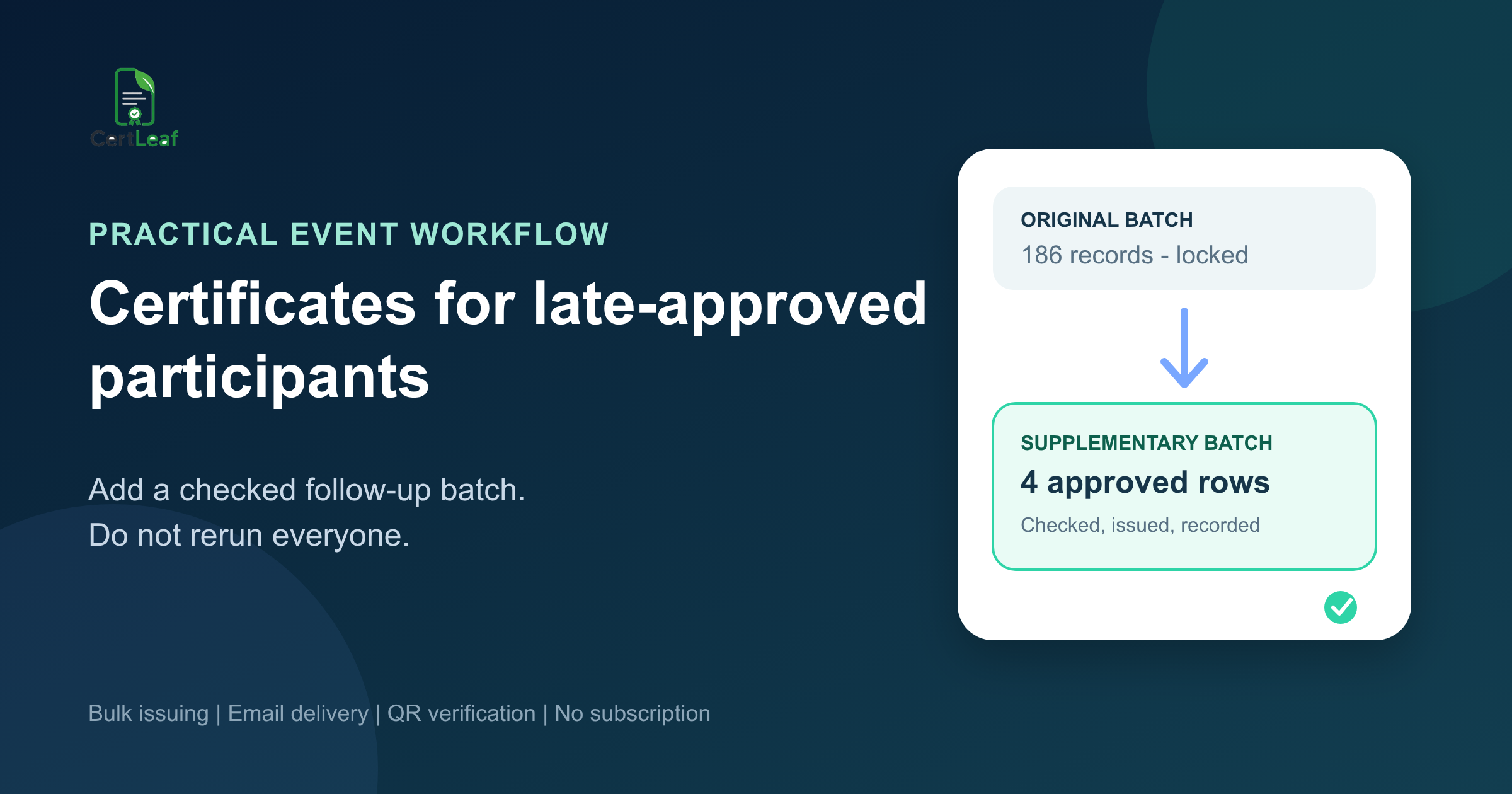
That is where a supplementary certificate batch helps. The original issue record stays untouched. Late-approved participants go into a small, checked follow-up CSV and receive only the certificates they are eligible for.
| Situation | First check | Next action |
|---|---|---|
| Name missing from issued CSV | Registration and attendance evidence | Approve or hold |
| Joined from another account | Identity match across records | Record the match |
| Submitted evidence late | Published deadline and exception owner | Approve only with a reason |
| Certificate was already issued | Certificate ID or issued email | Do not create a duplicate |
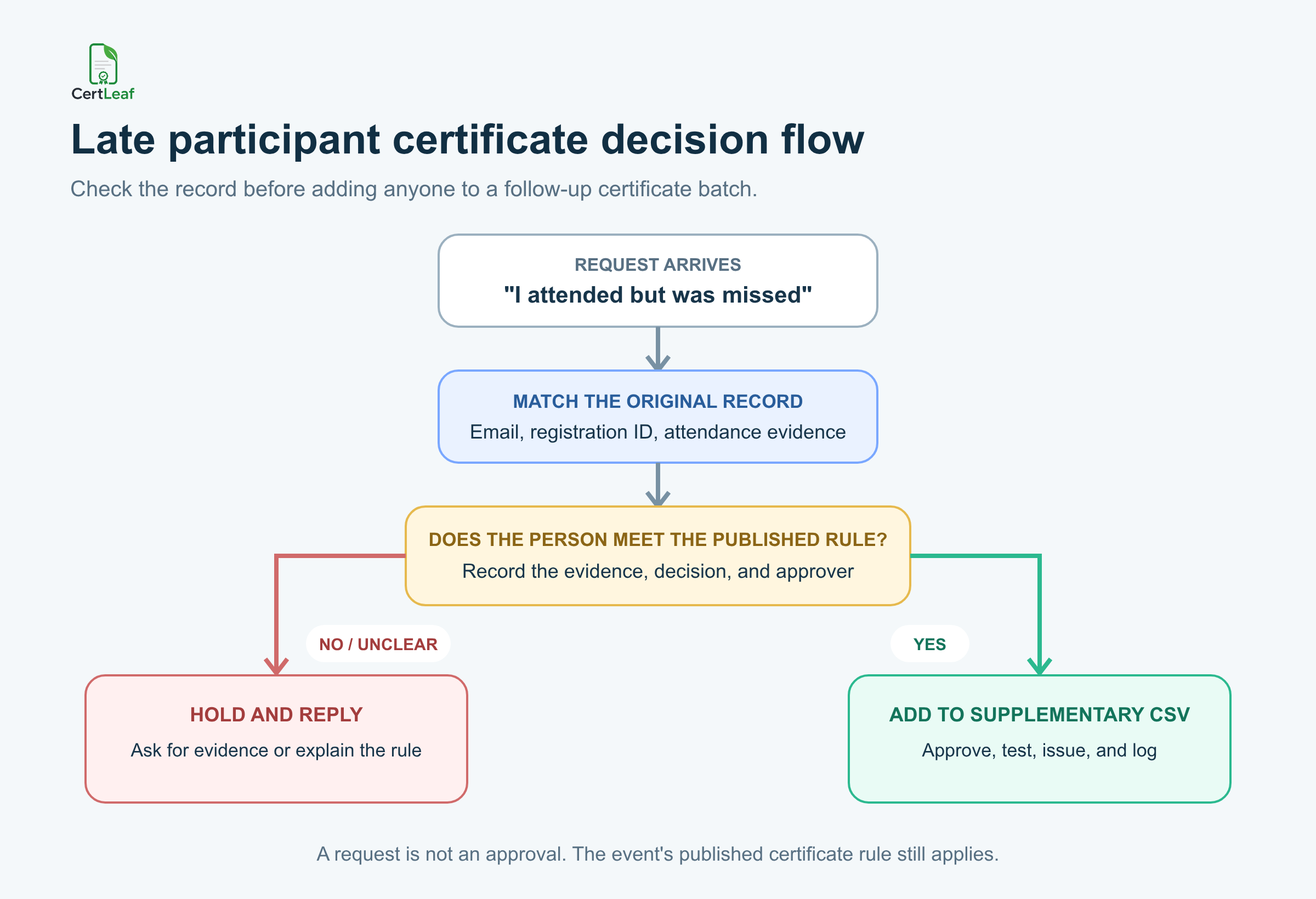
The important distinction is simple: a missing name is a request to investigate, not automatic approval.
Start with the certificate rule, not the message
A participant's message can be completely genuine and still leave the coordinator without enough information to issue a certificate.
At the Coimbatore workshop, the published rule said participants had to attend at least 75 percent of the session and submit the feedback form by 8 pm. Devika had registered with her personal email but joined through a shared department account. Her display name in the attendance export was CSE Seminar Hall.
The faculty coordinator confirmed that Devika had been assigned to manage that account during the session. The team recorded the match, approved the exception, and added her to the supplementary list. The decision had evidence and an owner.
The late feedback case was different. The participant had attended, but the form response arrived the next morning. Because the original rule included an 8 pm deadline, the certificate operator did not quietly waive it. The program lead decided whether the reported form problem justified an exception and recorded the reason.
This separation matters. The person preparing certificates should apply an approved rule, not invent one while participants are waiting.
If your event uses attendance or feedback conditions, write them down before the first batch. The practical method in this workshop certificate eligibility workflow is useful because it separates registration, attendance, feedback, and exception evidence before anyone is added to the issuing list.
Match the person to the original records
"I was there" is not enough to identify a row when an event has 200 participants and several people share a first name.
Ask for information that can connect the request to the original event records: registered email, registration ID, attendance email or display name, phone number used in the form, course batch, or session date. You do not need every field. You need enough to make a confident match without guessing.
At a Pune placement workshop, a participant named Arjun contacted the organizer from a new WhatsApp number. The registration sheet contained three Arjuns. One volunteer nearly added the first matching name to a follow-up batch. The coordinator instead asked for the registered email and college roll number. The request belonged to a different row.
That small pause prevents the worst version of this problem: issuing a real certificate with the wrong person's details.
The original CSV is useful here, but so are the files that produced it. Registration records show who signed up. Attendance records show who joined. Feedback or assessment records may show who completed a stated condition. None of those sources should silently replace the eligibility rule.
Before creating any follow-up file, confirm whether the participant already has a certificate. Search the issued CSV, delivery record, and certificate ID if one exists. A participant may have missed the email, checked a different inbox, or searched under the wrong event name. In that case, use a resend process rather than creating a second certificate record.
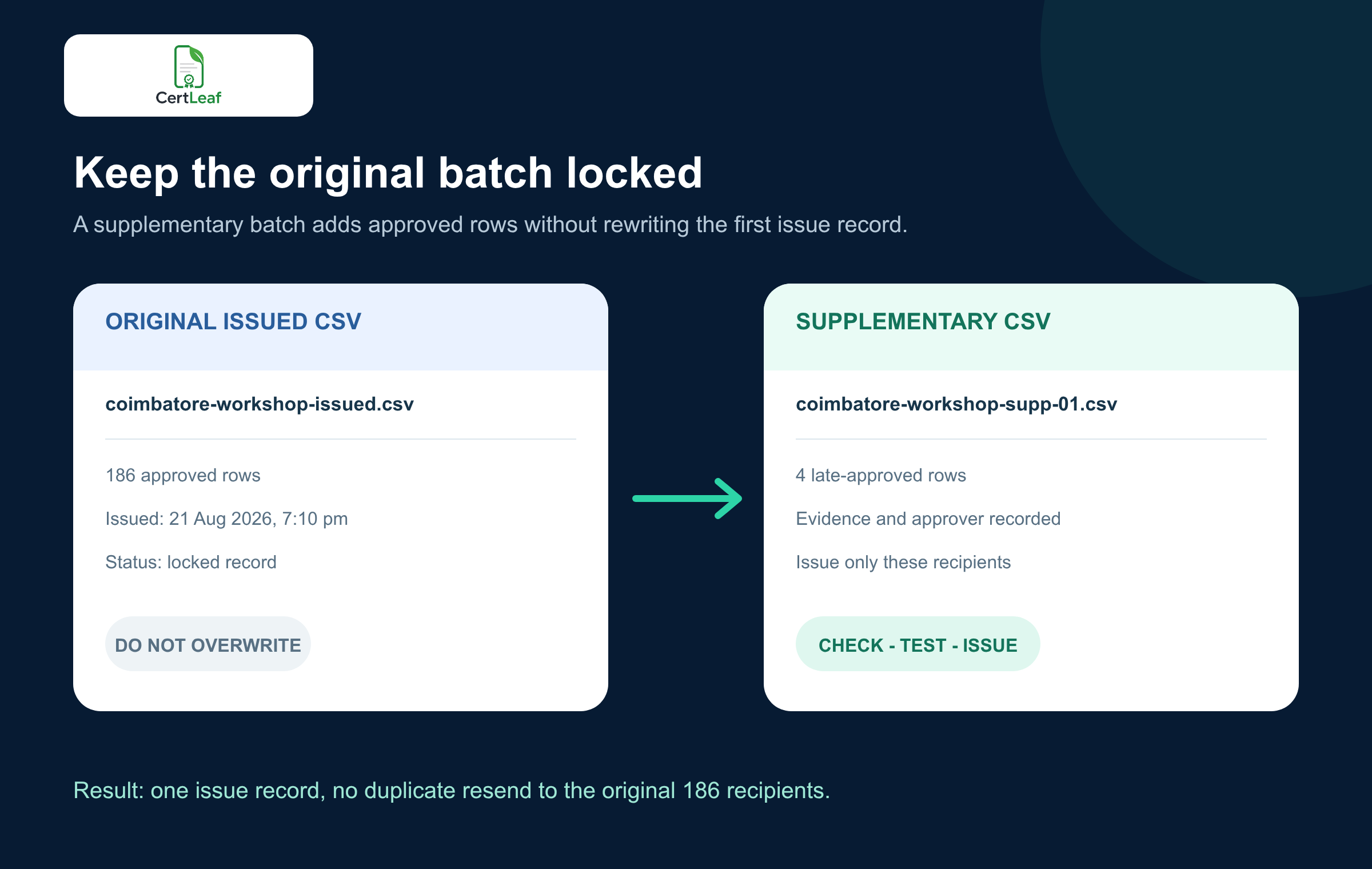
Keep the original issued CSV locked
I would never open the original CSV, add four names at the bottom, and rerun the file.
That approach makes the document look current, but it removes the history. Nobody can tell which 186 rows were in the first issue, which four came later, or whether the original recipients were accidentally sent another certificate.
Save the main file with a name that records what it is, such as:
coimbatore-analytics-workshop-issued-2026-08-21.csv
Then create a separate supplementary file:
coimbatore-analytics-workshop-supplementary-01-2026-08-22.csv
The supplementary CSV should contain only late-approved recipients. Use the same clean headers as the main issuing file, such as full_name, email, event_name, event_date, and certificate_type. Add internal evidence and approval notes to a review log, not to the public certificate fields.
If the follow-up list contains uncertain names, duplicate emails, or mixed certificate types, stop and clean it before upload. The checks in this certificate recipient CSV guide are especially useful for repeated identities and rows that may legitimately need more than one certificate.
Record why each participant was added
A supplementary batch should be small enough to review row by row. Keep a short decision log with:
Participant name and original identifier
Reason the person was absent from the main batch
Evidence checked
Decision and approver
Supplementary batch name and issue date
That is one of the few lists worth keeping because another coordinator can scan it quickly.
The reason should be concrete. Approved by ma'am will not help in three months. Attendance confirmed under department Zoom account by program lead on 22 Aug will.
For a training institute, the same pattern works when a learner's assessment is graded after the main completion batch. Keep the first cohort file unchanged. Record the late result and approval. Add the learner to a supplementary completion batch. If the institute uses unique certificate IDs, confirm that the new certificate receives one stable ID and is not a duplicate of an earlier record.
Test the small batch as carefully as the large one
A four-row batch can still contain a wrong event title, stale date, broken email address, or reused certificate ID. Small does not mean safe.
Use the same template that was approved for the main batch unless the certificate wording genuinely needs to change. Preview the longest name and any row with unusual initials. Check the event date and certificate type. Send one test certificate to an inbox the team controls. If the certificate is QR-verifiable, scan the QR code from the exported PDF and compare the verification page with the recipient row.
Then issue only the supplementary CSV.
This is where a bulk certificate platform is useful even for a handful of exceptions. The coordinator does not have to edit finished PDFs or send files from a personal inbox. The same template and mapped fields can produce a controlled follow-up batch.
Where CertLeaf fits
CertLeaf handles the issuing work after the organizer approves the supplementary rows. You can reuse the original certificate template, upload the follow-up CSV, generate the certificates, distribute them by email, and include QR verification when the certificate needs a public check.
The product does not decide whether a participant met the attendance rule. That decision belongs with the event or training team. CertLeaf keeps the repetitive issuing step separate from the human approval step.
The pay-as-you-go model also fits events that have one large batch and a few later exceptions. There is no subscription to maintain between programs. New accounts receive 20 free credits for testing a small workflow.
For the main event process before exceptions appear, use the complete event participant certificate workflow. It covers the clean participant list, reusable template, bulk issue, email delivery, and QR verification decisions that should happen before the first send.
FAQ about supplementary certificate batches
How do I issue a certificate to a participant who was missed?
Match the participant to the original registration and attendance records, apply the published certificate rule, record the approval, and add only that approved row to a supplementary certificate CSV. Do not rerun the full original batch.
What is a supplementary certificate batch?
A supplementary certificate batch is a separate follow-up issue for recipients approved after the main batch. It preserves the original issued list and creates a clear record of who was added later.
Should I edit the original certificate CSV to add late participants?
No. Keep the issued CSV locked as the record of the first batch. Create a new, clearly named follow-up CSV containing only late-approved recipients.
What if the participant already received a certificate but cannot find the email?
Do not generate another certificate immediately. Confirm the issued row and delivery address first. If the certificate already exists, resend access through a controlled delivery workflow rather than creating a duplicate record.
Can I issue late participant certificates in bulk?
Yes. If several participants are approved after review, place only those recipients in a checked supplementary CSV and issue them as a small batch from the approved template.
Should a late-issued certificate have QR verification?
Use the same verification policy as the main batch. If the original certificates were QR-verifiable, the supplementary certificates should normally follow that pattern and open their own matching verification records.
How should I name a follow-up certificate CSV?
Use the event, batch type, sequence, and date. For example: coimbatore-analytics-workshop-supplementary-01-2026-08-22.csv. A clear filename makes the issue history easier to understand later.
Finish the exception without reopening the event
By 11:30 am, the Coimbatore team had reviewed five requests. Three participants were approved, one needed more evidence, and one had already received the certificate at a different email address.
The team did not modify the 186-row issued file. It created one three-row supplementary CSV, tested the certificate and QR path, sent the new certificates, and recorded the decisions. The unresolved request stayed on hold instead of being pushed through because the participant followed up twice.
That is the whole value of the supplementary batch. It gives genuine late cases a fair route to a certificate without turning the original issue into an editable mystery or sending duplicate certificates to everyone who was already done.