CertLeaf
Model United Nations Certificate Generator for Schools and College MUNs
Issue delegate, award, chair, secretariat, and volunteer certificates in bulk for a Model United Nations conference with reusable templates, email delivery, and QR verification.

A Model United Nations conference needs more than one generic participation certificate. Delegates represent countries in different committees. Chairs and rapporteurs run the room. The secretariat manages the conference. Volunteers handle registrations and logistics. Award recipients need their achievement recorded accurately.
CertLeaf gives school and college MUN teams a dedicated way to issue those certificates in bulk. Build reusable templates, upload the secretariat-approved recipient CSV, email each certificate, and add QR verification when recipients may need to prove the record later. There is no subscription to maintain between conferences.
That makes CertLeaf a practical Model United Nations certificate generator for one-day school conferences, multi-day college MUNs, inter-school events, and recurring conferences run by student societies.
Why MUN certificates need a dedicated issuing platform
A design tool can create an attractive certificate background. It does not manage the issuing record behind 200 delegates across eight committees.
An MUN certificate may need the recipient's name, committee, represented country, conference edition, dates, role, award category, school or college, and delivery email. Those fields change from one person to the next. The wording also changes by certificate type.
A delegate certificate confirms participation. A Best Delegate certificate records an award. A chair certificate recognizes a dais role. A secretariat certificate recognizes conference organization. Combining all of them into one template with manually edited text makes mistakes much more likely.
MUN teams that already manage year-round club events can use the broader student club certificate generator guide as a useful operating reference. For the conference itself, the MUN allocation and results should remain the source of truth.
MUN certificate types to prepare before the conference
The cleanest setup uses a small, approved set of certificate categories. Most conferences need some version of these:
Delegate participation certificates
Award certificates, such as Best Delegate, High Commendation, or Special Mention
Chair, vice-chair, director, or rapporteur certificates
Secretary-General and secretariat certificates
Organizing committee and volunteer certificates
Faculty advisor, judge, trainer, or guest appreciation certificates when relevant
The exact award names vary between conferences. Use the terms in the approved results, not a category copied from another MUN. The same applies to committee abbreviations and country names.
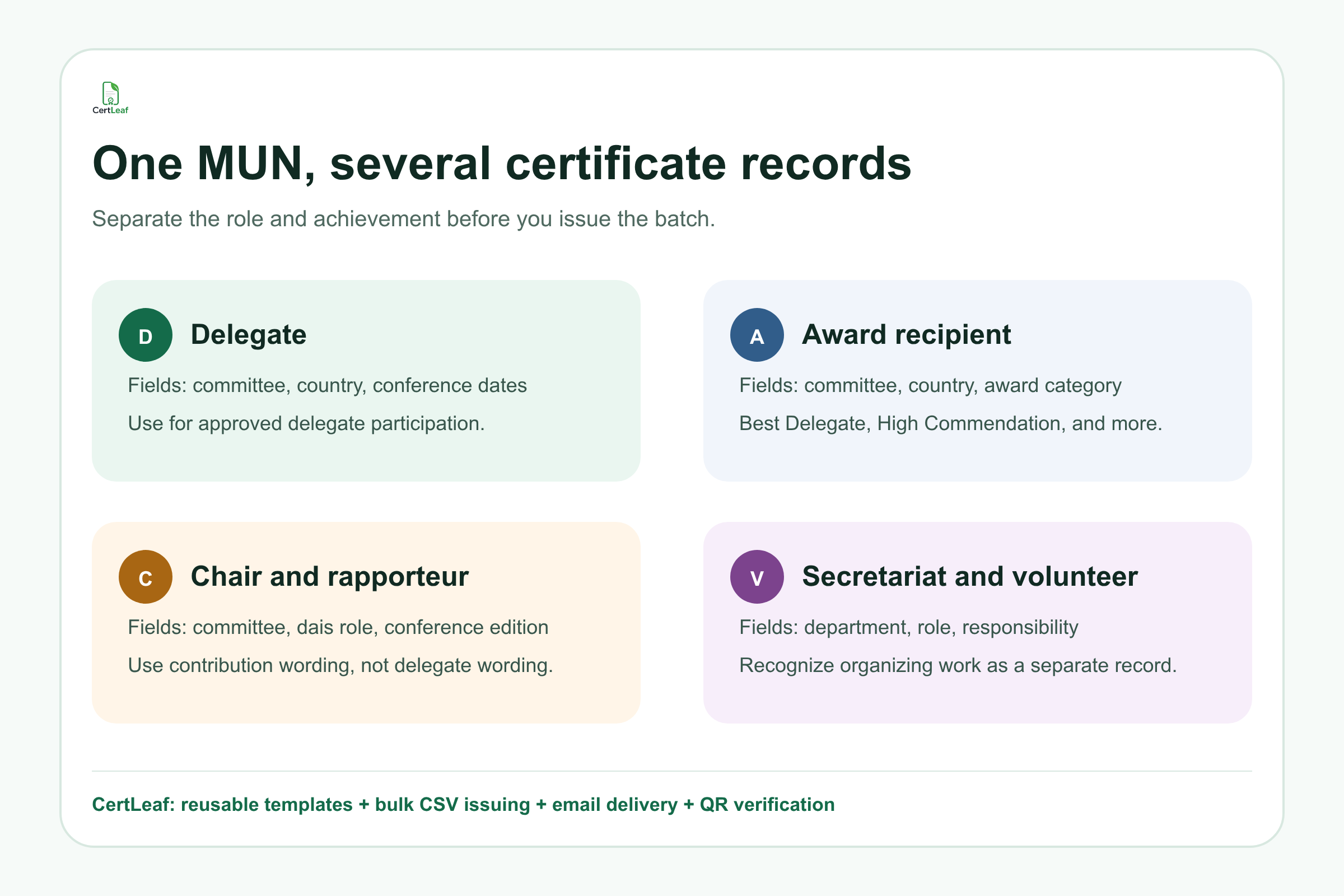
A useful rule is that the certificate title and body should describe the record without making the reader interpret it. If someone received High Commendation in UNHRC while representing Japan, those details should not be hidden in a generic participation sentence.
Planning an upcoming school or college MUN? Sign up for CertLeaf and use the 20 free signup credits to test your delegate and award templates before the final conference batch.
What to include on an MUN participation certificate
A good MUN participation certificate should be specific without becoming crowded. Include the recipient name, conference name, conference dates, committee, represented country or portfolio when applicable, issuer name, and approved signatories.
For award certificates, add the exact award category. For dais and secretariat certificates, replace delegate fields with the person's role and committee or department. A logistics volunteer does not need a country field, and a delegate does not need a volunteer department field.
Certificate IDs and QR verification are useful when students may share the certificate with another school, a college admissions team, a scholarship committee, an internship coordinator, or a student portfolio reviewer. The verification page provides a public route to check the issued record. It does not validate the quality of a delegate's performance or replace the conference's award decision.
If your team wants a base design that can survive next year's handover, the guide to a reusable college event certificate template explains how to reserve space for long names, dynamic fields, signatures, and QR placement.
Build the MUN recipient CSV from approved conference records
MUN conferences usually have several source files: registration data, committee allocations, country assignments, attendance, award results, dais lists, and volunteer rosters. Do not upload the first combined spreadsheet somebody labels "final."
Create one issuing CSV after the secretariat approves the allocations, participation records, roles, and awards. One row should map to one recipient, one certificate type, and one delivery email.
A practical header set is:
name,email,conference,committee,country,role,award,department,school,date,certificateType
Not every row needs every field. A delegate row may use committee and country. A chair row may use committee and role. A volunteer row may use role or department. An award recipient may use committee, country, and award.
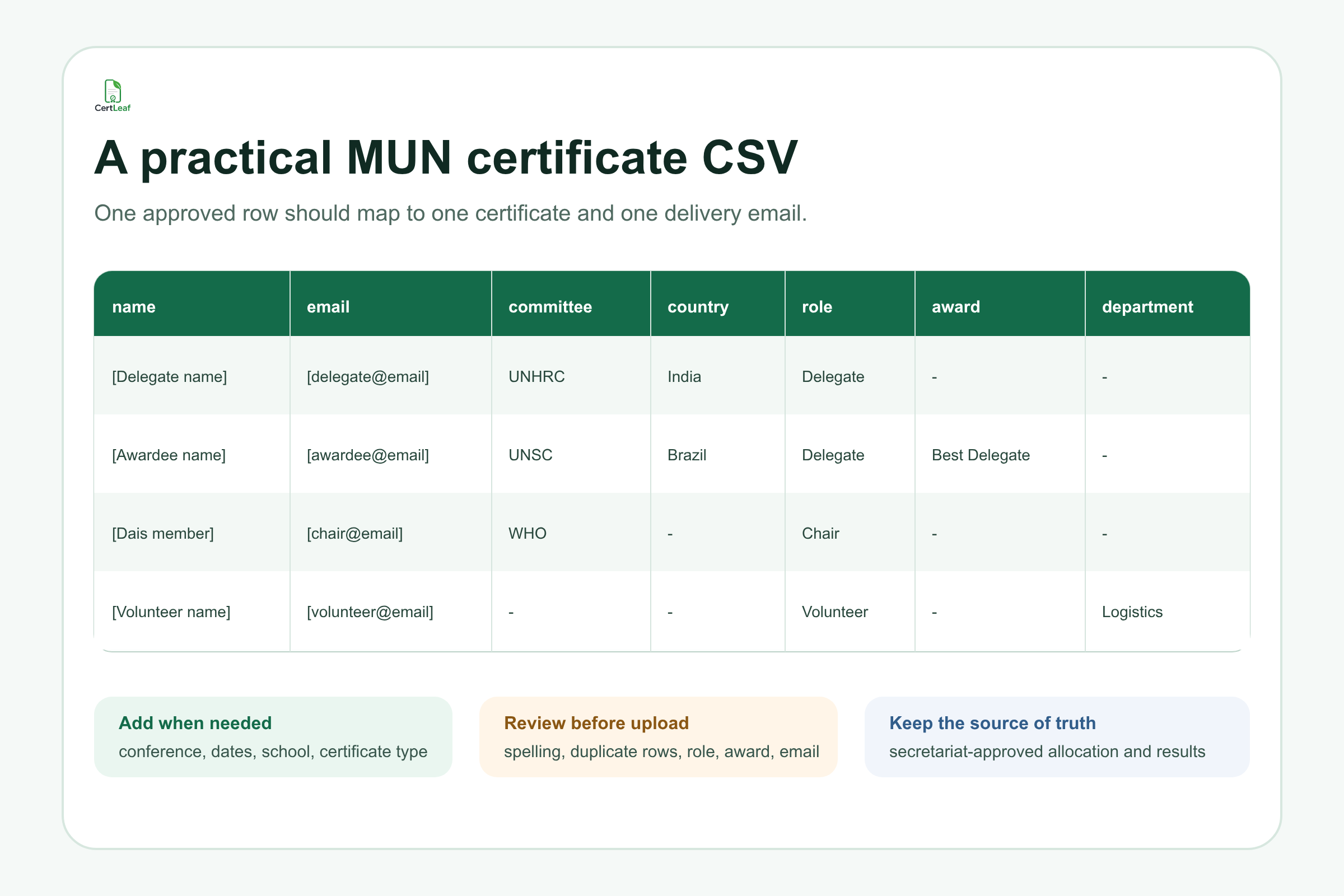
Before uploading, review long names, committee abbreviations, country spelling, repeated email addresses, blank award fields, and people who hold more than one role. If one person is both a chair and a secretariat member, decide whether the conference intends to issue one certificate or two. CertLeaf should receive the decision, not make it.
Create reusable templates for each MUN record
The certificate design can share a common visual system while the wording changes by role. A conference may keep the same border, logo positions, typography, signatories, and QR area across all certificates, then maintain separate templates for participation, awards, dais roles, and organizing roles.
This is easier to review than one overloaded template with optional text scattered around the page. It also makes the next edition faster. Update the conference name, dates, signatories, and branding once, then reuse the approved field positions.
Test the difficult rows before the full issue:
The longest delegate name
The longest committee name
A country or portfolio with a long title
A multi-word award category
A secretariat title that needs more room
A recipient with two approved certificates
Generate those samples and read them at normal size. Check that no name touches the border, no committee label enters the signature area, and the award remains obvious.
Try the MUN setup in CertLeaf before results day. Create the templates, upload a small sample CSV, and use the 20 free signup credits to see the exact delegate email and verification experience.
Send MUN certificates to the right recipients
Manual email becomes risky when the folder contains delegate, award, chair, and volunteer PDFs with similar file names. A student may receive another delegate's country assignment. An award winner may receive only the participation version. A volunteer certificate may go to an old registration email.
CertLeaf keeps the recipient row, generated certificate, and delivery email connected. Once the conference team approves the CSV and templates, it can issue the batch and distribute certificates without matching attachments one by one.
Send a small internal test first. Open the email on a phone and a laptop. Check the subject, recipient name, certificate type, download experience, and correction contact. Scan the QR on a test certificate if verification is enabled.
For conferences that want a deeper pre-send reference, the bulk certificate email delivery guide covers recipient data, test sends, and exception handling without turning this MUN page into another generic email workflow article.
Where QR verification helps MUN participants
MUN certificates often travel beyond the organizing team. Delegates add them to student portfolios and applications. Award winners may use them as evidence of extracurricular achievement. Chairs and secretariat members may refer to the experience when applying for student leadership roles.
A QR-verifiable certificate lets a reviewer open a public verification page tied to that issued certificate. This is more useful than pasting a generic website QR code onto the design.
Keep the claim narrow. QR verification helps confirm that CertLeaf has an issued record with the displayed details. It does not prove that a PDF was never copied, that the conference itself has external accreditation, or that the award decision was correct. Those remain the organizer's responsibility.
Why CertLeaf fits school and college MUN teams
MUN conferences are event-based. A school club may issue certificates twice a year. A college society may run one flagship conference and several smaller training sessions. A monthly certificate software subscription is difficult to justify during quiet months.
CertLeaf uses pay-as-you-go credits. New accounts receive 20 free signup credits, and Indian organizers can purchase credits in INR through Razorpay. Teams can reuse templates, issue recipients from CSV, send certificates by email, and choose QR-verifiable certificates when a public check is useful.
CertLeaf is the certificate issuing layer. It does not manage delegate registration, committee allocation, scoring, resolutions, or award decisions. The secretariat approves those records first. CertLeaf turns the approved data into certificates that are consistent, deliverable, and easier to verify.
Model United Nations certificate generator FAQ
Can CertLeaf create MUN certificates in bulk?
Yes. Prepare an approved CSV with one recipient per row, map its fields to reusable templates, and issue the delegate, award, chair, secretariat, or volunteer batches in bulk.
What fields should an MUN delegate certificate include?
Common fields are the delegate name, conference name, dates, committee, represented country or portfolio, issuer, and signatories. Add an award category only when the approved results support it.
Can an MUN award certificate include the committee and country?
Yes. Committee, represented country, and award category are useful dynamic fields for award certificates. Test long values before issuing the full batch.
Should chairs and volunteers use the same MUN certificate template as delegates?
They can share the same visual style, but the title and wording should match the role. A chair or volunteer certificate should not use delegate participation language.
Can CertLeaf email MUN certificates to delegates?
Yes. Include the approved delivery email in each CSV row, then send the generated certificates through the issuing workflow instead of attaching PDFs manually.
Can MUN certificates include QR verification?
Yes. CertLeaf can issue QR-verifiable certificates linked to a public verification page. Use this when delegates, award recipients, or organizing team members may need to share the record outside the conference.
Does CertLeaf require a subscription for one MUN conference?
No. CertLeaf uses pay-as-you-go credits and includes 20 free signup credits, so a school or college MUN team can test the use case without starting a monthly subscription.
Give each MUN role the certificate it earned
An MUN certificate should preserve the conference record clearly: who participated, where they served, what they represented, and whether they received an award or contributed in another role.
CertLeaf helps the secretariat turn that approved record into a controlled batch. Reuse the designs, upload the final CSV, issue and email the certificates, and add QR verification where it helps. The conference team keeps authority over allocations and results; the certificate process stops depending on hundreds of manual edits.
Start with 20 free CertLeaf credits and test the MUN certificate batch before your next conference.