 CertLeaf
Paper Presentation Certificate Generator for Colleges With QR Verification
A practical workflow for college departments and student clubs that need to issue paper presentation certificates in bulk, email them to participants, and keep each certificate QR-verifiable.
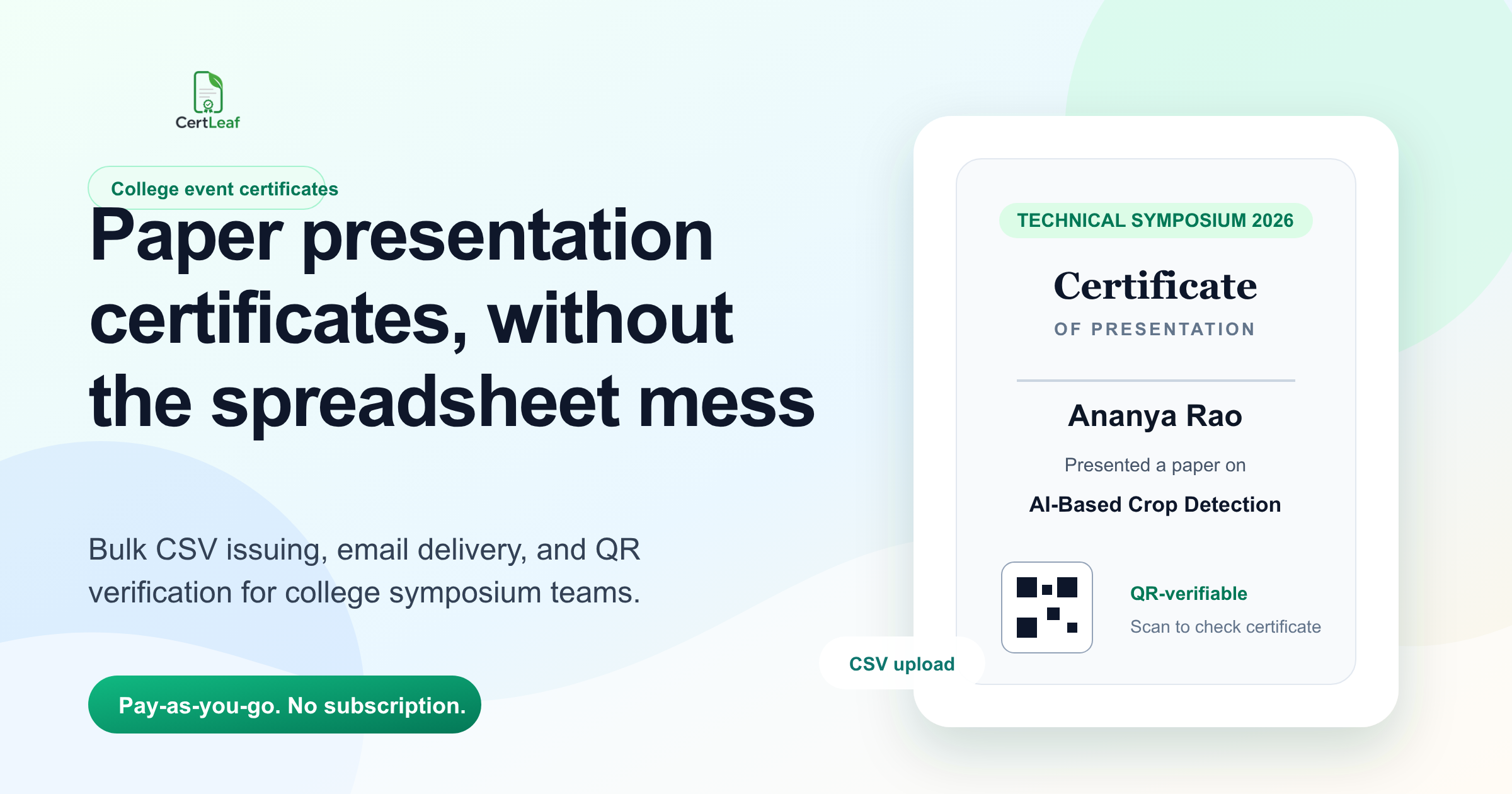
The spreadsheet after the final presentation matters more than the stage photo
By 5:20 pm, the paper presentation room at the Coimbatore technical symposium was almost empty. The judges had left for the valedictory session. The student volunteers were collecting extension cords, half-used chart papers, and a folder named "Final Scores" from the desktop near the projector.
The event looked tidy from outside: 42 teams registered, 31 teams presented, 3 winning teams announced, and a faculty coordinator thanked everyone on stage. The certificate work was not tidy. One team had changed its paper title after registration. Two presenters used their personal Gmail addresses instead of college emails. A participant from Salem wanted her initial expanded on the certificate. Another team had three authors in the abstract but only two people actually presented.
That is why a paper presentation certificate generator for colleges should not be treated like a design tool alone. The real job starts when the event ends: decide who gets which certificate, clean the final CSV, generate certificates in bulk, send them by email, and make sure each certificate can be verified later.
| Event record | What it usually contains | What to check before certificates |
|---|---|---|
| Registration form | Team name, authors, college, abstract title | Name spelling and email accuracy |
| Attendance sheet | Who actually presented | Remove no-shows before issuing |
| Judges' score sheet | Winners, ranks, categories | Separate winner certificates from participation certificates |
| WhatsApp corrections | Initials, paper title changes, email changes | Freeze changes before bulk generation |
First decide what a certificate is proving
Paper presentation events create a small certificate problem because there are usually multiple truths in the same room.
Someone registered for the event. Someone presented the paper. Someone won a prize. Someone co-authored the paper but did not attend. Someone was a student coordinator, not a participant. If the department puts all of these people into one sheet and uses one certificate design, the certificate becomes vague.
I would decide the rule before opening the template. For example: "Participation certificates will be issued only to authors who presented at least one accepted paper during TechVista 2026 on 6 August 2026. Winner certificates will be issued separately to the first, second, and third prize teams."
That one line prevents most follow-up arguments. When a student asks whether a non-presenting co-author can get a certificate, the coordinator does not have to guess. The rule already exists.
For some colleges, it may be fair to include all accepted authors. For others, only presenting authors should receive certificates. Both choices can work. The mistake is deciding row by row after the event, while WhatsApp messages are already coming in.
Keep participation and winner certificates in separate files
The cleanest paper presentation workflow usually needs at least two CSV files: one for participation certificates and one for winner certificates. If there are track-wise awards, such as AI, civil engineering, electronics, and management, create a category column or separate winner sheets.
Trying to handle everything in one messy spreadsheet creates errors. A winner row may accidentally receive a participation certificate. A participation row may carry a rank field from a copied template. A team title may wrap badly because the certificate was designed for individual names, not long research titles.
For a college paper presentation certificate, the final CSV usually needs fields like participantname, email, collegename, papertitle, eventname, departmentname, eventdate, certificatetype, and awardrank if relevant.
The awkward rows should be tested first. Pick the longest paper title. Pick a participant with initials. Pick a college name that runs into two lines. Pick a winner row with "Second Prize - Machine Learning Track". If those rows look correct, the rest of the batch is less likely to break the layout.
One practical choice helps a lot: keep the paper title readable, not legally complete. "AI-Based Crop Disease Detection" may fit the certificate better than the full abstract title with every method and dataset included. The full title can remain in the event record. The certificate should still look like a certificate.
QR verification helps when students use the certificate outside college
A paper presentation certificate often leaves the campus quickly. Students attach it to internship applications, department portfolios, LinkedIn posts, scholarship folders, and placement documents. Some colleges also ask students to submit proof of technical event participation for internal activity points.
A plain PDF can be forwarded, renamed, edited, or separated from the original email thread. That does not mean every student will misuse it. It just means the certificate is easier to question later.
QR verification gives the certificate a checkable trail. A faculty member, placement coordinator, or external reviewer can scan the QR code and open a verification page for that specific certificate. This is especially useful for paper presentations because titles, ranks, tracks, and participant names are easy to misread from a shared PDF.
Verification also reduces small admin interruptions. Instead of replying to "Is this certificate genuine?" messages months later, the department can point people to the QR code on the certificate itself.
Email delivery should not depend on one exhausted volunteer
After a symposium, the certificate email work often lands on the same student who handled registration. That person may already be tired, hungry, and answering participants who want photos, feedback, or prize details.
Manual emailing looks manageable for 20 participants. It becomes painful when the event has 90 participants across multiple colleges, separate winner certificates, and a few corrected names. The common mistakes are not dramatic. They are boring: wrong attachment, missed row, duplicate email, certificate sent to the team lead only, or a PDF named with last year's event.
Before sending certificates, I would check four things:
every certificate row has a valid email address
winner and participation rows are separated
long names and paper titles fit the template
correction requests are closed before generation starts
After that, email delivery should be mechanical. Generate the certificates from the final CSV and send them in one batch. The coordinator should not have to create 90 separate email drafts.
Where CertLeaf fits
CertLeaf is useful for the part of the paper presentation workflow that should not be manual. A department or student club can create a reusable certificate template, upload the final CSV, generate certificates in bulk, email them to participants, and include QR verification on each certificate.
The pay-as-you-go model matters for college events because certificate volume is uneven. A department may issue 140 certificates during a technical symposium, 60 certificates for a workshop next month, and none during exams. CertLeaf lets teams buy credits without taking a subscription, which fits event-based issuing better than a monthly tool that sits unused.
It does not decide who deserves a certificate. The college still owns that rule. CertLeaf handles the repetitive work after the final list is ready: bulk generation, email delivery, reusable templates, and verification.
For colleges testing the workflow, the 20 free signup credits are enough to try a small batch before using it for the full event.
A simple certificate workflow for the next paper presentation
The best time to plan certificates is before registrations open, not after the valedictory session. That does not mean creating a complicated process. It means deciding the boring details early.
Write the eligibility rule. Decide whether non-presenting co-authors get certificates. Add separate registration fields for participant name, email, college name, paper title, and track. Keep attendance at the presentation desk, not only at the registration counter. Mark winners in a separate sheet immediately after judging.
Then freeze corrections. Give participants a clear deadline, maybe 24 hours after the event, to report name or email changes. Once the final CSV is ready, test a few difficult rows, generate the batch, and send the certificates.
This workflow is not glamorous, but it saves the coordinator from reopening the file every night for a week.
Related certificate workflows
If the presentation is part of a larger event, review the broader college symposium certificate workflow.
For future presentation rounds, reuse one college event certificate design.
FAQ
What is the best certificate generator for paper presentation events?
The best paper presentation certificate generator for a college event should support bulk CSV upload, reusable templates, email delivery, and QR verification. Design is only one part of the job. The tool should also help the coordinator issue certificates to many participants without sending each PDF manually.
Should paper presentation certificates include QR verification?
QR verification is useful when certificates may be shared outside the college for internships, placements, portfolios, or academic records. A QR-verifiable certificate lets someone check the certificate page instead of relying only on a forwarded PDF.
Can colleges generate paper presentation certificates in bulk?
Yes. Colleges can prepare a final CSV with participant names, emails, paper titles, college names, event details, and award categories. A bulk certificate generator can use that CSV to create certificates for all rows instead of editing one certificate at a time.
Should winners and participants use the same certificate template?
Usually no. Winner certificates and participation certificates should be separate templates or at least separate CSV batches. It reduces mistakes and makes the award certificate feel intentional.
How soon should certificates be emailed after a paper presentation event?
A practical target is within two or three days, after attendance and correction requests are checked. Sending too quickly can create name and email errors. Waiting too long increases follow-up messages from participants.
The takeaway
Paper presentation certificates are not difficult because the design is difficult. They are difficult because the final list is messy: authors, presenters, winners, tracks, paper titles, email changes, and no-shows all collide after the event.
The fix is a clear rule, one clean CSV per certificate type, a template tested with awkward rows, and batch email delivery. If the certificates are going to be used outside campus, QR verification is worth adding from the start.


