CertLeaf
Self-Defence Workshop Certificate Generator for Schools and Colleges
Issue self-defence workshop certificates in bulk with reusable templates, an approved recipient CSV, email delivery, optional QR verification, and no subscription.
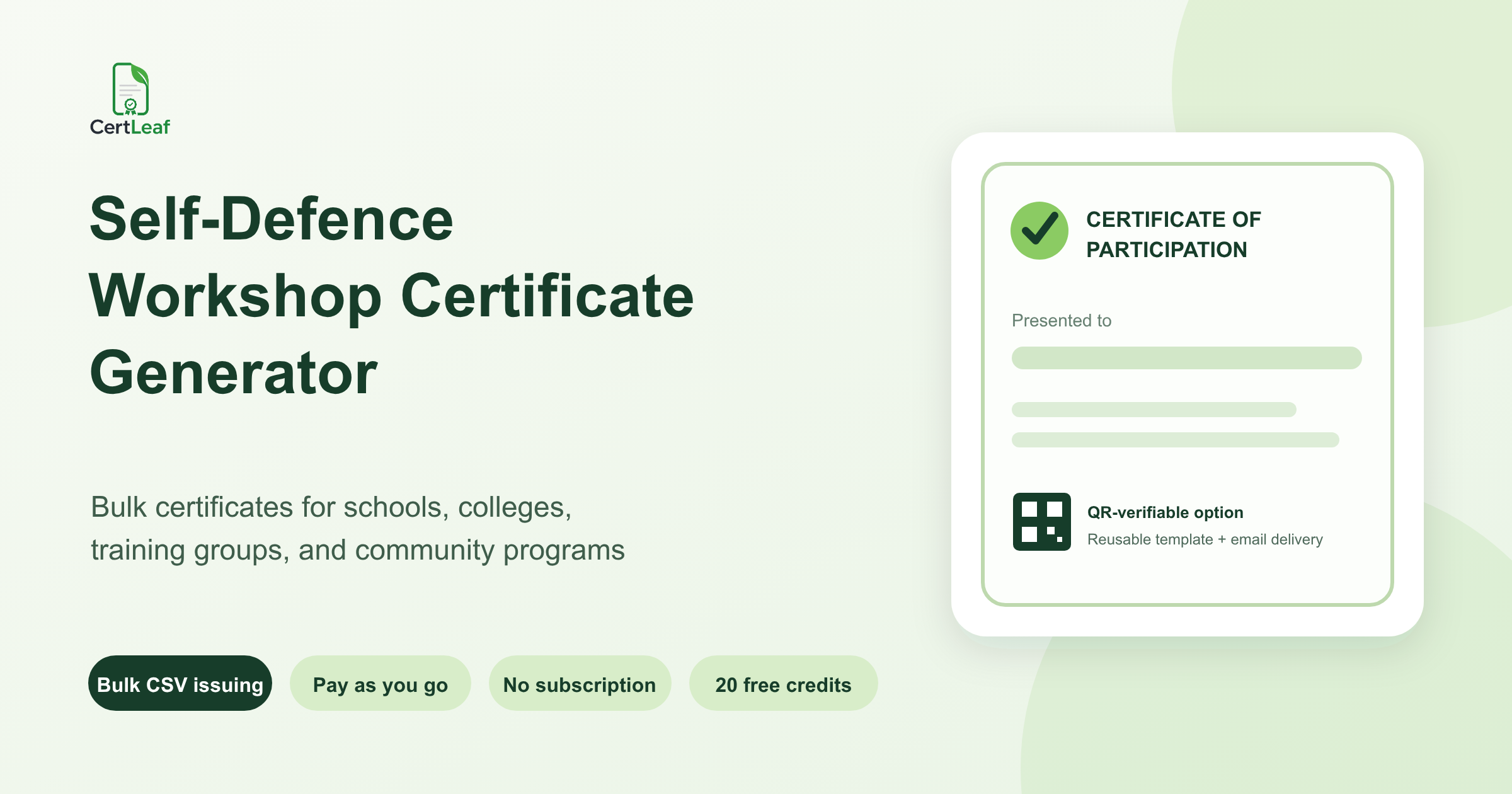
Schools, colleges, trainers, NGOs, and community groups running self-defence programs need certificate software that respects the difference between recognition and qualification. A one-hour awareness session, a seven-day practical workshop, and a structured certificate course are not the same program. Their certificates should not make the same claim.
CertLeaf gives organizers a focused self-defence workshop certificate generator. Create reusable templates, issue personalized certificates from an organizer-approved CSV, email each certificate to the correct recipient, and add QR verification when the record may need to be checked later. Credits are pay-as-you-go, so there is no subscription to keep active between workshops.
CertLeaf handles the certificate issuing layer. It does not teach self-defence, assess practical ability, accredit instructors, certify personal safety, or decide who completed a program. The school, college, trainer, or program owner approves the recipient list and wording before a batch is issued.
Who needs a self-defence workshop certificate generator?
Self-defence programs are organized by more than martial arts academies. College Women Development Cells, Internal Complaints Committees, NSS units, student welfare teams, schools, police-community programs, NGOs, workplace groups, and independent trainers all run sessions with different audiences and formats.
A dedicated certificate platform can support:
A college workshop for students led by a police or martial arts trainer
A school personal safety program delivered across several classes
A multi-day self-defence camp run by a community organization
An NGO program for adolescents, women, or community volunteers
A trainer-led course with the provider's own documented completion requirements
A campus program that also needs trainer, coordinator, or partner recognition
Organizers running a broader event can use the general workshop certificate generator guide for the basic issuing model. This article focuses on the certificate types, wording, data boundaries, and verification choices that matter for self-defence programs.
Match the certificate title to the program
The certificate should describe what the organizer can support from its own records. A participant who attended a short awareness session may receive a Certificate of Participation. A learner who completed a defined course under the provider's approved requirements may receive a Certificate of Completion. A trainer or facilitator may need a separate appreciation certificate. Coordinators and partner organizations may need recognition that does not imply they completed the training.
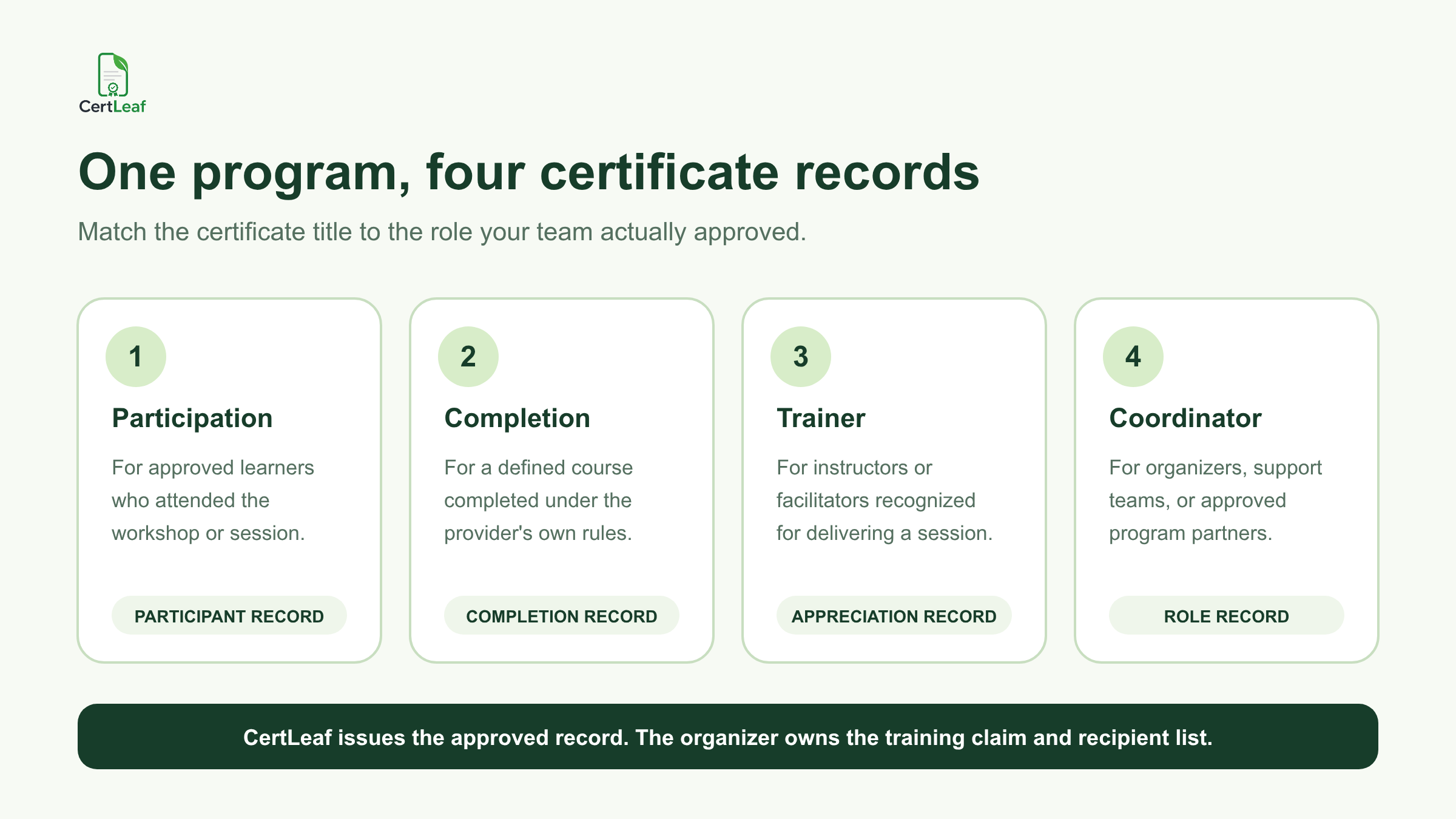
Useful certificate titles include:
Certificate of Participation in a Self-Defence Workshop
Certificate of Completion for a provider-defined self-defence course
Personal Safety Awareness Session Certificate
Trainer or Facilitator Appreciation Certificate
Program Coordinator Recognition Certificate
Partner Organization Appreciation Certificate
Avoid stronger claims unless the responsible provider is entitled to make them. Do not add accreditation, licensing, government approval, a professional qualification, guaranteed competence, or a validity period because it makes the design look more official. CertLeaf does not validate those claims.
The same caution applies to words such as "certified instructor" or "qualified in self-defence." Use them only when the actual issuer has approved the wording and has records to support it.
**Running an upcoming student or community program? Sign up for CertLeaf and use the 20 free signup credits to test each approved certificate type with realistic names and program titles.**
Build reusable templates for recurring programs
Many organizers repeat self-defence sessions across departments, campuses, schools, clients, or community locations. The organizer identity and core design may stay fixed while the program title, date, venue, trainer, certificate type, and recipient list change.
CertLeaf lets the issuing team upload an approved base design and place dynamic fields over it. A practical template may include:
Recipient name
Program or workshop title
Certificate type
Training date or date range
Organizer or institution name
Trainer name, when approved
Venue or batch reference
Certificate ID
QR code for optional verification
Separate templates are usually clearer than trying to make one layout serve every role. Keep a participant template, a completion template, and a trainer or coordinator appreciation template when the wording differs materially.
Test long values before the real batch. "Self-Defence and Personal Safety Workshop for First-Year Students" needs more space than "Safety Basics." Institution names, partner names, and recipient names can also break a layout that looked fine with short placeholders.
Prepare a narrow, approved recipient CSV
A self-defence program may collect information that should never appear in a certificate CSV or public verification record. Registration forms, safeguarding notes, emergency contacts, medical information, incident reports, phone numbers, and private trainer observations belong in the organizer's controlled systems, not in a file used only to personalize certificates.
The final CSV should contain the fields needed for the certificate, delivery, and approved record management.
A useful header can be:
recipientName,email,programTitle,trainingDate,trainerName,venue,certificateType,batchReference,certificateId
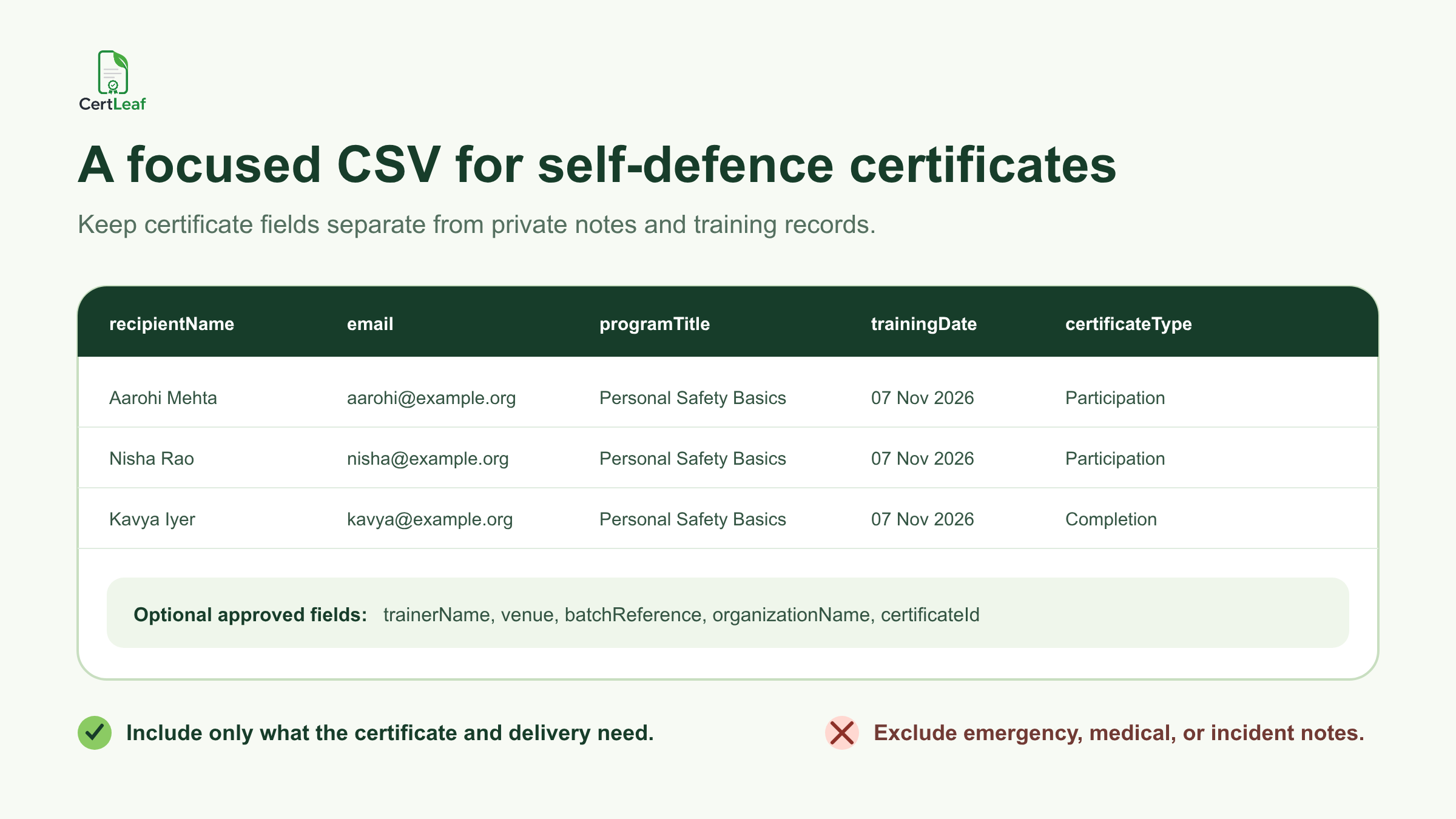
One row should represent one approved certificate. If an instructor is also receiving a coordinator certificate, treat that as an intentional second record with the correct certificate type. Do not let duplicate registration rows decide how many certificates a person receives.
Before upload, check name spelling, email addresses, date formats, program titles, certificate types, and duplicate rows. When records come from registration, attendance, and several coordinators, use the guide to preparing a certificate recipient CSV without name or email errors before issuing.
CertLeaf maps the approved fields to the saved template and generates the batch. It does not decide whether attendance, course completion, assessment, or conduct meets the organizer's standard.
Email each recipient the correct record
A certificate folder is not a delivery system. Manual sending requires someone to rename files, find the matching address, attach the correct PDF, and remember which messages were sent. The risk increases when one program has participation, completion, trainer, and coordinator certificates.
CertLeaf uses the email field in the approved CSV to connect each recipient with the corresponding certificate. The organizer can issue the batch and distribute certificates without matching attachments one by one.
Keep the email plain. Name the program, state what the certificate records, and give recipients one contact route for genuine name or email corrections. Do not place private training notes, attendance disputes, or safeguarding information in the delivery message.
For school programs involving minors, the organizing institution should decide whether delivery goes to the learner, a parent or guardian, a teacher, or another approved contact. CertLeaf supports email delivery; the organizer remains responsible for selecting the appropriate address and communication policy.
**Want to check the complete recipient experience first? Try CertLeaf with 20 free signup credits, send a small internal batch, open the email on a phone, and inspect every certificate type before using paid credits.**
Add QR verification when the certificate will travel
Students and participants may later share certificates with a college office, training provider, employer, portfolio reviewer, or program partner. A QR-verifiable certificate gives that person a public route to check the issuer-created certificate record.
The visible certificate and verification page should agree on the recipient name, issuer, program title, date, certificate type, and certificate ID where one is used. The practical guide to QR code certificates for workshops and training programs explains when this adds value and what a reviewer should be able to confirm.
QR verification has a narrow meaning. It confirms that the certificate record was created by the issuer through CertLeaf. It does not prove practical skill, personal safety, course accreditation, instructor credentials, legal compliance, or the quality of the training.
Before sending the full batch, scan sample QR codes from the exported certificates. Confirm that each code opens the matching record and that private information has not been added to the public view.
Pay-as-you-go credits fit an uneven training calendar
Self-defence programs are often scheduled in bursts. A college may run one session during a semester. A trainer may deliver several client workshops in one month and none in the next. An NGO may issue certificates after a funded community program, then pause until the next project.
CertLeaf uses pay-as-you-go credits rather than a monthly subscription. New accounts receive 20 free signup credits. Simple certificates use 1 credit, while QR-verifiable certificates use 2 credits. India-first customers can purchase credits in INR through Razorpay when a real batch is ready.
This keeps certificate software separate from the training fee, instructor agreement, assessment method, safeguarding process, and program administration. CertLeaf has a focused job: issue, distribute, verify, and manage the approved digital certificate records.
Check the live pricing page before setting a program budget because credit packs and offers can change.
Practical setups for different organizers
Schools and colleges
Create separate templates for participants, trainers, and coordinators. Use the institution's approved program title and signatories. Keep student safety records and private contact details outside the certificate CSV.
Independent trainers and academies
Use certificate wording that matches the program actually delivered. Reuse the approved design across client batches while changing dates, venues, organization names, and recipient details.
NGOs and community groups
Use participation or awareness language when the session was educational rather than assessed. If a partner trainer owns the course standard, agree on the issuer, trainer, and partner wording before building the template.
Police-community and public awareness programs
Confirm which organization is the certificate issuer and which names or logos may appear. Keep the document focused on the approved workshop record without implying government accreditation or a formal qualification unless the issuing authority has explicitly approved that claim.
Workplace and CSR teams
Separate employee participation records from trainer or partner recognition. Do not move internal HR, incident, health, or security information into the certificate file or public verification page.
FAQ about self-defence workshop certificate generators
What is a self-defence workshop certificate generator?
It is software for creating personalized certificates from an approved recipient list. CertLeaf supports reusable templates, bulk CSV issuing, email delivery, optional QR-verifiable records, and pay-as-you-go credits.
Can CertLeaf issue self-defence training certificates in bulk?
Yes. An organizer can upload an approved CSV, map its fields to a reusable template, generate the certificate batch, and send each certificate by email. The organizer remains responsible for the program, recipient approval, and certificate wording.
Which certificate types can a self-defence program use?
Common options include participation, completion, personal safety awareness, trainer appreciation, coordinator recognition, and partner appreciation certificates. The title should match the role or program outcome the issuer can support.
Does CertLeaf certify self-defence skills or accredit trainers?
No. CertLeaf is certificate issuing software. It does not teach or assess self-defence, accredit trainers, certify practical ability, approve course standards, or guarantee personal safety.
Which CSV fields are useful for self-defence workshop certificates?
Common fields include recipient name, email, program title, training date, trainer name, venue, certificate type, batch reference, and certificate ID. Include only fields needed for the certificate, delivery, or approved record.
Can a self-defence workshop certificate include a QR code?
Yes. CertLeaf can issue QR-verifiable certificates linked to public verification pages. The page confirms the issuer-created record; it does not independently validate the training or the recipient's practical competence.
Can Indian schools, colleges, trainers, and NGOs use CertLeaf without a subscription?
Yes. CertLeaf uses pay-as-you-go credits, supports INR payments through Razorpay, and gives new accounts 20 free signup credits for testing.
Keep the training claim with the organizer
Self-defence workshop certificates should be easy to issue and careful about what they claim. The organizer knows what was taught, who attended, and whether a defined completion standard was met. That responsibility should stay with the organizer.
CertLeaf handles the repeated certificate work around that approved record: reusable templates, bulk CSV issuing, email delivery, optional QR verification, and pay-as-you-go credits. Start with accurate wording and a narrow recipient list, test a small batch, and issue the full group only after the samples are right.