CertLeaf
Solar Installation Training Certificate Generator for Skill Centres
Issue solar installation training certificates in bulk for skill centres, training partners, NGOs, and green-skills programs with email delivery and optional QR verification.
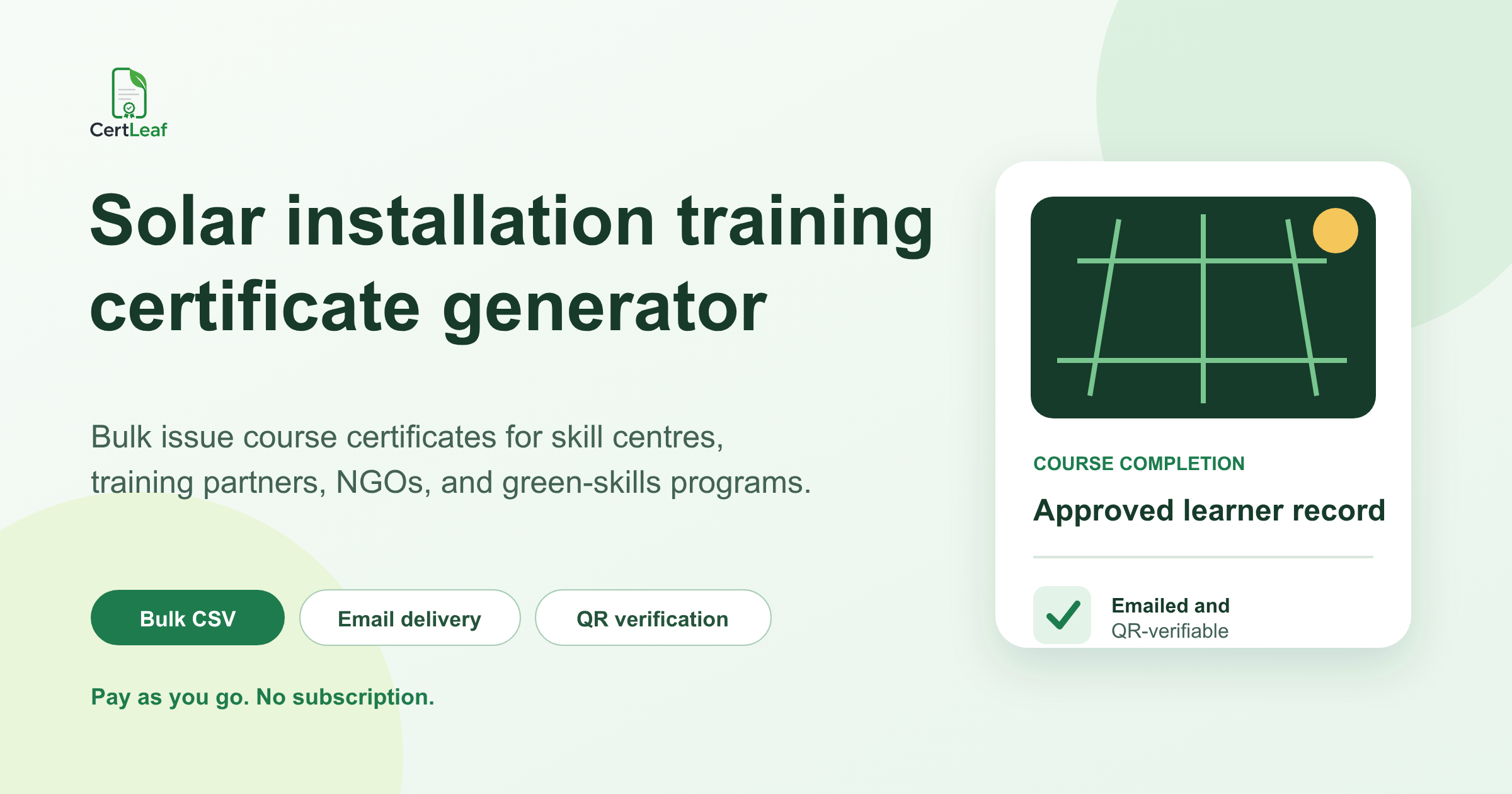
Solar skill centres and training partners need more than a certificate design. They need a reliable way to issue the right record for each learner, reuse approved layouts across batches, send certificates without attaching PDFs one by one, and help recipients verify a certificate later.
CertLeaf is built for that issuing job. A solar training provider can upload its base design, create reusable templates, issue certificates in bulk from an approved CSV, deliver them by email, and add QR verification. The platform uses pay-as-you-go credits, so a skill centre does not need to keep a subscription active between cohorts.
This fits short solar awareness sessions, practical installation modules, technician upskilling programs, campus green-skills workshops, NGO or CSR training cohorts, and institute-run course batches. The training provider remains responsible for the course, assessment, completion decision, and certificate wording. CertLeaf handles the approved certificate records after those decisions are made.
Solar training is a growing certificate segment in India
Solar workforce development is receiving sustained attention in India. The Skill Council for Green Jobs describes an initiative to upskill 30,000 Solar Helpers and Assistant Technicians under PM Surya Ghar. The Ministry of New and Renewable Energy has also continued its renewable-energy human-resource development framework beyond 2026.
That activity creates a practical need for training records across skill centres, ITIs, private academies, colleges, NGOs, CSR implementation partners, and short-course providers. Not every program issues the same kind of credential. Some run introductory sessions. Some teach practical modules. Some assess learners against a defined course outcome.
A useful solar installation training certificate generator should support those differences without making the certificate sound more official than the program is. CertLeaf does not grant Skill India, government, trade, installer, or licensing status. It issues the certificate record approved by the organization running the training.
Match the certificate to the program
A one-day solar awareness session should not carry the same wording as a longer assessed course. Before creating a template, decide what the program can honestly confirm.
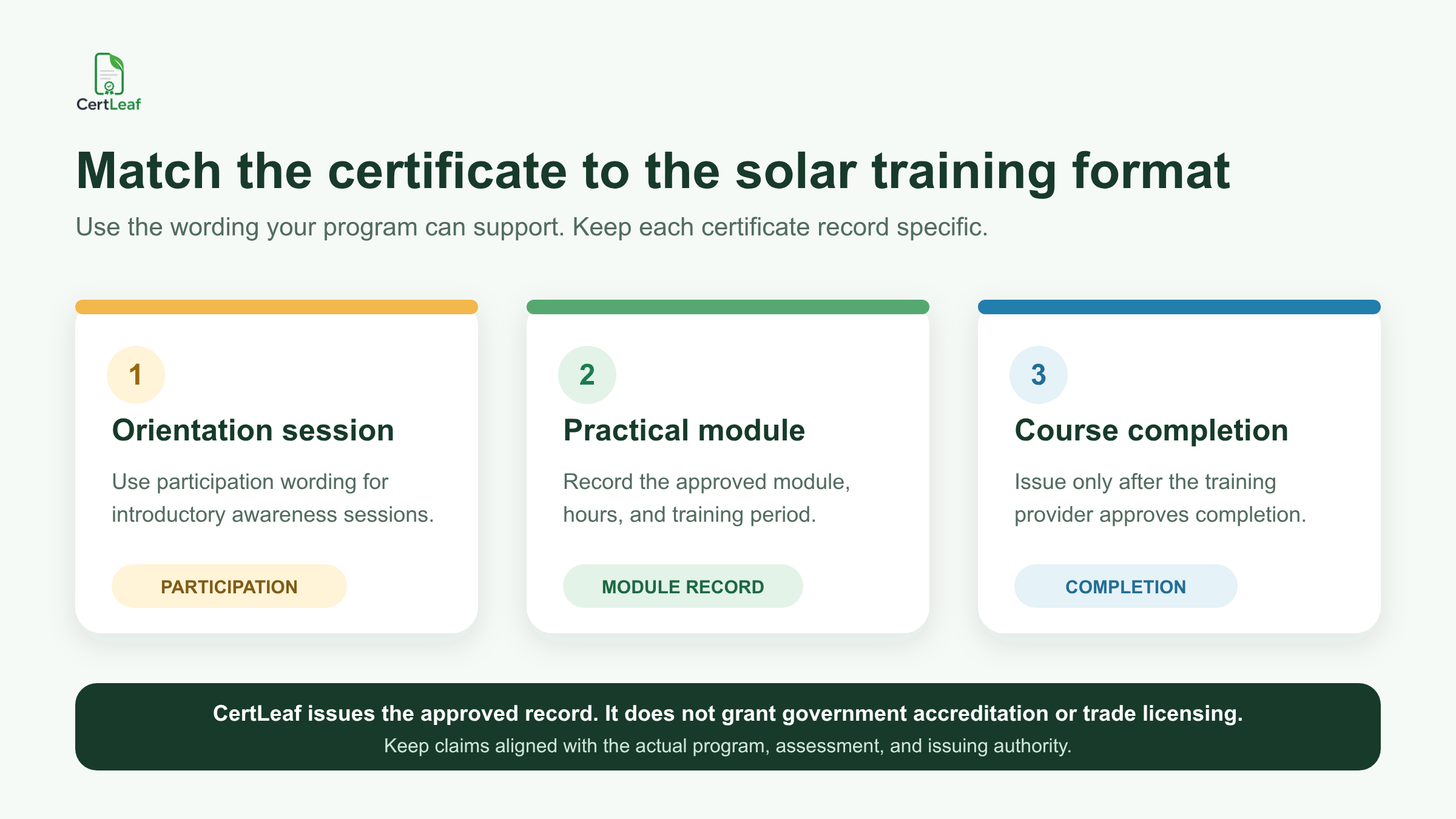
Three common certificate types are useful:
Participation certificate: For an orientation, awareness session, campus workshop, or introductory event where participation is the main fact being recorded.
Practical module record: For a defined module where the provider wants to record the module name, training period, or approved hours without presenting it as a complete professional qualification.
Course completion certificate: For a structured course where the provider has approved the learner's completion according to its own documented process.
Keep the title and recognition statement precise. "Completed the Solar PV Basics course" is clearer than "Certified Solar Professional" when the program did not award that professional status. If an external awarding body owns the credential, follow its authorization and branding rules rather than recreating the credential independently.
Running a solar skills batch now? Sign up for CertLeaf and use 20 free signup credits to test the certificate layout and issuing flow with a small internal list before processing the full cohort.
Reuse one template system across solar course batches
Solar training providers often run related programs for different groups: an introductory college workshop, a practical rooftop installation module, a refresher for field teams, or a longer technician course. Rebuilding every certificate from scratch makes logos, signatories, course names, and fixed wording drift over time.
CertLeaf lets the provider upload a base certificate design and place dynamic fields for learner and course data. The finished setup becomes a reusable template. A centre can maintain separate templates for participation, module completion, and course completion while keeping the same approved visual identity.
Useful dynamic fields may include:
learner name
course or module name
batch name
training period or completion date
approved training hours, when recorded
training location or centre name
certificate ID
Do not put every administrative field on the certificate. Phone numbers, identity-document numbers, private assessment notes, internal remarks, and unrelated enrollment details usually belong in the provider's own records, not in the certificate or issuing CSV.
Test the layout with the difficult values before issuing. Long learner names, a course title such as "Rooftop Solar PV Installation and Basic Maintenance," and a multi-line centre name can expose spacing problems that a neat sample row will not.
Turn the approved learner list into the certificate batch
The CSV should be an issuing file, not a copy of the entire student database. One row should represent one approved certificate. Include only the fields needed to personalize the certificate, send it, and support the intended verification record.
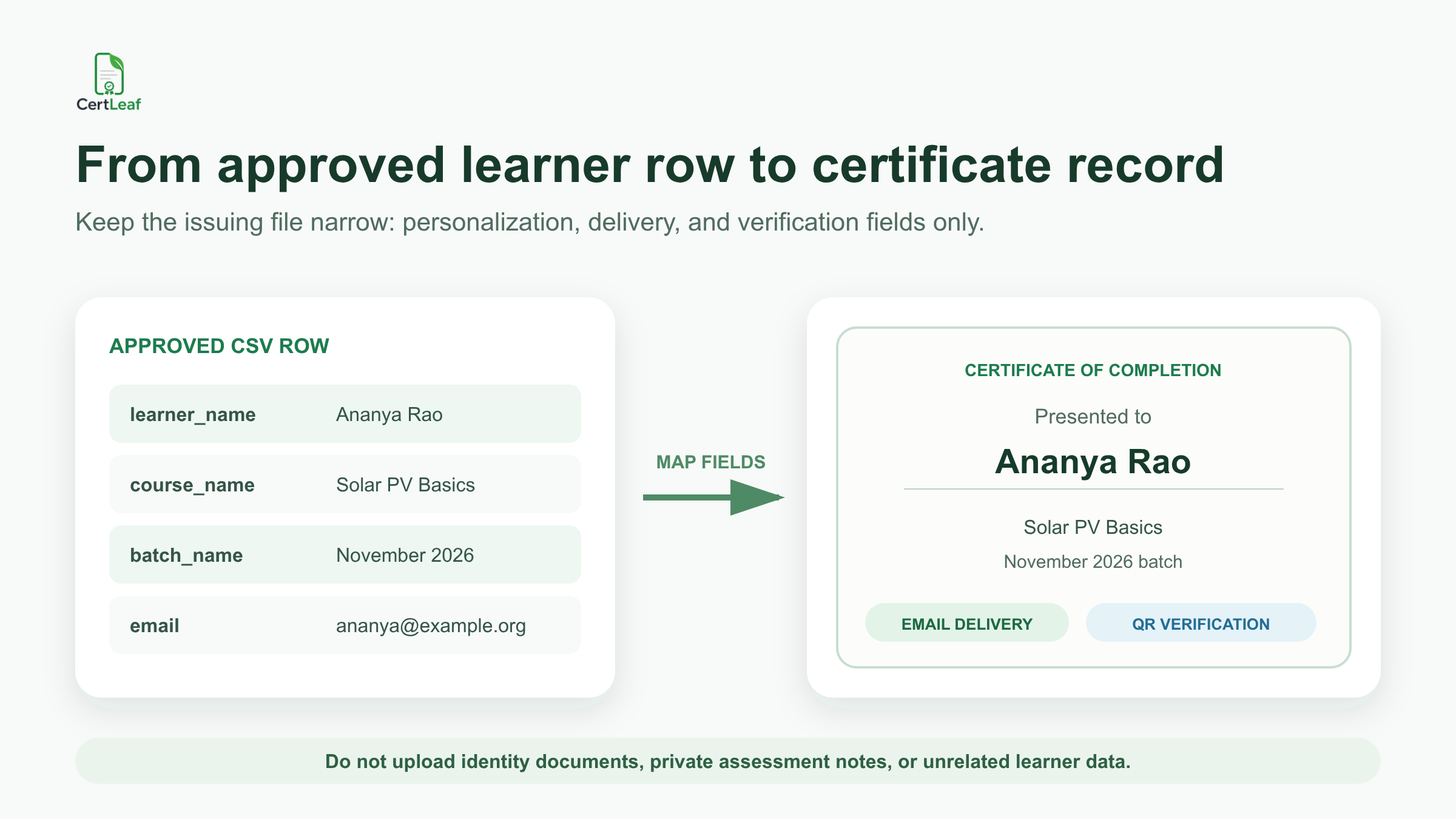
A practical file might use columns such as:
learner_name,email,course_name,batch_name,training_hours,completion_date,centre_name,certificate_id
The provider should approve the final rows before upload. CertLeaf does not decide who completed the training or whether a learner met an assessment standard. It uses the approved data to generate the certificate batch.
For a broader implementation reference, the published guide to a bulk course completion certificate workflow covers reusable templates, sample checks, and delivery planning for recurring cohorts.
A short test batch is worth the time. Use the longest learner name, the longest course title, one row with initials, and one internal email address. Review the exported certificate rather than relying only on the template preview. If the batch will use QR verification, scan the QR code from the exported file and compare the verification page with the certificate.
Email delivery keeps the batch connected to the right recipients
A folder of generated PDFs is not a completed issuing process. Someone still has to match each file to the right learner and send it.
CertLeaf uses the email field in the approved CSV to support certificate delivery. This removes the need to download, rename, attach, and send each file manually. It also reduces the chance that one learner receives another person's certificate.
The training provider should still check email addresses before issuing. A typo in the CSV remains a typo in the delivery step. Tell learners which address will receive the certificate and give them one route for genuine name or email corrections.
If your approved learner list is ready, try the solar training use case in CertLeaf. The 20 free signup credits can cover a small test set for template placement, email delivery, and QR checks.
QR verification helps when learners share certificates
Solar course certificates may be used in portfolios, job applications, internal workforce records, or partner reports. A PDF can travel far beyond the original email. QR verification gives a reviewer a public route to compare the certificate with the issuer's record.
A useful verification record can show the learner name, course or module, issuing organization, issue date, and certificate ID. It should not expose private assessment evidence, identity documents, or unrelated learner data.
Training providers that need a stable reference for every record can use the detailed guide to QR-verifiable training certificates with unique IDs. That article explains ID patterns, correction handling, QR testing, and the boundary between public verification data and internal records.
QR verification does not turn an institute-issued course certificate into a government credential or trade licence. It confirms the certificate record that the issuer created. The certificate wording still has to match the actual program and issuing authority.
Pay-as-you-go credits fit cohort-based solar training
A training partner may issue 45 certificates after one batch, 120 after a funded program, and none during the next month. CertLeaf's pay-as-you-go model keeps the software cost tied to actual certificate issuing rather than a recurring subscription.
Simple certificates use 1 credit. QR-verifiable certificates use 2 credits. New accounts receive 20 free signup credits, which are useful for testing a small sample before a full batch. India-first teams can purchase credits in INR through Razorpay.
For centres comparing recurring plans with one-time certificate costs, the guide to a pay-as-you-go certificate generator without a subscription explains where this model fits occasional and uneven batch schedules.
Check the live pricing page before approving a program budget, since credit packs and offers can change.
Where CertLeaf fits - and where it does not
CertLeaf is certificate issuing software. It helps an approved solar training roster become personalized, delivered, and optionally QR-verifiable digital certificates.
CertLeaf does not:
deliver solar installation training
assess practical competence
approve a learner for employment or site work
grant government, NSQF, Skill India, trade, or licensing status
replace an awarding body's authorization process
manage site safety, installation work, or regulatory compliance
That boundary is useful. The training provider keeps control of the program and the credential claim. CertLeaf handles the repetitive certificate operation without pretending to be the training authority.
FAQ about solar installation training certificates
What is a solar installation training certificate generator?
It is a tool for creating and issuing certificates for approved solar training participants or course completers. CertLeaf supports reusable templates, bulk CSV issuing, email delivery, and optional QR verification.
Can a solar skill centre issue certificates in bulk?
Yes. The centre can prepare an approved learner CSV, map its fields to a reusable certificate template, generate the batch, and send certificates by email. The centre remains responsible for completion decisions and certificate wording.
What fields belong on a solar training certificate?
Common fields include learner name, course or module name, batch, training period or completion date, centre name, and certificate ID. Add training hours only when the provider has recorded and approved them.
Can CertLeaf issue government solar technician certificates?
CertLeaf can issue the certificate record approved by the organization using the platform. It does not grant government accreditation, Skill India status, trade licensing, or authorization to reproduce another awarding body's credential.
Should solar training certificates include QR verification?
QR verification is useful when learners may share certificates with employers, partners, colleges, or program teams. It gives the reviewer a public route to compare the PDF with the issuer's record.
Is CertLeaf suitable for NGOs and CSR solar training programs?
Yes, when the organization has an approved recipient list and certificate wording. CertLeaf can support participation, module, or course-completion batches, but it does not validate project outcomes, training quality, or official qualification status.
Does CertLeaf require a subscription?
No. CertLeaf uses pay-as-you-go credits. New accounts receive 20 free signup credits, and Indian customers can purchase credits in INR through Razorpay.
Give every solar training batch a certificate process the team can repeat
Solar training programs vary in length, audience, and authority. Their certificate process should preserve those differences while removing repetitive document work.
With CertLeaf, a skill centre or training partner can reuse approved templates, issue from a focused learner CSV, send certificates by email, and add QR verification where it helps. Start with accurate program wording and an approved roster. Then let the platform handle the batch.