CertLeaf
Animation Workshop Certificate Generator for Colleges and Design Schools
Issue animation workshop certificates in bulk for students, speakers, mentors, instructors, volunteers, and creative event teams with CertLeaf.
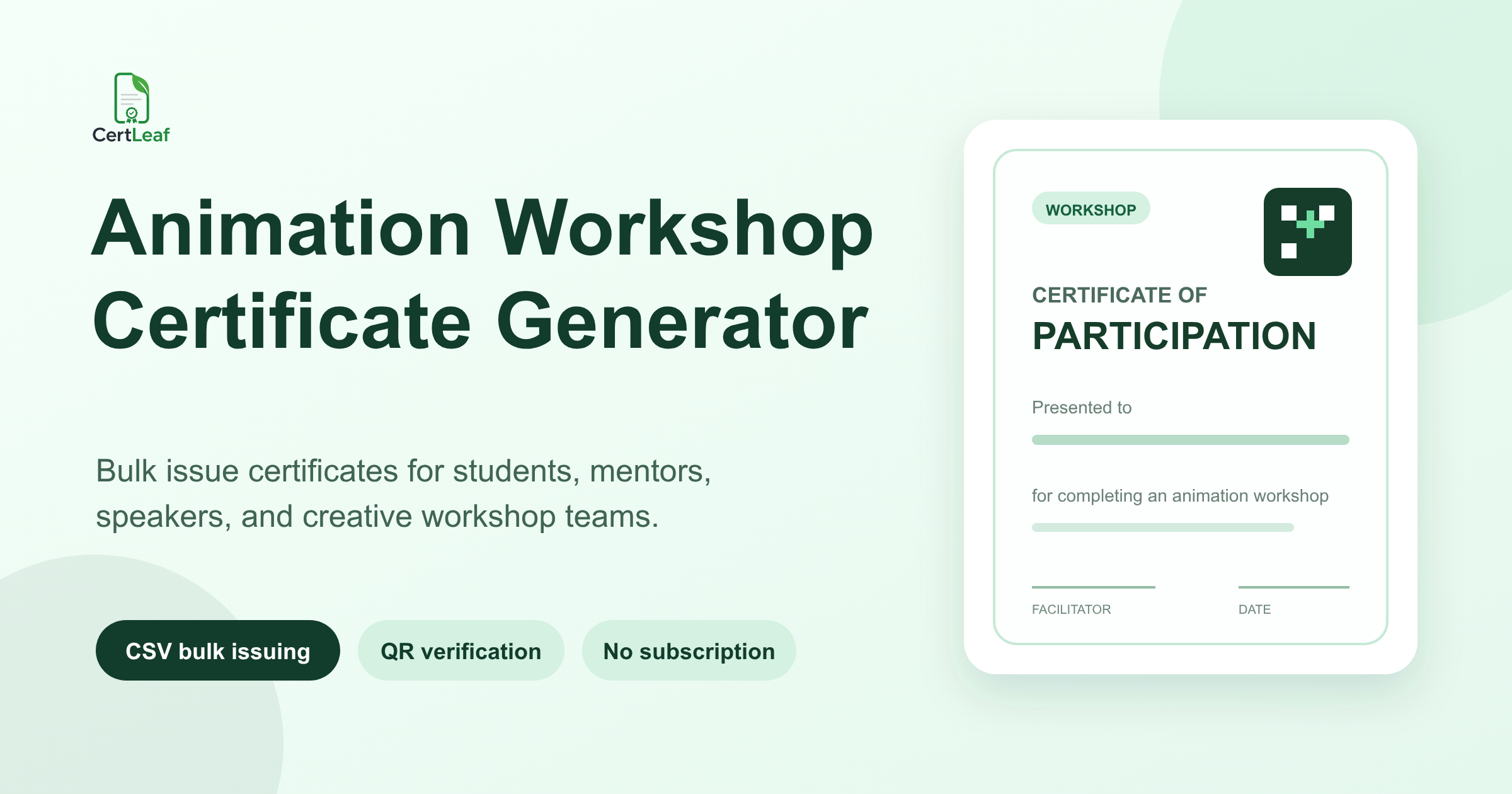
Animation workshops need a dedicated certificate issuing platform because one creative program can involve students, instructors, guest artists, studio mentors, portfolio reviewers, volunteers, and technical teams. Giving everyone the same generic participation PDF makes those contributions less clear than they should be.
CertLeaf gives colleges, design schools, animation academies, media departments, studios, film societies, and student clubs one focused place to issue those records. Create reusable templates, upload an approved CSV, generate certificates in bulk, send them by email, and add QR verification when recipients may share the document beyond the event.
That makes CertLeaf a practical animation workshop certificate generator for 2D and 3D animation labs, stop-motion sessions, character design workshops, storyboarding classes, student film screenings, portfolio reviews, guest lectures, and International Animation Day programs. Registration, attendance, teaching, project review, software access, portfolio assessment, and course accreditation remain with the organizer. CertLeaf handles the certificate issuing layer after the records are approved.
For the broader setup beyond animation-specific fields, the workshop certificate generator guide explains how reusable templates, bulk issuing, and delivery fit together.
One animation program can need several certificate types
A workshop may be advertised as one event, but its certificate records are not all the same. A student who joined a one-day screening and discussion did something different from a learner who completed a multi-session character animation lab. A director who gave a masterclass should not receive a participant certificate. The volunteer who managed projection and registrations should be recognized for that contribution, not described as a trainee.
Useful certificate types include:
Participation certificates for students who joined a workshop, screening, demonstration, or creative lab.
Completion certificates for learners who finished a defined module or multi-session program.
Speaker or guest artist certificates for animators, directors, designers, and industry professionals who presented.
Mentor or instructor certificates for trainers, reviewers, and project guides.
Contribution certificates for coordinators, volunteers, projection teams, and technical support.
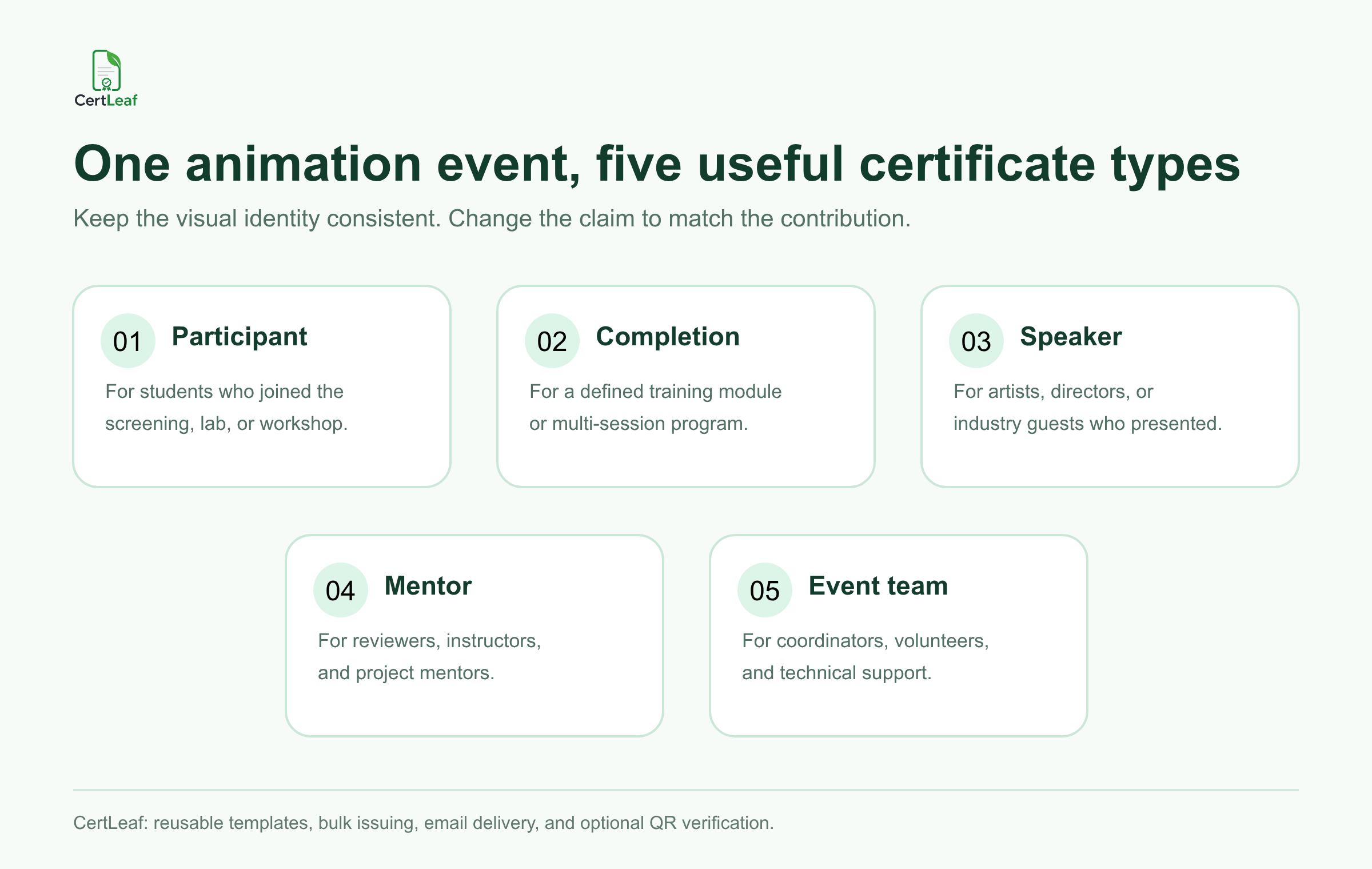
The visual identity can stay consistent across these certificates. Keep the same program logo, colors, border, issuer details, and signature positions. Change the title and body wording so the certificate matches the approved contribution.
Sign up for CertLeaf and use the 20 free signup credits to test student, speaker, and mentor certificates before preparing the full animation workshop batch.
CertLeaf fits animation colleges, academies, clubs, and studios
Animation learning happens in several reachable settings. A college media department may run a one-day stop-motion workshop. A design school may invite a working animator for a character-design masterclass. An academy may issue completion certificates after a short 3D fundamentals module. A student film club may organize screenings, demonstrations, and portfolio reviews around International Animation Day.
Studios can also use the same issuing layer for approved outreach or training events. A studio-led campus session may have student participants, guest speakers, mentors, and event volunteers. CertLeaf can issue the certificates without taking over registrations, teaching, project files, software licenses, or portfolio evaluation.
This product boundary matters. CertLeaf is not an animation learning platform, an LMS, a project-submission portal, or a tool for grading creative work. It does not decide whether a student completed a course or whether a portfolio met the organizer's standard. The institution or event team approves the record. CertLeaf turns that approved record into a personalized, delivered, and optionally verifiable certificate.
Use animation-specific fields without making the certificate crowded
An animation workshop certificate should make sense when someone sees it later without the event poster beside it. Depending on the program, useful fields can include:
Recipient name
Workshop or program title
Session topic, such as storyboarding, rigging, stop motion, or character animation
Participation, completion, speaker, mentor, or contribution certificate type
Program date or date range
Duration or hours, when the organizer formally tracks them
College, academy, studio, department, or club name
Instructor, mentor, or guest artist name
Certificate ID and QR verification when a public check is useful
Do not crowd the certificate with software login details, raw attendance data, portfolio links, project files, private contact information, internal scores, or unpublished reviewer comments. Those belong in the organizer's own records.
Use completion language carefully. A one-day demonstration may justify a participation certificate. A structured module with approved completion requirements may justify a completion certificate. CertLeaf reproduces the wording supplied by the issuer; it does not accredit the course or validate creative skill.
Build one certificate-ready CSV from the approved records
Animation event teams may already have a registration form, attendance sheet, volunteer roster, speaker list, and course records. Keep those source files. Create a smaller certificate CSV containing only the fields needed for personalization and delivery.
A practical header set is:
recipientName,email,session,certificateType,eventDate
You can add institution, duration, mentorName, or certificateId when those fields belong on the certificate. One approved row should represent one intended certificate. If a mentor also delivered a guest lecture and the organizer wants two distinct records, two rows can be intentional. A duplicated participant row from two source sheets is not.
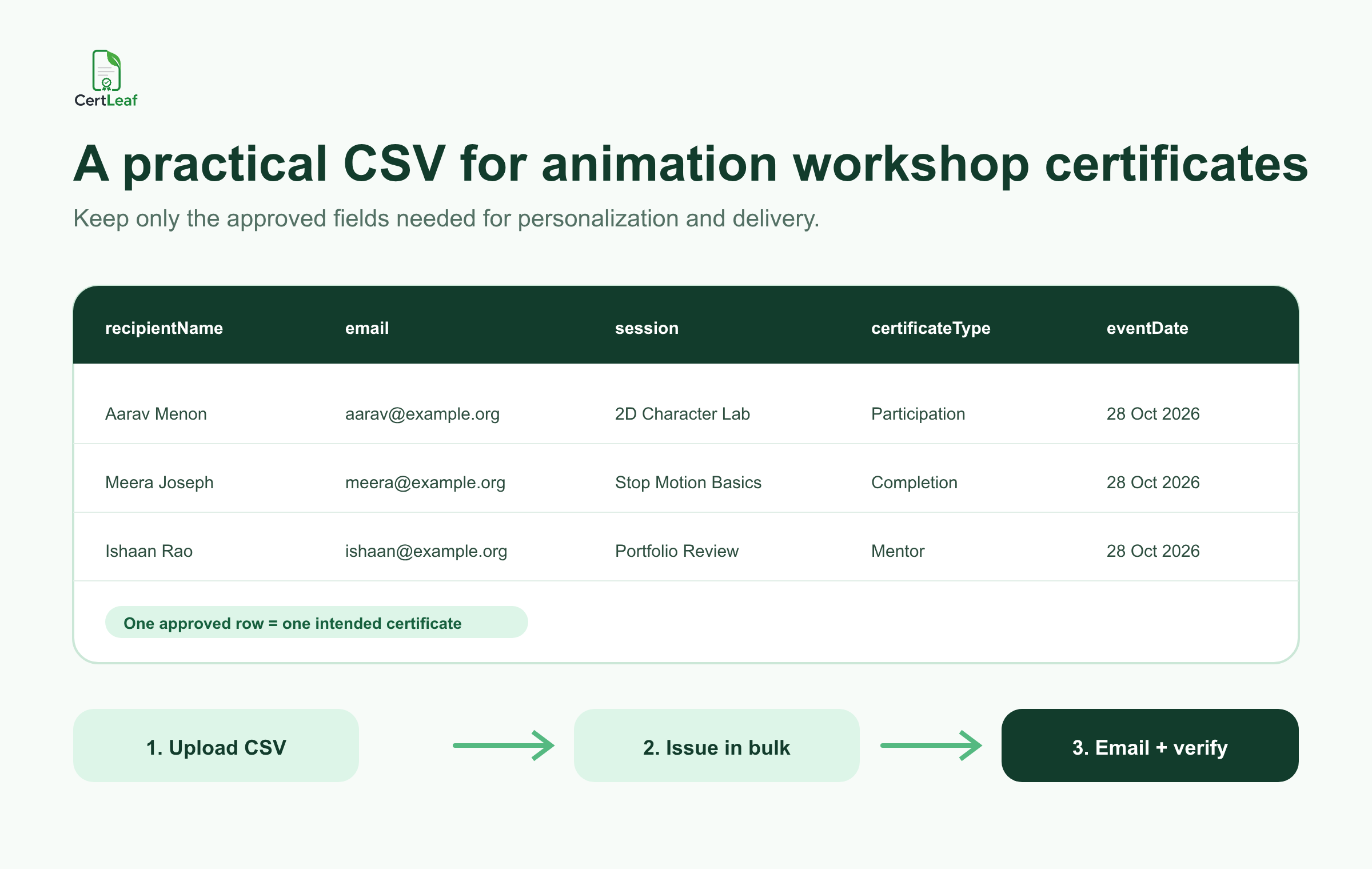
Before upload, check long names, session titles, email addresses, certificate types, and date formatting. The local guide to preparing a certificate recipient CSV without name or email errors is useful when registration, attendance, and mentor records use different spellings.
Try the animation workshop use case in CertLeaf with a small sample CSV. The 20 free signup credits let the team check long names, session labels, email delivery, and QR verification before issuing the real batch.
Reuse a small template family across creative programs
Most animation organizers do not need a new design for every session. They need a small template family with clear claims.
One template can cover workshop participation. A second can cover completion of a defined module. A third can recognize speakers, mentors, and instructors. A fourth can recognize volunteers and the event team. Keep enough space for long program titles, department names, signatures, and a square QR area.
Reusable templates are particularly useful for academies and departments that run several topics during the year. The same visual system can support a stop-motion lab in October, a storyboarding workshop in January, and a 3D animation bootcamp later in the term. The next program should require a new approved CSV and a careful proof, not a complete certificate redesign.
Before the full issue, test difficult rows: the longest recipient name, the longest workshop title, a multi-word role, an institutional email, and every template type. Read the exported PDF at normal size. Scan the QR code from the actual certificate if verification is enabled.
Email certificates to students and contributors
Manual delivery gets risky when a folder contains participant, completion, speaker, mentor, and volunteer PDFs with similar filenames. The event team has already approved the records. Matching every PDF to the right inbox should not become another creative production task.
CertLeaf keeps the email address connected to the same CSV row used for certificate generation. Issue separate batches when that makes review easier, then send each recipient the correct certificate by email.
Run an internal delivery test from every template type. Check the recipient name, workshop title, certificate wording, download experience, sender details, and correction contact on both a phone and laptop. For students using a department or parent email, keep the certificate recipient name separate from the delivery address.
Add QR verification when the certificate will travel
Animation students and creative professionals often share certificates in portfolios, college records, internship applications, LinkedIn profiles, and studio applications. A QR-verifiable CertLeaf certificate gives a reviewer a public route to check the issued record.
Keep the claim accurate. QR verification confirms that a CertLeaf certificate record was issued with the displayed details. It does not validate the quality of an animation project, prove authorship, confirm copyright ownership, verify software proficiency, accredit a course, or replace a portfolio review.
The guide to QR code certificates for workshops and training programs explains why an issued verification record is more useful than placing a generic QR graphic on a certificate design.
Pay-as-you-go pricing suits workshop calendars
Animation workshops are often periodic. A college may organize a creative event around International Animation Day and another during its annual festival. An academy may issue after selected short modules. A studio may support occasional campus outreach. These teams should not need to keep a monthly certificate subscription active during quiet periods.
CertLeaf uses pay-as-you-go credits with no subscription. A simple certificate uses 1 credit, and a QR-verifiable certificate uses 2 credits. New accounts receive 20 free signup credits. India-first customers can buy credits in INR through Razorpay.
Use the free credits on realistic proofs rather than placeholder names. Test a long student name, a completion certificate, a guest speaker record, an email delivery, and a QR scan. Then calculate the real batch from the approved row count. The certificate generator without subscription guide explains when one-time credits fit occasional event and training budgets.
Animation workshop certificate generator FAQ
What is an animation workshop certificate generator?
An animation workshop certificate generator helps colleges, design schools, academies, studios, and clubs create and issue personalized certificates for students, completers, speakers, mentors, volunteers, and event teams. A useful platform supports reusable templates, bulk CSV issuing, email delivery, and optional QR verification.
Can CertLeaf issue animation workshop certificates in bulk?
Yes. Prepare an approved CSV with one intended certificate per row, map the fields to the appropriate reusable template, and issue the batch in bulk.
What fields should an animation workshop certificate include?
Common fields are the recipient name, workshop title, session topic, certificate type, organizer, date, and approved signatories. Add duration, instructor, certificate ID, or QR verification only when those details serve the record.
Can speakers, mentors, and volunteers receive certificates?
Yes. Use contribution or appreciation wording with the exact approved role. Do not describe a speaker, mentor, instructor, reviewer, or technical volunteer as a student participant.
Does CertLeaf manage animation courses or portfolios?
No. CertLeaf is the certificate issuing, delivery, verification, and management layer. Teaching, registrations, attendance, project submissions, software access, grading, portfolio review, and accreditation remain with the organizer and its existing systems.
Should animation certificates include QR verification?
QR verification is useful when recipients may share certificates with colleges, internship teams, studios, clients, or other third parties. It confirms the issued certificate record, not the quality, ownership, or originality of creative work.
Is CertLeaf a no-subscription animation certificate generator?
Yes. CertLeaf uses pay-as-you-go credits with no subscription. New accounts receive 20 free signup credits, and India-first customers can purchase credits in INR through Razorpay.
Give each creative contribution the right certificate
An animation event may share one theme, but its certificate records can cover students, completers, speakers, mentors, reviewers, coordinators, volunteers, and technical teams. Clear wording makes those records more useful after the workshop.
CertLeaf gives animation colleges, design schools, academies, studios, media departments, and clubs reusable templates, bulk CSV issuing, email delivery, QR verification, pay-as-you-go credits, INR/Razorpay support, and 20 free signup credits. The organizer approves the learning and contribution records. CertLeaf handles the repetitive issuing work.
Start with a small sample, check every certificate type, and then issue the approved animation workshop batch without committing to a subscription.