CertLeaf
Certifier vs CertLeaf: Which Certificate Tool Fits Event and Training Batches?
A fair Certifier vs CertLeaf comparison for event teams, colleges, course creators, and training institutes choosing a tool for batch issuing, email delivery, verification, and budget fit.
At 6:40 pm, the coordinator of a weekend data-skills course in Pune had 146 eligible learners and one budget question left.
The certificate work itself was familiar. The institute needed to place each learner's name and completion date on an approved design, email the correct certificate, and give employers a way to verify it later. The awkward part was choosing the software. One colleague wanted a broad credential platform they could keep using every month. Another wanted to pay for this batch, finish the work, and avoid carrying another subscription through the quiet season.
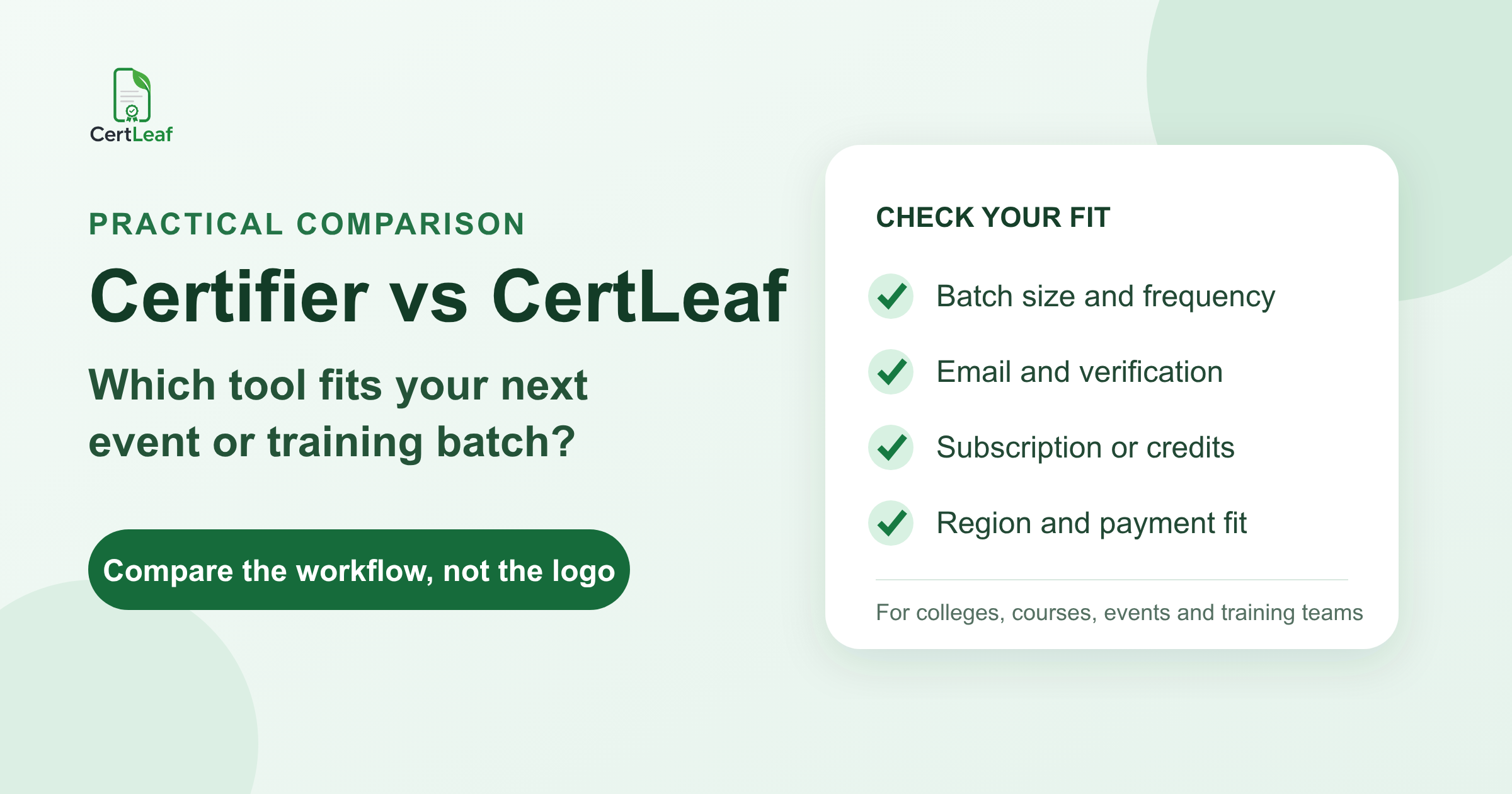
That is the useful way to approach Certifier vs CertLeaf. Both products can support batch certificate work. The choice becomes clearer when you compare the shape of your program: how often you issue, what recipients need after delivery, how your budget is approved, and whether you need a focused batch workflow or a broader credential operation.
This comparison is based on Certifier's public pricing, plan, spreadsheet-generation, delivery, and training-provider pages reviewed on September 2, 2026. Product plans change, so confirm any feature your process depends on before buying.
Certifier vs CertLeaf at a glance
| Decision point | Certifier | CertLeaf |
|---|---|---|
| Best starting fit | Ongoing digital credential programs needing broader design, analytics, automation, or integration options | Event and training teams issuing certificates in batches without a subscription |
| Batch input | Spreadsheet upload plus published Google Sheets and Microsoft Excel automation options | Bulk CSV upload |
| Certificate delivery | Mass credential delivery, with email and tracking options varying by plan | Certificate email delivery in the issuing workflow |
| Verification | Verifiable credentials are listed; the current pricing page places QR code verification in Professional and higher tiers | QR-verifiable certificates linked to a public verification page |
| Budget model | Free Starter plan plus paid monthly or annually billed subscriptions; credential limits and features vary | One-time pay-as-you-go credit packs with no subscription |
| India payment fit | Check the current checkout and billing options for your account | INR payments through Razorpay |
| Product scope | Certificates, badges, recipient views, analytics, integrations, and wider credential management | Focused certificate issuing, distribution, verification, and records |
Neither column is automatically better. Certifier's wider platform can be useful when credentials are an ongoing part of the business. CertLeaf's narrower workflow can be easier to justify when a college department, course creator, or event team mainly needs to complete the next batch.
Start with batch size and frequency
The Pune institute did not have a volume problem in isolation. A batch of 146 certificates is manageable for either purpose-built platform. The real question was frequency.
If the same institute runs four cohorts every month, credential activity is continuous. Delivery tracking, recipient engagement, scheduled issuing, expirations, renewals, integrations, and team access can become part of the operating system. Certifier publicly presents plans for that broader credentialing context, including certificates and badges, analytics, API and integration options, and additional controls in higher tiers.
If the institute runs three programs a year with long gaps, the buying logic changes. CertLeaf lets the team purchase credits once, issue the batch, and return when the next cohort is ready. The account does not require a subscription between batches.
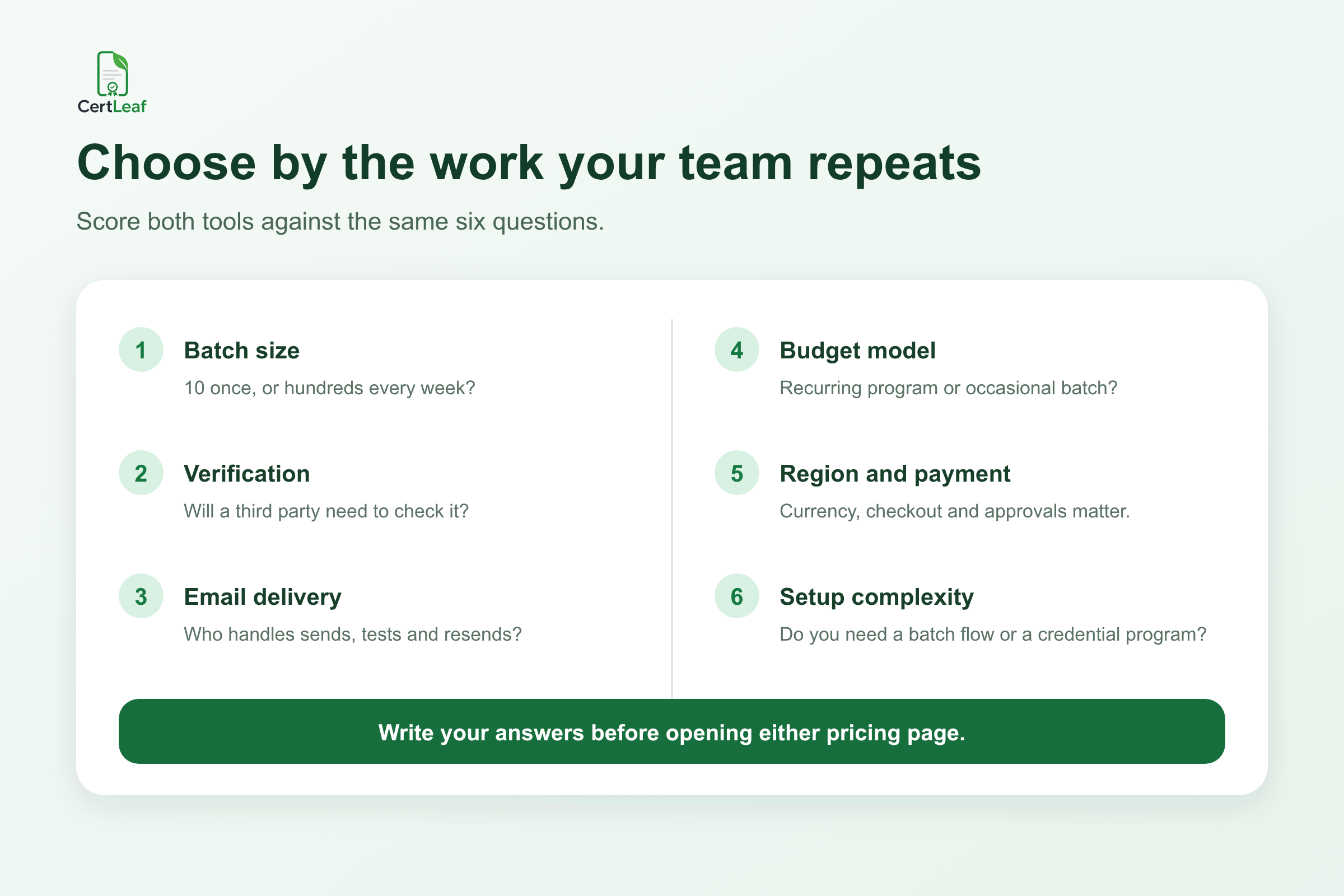
Do not choose from a made-up volume threshold such as "over 100 means platform A." Ten formal credentials issued every week can require more ongoing management than 400 participation certificates issued once after a college fest. Put twelve months of expected batches on a calendar. The pattern will tell you more than the largest row count.
Compare the actual batch workflow
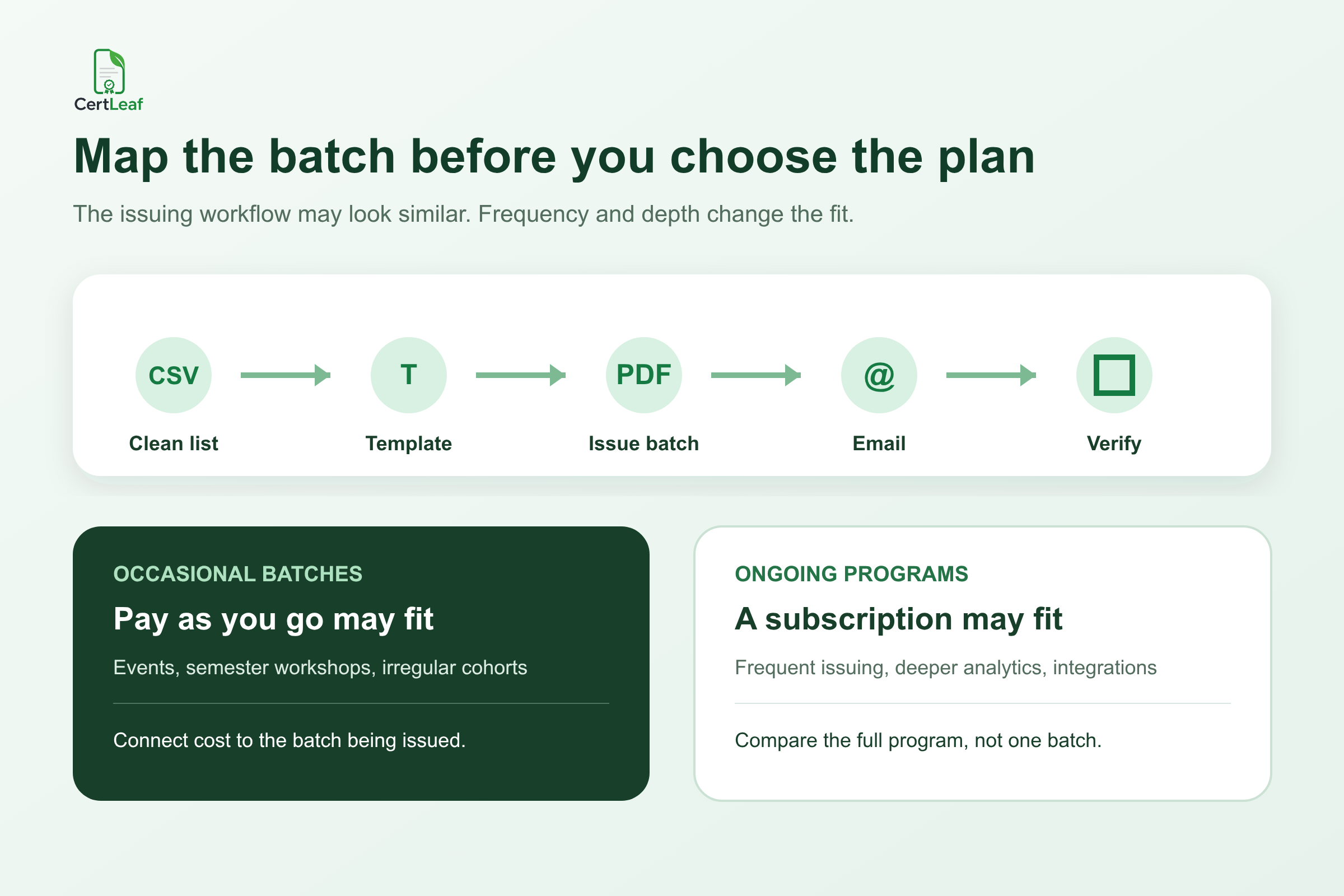
For an ordinary event or course batch, the core path is similar: prepare recipient data, set up a design, map changing fields, generate the certificates, deliver them, and retain a record.
Certifier's current public documentation says it accepts CSV, XLS, and XLSX spreadsheet uploads. It also describes native Google Sheets and Microsoft Excel automations that can issue when new rows appear. Its workflow includes dynamic attributes, spreadsheet mapping, previews, mass delivery, and recipient engagement tracking.
CertLeaf starts with a base certificate design and a reusable template. The organizer places dynamic fields, uploads the final recipient CSV, generates the batch, and can send certificates by email. This is intentionally a focused flow. If your current data is spread across registration, attendance, feedback, and WhatsApp corrections, you still need to create one approved issuing list first. The software should not be asked to guess who completed the program.
The certificate recipient CSV preparation guide is a useful next step before testing either tool. It covers duplicate rows, preferred name formats, email checks, and the awkward records worth previewing.
At a college workshop in Kochi, the difficult record was not a corrupted file. It was one student registered as A. S. Nair but marked present as Anjali S Nair. The coordinator had to decide the certificate name. Better automation would not remove that decision; it would only apply the chosen answer consistently.
Verification needs should come from how the certificate is used
A participation PDF kept inside an event folder may not need the same verification layer as a course-completion certificate used in a job application.
Certifier's public pages describe verifiable certificates and badges. Its pricing page currently lists QR code verification under the Professional tier and above, while the free Starter section lists verifiable credentials more generally. That plan distinction is worth confirming with Certifier if a scannable QR verification route is mandatory for your program.
CertLeaf offers simple certificates and QR-verifiable certificates. A QR-verifiable certificate connects to a public verification page, so a reviewer can compare the recipient and certificate details with the record. A simple certificate uses 1 CertLeaf credit; a QR-verifiable certificate uses 2 credits.
The key question is not "Can we put a square code on the design?" It is "What happens after someone scans it?" A pasted QR code that opens a homepage is different from a recipient-specific verification record. The practical guide to QR code certificates for workshops and training programs explains that difference and when a plain certificate is enough.
Email delivery is part of issuing, not the final errand
The coordinator should test the certificate and the message together.
Certifier's published delivery features include sending credentials in bulk, previewing and testing emails, mass resending, dynamic email content, and delivery tracking. Branding, sender customization, scheduling, and other delivery controls differ by plan, so compare the exact tier you would use rather than the product's full feature list.
CertLeaf includes email distribution in its certificate workflow. For a team whose main requirement is "send each learner the right certificate," that may be enough. The practical checks remain the same: use the final email column, send a test to an inbox the team can open, inspect the certificate on a phone and laptop, and decide how corrections will be handled.
If delivery is currently a separate Gmail task, follow this bulk certificate email workflow before the full send. It is easier to catch the wrong subject, sender context, or recipient mapping with one test record than after 146 messages.
Budget model: subscription program or pay-as-you-go batch
Certifier's public plan guide describes a free Starter plan and paid Professional and Advanced subscriptions. Customers choose a plan by required features and an annual credential limit, then can choose monthly or annual billing. Its pricing page says plan features and issuing limits vary. That can make sense when credentialing is a regular operation and the organization values broader automation, analytics, branding, or management functions.
CertLeaf uses one-time credits. There is no subscription. New accounts receive 20 free signup credits, and India-first customers can buy credits in INR through Razorpay. This model fits a department that needs to attach certificate cost to a seminar budget or a training provider whose cohort sizes change sharply.
I would not compare these models using one month's headline price. Write down the features you actually need, the expected annual volume, quiet months, currency, taxes, payment route, and the person who approves the spend. Then compare the current checkout totals.
For a deeper look at irregular issuing calendars, see the guide to choosing a certificate generator without a subscription.
Region and payment fit can decide an otherwise close comparison
Software evaluation often stops at features. College and training budgets do not.
An Indian college department may need an INR amount that fits an event sanction, a familiar checkout, and a one-time purchase linked to the participant count. CertLeaf's INR and Razorpay support is built for that buying context.
A global training company may already pay for SaaS tools in another currency, issue credentials continuously, and prefer a recurring subscription attached to an annual credential forecast. Certifier may fit that operating pattern well. Check Certifier's current billing, invoice, currency, and payment terms directly for your organization; this article does not assume limitations that its public pages do not state.
Payment fit is not a minor administrative detail. A feature-rich platform that cannot move through your approval process is not operationally simpler.
Setup complexity depends on what you want to keep running
Certifier is not "too complex" simply because it offers more. Those extra options are useful when a team needs certificates and badges, spreadsheet-triggered automation, analytics, branded recipient experiences, integrations, expirations, renewals, roles, or enterprise controls.
The tradeoff is that the team should evaluate plans and configure the parts of that credential program it intends to use.
CertLeaf keeps a tighter boundary: reusable certificate templates, bulk CSV issuing, email delivery, QR verification, and certificate records. It does not currently position itself as a full credential ecosystem, LMS, or enterprise integration suite. That smaller scope can reduce the decision surface for an event coordinator who wants to finish a batch. It can also make Certifier the better choice when those wider capabilities are the reason for buying the software.
The honest setup test is to give the work to the person who will run the next batch. Ask them to create a template, upload five difficult rows, issue test certificates, send one email, and verify one result. Count the decisions and errors, not only the clicks.
Which tool fits five common situations?
For a college department issuing 220 seminar certificates twice a semester, I would start with CertLeaf. The pay-as-you-go model, CSV batch flow, INR/Razorpay support, and optional QR verification align with an event budget and quiet months.
For a training company issuing credentials every week and needing engagement analytics, spreadsheet-triggered automations, expirations, branded recipient experiences, or integrations, I would evaluate Certifier closely. Its public product pages are built around that wider program.
For a course creator running four launches a year, the answer depends on what follows the certificate. If it is a PDF, an email, and a verification check, CertLeaf may be the cleaner fit. If credentials are part of a continuing learner journey with deeper tracking and automation, Certifier may justify the subscription.
For an event team issuing 12 informal thank-you certificates once, manual work may be enough. Neither platform needs to win every case.
For an Indian training institute with uneven cohorts, test both tools using the next real batch. Use CertLeaf's 20 free signup credits for a small end-to-end test. Use Certifier's current free Starter allowance to test the features available in that tier. Do not treat either free option as proof that the eventual paid configuration will be identical.
FAQ about Certifier vs CertLeaf
Is Certifier or CertLeaf better for bulk certificate issuing?
Both support batch issuing. Certifier may fit ongoing digital credential programs that need broader automation, analytics, integrations, badges, or management features. CertLeaf may fit event and training batches that need reusable templates, bulk CSV issuing, email delivery, QR verification, and no subscription.
Does Certifier have a free plan?
Yes. Certifier's public pricing and plan pages list a free Starter plan, with issuing limits and available features determined by the current plan configuration. Check the live pricing page before relying on a specific allowance or feature.
Does CertLeaf require a subscription?
No. CertLeaf uses one-time pay-as-you-go credit packs. A simple certificate uses 1 credit and a QR-verifiable certificate uses 2 credits. New accounts receive 20 free signup credits.
Can both tools send certificates in bulk by email?
Their public product information says yes. Certifier publishes mass delivery and email management features, with some options varying by plan. CertLeaf includes email delivery in its batch certificate issuing workflow.
Which option is more suitable for Indian colleges and training institutes?
CertLeaf is specifically India-friendly through INR pricing, Razorpay checkout, one-time credits, and no subscription. Certifier may still suit an Indian organization that values its broader credential platform; confirm the current billing and payment fit directly.
Do both tools support certificate verification?
Both publish verification capabilities. CertLeaf offers QR-verifiable certificates with a public verification page. Certifier lists verifiable credentials and places QR code verification within its current plan comparison; confirm the exact tier required for your preferred verification flow.
The useful answer is conditional
The Pune coordinator did not need a winner. She needed a purchasing decision the institute could still explain six months later.
Certifier is a credible option for teams building an ongoing credential program with broader automation, delivery, analytics, branding, and integration needs. CertLeaf is a focused, India-friendly option for teams that want to issue certificate batches from CSV, email them, add QR verification where needed, and pay with one-time credits instead of a subscription.
Map one real batch. Include the awkward recipient rows. Test delivery and verification. Then choose the product whose operating model matches the work your team will actually repeat.
Sources checked for this comparison
Certifier pricing and plan comparison, reviewed September 2, 2026.
Certifier guide to plans, reviewed September 2, 2026.
Certifier spreadsheet certificate workflow, reviewed September 2, 2026.
Certifier credential distribution features, reviewed September 2, 2026.
Certifier for training providers, reviewed September 2, 2026.