CertLeaf
Chess Tournament Certificate Generator for Clubs, Academies, and Events
Issue participation, winner, category-prize, arbiter, and volunteer certificates in bulk for chess tournaments with reusable templates, email delivery, and QR verification.
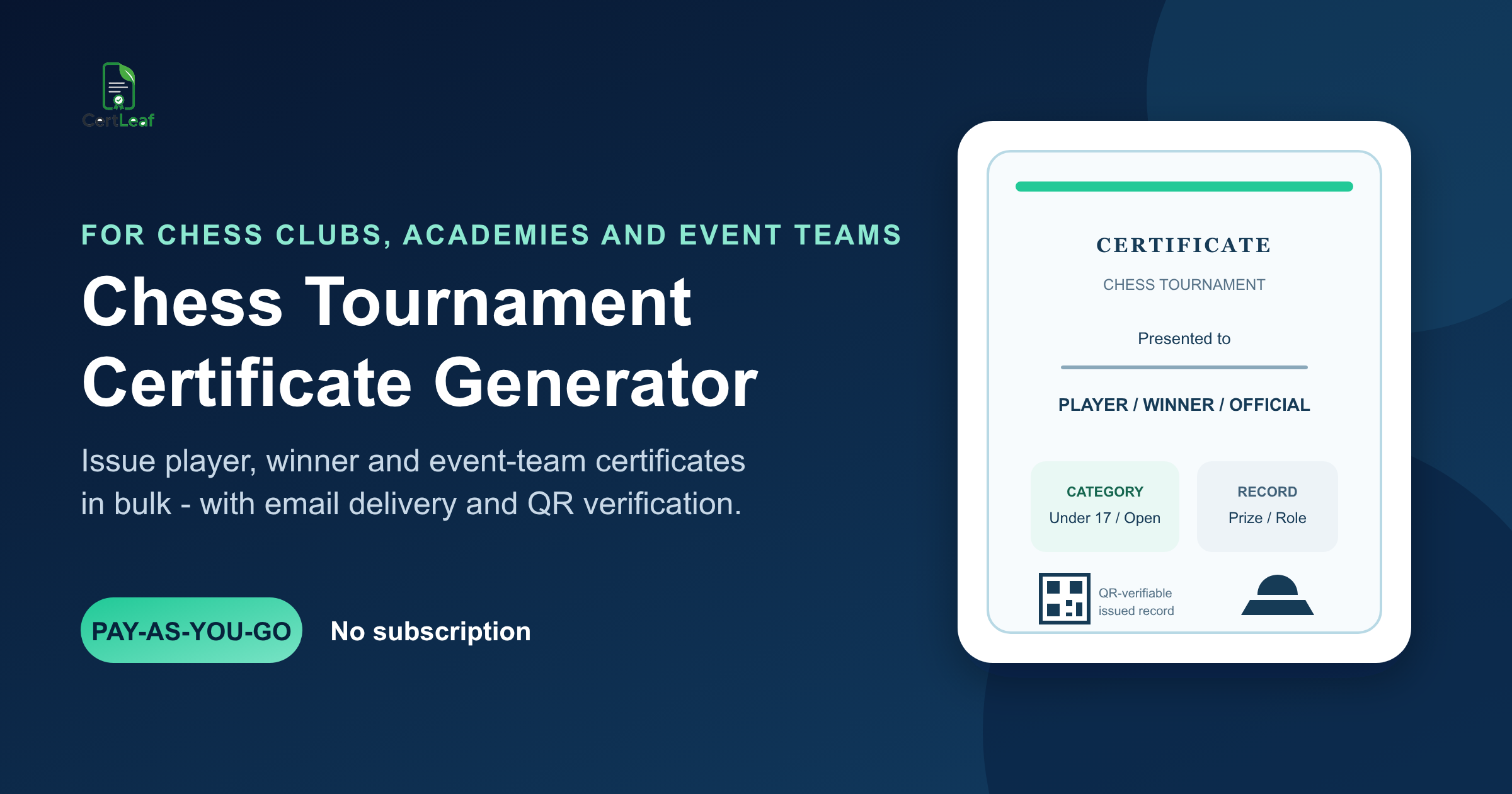
Chess tournaments produce more certificate records than a general event tool usually expects. An open tournament may have participation certificates, overall prizes, rating-section prizes, age-group awards, arbiter recognition, volunteer appreciation, and sponsor or host acknowledgements. A school event may add class, house, or team fields. A chess academy may run rapid, blitz, and classical events throughout the year.
CertLeaf gives these organizers a focused chess tournament certificate generator. Create reusable certificate templates, upload the organizer-approved recipient CSV, issue certificates in bulk, email them to recipients, and add QR verification when a player or official may need to share the record later. Credits are pay-as-you-go, so an academy or club does not need a subscription sitting idle between tournaments.
CertLeaf is the certificate issuing layer. It does not calculate pairings, ratings, tie-breaks, standings, or prize eligibility. The chief arbiter or tournament team approves those records first. CertLeaf turns the approved data into the right certificates and keeps each issued certificate connected to its delivery and verification record.
Why chess events need a dedicated certificate issuing platform
A chess results system and a certificate platform solve different jobs.
Tournament software handles pairings, boards, scores, standings, rating groups, and tie-breaks. The certificate job begins after the organizer has approved the names, categories, roles, and results that should appear on certificates.
That distinction matters because the results table is rarely certificate-ready. It may use federation IDs instead of email addresses. A team event may list a school or club rather than every player. Special prizes can sit in a separate sheet. Arbiters, volunteers, coaches, guests, and sponsors may not appear in the player export at all.
A general design tool can make the artwork. CertLeaf handles the issuing work around that artwork: reusable dynamic fields, CSV-based generation, email distribution, QR-verifiable records, and a pay-as-you-go model suited to event-sized batches.
For tournaments that already manage winners and participants in separate sheets, the guide to preparing a certificate recipient CSV without name or email errors is a useful supporting step before the approved export reaches CertLeaf.
Certificate types a chess tournament may need
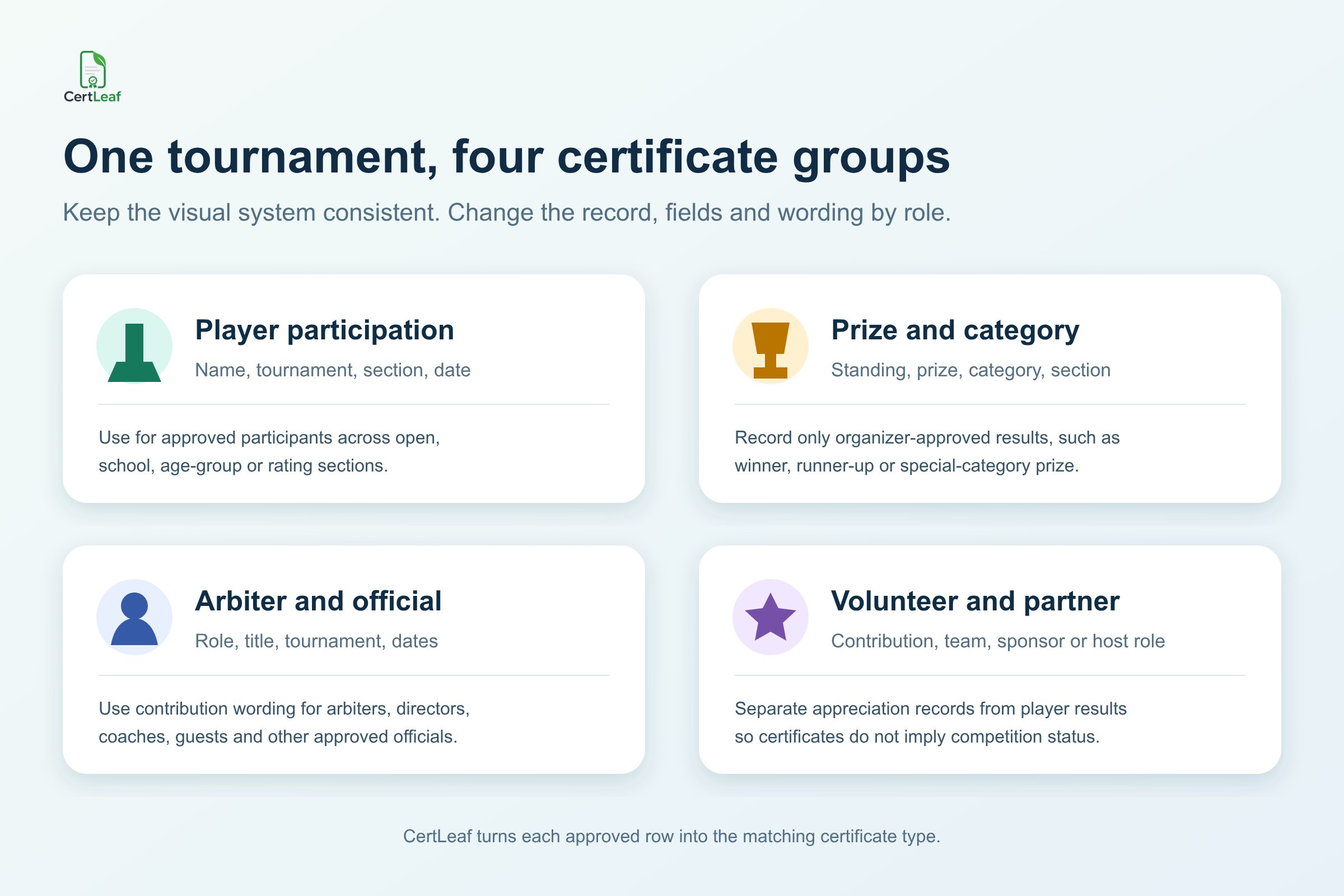
Do not force every recipient into a generic participation template. The title and wording should match the record being recognized.
Player participation certificates
Use these for players who meet the organizer's stated participation rule. Useful fields can include the player name, tournament name, format or section, venue, and dates. A participation certificate should not imply a ranking, rating change, title norm, or prize.
Winner and category-prize certificates
These records need the exact organizer-approved achievement. Examples include overall winner, runner-up, best junior, best woman player, age-group prize, rating-section prize, team position, or another published category.
Keep the certificate wording close to the official result. If the approved award says "Best Under 12 Player," do not change it to "Under 12 Champion" for a stronger-looking certificate. CertLeaf should reproduce the decision, not rewrite it.
Arbiter and official certificates
Chief arbiters, deputy arbiters, tournament directors, coaches, invited guests, and approved event officials need role-specific wording. These are contribution or appointment records, not player results.
Volunteer, host, and partner certificates
Registration-desk volunteers, board assistants, venue teams, organizing committee members, hosts, and partners may also receive recognition. Keep these records separate from competition outcomes so the certificate does not imply that a recipient played or won.
Running an upcoming chess tournament? Sign up for CertLeaf and use the 20 free signup credits to test one participation template, one prize template, and one official certificate before the full batch.
Chess clubs, academies, schools, and open events can reuse the same system
The useful audience for a chess certificate generator is wider than one annual school competition.
Chess academies can reuse a small template set across weekend rapid events, internal leagues, coaching camps, and open tournaments. District and state associations can separate player, prize, and official records while keeping a common visual identity. Schools and colleges can issue certificates for inter-school tournaments, campus chess clubs, house competitions, and university sports meets. Community clubs can recognize participants, organizers, arbiters, and sponsors without rebuilding every certificate manually.
The broader sports certificate generator guide for schools is useful when chess is one part of a larger sports day. A dedicated chess article is still necessary for sections, rating bands, special prizes, tournament formats, and arbiter roles that do not fit a general athletics certificate.
Build a certificate-ready export, not a second tournament database
The certificate CSV should be smaller and easier to explain than the pairing or results file. One approved row should represent one intended certificate for one recipient.
A practical field set can include:
recipientName,email,tournamentName,format,section,category,record,certificateType,date
Add a federation ID, rating band, club, school, team, prize, or role only when the organizer has approved it and it belongs on the certificate or verification record. Keep round-by-round scores, opponent names, tie-break calculations, and rating calculations in the tournament system.
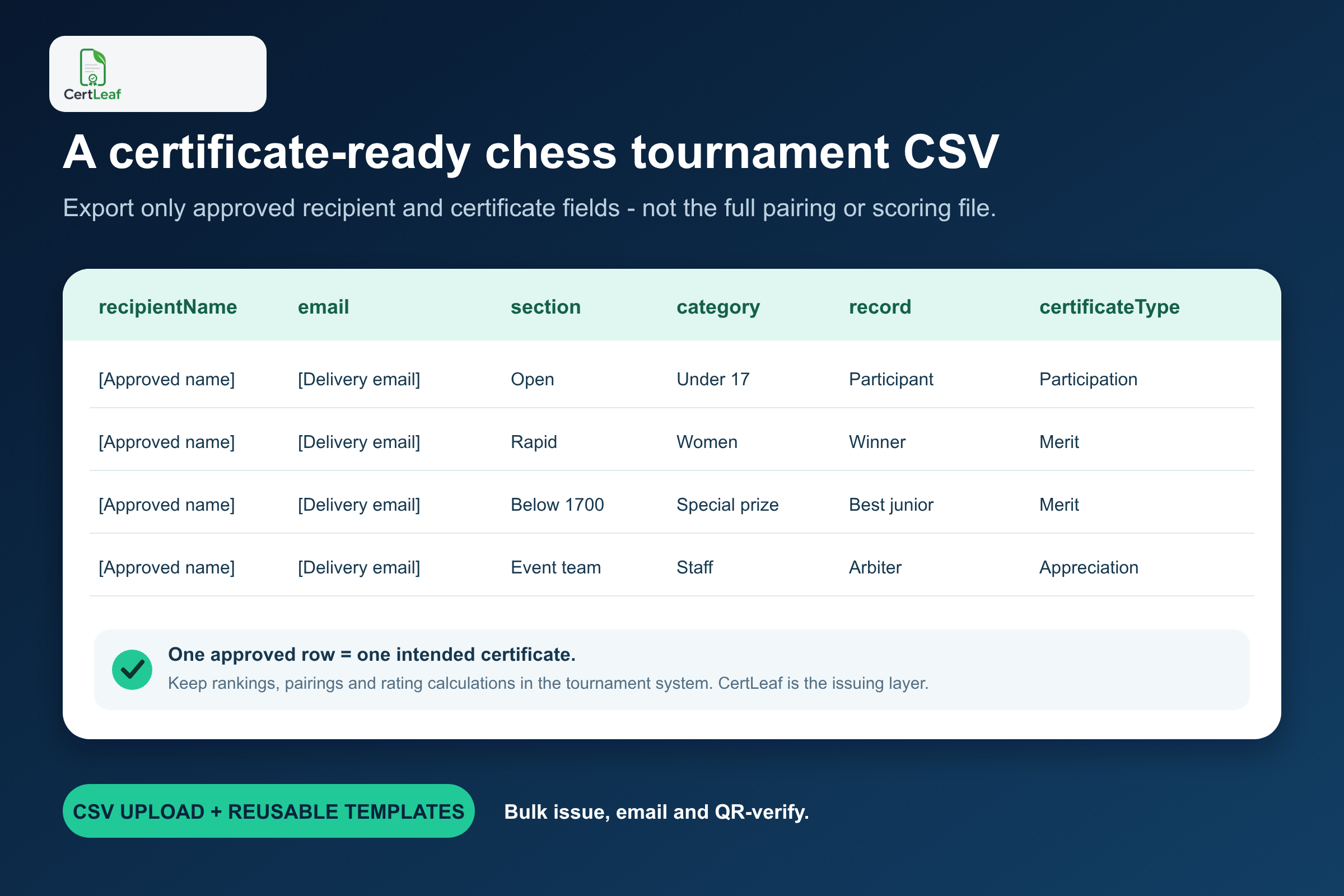
This boundary prevents the certificate process from becoming a shadow results system. It also makes review easier. The organizer can filter participation, merit, and appreciation rows, confirm the intended template for each group, and approve the exact count before issuing.
A player may legitimately have more than one row. For example, the organizer may issue both a participation certificate and a best-junior certificate. That should be a deliberate two-certificate decision. An accidental duplicate with the same certificate type should be removed before upload.
Use reusable templates for each certificate meaning
Most tournaments do not need dozens of designs. They need a small, stable template set with enough room for chess-specific fields.
A practical setup is:
A participation template for approved players
A merit template for overall and category prizes
An appreciation template for arbiters and officials
An appreciation template for volunteers, hosts, or partners when the wording differs
The tournament logo, host logo, border, signature positions, issuer details, and base styling can remain fixed. Dynamic fields can supply the recipient name, tournament, format, section, category, achievement, role, and date.
Test the difficult records before issuing the full batch. Use the longest player name, longest tournament title, longest category label, a multi-day date range, an arbiter title, and one recipient with two certificates. Read the exported certificate at normal size. The text should stay clear of borders, signatures, seals, and the QR area.
Reusable templates matter most for academies and clubs that run frequent events. The next tournament should require a new approved CSV and a careful proof, not a complete rebuild of the certificate layout.
Where QR verification helps chess certificates
Chess certificates often travel beyond the tournament. Junior players add them to school portfolios. Prize winners share them with clubs, colleges, scholarship programs, or sponsors. Arbiters and organizers may use role certificates as part of their event history.
A QR-verifiable certificate gives the reviewer a public route to the issued record. The useful part is the record behind the QR code, not the presence of a square graphic on the design. The verification details should agree with the recipient, tournament, certificate type, category, achievement, and issuer shown on the PDF.
Keep the claim narrow. QR verification helps someone check that a certificate record was issued with those details. It does not validate the chess result, recalculate a tie-break, confirm a rating change, prove federation recognition, or replace an official tournament report.
The guide to QR code certificates and public verification explains the difference between a QR that opens an issuer record and a generic QR pasted onto a certificate design.
Send the right chess certificate to each recipient
Manual delivery becomes risky when one folder contains participation, winner, category-prize, arbiter, volunteer, and sponsor PDFs with similar filenames. The recipient email should stay connected to the same approved row used to generate the certificate.
With CertLeaf, organizers can issue a CSV batch and distribute certificates by email instead of matching attachments one by one. Start with an internal test. Check the subject, recipient name, certificate type, download experience, and correction contact. Scan one QR-verifiable certificate from the actual PDF.
Then issue the approved groups. Keeping participation, merit, and appreciation batches separate can make final review easier, even when they share the same base design.
For delivery planning, the bulk certificate email guide covers test sends, recipient data, and follow-up handling in more detail.
Try the chess tournament use case in CertLeaf before prize day. Upload a small sample CSV and use the 20 free signup credits to test the complete player, winner, and arbiter experience.
Why pay-as-you-go pricing fits chess event calendars
Many chess organizers issue certificates in bursts. An academy may run two busy months followed by a quiet period. A college club may host one major tournament each semester. A community organizer may need software for a single open event.
CertLeaf uses credits instead of a monthly subscription. Organizers buy credits when they need them, and India-first customers can pay in INR through Razorpay. New accounts receive 20 free signup credits for testing.
That pricing model keeps the decision tied to the tournament batch. It also lets an organizer test realistic records before paying for the full issue. Use the free credits on the difficult cases: a long name, a category prize, an official role, an email delivery, and a QR scan.
CertLeaf remains intentionally focused. It is not chess tournament management software, a registration system, a live results board, a pairing engine, a rating calculator, or a federation reporting tool. Use the established chess systems and officials for those jobs. Use CertLeaf when the approved records are ready to become certificates.
Chess tournament certificate generator FAQ
Can CertLeaf create chess tournament certificates in bulk?
Yes. Prepare an approved CSV with one intended certificate per row, map its fields to reusable templates, and issue participation, merit, or appreciation batches in bulk.
What fields should a chess participation certificate include?
Common fields are the player name, tournament name, event format or section, venue, date, and issuer. Include federation ID, club, school, or team only when the organizer wants those details on the record.
Can winner and special-prize certificates use the same template?
They can share one merit template when the layout has clear dynamic fields for the approved achievement and category. Separate templates are safer when the wording or hierarchy changes substantially.
Can I issue certificates for rapid, blitz, and classical tournaments?
Yes. The tournament format can be fixed in the template or supplied as a CSV field. Use the exact format approved by the organizer and keep separate batches when that makes review clearer.
Does CertLeaf calculate chess standings or ratings?
No. CertLeaf does not calculate pairings, standings, tie-breaks, ratings, title norms, or prize eligibility. The tournament team approves those records before certificate issuing.
Should chess tournament certificates include QR verification?
QR verification is useful when players, winners, arbiters, or organizers may share the certificate outside the event. It provides a route to check the issued record, but it does not independently validate the tournament result or rating data.
Can CertLeaf email chess certificates to players and officials?
Yes. Include the approved delivery email in each recipient row, then use CertLeaf to issue and distribute the certificates without matching PDFs to inboxes manually.
Is CertLeaf a subscription chess certificate generator?
No. CertLeaf uses pay-as-you-go credits. New accounts receive 20 free signup credits, and Indian customers can purchase credits in INR through Razorpay.
Give every chess record the certificate it deserves
A chess tournament certificate should say exactly what the organizer approved: participation, an overall result, a category prize, an official role, or a contribution to the event.
CertLeaf gives clubs, academies, schools, associations, and event teams a practical way to turn those approved records into reusable, bulk-issued certificates. Upload the certificate design, map the fields, import the final CSV, email the batch, and add QR verification where a public check is useful.
The tournament team keeps control of results and recognition. CertLeaf keeps the certificate work consistent, deliverable, and ready for the next event.