 CertLeaf
Conference Certificate Generator for Delegates, Presenters, and Speakers
Issue role-specific academic conference certificates in bulk for delegates, paper presenters, speakers, session chairs, and reviewers with CSV upload, email delivery, and QR verification.
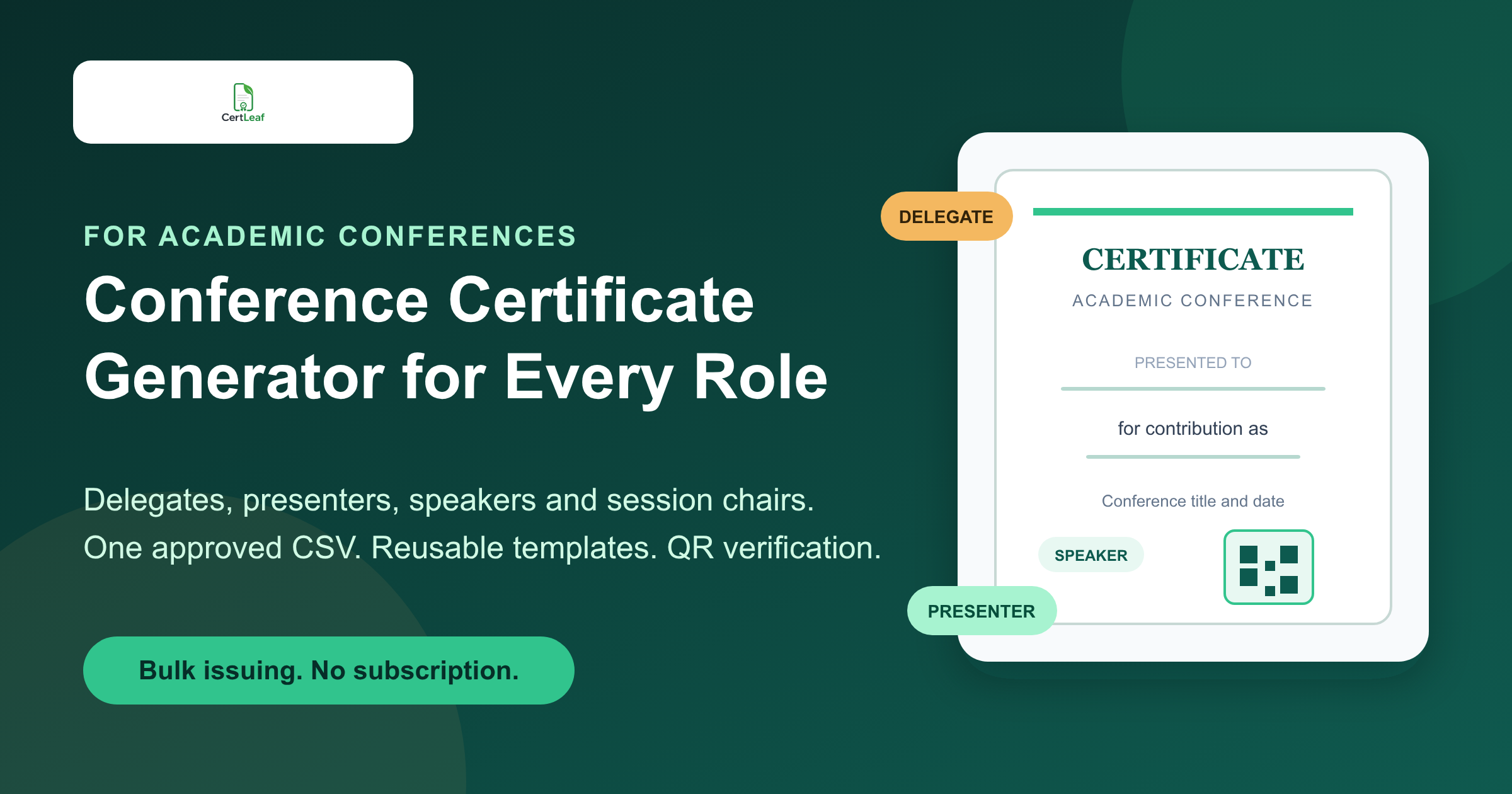
Academic conferences need a certificate issuing platform because one event can create several legitimate certificate records at once. A registered delegate may need proof of attendance. A paper presenter may need the paper title and presentation type. A keynote speaker needs contribution wording. A session chair, moderator, or reviewer should not receive a generic participation certificate.
CertLeaf gives conference committees one focused place to turn those approved records into finished certificates. The team can save reusable templates, filter an approved master CSV into one upload for each role template, issue each batch, email every certificate, and add QR verification when recipients may share the document outside the event. Credits are pay-as-you-go, so the conference does not need to keep a subscription running after the certificate batches are complete.
That makes CertLeaf a practical conference certificate generator for academic societies, research conferences, university departments, scholarly associations, and independent conference organizers. Registration, abstract review, scheduling, attendance, and award decisions can stay in the systems already used by the committee. CertLeaf handles the issuing layer after the final data is approved.
One conference needs more than one certificate type
A conference certificate should say what the recipient actually did. The easiest way to keep that language accurate is to define a small set of certificate types before designing the templates.
Delegate or attendee certificate: Confirms attendance or participation in the conference program.
Paper or poster presentation certificate: Records an accepted presentation and can include the paper title, track, or presentation format.
Speaker certificate: Recognizes a keynote, invited talk, panel contribution, or expert session.
Session chair, moderator, or reviewer certificate: Acknowledges a specific academic or program contribution.
Award certificate: Records an approved best paper, best poster, young researcher, or track-level award.
The wording matters. A delegate should not accidentally receive a certificate that says they presented a paper. A co-author who did not present should not be described as a presenter unless the conference has explicitly chosen that policy. CertLeaf repeats the committee's approved wording and data; it does not decide academic status or awards.
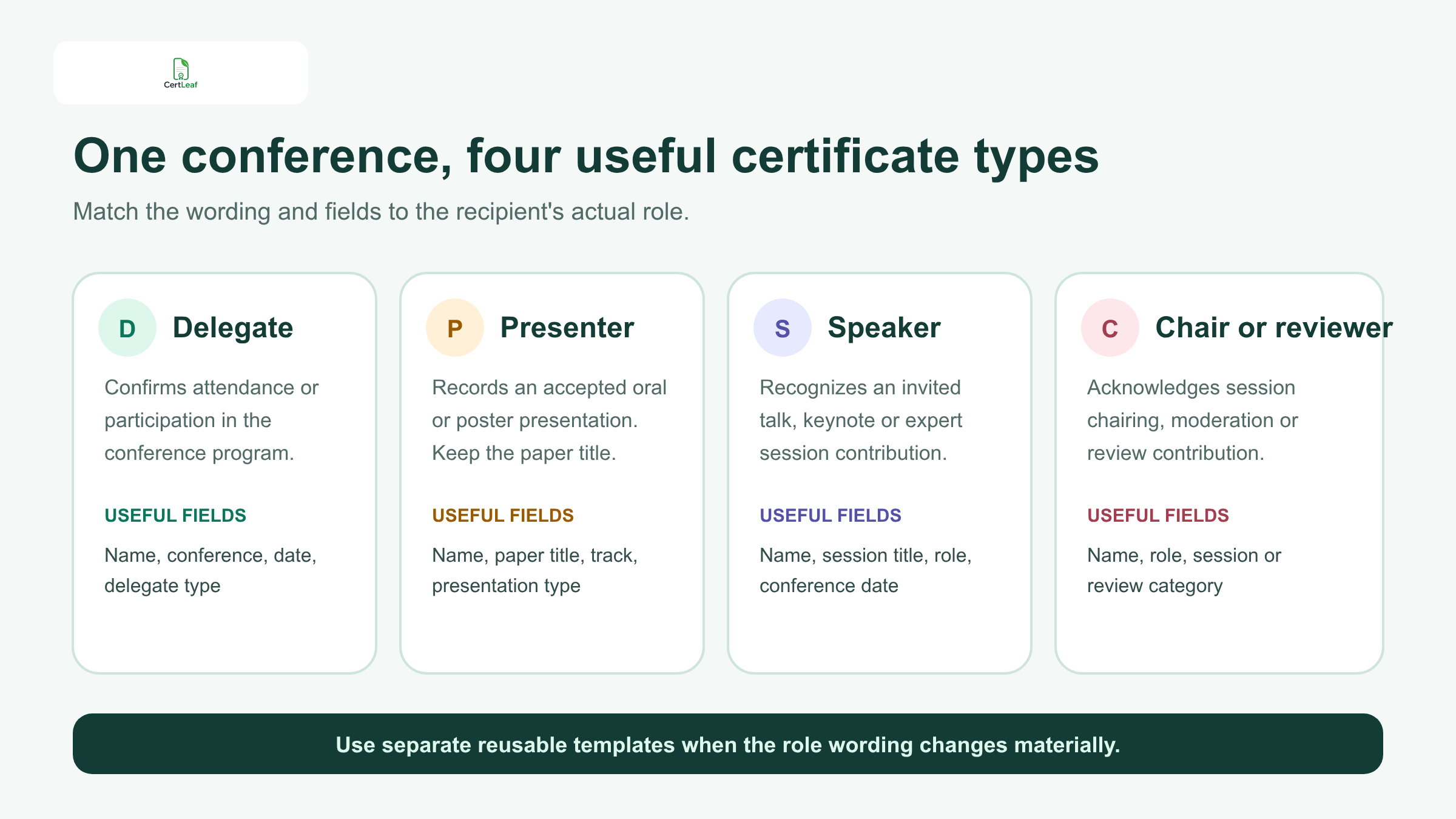
Separate reusable templates are usually clearer than one template full of conditional language. A committee might keep one visual system across every certificate, then change the title and body copy for participation, presentation, contribution, and recognition. CertLeaf lets the team reuse those templates at the next annual conference instead of rebuilding the issuing setup.
Sign up for CertLeaf and use the 20 free signup credits to test delegate, presenter, and speaker certificates with a small internal list.
Give each academic role the fields it needs
A useful conference certificate does not need every field from the registration or abstract system. It needs enough approved context to stand on its own when the recipient opens it months later.
For a delegate, that may mean the recipient name, conference title, date, venue or format, and certificate type. A presenter certificate may add the paper title, presentation type, abstract ID, or track. A speaker certificate may include the session title and role. A session chair certificate may name the track or session chaired.
For paper presenters, long titles need an early layout test. The certificate should not shrink the title into unreadable text or push it into the signature area. The existing guide to paper presentation certificates for colleges is a useful next step when the conference includes student papers, posters, tracks, and winner categories.
Do not print fields simply because they exist in the source system. Private reviewer notes, payment status, phone numbers, dietary requests, internal acceptance comments, and unrelated profile details do not belong in the certificate CSV. Keep the issuing file narrow.
Build one approved conference master CSV
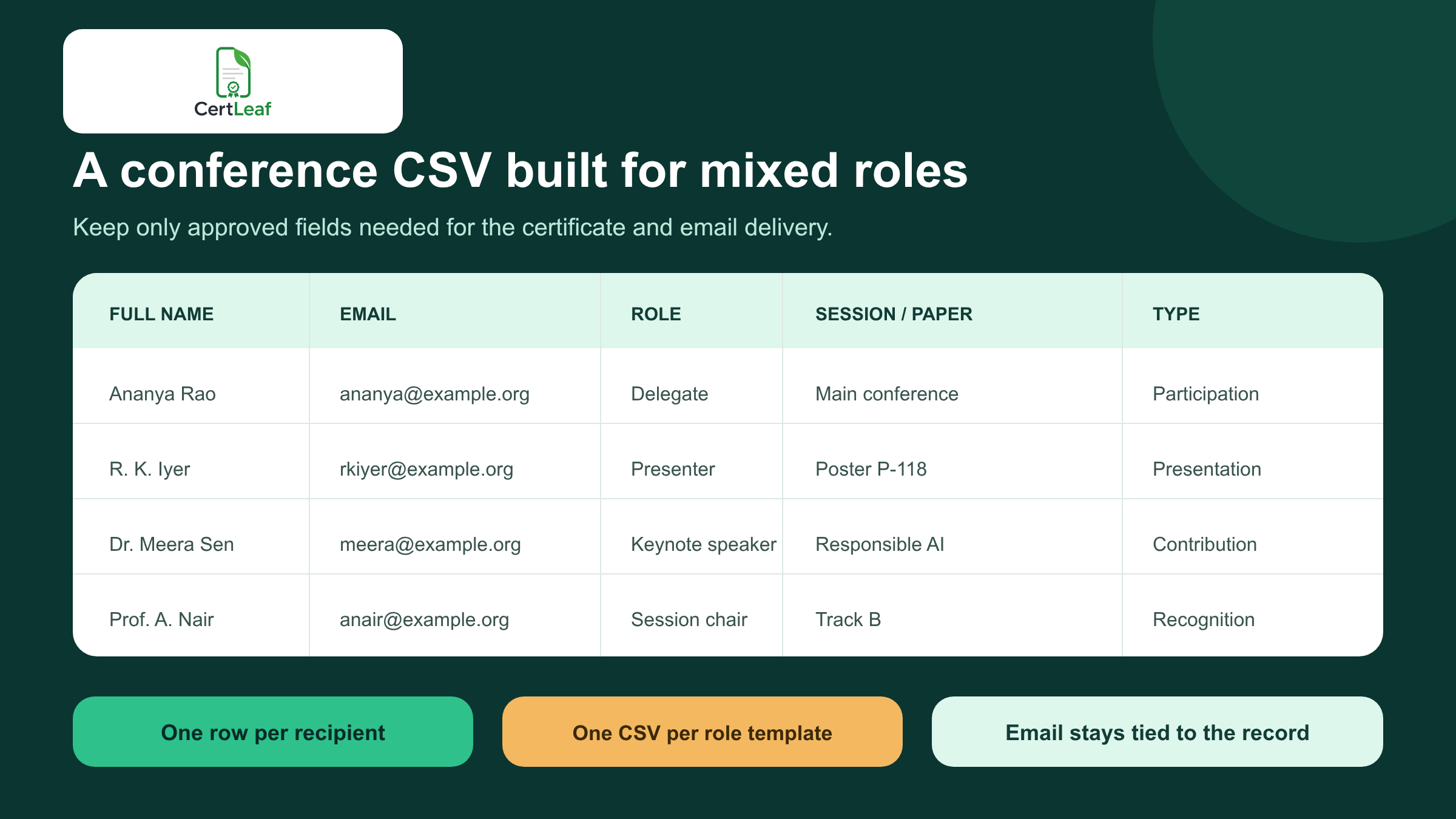
The approved master sheet should have one row per recipient and a clear role or certificate type. A practical structure could include:
full_name,email,conference_title,event_date,role,certificate_type,session_title,paper_title,abstract_id,track,award
Not every row needs every optional field. A delegate row can leave paper_title blank. A keynote row can use session_title. A best poster recipient can use the award field and a separate award template.
Use the role and certificate-type columns to prepare separate uploads for separate templates. For example, filter delegate rows into the delegate-template CSV, presenter rows into the presenter-template CSV, and speaker rows into the speaker-template CSV. One CertLeaf bulk job uses one selected template; the role field helps the committee prepare the right batch but does not switch templates automatically inside a single upload.
The committee should approve the source records before upload. That may mean reconciling the registration export, check-in data, presentation schedule, speaker list, reviewer roster, and award results. CertLeaf is not a registration platform, abstract management system, attendance tracker, or peer-review tool. It issues certificates from the approved export produced by those systems.
A good test file has six to ten rows, not just one easy example. Include the longest name, the longest paper title, a delegate, a presenter, a speaker, a chair, one award recipient, and an inbox the organizing team can open. Generate those records first and check every layout before processing the full conference list.
Keep the certificate tied to the correct inbox
Conference teams often split the work across committees. One person manages registrations, another handles the technical program, and a volunteer sends certificates. Manual handoffs make it easy to attach the wrong PDF, omit a late correction, or send a generic certificate to a speaker.
CertLeaf keeps the recipient email in the same row used to personalize the certificate. Once the approved batch is generated, the team can distribute certificates by email instead of downloading, renaming, and matching files one at a time. For delivery planning, the guide to sending certificates by email automatically covers useful checks for the email column, test deliveries, and correction handling.
The email itself can stay simple. Name the conference, identify the certificate type, explain how to request a correction, and mention the QR verification route when one is included. A delegate does not need a campaign newsletter attached to the certificate message.
Try the conference use case in CertLeaf with 20 free signup credits. Send test certificates to your program chair, speaker coordinator, and registration lead before issuing the real batch.
Add QR verification when certificates travel beyond the conference
Academic conference certificates are often used outside the event. A researcher may add a presentation certificate to an institutional record. A student may submit one to a department. A speaker may keep a contribution certificate in a professional portfolio. In those situations, a forwarded PDF alone gives the viewer limited context.
A QR-verifiable CertLeaf certificate provides a public route to check the issued record. The viewer can scan the code and compare the recipient and certificate details with the verification page. This can reduce routine confirmation requests to the conference secretariat after the event.
QR verification has a specific boundary. It confirms the certificate record issued through CertLeaf. It does not validate the research, certify peer review quality, prove attendance beyond the committee's approved source data, or accredit the conference. Those decisions remain with the organizer and relevant academic bodies.
The article on QR code certificates for workshops and training programs explains the difference between a QR link and a useful recipient-specific verification record.
Reuse the setup for an annual or recurring conference
A conference may change themes, venues, tracks, and committee members each year while keeping the same core certificate categories. That makes reusable templates especially valuable.
The organizing team can retain an approved layout for delegates, another for presenters, and separate contribution templates for speakers and chairs. For the next edition, update the conference identity and date, upload the new approved CSV, and test the difficult rows again. The certificate system remains consistent even when the event team changes.
This also makes handover easier. The next certificate coordinator does not need to locate an old design file, guess which wording was approved, or rebuild a mail merge. They begin with named templates and a known CSV structure.
Why pay-as-you-go fits conference budgets
Conference certificate volume is concentrated. A committee may need 800 delegate records, 120 presentation certificates, and 40 contribution certificates in one period, then issue nothing for several months.
CertLeaf uses one-time credits rather than a subscription. A simple certificate uses 1 credit, while a QR-verifiable certificate uses 2 credits. New accounts receive 20 free signup credits. India-first teams can purchase credits in INR through Razorpay.
That model lets the certificate cost sit inside the conference budget that created it. Committees evaluating that purchasing model can read the detailed guide to using a certificate generator without a subscription.
The 20 free credits are best used for proofs, not as the budget for a large conference. Test the different roles, awkward names, paper-title wrapping, email delivery, and QR scan. Then calculate the real batch from the final approved recipient count and chosen certificate type.
Where CertLeaf fits in the conference stack
CertLeaf is deliberately narrow. It does not replace the conference website, call-for-papers platform, abstract review system, registration checkout, badge printing, live check-in, agenda app, or proceedings publisher.
It fits after the committee has approved who receives which certificate:
Filter the approved master sheet into one CSV for each certificate template.
Select the reusable template for that recipient role.
Upload the matching role CSV.
Review representative samples from that batch.
Issue and email the batch, then repeat for the next role template.
Use QR verification for records that may be checked later.
That focused role is useful for conference committees that want a proper issuing system without buying a larger event or credential platform than they need.
FAQ about conference certificate generators
What is a conference certificate generator?
A conference certificate generator creates personalized certificates for conference recipients. A useful platform should support multiple recipient roles, reusable templates, bulk CSV issuing, email distribution, and optional verification rather than only creating one PDF at a time.
Can an academic conference issue delegate certificates in bulk?
Yes. The committee can prepare an approved CSV with delegate names, email addresses, conference details, and certificate types. CertLeaf maps those rows into a reusable template and issues the certificates as a batch.
Can presenters and speakers receive different certificates?
Yes. Use separate templates or certificate types for delegates, paper presenters, poster presenters, invited speakers, session chairs, reviewers, and award recipients. Keep role in the master sheet, then filter one CSV per template before upload so each CertLeaf bulk job uses the correct wording.
Can a presentation certificate include the paper title?
Yes. The paper title, abstract ID, track, and presentation type can be mapped as dynamic fields when the committee wants them on the certificate. Test the longest titles before issuing the full batch.
Should conference certificates include QR verification?
QR verification is useful when a certificate may be submitted to a university, employer, association, or another third party. It gives the viewer a route to check the issued record. A low-stakes internal certificate may not need it.
Does CertLeaf manage conference registration or abstract review?
No. CertLeaf is the certificate issuing, distribution, verification, and management layer. Registration, attendance, abstract acceptance, peer review, program scheduling, and award decisions remain with the conference organizer and its existing systems.
Is there a no-subscription conference certificate generator?
Yes. CertLeaf uses pay-as-you-go credits with no subscription. This can suit annual conferences, one-off academic events, and associations with uneven certificate volumes.
Give every conference role the right record
A conference with delegates, presenters, speakers, chairs, reviewers, and award recipients should not flatten every contribution into the same generic PDF.
CertLeaf gives the committee a practical issuing layer: reusable role-specific templates, bulk CSV generation, email delivery, QR verification, INR/Razorpay support, and pay-as-you-go credits with no subscription. The organizer stays responsible for academic decisions and approved data. CertLeaf handles the repetitive certificate work.
Start with 20 free signup credits and test a few rows from each role-specific batch before the real recipient lists are issued.


