CertLeaf
First Aid Training Certificate Generator for Training Providers and Workplaces
Use CertLeaf to issue first aid and CPR training certificates in bulk with reusable templates, email delivery, QR verification, and pay-as-you-go credits.
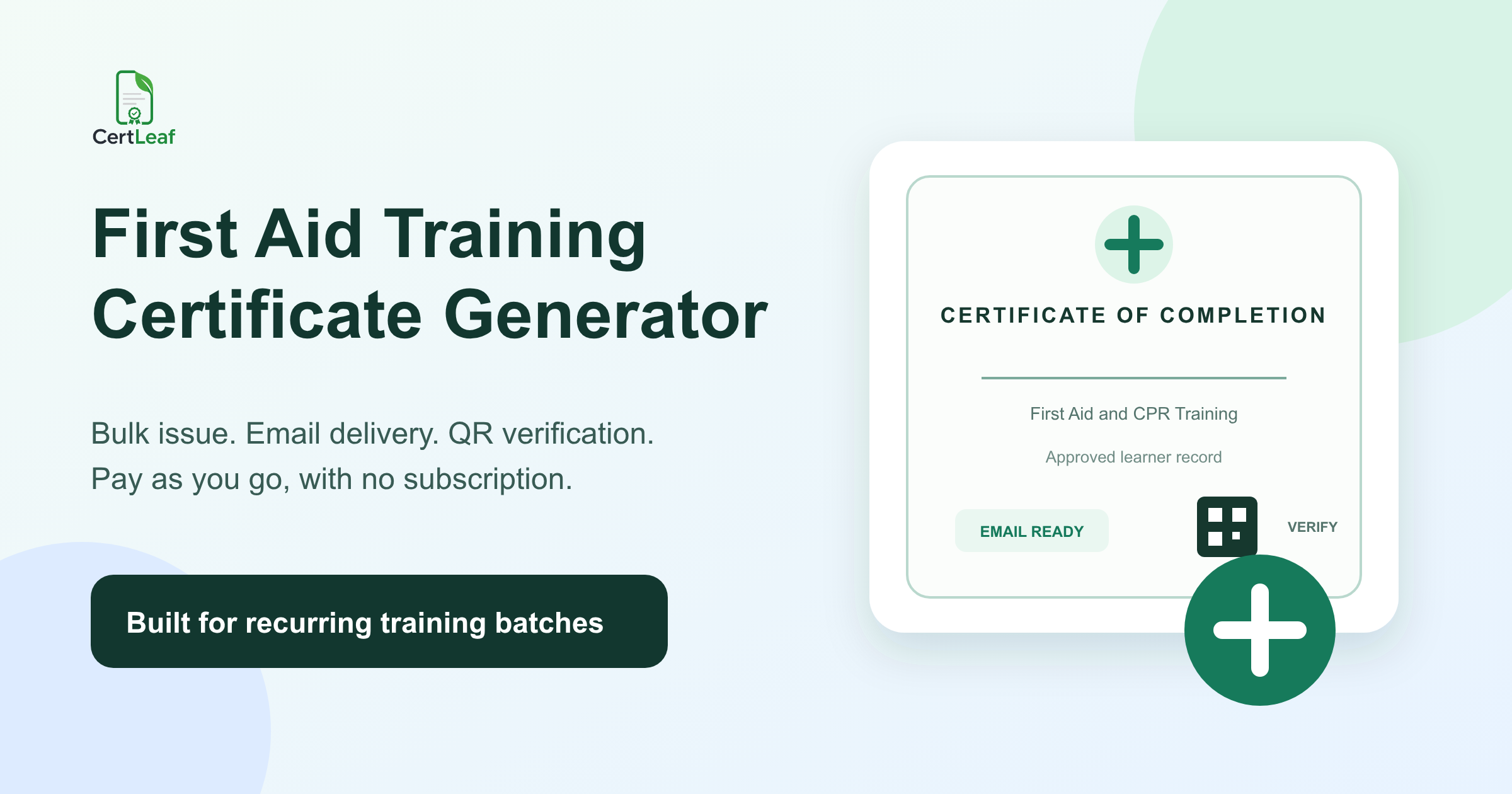
First aid trainers need a certificate platform that can keep pace with recurring batches without weakening the meaning of the certificate. A workplace session, school staff program, community course, or first aid and CPR class may involve different dates, instructors, course levels, and certificate wording. Editing each PDF by hand is a poor fit for that work.
CertLeaf gives training providers and program coordinators a focused way to create reusable certificate templates, issue personalized certificates from an approved CSV, send them by email, and add QR verification. Credits are pay-as-you-go, so there is no subscription to maintain between training dates.
A first aid training certificate generator should make issuing easier. It should not decide whether somebody completed a course, passed an assessment, or holds a regulated qualification. The training provider controls those decisions and the exact claims on the certificate. CertLeaf handles the issuing layer after the provider approves the records.
Who can use a first aid training certificate generator?
The audience is broader than dedicated first aid institutes. Independent trainers may run small public batches. Safety consultancies may deliver programs for several employers. Schools may train teachers and support staff. Colleges, NGOs, clubs, sports organizations, and community groups may arrange awareness or basic response sessions.
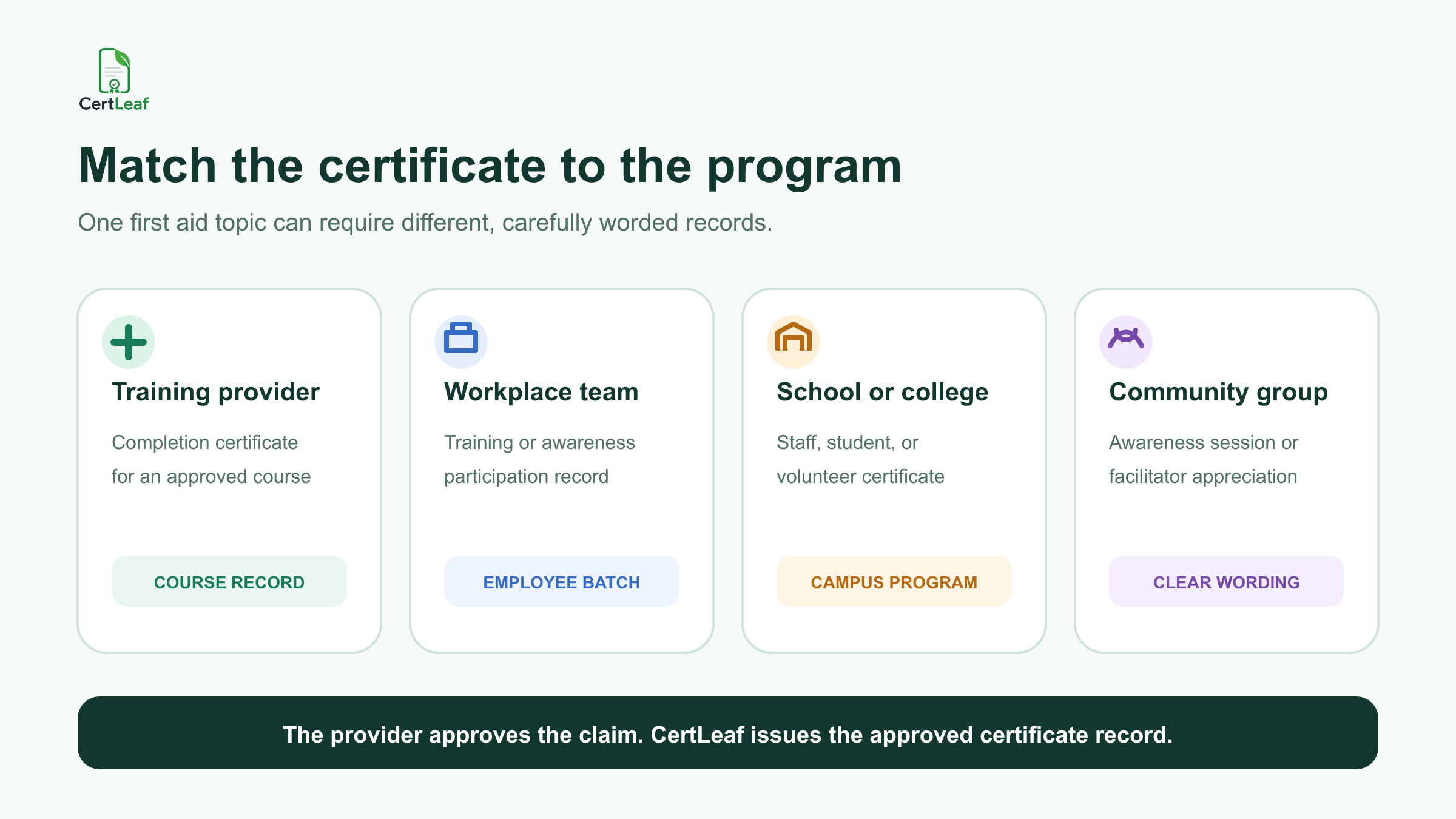
The certificate needs can differ even when the subject is similar:
A training provider may issue course completion certificates after its approved requirements are met.
A workplace may issue participation records for an internal awareness session.
A school may recognize teachers or staff who attended a first aid orientation.
A community organization may issue participation certificates without describing the session as a professional qualification.
An instructor or coordinator may need a separate appreciation certificate that does not imply learner certification.
CertLeaf works across these cases because the issuing team can save more than one reusable template. The important part is choosing wording that reflects the program actually delivered.
Use certificate wording that matches the training
"First aid certificate" can describe very different documents. One provider may run an assessed course under its own approved framework. Another organization may offer a two-hour awareness session. Those should not produce identical claims.
Before building the template, decide what the document confirms. Common options include:
Certificate of Completion
Certificate of Participation
First Aid Awareness Training Certificate
CPR Awareness Session Certificate
Workplace First Aid Training Certificate
Instructor or Facilitator Appreciation Certificate
Do not print accreditation, validity periods, professional status, approved-provider language, continuing education credit, or legal compliance claims unless the responsible training organization is entitled to make them and has approved the wording. CertLeaf does not accredit courses, assess practical ability, or certify medical competence.
This boundary makes the certificate more useful, not less. A reviewer can understand what the learner completed without the document claiming more than the provider can support.
**Running an upcoming first aid or CPR batch? Sign up for CertLeaf and use the 20 free signup credits to test your wording, longest learner names, email delivery, and QR layout before issuing the full group.**
Reusable templates suit recurring first aid batches
Many first aid providers repeat the same course for different clients, branches, schools, or public batches. The visual identity and standard wording may stay fixed while learner names, client names, dates, venues, trainers, and course titles change.
In CertLeaf, the provider can upload an approved base design and place dynamic fields on it. A practical template may include:
learner name
program or course title
training date
location or client organization
instructor name, where approved
certificate type
certificate ID or batch reference
QR code for verification
Keep the template readable. Long employer names and course titles are common in workplace programs, so test realistic values rather than a short placeholder. A title such as "Emergency First Aid and CPR Awareness for Campus Support Staff" needs more room than "First Aid Basics."
Teams that issue several types of learning records can also use CertLeaf alongside a broader bulk course completion certificate process for training institutes. The first aid template remains specific, while the issuing method stays familiar across other courses.
Prepare a narrow, approved CSV for the certificate batch
The certificate CSV should contain only the fields needed to personalize and deliver the approved certificates. It should not become a copy of the trainer's assessment notes, health declarations, incident reports, or employer records.
A useful first aid training certificate CSV might include:
learnerName,email,courseTitle,trainingDate,clientOrOrganization,instructorName,certificateType,batchReference
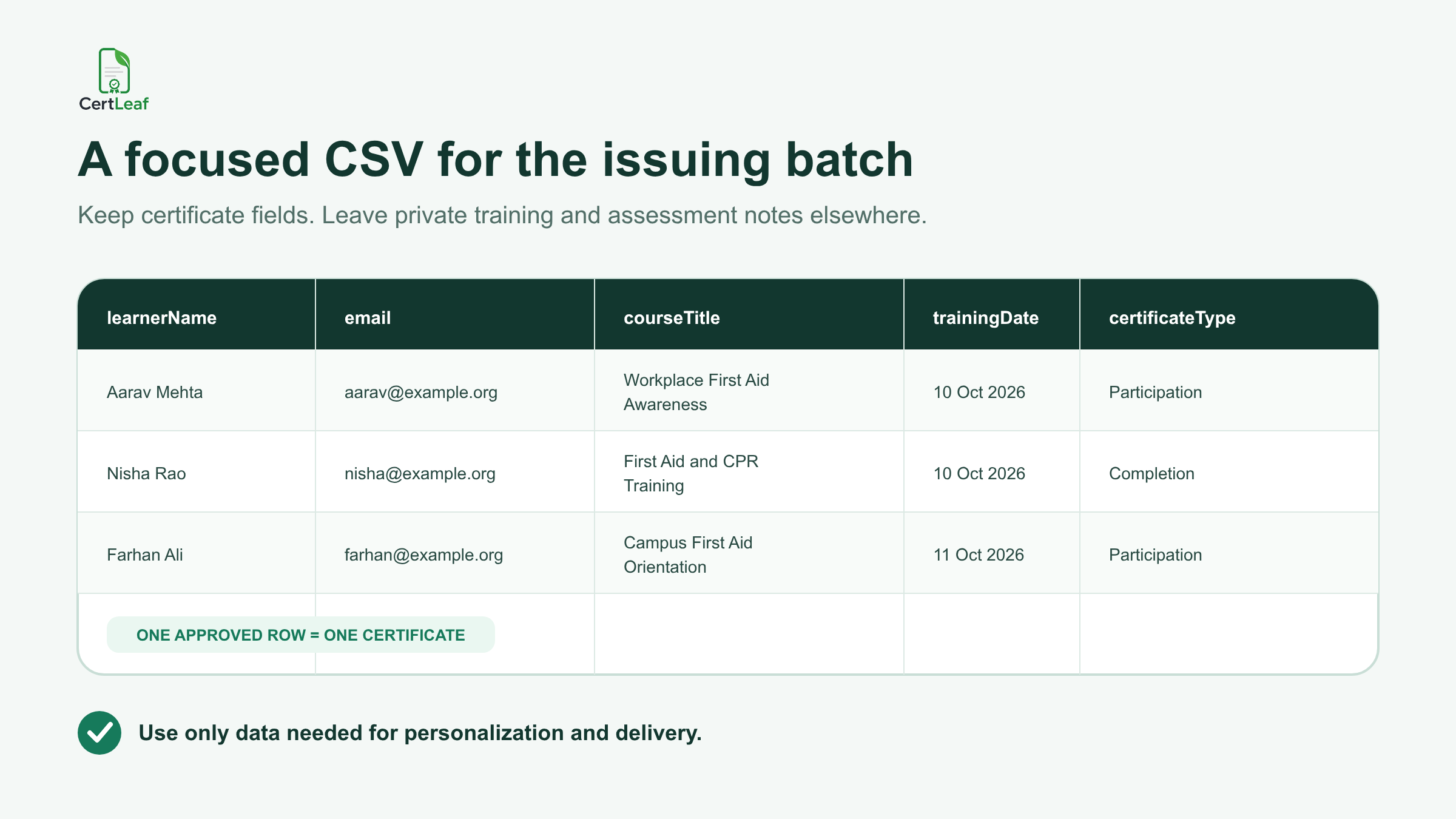
One row should represent one approved certificate. If the provider runs several course levels, keep the courseTitle and certificateType precise. Do not let a spreadsheet shortcut turn an awareness-session record into a completion certificate for a different course.
Review names, email addresses, course titles, dates, and batch references before upload. Remove internal comments and unrelated personal information. The detailed guide to preparing a certificate recipient CSV without name or email errors is useful when records come from registration forms, employer lists, or several trainers.
CertLeaf then uses the approved rows to generate the batch. It does not interpret assessment results or determine who passed. That remains the responsibility of the training provider.
Email each learner the correct certificate
A provider running several sessions in one week can quickly accumulate dozens or hundreds of certificate files. Manual sending means matching every PDF to an email address, repeating the message, and keeping track of what was sent.
With CertLeaf, the email address in the approved CSV supports direct certificate delivery. The provider can issue the batch and send each recipient the correct certificate without attaching files one by one.
Keep the delivery email simple. Name the training program, state what the certificate confirms, and provide one route for genuine name or email corrections. Avoid repeating assessment details or sensitive notes in the message.
For employer-sponsored batches, agree in advance whether certificates go directly to learners, to a program coordinator, or through another approved route. CertLeaf supplies the delivery capability; the organizer chooses the appropriate recipient data and communication policy.
**Want to test the complete use case before your next client batch? Try CertLeaf with 20 free signup credits, issue a small internal sample, and check the certificate email on an ordinary learner inbox.**
Add QR verification when the certificate will be checked later
First aid and CPR training certificates may be shared with an employer, school administrator, club, event organizer, or future training provider. A QR-verifiable certificate gives that reviewer a public route to check the certificate record created by the issuer.
The verification record should match the visible certificate: learner name, certificate title, issuer, and other approved details. It should not imply that CertLeaf verified course quality, practical competence, accreditation, or regulatory compliance. CertLeaf verifies the certificate record, not the underlying medical or professional claim.
A QR code is most useful when the document may travel outside the training provider's inbox. For informal internal attendance records, a simple certificate may be enough. The guide to QR code certificates and public verification explains that distinction in more detail.
Pay-as-you-go credits fit an uneven training calendar
First aid training can be seasonal or client-led. A provider may issue 25 certificates after a school session, 140 after a workplace program, and none for the next few weeks. A monthly certificate software bill may not match that schedule.
CertLeaf uses pay-as-you-go credits with no subscription. New accounts receive 20 free signup credits. India-first teams can purchase credits in INR through Razorpay when a real batch is ready.
This keeps certificate software separate from the provider's course fee, assessment policy, accreditation arrangements, and training operations. CertLeaf does one job: issue, distribute, verify, and manage digital certificate records. For budget planning across occasional batches, see how a certificate generator without a subscription fits event-based and cohort-based issuing.
Check the live pricing page before committing a client or program budget, because packs and offers can change.
A practical setup for different first aid training teams
Independent first aid and CPR trainers
Save reusable templates for the course types you genuinely deliver. Keep provider identity, approved wording, and signatory areas fixed, then map learner and batch details from the CSV.
Workplace safety and HR teams
Use the certificate title approved for the specific program. Separate internal awareness participation from any externally assessed course. Keep unrelated employee data out of the certificate CSV.
Schools and colleges
Issue records for teachers, staff, students, or volunteers only under the wording approved by the institution and trainer. A school awareness program should not accidentally read like a professional qualification.
NGOs and community organizations
Use participation or awareness language when that is what the event provided. If a qualified external trainer owns the course standard, confirm how the issuer and trainer should appear before creating the template.
Training institutes and safety consultancies
Create client-specific batches without rebuilding the whole design. Reusable templates can keep the provider brand consistent while dynamic fields carry client, venue, date, trainer, and learner details.
FAQ
What is a first aid training certificate generator?
It is a tool for creating personalized first aid training certificates from approved learner records. CertLeaf supports reusable templates, bulk CSV issuing, email delivery, and optional QR-verifiable certificate records.
Can CertLeaf issue CPR training certificates in bulk?
Yes. A provider can prepare an approved CSV for a CPR or first aid batch, map its fields to a reusable template, generate the certificates, and send them by email. The provider remains responsible for course delivery, assessment, and certificate wording.
Does CertLeaf accredit a first aid course or certify medical competence?
No. CertLeaf is certificate issuing software. It does not accredit courses, assess skills, approve trainers, certify medical competence, or determine regulatory compliance.
Which CSV fields are useful for first aid training certificates?
Common fields include learnerName, email, courseTitle, trainingDate, clientOrOrganization, instructorName, certificateType, and batchReference. Include only information needed for the certificate or its delivery.
Can a first aid certificate include QR verification?
Yes. CertLeaf can create a QR-verifiable certificate linked to a public verification page. The page confirms the issuer's certificate record; it does not independently validate the course, assessment, accreditation, or learner competence.
Can workplaces and schools use CertLeaf without a subscription?
Yes. CertLeaf uses pay-as-you-go credits rather than a subscription. New accounts receive 20 free signup credits, and India-first customers can pay in INR through Razorpay.
Issue each training certificate from an approved record
First aid training providers should not have to choose between hand-editing certificates and paying for software every month. CertLeaf provides a narrower option: reusable templates, bulk CSV issuing, email delivery, QR verification, and pay-as-you-go credits.
Start with accurate course wording and an approved learner list. Let the provider own the training claim. Let CertLeaf handle the repeated certificate work.