CertLeaf
Hackathon Certificate Generator for Colleges: Certificates for Every Hackathon Role
CertLeaf helps college hackathon teams issue participant, finalist, winner, mentor, judge, volunteer, team, and project-track certificates in bulk with email delivery and QR verification.
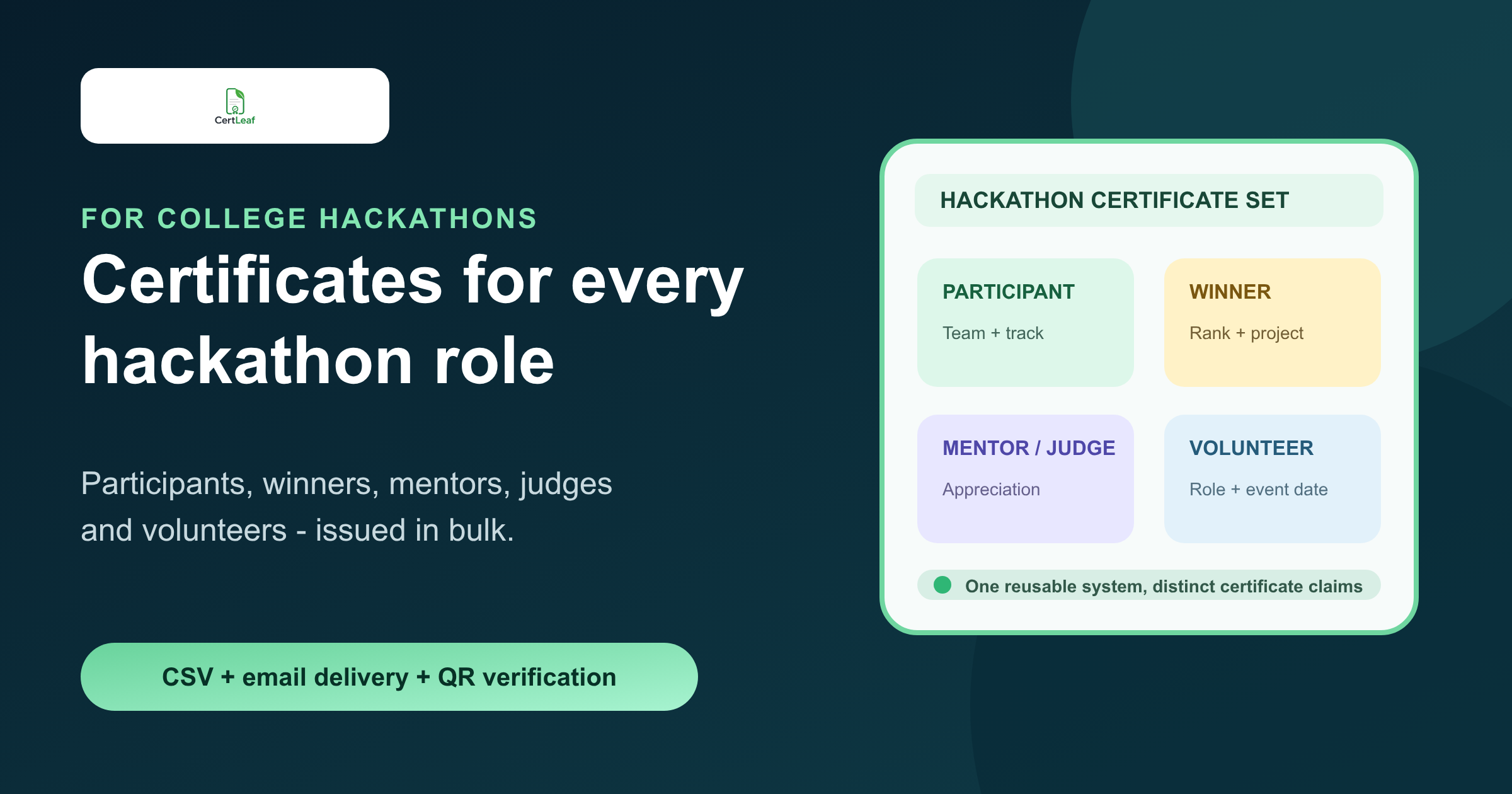
College hackathons are no longer small coding-room events with one participation certificate at the end. A good campus hackathon can include student teams, project tracks, mentors, judges, volunteers, finalists, winners, sponsors, and department coordinators.
That is exactly why a general design tool or a copied PDF template starts to feel limiting. The certificate work is not only about making one nice-looking file. It is about issuing the right certificate to every role in the hackathon without turning the student team into a manual PDF factory.
CertLeaf is built for that job. It lets a college club or department create reusable certificate templates, upload approved recipient data by CSV, issue certificates in bulk, email them to recipients, and add QR verification when a certificate may be shared with recruiters, faculty, sponsors, or future event teams.
If your college hackathon has more than one certificate type, CertLeaf gives you a cleaner way to handle it than editing separate PDFs by hand.
Want to test it before the full event batch? Create a CertLeaf account and use the 20 free signup credits to issue a few sample hackathon certificates first.
Why hackathons are a strong fit for CertLeaf
Hackathons create many legitimate certificate records from one event. The certificate for a participant should not read like the certificate for a winner. A judge should not receive participant wording. A volunteer certificate should recognize event support, not project submission.
CertLeaf fits because it separates the certificate design from the data that changes for each recipient. The same platform can support multiple hackathon certificate types without making the organizing team rebuild everything from scratch.
| Hackathon segment | Certificate need | CertLeaf fit |
|---|---|---|
| Participants | Participation record for student portfolios | Bulk issue from approved participant CSV |
| Finalists | Recognition for reaching demos or final round | Separate finalist template or certificate type |
| Winners | Rank, track, project title, team name | CSV fields mapped to award certificates |
| Mentors and judges | Appreciation for expert contribution | Role-specific wording and reusable templates |
| Volunteers | Service recognition for event support | Separate volunteer batch with email delivery |
| Teams and tracks | Project or theme-based recognition | Team, track, and project fields on certificates |
That combination matters for college events because hackathon certificates often travel beyond the event day. Students add them to portfolios, LinkedIn profiles, resumes, placement records, and internal achievement folders. QR verification gives the certificate a public check path instead of leaving every reviewer to trust a forwarded PDF.
Issue every hackathon certificate type from one platform
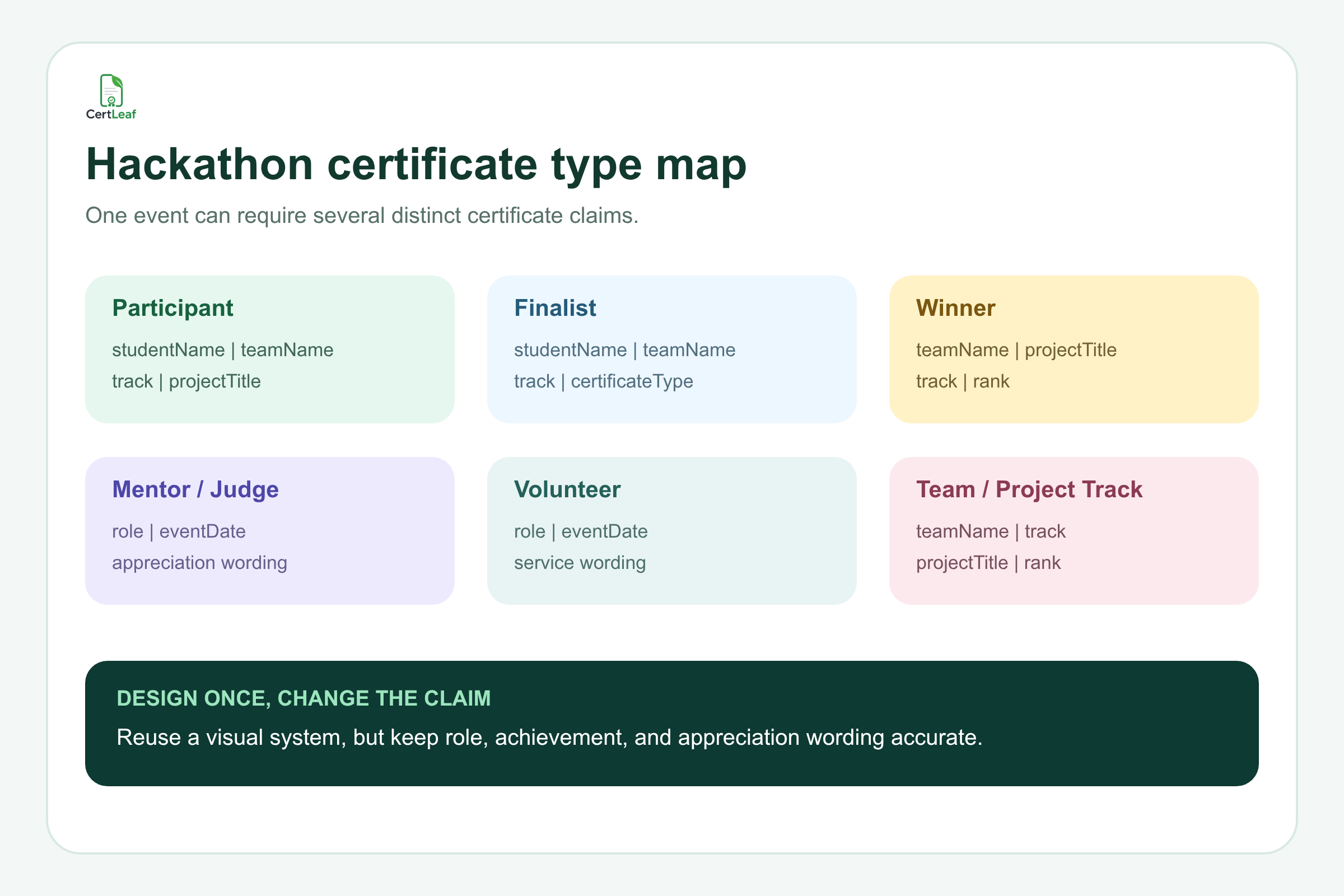
A college hackathon usually needs a small certificate system, not just one template.
With CertLeaf, the organizing team can prepare reusable templates for the main categories:
Participation certificates for students or teams that took part.
Finalist certificates for shortlisted teams or demo-stage teams.
Winner certificates for overall ranks and track awards.
Mentor and judge appreciation certificates.
Volunteer certificates for student organizers and support teams.
Sponsor, partner, or resource-person certificates if the event needs them.
Each certificate can use the same event branding while carrying different wording and fields. For example, a participant certificate may show the student name, team name, track, and event date. A winner certificate may show project title, rank, and award category. A mentor certificate may show role and contribution wording.
This is where CertLeaf is more useful than copying one PDF design again and again. You can keep a consistent visual identity while changing the certificate claim correctly.
Try this with 20 free credits: create one participant template, one winner template, and one mentor or volunteer template. Issue a small test batch before the full hackathon certificate run.
Use the data your hackathon team already has
Most college hackathon teams already have the data needed to issue certificates. It may come from a registration form, team sheet, judging sheet, leaderboard export, mentor list, or volunteer roster.
CertLeaf can use an approved CSV to populate certificate fields such as:
studentName,email,teamName,track,projectTitle,role,rank,certificateType,eventDate
The CSV does not need to contain every internal event detail. It only needs the fields that belong on the certificate and the email address needed for delivery.
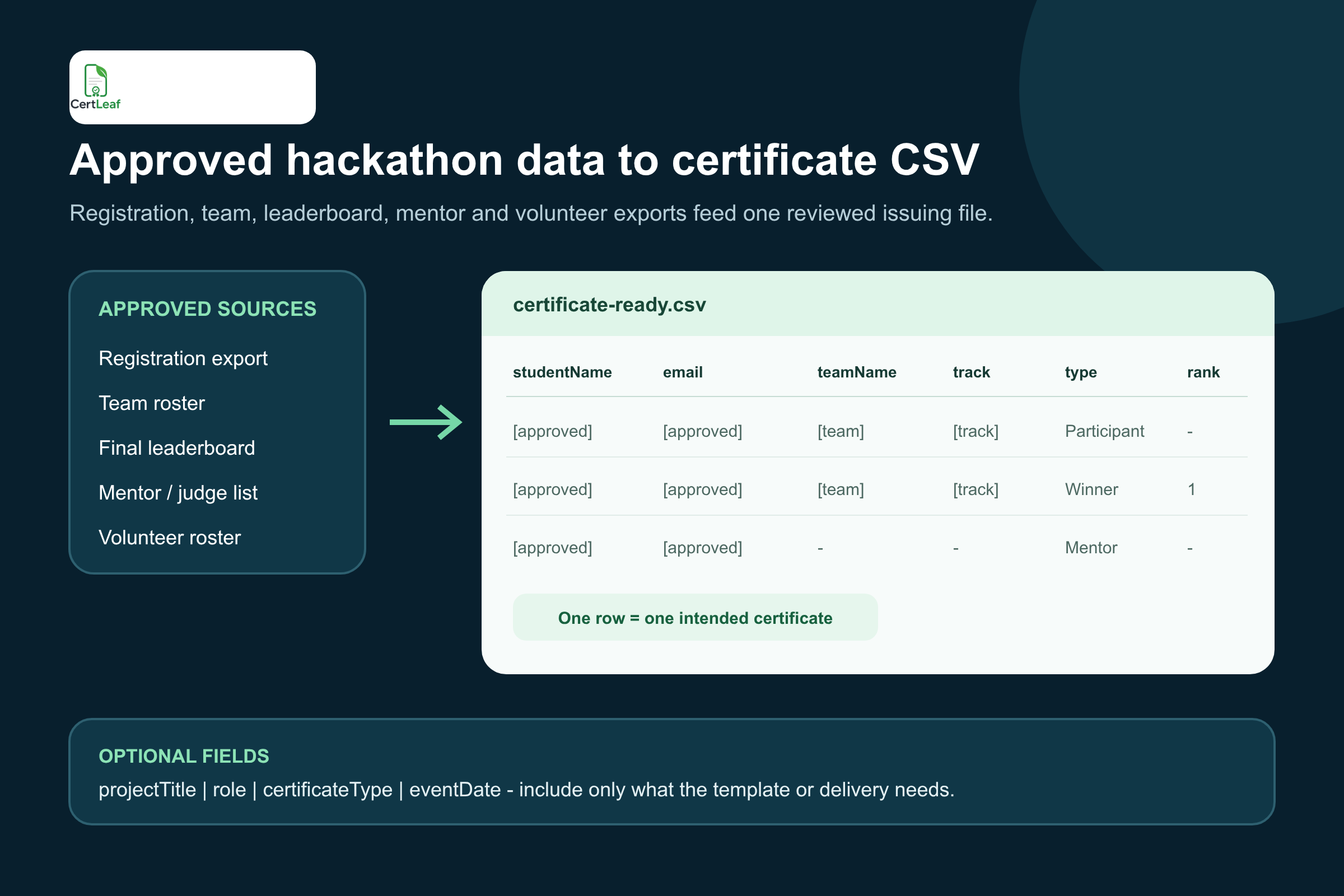
For a college coding club, this keeps the process simple:
Export or prepare the approved certificate list.
Keep one row per certificate recipient or certificate output.
Upload the CSV to CertLeaf.
Map columns to template fields.
Generate and email the certificates in bulk.
If your event team is cleaning messy names or duplicate emails before upload, the guide on preparing a certificate recipient CSV without name or email errors is a useful companion.
QR verification makes hackathon certificates more credible
Hackathon certificates are often shared outside the campus. A participant may use one for a student portfolio. A winner may add it to a project profile. A volunteer may include it in a club record. A mentor or judge may want a clean proof link for their contribution.
CertLeaf can issue QR-verifiable certificates with a public verification page for the issued record. That gives reviewers a way to check that the certificate exists and matches the displayed details.
This is not a replacement for the hackathon's judging process, and it is not a claim that CertLeaf validates project quality. The event team still decides the results. CertLeaf helps issue and verify the certificates after that decision.
The article on QR code certificates and public verification explains the verification boundary in more detail.
Mid-event CTA: if QR verification matters for winners, finalists, or mentor certificates, sign up for CertLeaf and use the free credits to test one QR-verifiable certificate before issuing the final batch.
Better than designing certificates manually after every hackathon
A hackathon can become a recurring campus property. The same club may run a beginner hackathon this semester, an AI hackathon next semester, and an inter-college edition later.
A reusable certificate setup saves time across those editions. Instead of reopening an old PDF and changing text manually, the team can reuse templates and update the event-specific fields.
That is similar to the principle behind reusable college event certificate templates, but hackathons need more role and award flexibility than a simple event participation certificate.
CertLeaf is especially useful when:
The event has multiple certificate categories.
The team wants to email certificates instead of attaching PDFs manually.
Certificates need QR verification.
The college wants a repeatable system for future hackathons.
The budget does not justify a monthly subscription.
Because CertLeaf uses pay-as-you-go credits, a college club can buy credits for the hackathon batch without carrying a subscription between events. India-first teams can pay in INR through Razorpay.
Hackathon certificates vs coding contest certificates
A coding contest and a hackathon may look similar from outside, but the certificate needs are different.
A coding contest usually centers on an individual leaderboard: handles, ranks, scores, penalties, and final standings. A hackathon is broader. It has teams, projects, themes, mentors, judges, volunteers, demos, track awards, and sometimes sponsor-specific categories.
If your event is primarily a leaderboard-based programming contest, the coding contest certificate generator for colleges article may be a closer fit.
If your event is a project-building hackathon, CertLeaf can help you create a certificate system for the whole event ecosystem, not just the top three winners.
What to put on a college hackathon certificate
A good hackathon certificate should be specific enough to be useful, but not overloaded with internal event data.
Useful fields include:
Student or recipient name.
Team name.
Hackathon title.
College, department, club, or organizer name.
Project title when relevant.
Track or theme when relevant.
Rank or award category for winners.
Role for mentors, judges, and volunteers.
Event date.
QR verification code for verifiable certificates.
Avoid putting judging notes, raw scores, internal comments, or private review details on the certificate. Those belong in the event records, not in the public certificate document.
Why CertLeaf is a good platform for college hackathons
CertLeaf is not just a design tool. It is a certificate issuing platform for teams that need to move from approved event data to issued certificates quickly.
For college hackathons, that means:
Reusable templates for participants, winners, mentors, judges, and volunteers.
Bulk CSV issuing for large student events.
Email delivery so the team does not send PDFs one by one.
QR-verifiable certificates with a public verification page.
Pay-as-you-go credits instead of a subscription.
INR/Razorpay support for India-first teams.
20 free signup credits for testing before the main batch.
Start small: sign up, create one hackathon certificate template, upload a short test CSV, and issue a few certificates using the free credits. If the test looks right, scale the same setup to the full hackathon batch.
Hackathon certificate generator FAQ
What is a hackathon certificate generator?
A hackathon certificate generator helps organizers create and issue certificates for hackathon participants, winners, finalists, mentors, judges, volunteers, teams, and project tracks. A useful tool should support reusable templates, bulk CSV issuing, email delivery, and QR verification.
Can CertLeaf issue certificates for a full college hackathon?
Yes. CertLeaf can issue certificates in bulk from a CSV, send certificates by email, and add QR verification when needed. It works well for college hackathons with participants, teams, winners, mentors, judges, and volunteers.
Can we use different templates for participants and winners?
Yes. You can create separate reusable templates for participation certificates, winner certificates, mentor or judge appreciation certificates, and volunteer certificates. This keeps the wording accurate for each role.
Can hackathon winner certificates include project title and rank?
Yes. If the organizer has approved the data, fields such as project title, team name, track, rank, and award category can be included in the CSV and mapped to the certificate template.
Can we test CertLeaf before buying credits?
Yes. New CertLeaf accounts receive 20 free signup credits. You can use them to test a small hackathon certificate batch before issuing the full event.
Does CertLeaf replace hackathon judging or leaderboard tools?
No. CertLeaf does not decide winners, judge projects, or run the hackathon platform. It helps issue, email, verify, and manage certificates after the event team has approved the certificate data.
Give your hackathon certificates a proper issuing system
A college hackathon deserves better than a folder of manually edited PDFs.
If your event has participants, winners, mentors, judges, volunteers, teams, and project tracks, CertLeaf gives you a practical platform for issuing certificates in bulk, sending them by email, and adding QR verification.
Use the free signup credits to test your first hackathon certificate batch. Then run the full event batch when the templates and CSV are ready.