CertLeaf
Photography Competition Certificate Generator for Clubs and Colleges
Issue photography competition certificates in bulk for participants, winners, jurors, mentors, volunteers, and exhibition teams with CertLeaf.
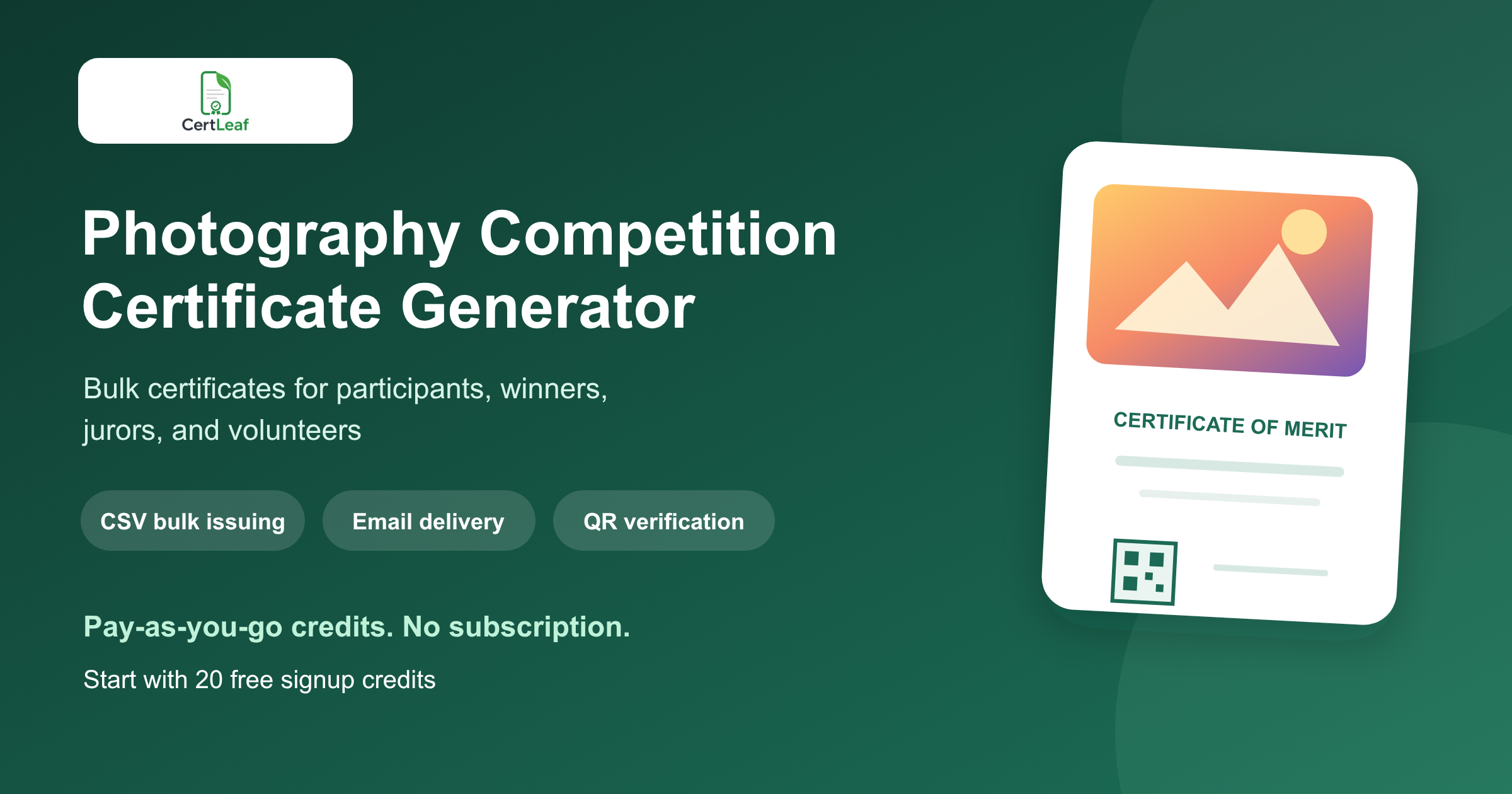
Photography competitions need a dedicated certificate issuing platform because one contest can create several distinct records. A campus photography club may recognize every accepted entrant, award winners by theme, thank a jury, acknowledge mentors, and issue appreciation certificates to the team that managed submissions and the exhibition.
CertLeaf gives clubs, colleges, schools, photography societies, cultural committees, and contest organizers one focused place to issue those records. Create reusable templates, import an organizer-approved CSV, generate certificates in bulk, send them by email, and add QR verification when recipients may share their certificates outside the event.
That makes CertLeaf a practical photography competition certificate generator for online photo contests, inter-college competitions, campus exhibitions, photo walks with judged entries, nature and street photography challenges, and annual club contests. Submission collection, image storage, consent, copyright checks, judging, scoring, and winner selection remain with the organizer. CertLeaf handles the certificate issuing layer after those decisions are final.
A photo contest creates more than a participant list
A generic participation certificate misses the structure of a photography competition. The recipient may be an entrant, a category winner, a juror, a mentor, an exhibition volunteer, or a host. Each certificate should state the record that the organizer actually approved.
Useful certificate groups include:
Participation certificates for approved entrants or shortlisted photographers
Winner, runner-up, special mention, people's choice, or category award certificates
Jury, judge, curator, or mentor appreciation certificates
Volunteer and organizing-team certificates
Host, venue, partner, or photography-club appreciation certificates when appropriate
A participation certificate should not imply that the photograph was shortlisted or awarded. A winner certificate should use the exact category and award title from the approved result. A jury certificate should recognize review or curation, not entry in the contest.
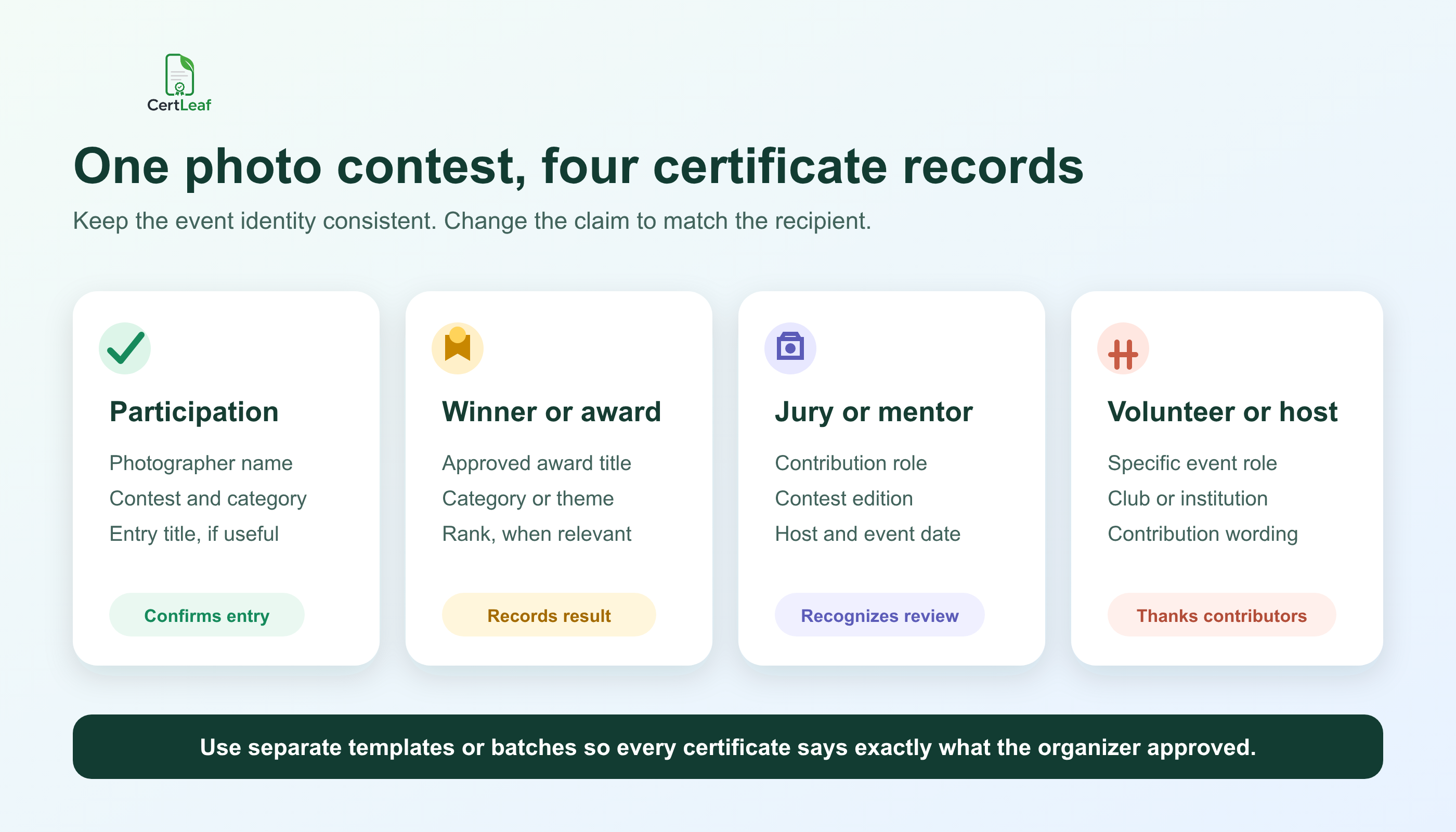
Separate CertLeaf templates or batches keep those claims clear while preserving one visual identity. The contest logo, host name, border, typography, signature positions, and event edition can remain consistent. The certificate title, body wording, role, category, and award can change for the recipient.
Sign up for CertLeaf and use the 20 free signup credits to test participation, winner, and jury certificates before the contest team prepares the full batch.
Who can use a photography competition certificate generator
Photography contests appear in several reachable communities, and their certificate needs are similar even when the subject changes.
A college photography club may run a themed online challenge, a photo walk, and an annual exhibition. A mass communication or visual arts department may organize an inter-college contest. A school may include photography in a cultural festival. A community camera club may host monthly competitions and one larger public exhibition. An environmental group may use a nature photography contest to support an awareness campaign.
Recurring organizers benefit most from reusable templates. The design can stay familiar across editions while the theme, date, category, and recipient data change. If the club is deciding which details should stay fixed, the guide to a reusable college event certificate template is a useful next step.
CertLeaf remains narrow by design. It is not a photo-submission portal, image gallery, judging system, voting platform, copyright registry, model-release manager, or exhibition catalog. Organizers can keep their existing entry form, cloud storage, judging sheet, and announcement process. CertLeaf begins when the approved certificate records are ready.
Use certificate wording that matches the contest record
Photography certificates often travel into portfolios, student activity records, scholarship applications, club profiles, and professional pages. The wording should still make sense when someone sees the document without the contest announcement beside it.
A useful participation certificate can include the photographer name, contest name, edition, category or theme, host, and event date. Include the entry title only if the organizer uses it consistently and has confirmed the public wording. An award certificate may add the award title or rank. A jury or mentor certificate needs the contribution role instead of an entry title.
Do not place raw judge scores, unpublished comments, submission links, phone numbers, image file paths, copyright declarations, or private registration details on the certificate. Those belong in the contest's source records.
Be equally careful with award labels. If the result is Special Mention - Mobile Photography, do not turn it into Winner because the shorter label fits the design. CertLeaf reproduces the organizer's approved record; it does not strengthen or reinterpret the result.
Build the certificate CSV after results are approved
Photography organizers may have registrations, submission metadata, shortlisted entries, score sheets, jury notes, consent records, volunteer rosters, and final results in different files. Preserve those source files. Create a smaller certificate-ready CSV after the organizer approves names, roles, categories, and awards.
A practical field set is:
recipientName,email,contestName,edition,category,entryTitle,awardOrRole,certificateType,eventDate
Not every row needs every field. A participation row may use the contest and category without an award. A jury row may leave the entry title empty and use Jury Member as the role. A winner may need both the approved category and award title.
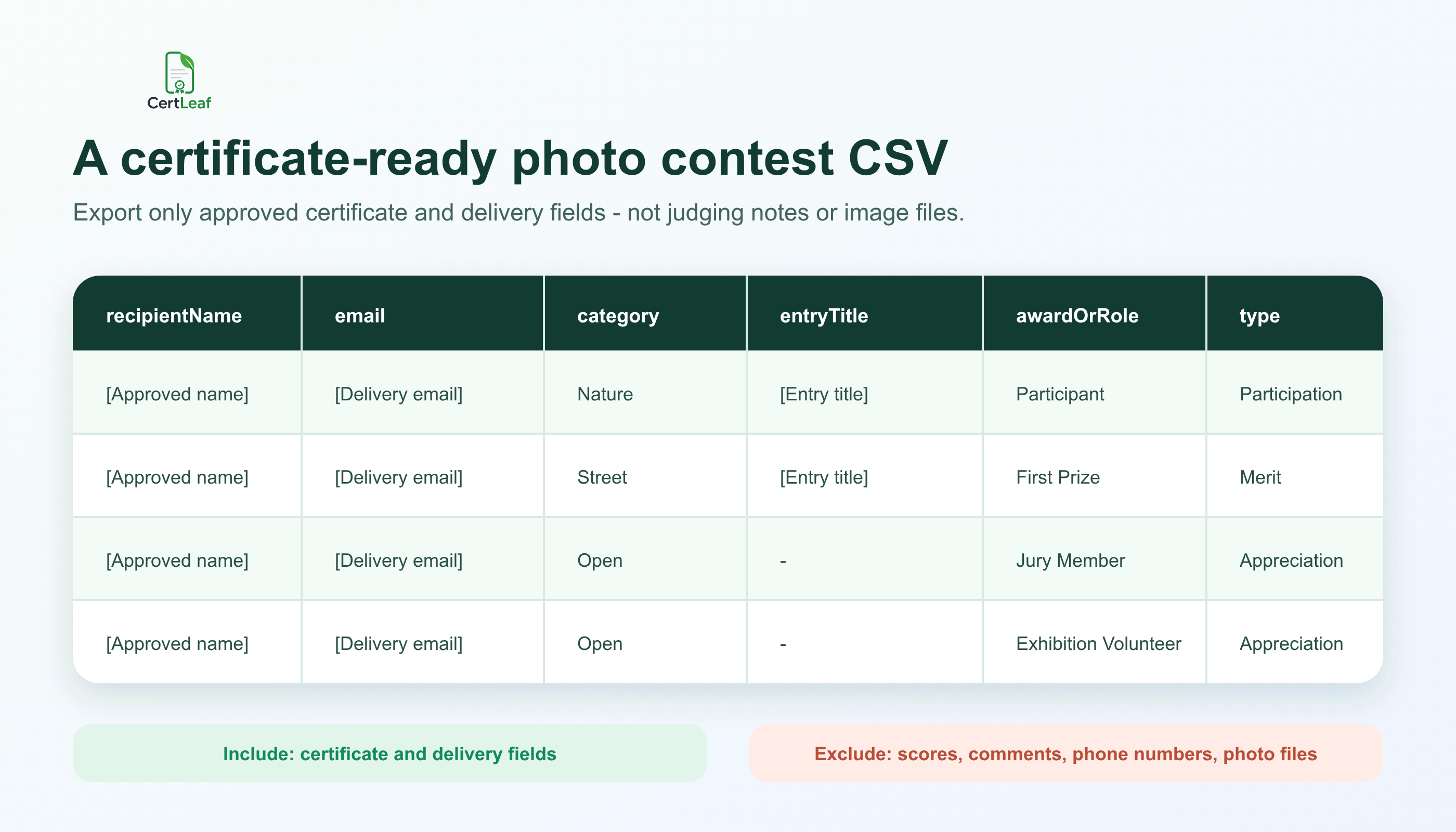
Use one approved row for one intended certificate. If a photographer should receive both participation and category-winner certificates, two rows can be intentional when the contest policy calls for two documents. If the same participation row appears twice after merging registration and shortlist files, resolve it before upload.
Keep image files out of the certificate CSV. The CSV is not an archive of the photographs. It should contain only the fields required for generation, delivery, and the approved public certificate record. The local guide to preparing a certificate recipient CSV without name or email errors is useful when entry forms and result sheets use different spellings or addresses.
Try the photography competition use case in CertLeaf with a small sample CSV. The 20 free signup credits let the team check long names, category labels, email delivery, and QR verification before issuing the real list.
Reuse templates without making every certificate identical
Most contests need a small template family, not dozens of designs:
Entrant or shortlisted-participant certificate
Winner, runner-up, or special-award certificate
Jury, curator, or mentor appreciation certificate
Volunteer, host, or partner appreciation certificate
The base visual system can use the same contest identity across all four. The title and wording should still change with the claim. A juror should not receive a certificate titled Participant, and an exhibition volunteer should not appear to have entered a photograph.
Before the full issue, test the awkward records. Use the longest recipient name, longest category, a multi-word award, a long club or college name, and a jury role. Check the exported certificate at normal size. Names and awards should remain clear of borders, signatures, and the QR area.
This is where a certificate platform earns its place. A design tool can produce the base artwork. CertLeaf keeps the reusable template, recipient row, generated certificate, delivery address, and verification route connected.
Email every certificate to the right recipient
Manual delivery becomes risky when a folder contains participant, winner, jury, mentor, and volunteer PDFs with similar names. The organizer has already approved the records; matching those files to emails should not become another manual contest.
CertLeaf keeps the delivery address tied to the same CSV row used for generation. Issue separate batches when that makes review easier, then send each recipient the correct certificate by email.
Run an internal test from every template type. Open the email on a phone and laptop. Check the contest name, recipient, category, award or role, download experience, and correction contact. If QR verification is enabled, scan the code from the delivered certificate rather than only from a design preview.
For larger contests, the bulk certificate email delivery guide covers recipient data, test sends, and follow-up handling in more detail.
Add QR verification when photography certificates travel
Photo contest certificates are often meant to be shared. Students add them to portfolios. Winners publish them on professional profiles. Jurors keep contribution records. Clubs may submit activity evidence to a department or institution.
A QR-verifiable CertLeaf certificate gives the viewer a public route to check the issued record. The verification details should agree with the recipient, issuer, contest, certificate type, category, award or role, and date shown on the PDF.
Keep the claim accurate. QR verification confirms that an issued certificate record exists with those details. It does not verify authorship of a photograph, prove that an image was not edited, certify copyright ownership, validate consent, or review the judges' decision.
The article on QR code certificates and public verification explains why an issued record behind the code is more useful than a generic QR graphic placed on a certificate design.
Why pay-as-you-go fits contest calendars
Photography competitions are often periodic. A club may run a monthly challenge but issue formal certificates only for a semester exhibition. A college department may organize one inter-college contest each year. A community society may have several quiet months between public events.
CertLeaf uses pay-as-you-go credits with no subscription. A simple certificate uses 1 credit, and a QR-verifiable certificate uses 2 credits. New accounts receive 20 free signup credits. India-first customers can buy credits in INR through Razorpay.
That model lets the organizer test a realistic sample, calculate the approved batch, and buy credits for the event rather than carrying a recurring plan between contests. The free credits are best used on difficult records: a long photographer name, a detailed category, a winner certificate, a jury role, an email delivery, and a QR scan.
Photography competition certificate generator FAQ
What is a photography competition certificate generator?
A photography competition certificate generator helps organizers create and issue personalized certificates for entrants, shortlisted photographers, winners, jurors, mentors, volunteers, and hosts. A useful platform supports reusable templates, bulk CSV issuing, email delivery, and optional QR verification.
Can CertLeaf issue photography competition certificates in bulk?
Yes. Prepare an approved CSV with one intended certificate per row, map its fields to the correct reusable template, and issue participation, award, or appreciation batches in bulk.
What fields should a photography competition certificate include?
Common fields are the recipient name, contest name, edition, category or theme, certificate type, host, and event date. Winner certificates can include the approved award or rank. Add an entry title only when the organizer uses and verifies it consistently.
Can winners and participants use the same certificate design?
They can share the same visual identity, but the title and wording should distinguish participation from achievement. Separate templates or batches make those records easier to review.
Can jurors, mentors, and volunteers receive certificates?
Yes. Use contribution or appreciation templates with the exact approved role. Do not use participant or winner wording for someone who judged, curated, mentored, hosted, or supported the event.
Should the photographs be included in the certificate CSV?
No. Keep image files and submission links in the contest's own storage or submission system. The certificate CSV should contain only the approved fields needed for certificate generation, email delivery, and the public record.
Does QR verification prove who owns a photograph?
No. QR verification confirms the CertLeaf certificate record issued by the organizer. It does not establish authorship, copyright ownership, consent, image originality, or the correctness of a judging result.
Is CertLeaf a no-subscription photo contest certificate generator?
Yes. CertLeaf uses pay-as-you-go credits with no subscription. New accounts receive 20 free signup credits, and India-first customers can purchase credits in INR through Razorpay.
Give each photography record the right certificate
A photography competition may be presented as one event, but its certificate records cover entries, shortlists, awards, jury contributions, mentoring, exhibition work, and event support. Those distinctions make the certificates more useful after the contest.
CertLeaf gives photography clubs, colleges, schools, societies, and event teams reusable templates, bulk CSV issuing, email delivery, QR verification, pay-as-you-go credits, INR/Razorpay support, and 20 free signup credits. The organizer approves the contest facts. CertLeaf handles the repetitive issuing work.
Start with a small sample, check every certificate type, and then issue the approved photography competition batch without committing to a subscription.