CertLeaf
Post-Event Certificate Checklist Before You Send the Bulk Email
A practical post-event certificate checklist for freezing attendance, checking recipient data, testing certificate proofs, and sending one reliable bulk email batch.
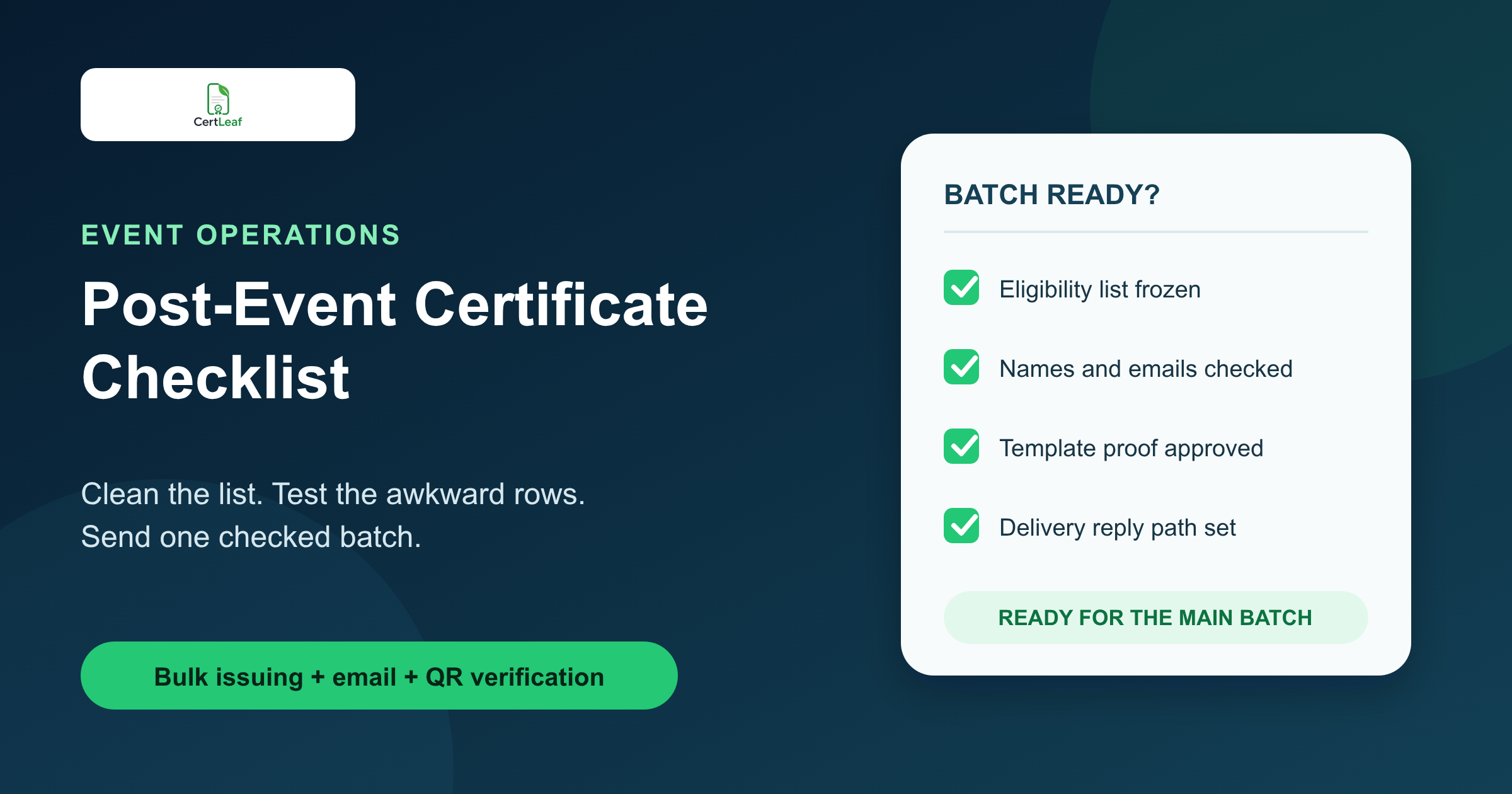
At 6:20 pm, the final session of the Riverbend Career Skills Day in Nashik ended. The placement team had 173 registrations, 149 attendance marks, 142 feedback responses, and six name corrections sitting in WhatsApp. A faculty coordinator wanted the certificates sent before dinner because students were already asking for them.
The volunteer with the spreadsheet said the list was ready. Then she noticed that three students had used personal email addresses for feedback after registering with college addresses. One attendee appeared twice. The workshop title in the certificate proof still said "Career Skill Day" instead of "Career Skills Day."
This is when I use a post-event certificate checklist. Not a long policy document. Just a short sequence that tells the team what must be settled before a bulk certificate email leaves the system.
| Checkpoint | Evidence to keep | Reason to pause |
|---|---|---|
| Eligible list | Final attendance or completion sheet | Registration count still equals certificate count |
| Recipient data | One approved CSV | Duplicate people or blank emails remain |
| Certificate proof | Awkward test rows | Long names, dates, or titles do not fit |
| Delivery path | Test email and QR scan | The wrong inbox or verification record opens |
| Follow-up owner | One reply address or correction log | Participants are told to message any volunteer |
For the Nashik program, sending at 6:20 would have been fast. Sending at 7:45, after the team fixed the source data and approved a proof, was kinder to everyone who would otherwise spend the next morning correcting it.
First, freeze the certificate eligibility list
The registration export is rarely the certificate list.
Registration says who intended to attend. Attendance says who was present. A feedback form may prove completion. An assessment may decide whether a training learner earned a completion certificate. The exact rule changes with the event, but it should be written before people start arguing over individual rows.
At Riverbend, the rule was simple: attend the full afternoon and submit the feedback form by 6 pm. The coordinator matched attendance first, then feedback. Four people who completed feedback but had no attendance mark moved into a review queue. They did not hold up the 138 clear cases.
That review queue matters. A late or uncertain participant does not need to delay the main batch. Once the team confirms the case, it can issue a small follow-up batch. If your list is still a mix of exports and messages, use the more detailed guide to prepare a clean certificate recipient CSV before generating anything.
I would save two files at this point: the working reconciliation sheet and the approved issuing CSV. Only the approved file should enter the certificate platform.
Give the closeout work an order
A certificate team can spend 90 minutes well or spend the same 90 minutes opening the same sheets repeatedly. The useful difference is the order.
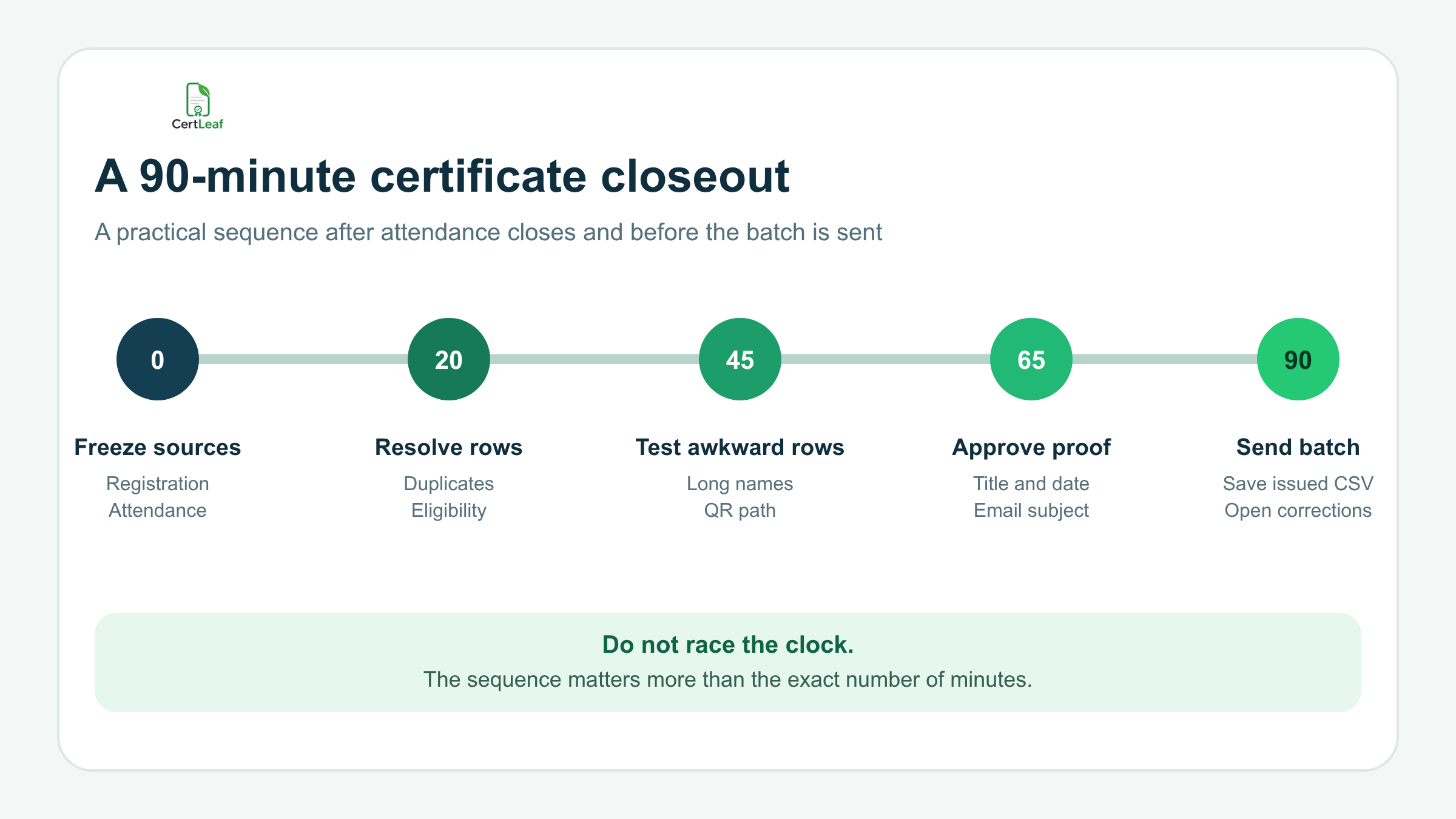
The timeline is not a promise that every 500-person conference will close in an hour and a half. It is a sequence. Freeze the inputs. Resolve the rows. Test the awkward data. Approve one proof. Then send.
At a college seminar in Kochi, I saw a team reverse that order. They designed the certificate, generated 220 PDFs, and only then compared the sheet with attendance. Twenty-seven no-shows already had certificates waiting in the export folder. The team had made the output before deciding who belonged in it.
Test the awkward certificate rows, not the first three
The first three rows in a spreadsheet are often ordinary: short names, familiar email domains, and no optional fields. They make weak proofs.
Choose the longest recipient name. Choose a name with initials. Add the longest event or course title. If the certificate prints a role, test the longest role. If the batch includes QR-verifiable certificates, scan the QR code and confirm that the public verification page matches the same recipient and event.
That last check deserves its own attention. A QR code that scans is not automatically correct. The route can open and still point to the wrong record. The practical guide to QR code certificates for workshops and training programs explains what the verification path should do after the PDF leaves the organizer's inbox.
The proof should be read at normal size, not only zoomed in on the editor screen. Check the organization name, program title, date or duration, recipient name, certificate type, signature area, and QR placement. One person should prepare the proof; another should approve it. This is a small separation, but it catches the mistakes a tired coordinator has already stopped seeing.
Use a go or no-go check before bulk certificate email
By the time the proof looks good, the team usually wants to press Send. I pause for four questions.
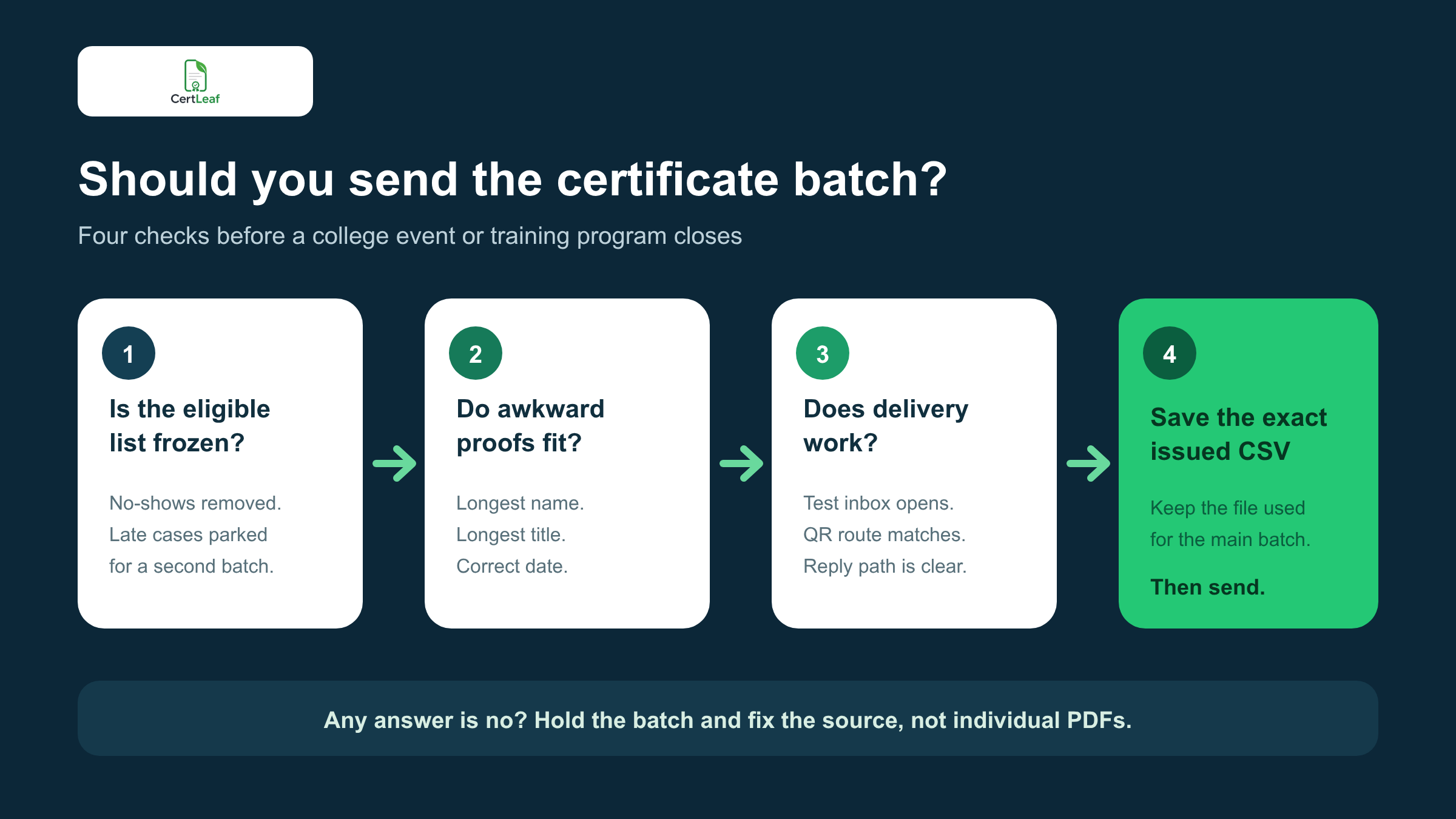
Is the eligible list frozen? Do the awkward proofs fit? Does the delivery path work? Has the exact issued CSV been saved?
If one answer is no, fix the source. Do not patch individual PDFs and hope the main batch is otherwise correct. A wrong fixed event date belongs in the template. A misspelled participant belongs in the CSV. A broken verification route belongs in the issuing setup.
This is also the moment to send one certificate to an inbox the team can open. Read the subject and message. Open the certificate on a phone. Check whether the participant can understand who sent it and what to do if a detail is wrong.
When the test works, use a controlled process to send certificates by email automatically after the event. Direct delivery is easier to track than placing hundreds of PDFs in a shared folder and asking participants to find their own file.
Decide the reply path before recipients need it
Every batch will produce some follow-up. Someone used an old email. Someone wants a middle initial added. Someone cannot find the message. The aim is not zero replies. The aim is one place to handle them.
Tell recipients which address or form to use. Keep the correction window clear. For example:
> Please check the recipient name on your certificate. If a correction is needed, reply to this email by 5 pm on 26 August with your registered email and the exact name required.
Do not ask participants to contact any member of the event team. That creates four private queues and no shared record. One correction log can track the original value, requested value, check status, action, and sent time.
If requests arrive, the published workflow for handling certificate name corrections after an event is a better next step than editing and forwarding PDFs one by one.
Save what was actually issued
After the main batch is sent, save the exact CSV that produced it. Do not overwrite that file when corrections arrive. Name it clearly, such as riverbend-career-skills-issued-2026-08-24.csv.
Keep the approved proof, the template version, the issue date, and the reply owner with the event records. A college department or training institute does not need a complicated archive to answer a basic question later: which list produced this certificate?
The correction sheet should be separate. If five recipients need updated names, record those five changes and issue a small checked batch. The original issued file remains the record of the main send.
Where CertLeaf fits in the checklist
CertLeaf handles the repetitive part after the decisions are made. An organizer can use a reusable template, upload the approved CSV, issue certificates in bulk, distribute them by email, and add QR verification when recipients may need public proof later.
The product does not decide whether an absent registrant is eligible or whether two similar rows belong to the same person. The event team still owns those calls. That boundary is useful: people settle the judgment; CertLeaf handles the batch work.
CertLeaf uses pay-as-you-go credits with no subscription, which fits college events, workshops, and training programs that run in bursts. New accounts receive 20 free credits for testing. I would use those tests on the awkward rows, not on a tidy sample that proves very little.
Post-event certificate checklist FAQ
What should be on a post-event certificate checklist?
Include the final eligibility rule, one approved recipient CSV, awkward-row proofs, a test email, a QR verification check when used, the exact issued CSV, and one correction or reply path.
How soon after an event should certificates be sent?
Send them after the attendance or completion evidence is settled and the batch has passed a proof and delivery test. For a simple event, that may be the same evening. For a multi-day program or assessed course, the checked list may take longer. A published expectation is more useful than an unverified fast send.
Should late participants delay the main certificate batch?
Usually no. Put uncertain or late-approved cases in a review queue, send the clear main batch, and issue a small follow-up batch after those cases are confirmed.
Which certificate rows should I test before sending?
Test the longest name, a name with initials, the longest program title, the longest role or certificate type, and a row with every optional field filled. For QR-verifiable certificates, scan the QR code and match the public record to the proof.
How do I reduce certificate correction requests?
Collect a certificate-ready name, publish the eligibility rule, reconcile attendance before issuing, test awkward rows, and give recipients one correction channel with a deadline. Some corrections will still happen, so keep the issued CSV and a correction log.
Can CertLeaf issue and email event certificates in bulk?
Yes. CertLeaf supports reusable templates, CSV-based bulk issuing, email distribution, and QR-verifiable certificates. It uses pay-as-you-go credits rather than a monthly subscription.
Finish the event once
The Nashik team sent 138 certificates in the main batch. Four reviewed attendees were approved the next morning and received a small second batch. Two name corrections went through the same reply address. Nobody had to work out which of five spreadsheets was final because the exact issued CSV was saved.
That is what a good post-event certificate checklist should achieve. Not perfect data and not an instant send. One approved list, one checked proof, one delivery path, and a record another coordinator can understand after the event folder has gone quiet.